
Netpbm
NetPBM Raster Bitmap Pure Python 3 Image, No dependencies, Color, Grayscale or Black&White, Object, Encoder and Decoder, PNG Export, JSON Import/Export, and other useful manipulation functions. Uses native Python lists.
Install / Use
/learn @juancarlospaco/NetpbmREADME
netpbm
NetPBM Raster Bitmap Pure Python 3.


- No dependencies, Python 3.5+ standard libs only.
- No Pillow, No PIL, No Numpy, No Matplotlib, No Compilation required.
- Color (16M Colors), Grayscale (256 Colors) or Black&White (2 Colors).
- Object Class is Encoder and Decoder,
withcontext manager support, chaining. - PNG Export, JSON Import/Export, Pretty-Print to Terminal, etc.
- Useful manipulation functions, Darken, Lighten, Invert, Crop, Shrink, etc.
- Uses simple native Python lists, No Numpy Arrays.
- Single file.
For more information on the Standard see: https://en.wikipedia.org/wiki/Netpbm_format#PPM_example
Examples
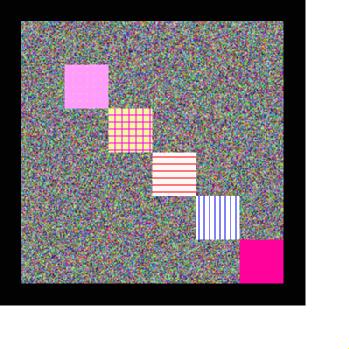
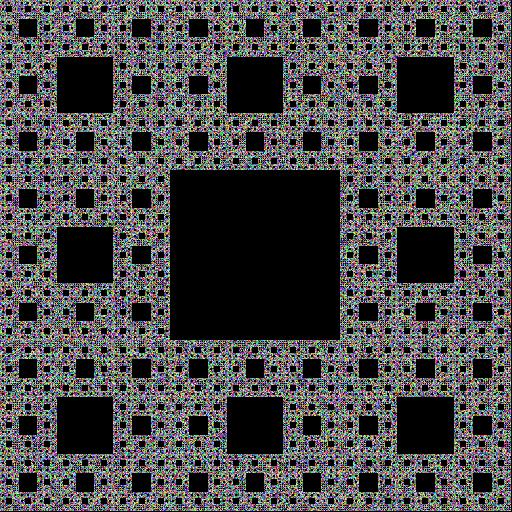

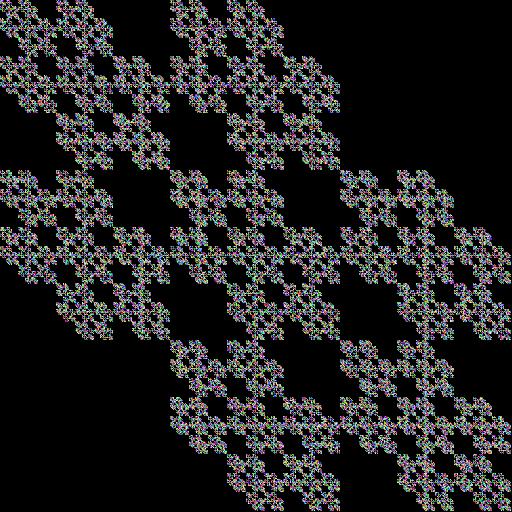

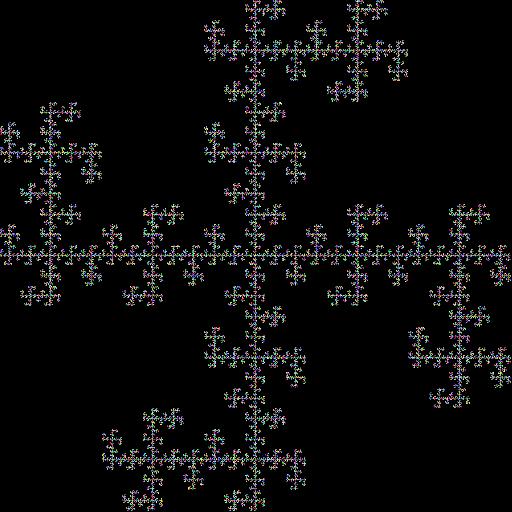

Check the Example file for fractal code.
Reference
- The Documentation uses
ImgColoras Example, butImgGrayscaleandImgBWshare the same functions, since they all inherit from the same internal-only__BitmapDummy Base Private Class. - Encoding is always
utf-8for proper Unicode support, unless explicitly stated otherwise.
ImgColor
<details>netpbm.ImgColor(width: int, height: int, bitmap: list, bg: int=0, comment: str="")
Description: Make an Image object.
Arguments:
widthWidth of Image, required, integer type.heightHeight of Image, required, integer type.bitmapA List of Lists with RGB values[ [(R,G,B), ... ], ... ]eg.[ [(255,0,128), (10,0,250),], ], basically a Matrix of Integers, optional, a Blank image will be created if not provided, list type.bgDefault Background color, optional, a Blank Background image will be used if not provided, list type for Color images, eg[0,0,0], integer for Black&White and Grayscale images, eg0.commentComment for Image, optional, an Empty string will be used if not provided, string type.
Keyword Arguments: None.
Returns: ImgColor object, a Color Image.
Source Code file: https://github.com/juancarlospaco/anglerfish/blob/master/anglerfish/netpbm.py
| State | OS | Description | | ------------------ |:-----------:| -----------:| | :white_check_mark: | Linux | Works Ok | | :white_check_mark: | Os X | Works Ok | | :white_check_mark: | Windows | Works Ok |
Usage Example:
>>> from netpbm import ImgColor
>>> ImgColor(10, 10)
show
<details>netpbm.ImgColor.show()
Description: Opens Image with browser or default program, auto-converts to PNG.
Arguments: None.
Keyword Arguments: None.
Returns: None.
Source Code file: https://github.com/juancarlospaco/anglerfish/blob/master/anglerfish/netpbm.py
| State | OS | Description | | ------------------ |:-----------:| -----------:| | :white_check_mark: | Linux | Works Ok | | :white_check_mark: | Os X | Works Ok | | :white_check_mark: | Windows | Works Ok |
Usage Example:
>>> from netpbm import ImgColor
>>> image = ImgColor(10, 10)
>>> image.show()
from_string
<details>netpbm.ImgColor.from_string(stringy: str)
Description: Get Bitmap data from a string. This first get contents as a UTF-8 string, removes all empty lines, strips the string, gets Header data using a Regex, which includes Height of Bitmap, then it slices lines from string from bottom to top according to Height, that gives the Bitmap data from the string slice, make all strings to integers and sets them as Bitmap, returns that Bitmap.
Arguments:
stringyA string with a valid image file, required, string type.
Keyword Arguments: None.
Returns: A Bitmap, a list of lists.
Source Code file: https://github.com/juancarlospaco/anglerfish/blob/master/anglerfish/netpbm.py
| State | OS | Description | | ------------------ |:-----------:| -----------:| | :white_check_mark: | Linux | Works Ok | | :white_check_mark: | Os X | Works Ok | | :white_check_mark: | Windows | Works Ok |
Usage Example:
>>> from netpbm import ImgColor
>>> image= ImgColor(10, 10)
>>> image.from_string(open("image.ppm").read())
from_file
<details>netpbm.ImgColor.from_file(filepath: str)
Description: Get Bitmap data from an existent valid file path string.
Internally is a shortcut to netpbm.ImgColor.from_string() that opens and reads the file.
Arguments:
filepathA string with an existent valid image file path, required, string type.
Keyword Arguments: None.
Returns: A Bitmap, a list of lists.
Source Code file: https://github.com/juancarlospaco/anglerfish/blob/master/anglerfish/netpbm.py
| State | OS | Description | | ------------------ |:-----------:| -----------:| | :white_check_mark: | Linux | Works Ok | | :white_check_mark: | Os X | Works Ok | | :white_check_mark: | Windows | Works Ok |
Usage Example:
>>> from netpbm import ImgColor
>>> image= ImgColor(10, 10)
>>> image.from_file("image.ppm")
get_header
<details>netpbm.ImgColor.get_header(data_str: str)
Description: Get Header data using a Regex from an string. Sets Header. Returns Header.
Arguments:
data_strA string with an valid image file contents, required, string type.
Keyword Arguments: None.
Returns: A Header, one of "P1", "P2", "P3", string type.
Source Code file: https://github.com/juancarlospaco/anglerfish/blob/master/anglerfish/netpbm.py
| State | OS | Description | | ------------------ |:-----------:| -----------:| | :white_check_mark: | Linux | Works Ok | | :white_check_mark: | Os X | Works Ok | | :white_check_mark: | Windows | Works Ok |
Usage Example:
>>> from netpbm import ImgColor
>>> image= ImgColor(10, 10)
>>> image.get_header(open("image.ppm").read())
get_mime_type
<details>netpbm.ImgColor.get_mime_type()
Description: Get the mime type of the current image format as 'type/subtype'.
Internally it uses Python standard libs mimetypes.guess_type().
Arguments: None.
Keyword Arguments: None.
Returns: A MIME Type, string type.
Source Code file: https://github.com/juancarlospaco/anglerfish/blob/master/anglerfish/netpbm.py
| State | OS | Description | | ------------------ |:-----------:| -----------:| | :white_check_mark: | Linux | Works Ok | | :white_check_mark: | Os X | Works Ok | | :white_check_mark: | Windows | Works Ok |
Usage Example:
>>> from netpbm import ImgColor
>>> image= ImgColor(10, 10)
>>> image.get_mime_type()
pprint
<details>netpbm.ImgColor.pprint()
Description: Pretty Print to standard output the bitmap data matrix, a list of lists.
Internally it uses Pythons standard libs pprint.pprint().
Arguments: None.
Keyword Arguments: None.
Returns: None.
Source Code file: https://github.com/juancarlospaco/anglerfish/blob/master/anglerfish/netpbm.py
| State | OS | Description | | ------------------ |:-----------:| -----------:| | :white_check_mark: | Linux | Works Ok | | :white_check_mark: | Os X | Works Ok | | :white_check_mark: | Windows | Works Ok |
Usage Example:
>>> from netpbm import ImgColor
>>> image= ImgColor(10, 10)
>>> image.pprint()
set_datetime_as_comment
<details>netpbm.ImgColor.set_datetime_as_comment()
Description: Set actual date and time UTC-aware ISO-Format as the comment.
eg. '2017-03-24 07:49:57-03:00'.
Internally is shortcut to datetime.datetime.now(datetime.timezone.utc).replace( microsecond=0).astimezone().isoformat(" ").
Arguments: None.
Keyword Arguments: None.
Returns: None.
Source Code file: https://github.com/juancarlospaco/anglerfish/blob/master/anglerfish/netpbm.py
| State | OS | Description | | ------------------ |:-----------:| -----------:| | :white_check_mark: | Linux | Works Ok | | :white_check_mark: | Os X | Works Ok | | :white_check_mark: | Windows | Works Ok |
Usage Example:
>>> from netpbm import ImgColor
>>> image= ImgColor(10, 10)
>>> image.set_datetime_as_comment()
mirror_x
<details>netpbm.ImgColor.mirror_x()
Description: Mirror image Horizontally.
Arguments: None.
Keyword Arguments: None.
Returns: None.
Source Code file: https://github.com/juancarlospaco/anglerfish/blob/master/anglerfish/netpbm.py
| State | OS | Description | | ------------------ |:-----------:| -----------:| | :white_check_mark: | Linux | Works Ok | | :white_check_mark: | Os X | Works Ok | | :white_check_mark: | Windows | Works Ok |
Usage Example:
