
FlowStack
A grid layout view for SwiftUI
Install / Use
/learn @johnsusek/FlowStackREADME
Update July 2020 - latest SwiftUI now has built-in components to do this, which should be used instead.
FlowStack
FlowStack is a SwiftUI component for laying out content in a grid.
Requirements
Xcode 11 beta on MacOS 10.14 or 10.15
Installation
In Xcode, choose File -> Swift Packages -> Add Package Dependency and enter this repo's URL.
Usage
FlowStack(columns, numItems, alignment) { index, colWidth in }
<dl> <dt>columns (Int)</dt> <dd>The number of columns to display.</dd> <dt>numItems (Int)</dt> <dd>The total count of items you will be displaying.</dd> <dt>alignment (HorizontalAlignment?)</dt> <dd>Default: .leading<br>The alignment of any trailing columns in the last row.</dd> </dl>Callback parameters
<dl> <dt>index (Int)</dt> <dd>The index of the item currently being processed.</dd> <dt>colWidth (CGFloat)</dt> <dd>The computed width of the column currently being processed.</dd> </dl>Examples
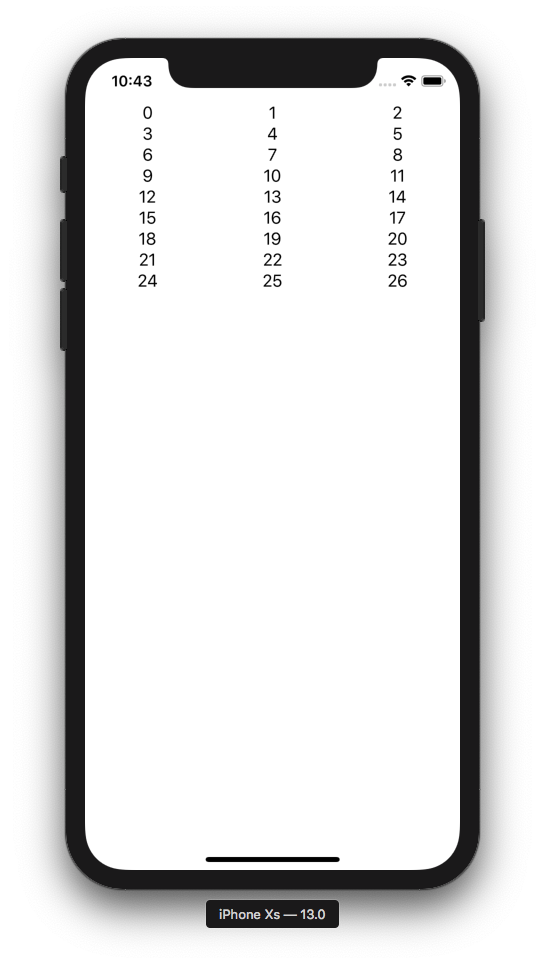
1) Simple
The simplest possible example:
FlowStack(columns: 3, numItems: 27, alignment: .leading) { index, colWidth in
  Text(" \(index) ").frame(width: colWidth)
}
You should always add .frame(width: colWidth) to the immediate child of FlowStack.
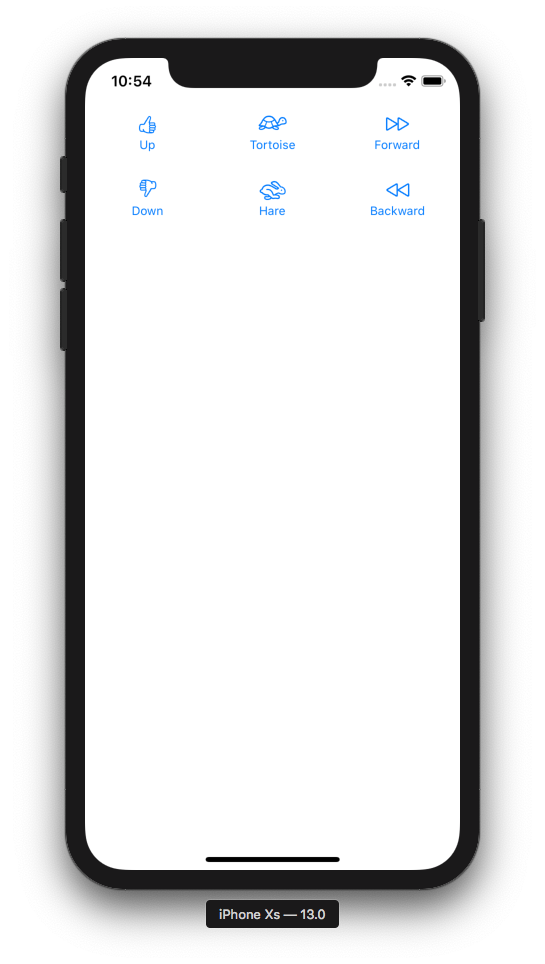
2) Displaying Data
struct Item {
  var image: String
  var label: String
}

let items = [
  Item(image: "hand.thumbsup", label: "Up"),
  Item(image: "tortoise", label: "Tortoise"),
  Item(image: "forward", label: "Forward"),
  Item(image: "hand.thumbsdown", label: "Down"),
  Item(image: "hare", label: "Hare"),
  Item(image: "backward", label: "Backward")
]

FlowStack(columns: 3, numItems: items.count, alignment: .leading) { index, colWidth in
  Button(action: { print("Tap \(index)!") }) {
    Image(systemName: items[index].image)
    Text(items[index].label).font(Font.caption)
  }
  .padding()
  .frame(width: colWidth)
}
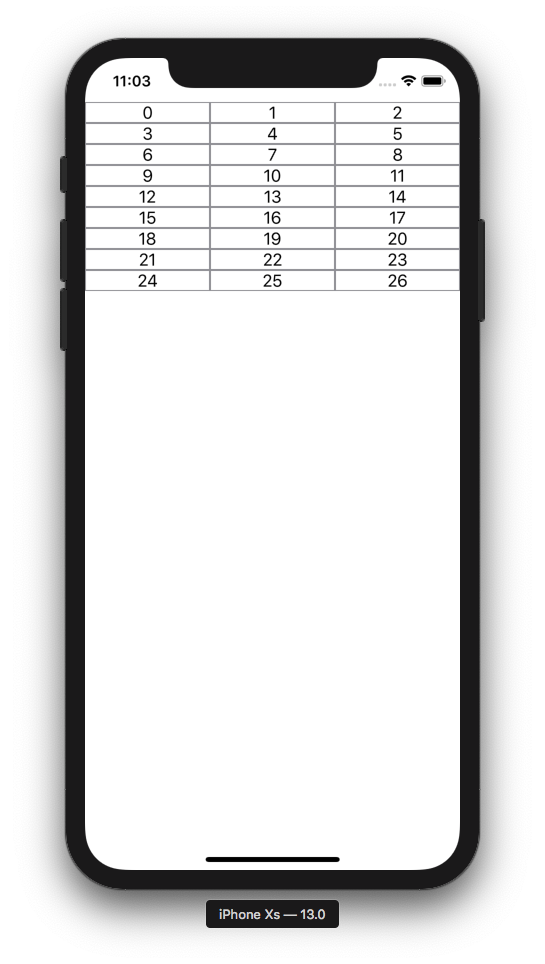
Padding/Borders/Actions
Let's draw a border on our cells to visualize some concepts:
FlowStack(columns: 3, numItems: 27, alignment: .leading) { index, colWidth in
  Text(" \(index) ").frame(width: colWidth).border(Color.gray)
}
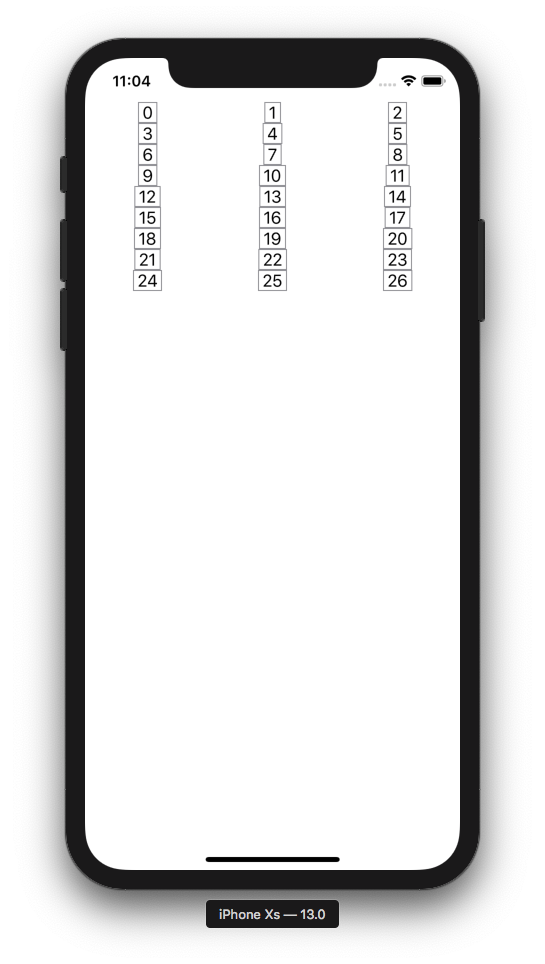
Now let's swap the .frame and .border order and note what happens. This demonstrates the order of operations is important when chaining layout modifiers.
FlowStack(columns: 3, numItems: 27, alignment: .leading) { index, colWidth in
  Text(" \(index) ").border(Color.gray).frame(width: colWidth)
}
Now let's swap the order back and add some padding:
FlowStack(columns: 3, numItems: 27, alignment: .leading) { index, colWidth in
  Text(" \(index) ").padding().frame(width: colWidth).border(Color.gray)
}
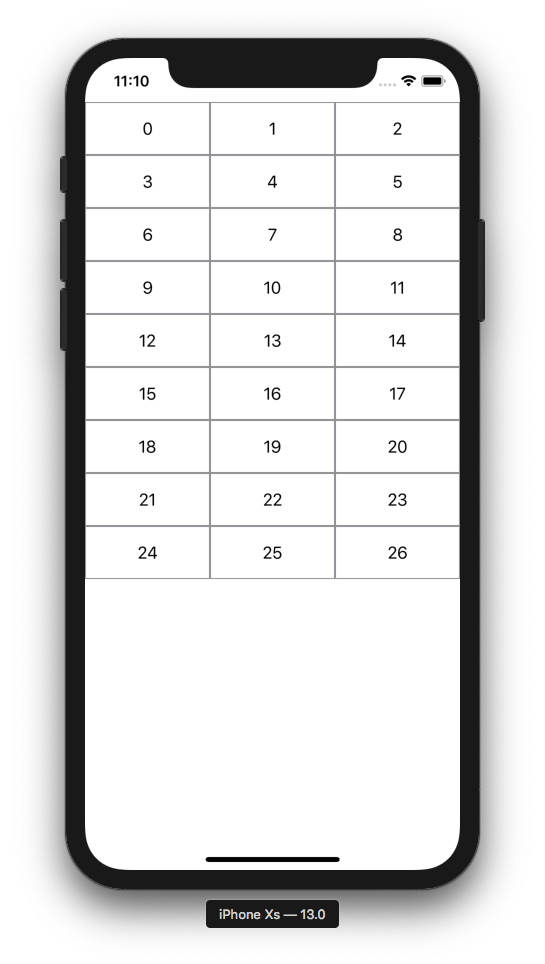
To add actions, you can of course just put buttons in your cells like example #2. But there is also a way to detect a tap on the entire cell. Note we add a background to detect taps in the empty areas outside the text.
FlowStack(columns: 3, numItems: 27, alignment: .leading) { index, colWidth in
  Text(" \(index) ")
    .padding()
    .frame(width: colWidth)
    .border(Color.gray)
    .background(Color.white)
    .tapAction {
      print("Tap!")
    }
}
Example with images
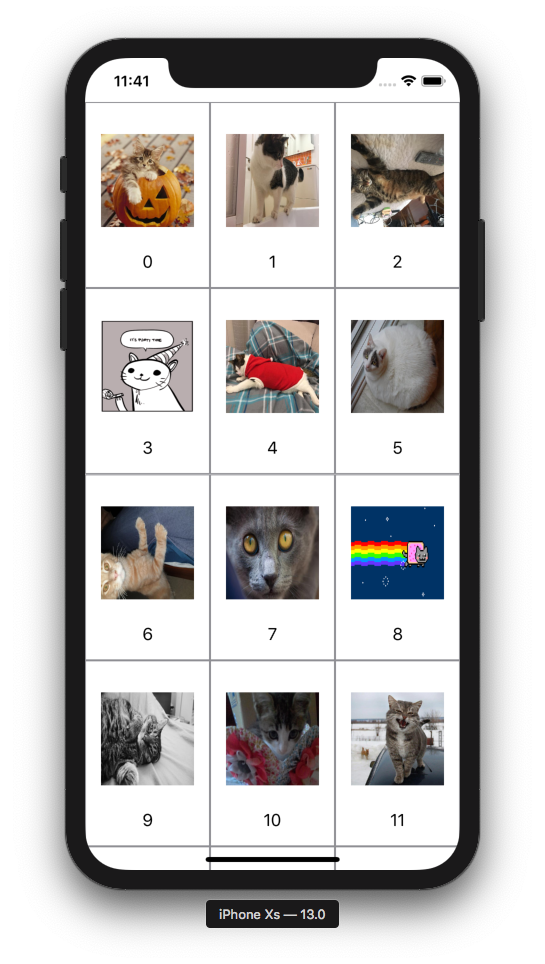
Here's an example with images. LoadableImageView is from here.
FlowStack(columns: 3, numItems: 27, alignment: .leading) { index, colWidth in
  VStack {
    LoadableImageView(with: "https://cataas.com/cat?type=sq?foo")
      .padding()
      .frame(width: colWidth, height: colWidth)
      .tapAction { print("Meow!") }
    Text(" \(index) ")
  }
  .padding()
  .frame(width: colWidth)
  .border(Color.gray)
  .background(Color.white)
  .tapAction {
    print("Tap!")
  }
}
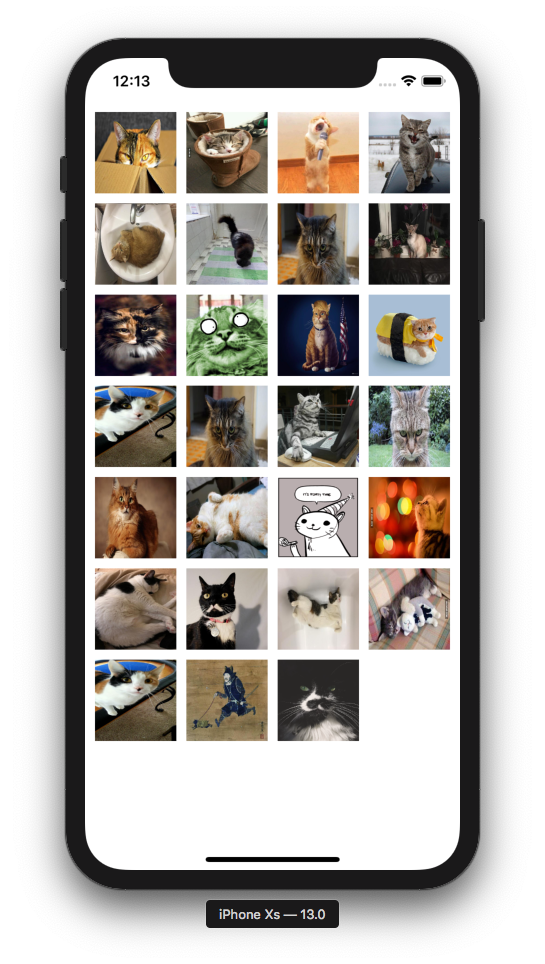
Evenly spaced grid
FlowStack(columns: 4, numItems: 27, alignment: .leading) { index, colWidth in
  LoadableImageView(with: "https://cataas.com/cat?type=sq?rando")
    .padding(5)
    .frame(width: colWidth, height: colWidth)
}.padding(5)
Feedback
Please file a github issue if you're having trouble or spot a bug.
Related Skills
node-connect
346.4kDiagnose OpenClaw node connection and pairing failures for Android, iOS, and macOS companion apps
frontend-design
107.2kCreate distinctive, production-grade frontend interfaces with high design quality. Use this skill when the user asks to build web components, pages, or applications. Generates creative, polished code that avoids generic AI aesthetics.
openai-whisper-api
346.4kTranscribe audio via OpenAI Audio Transcriptions API (Whisper).
qqbot-media
346.4kQQBot 富媒体收发能力。使用 <qqmedia> 标签,系统根据文件扩展名自动识别类型(图片/语音/视频/文件)。
