Jellylooter
A web-based media synchronization tool for Jellyfin. Browse remote libraries, download content recursively, and auto-sync missing media to your local Unraid server with metadata deduplication.
Install / Use
/learn @jlightner86/JellylooterREADME
JellyLooter v3.2.0
Sync media from remote Jellyfin/Emby servers to your local storage.
Built by Friendly Media — because your friends' Jellyfin libraries aren't going to backup themselves.
Screenshots
| Browse Library | Download Queue | Settings |
|----------------|----------------|----------|
| 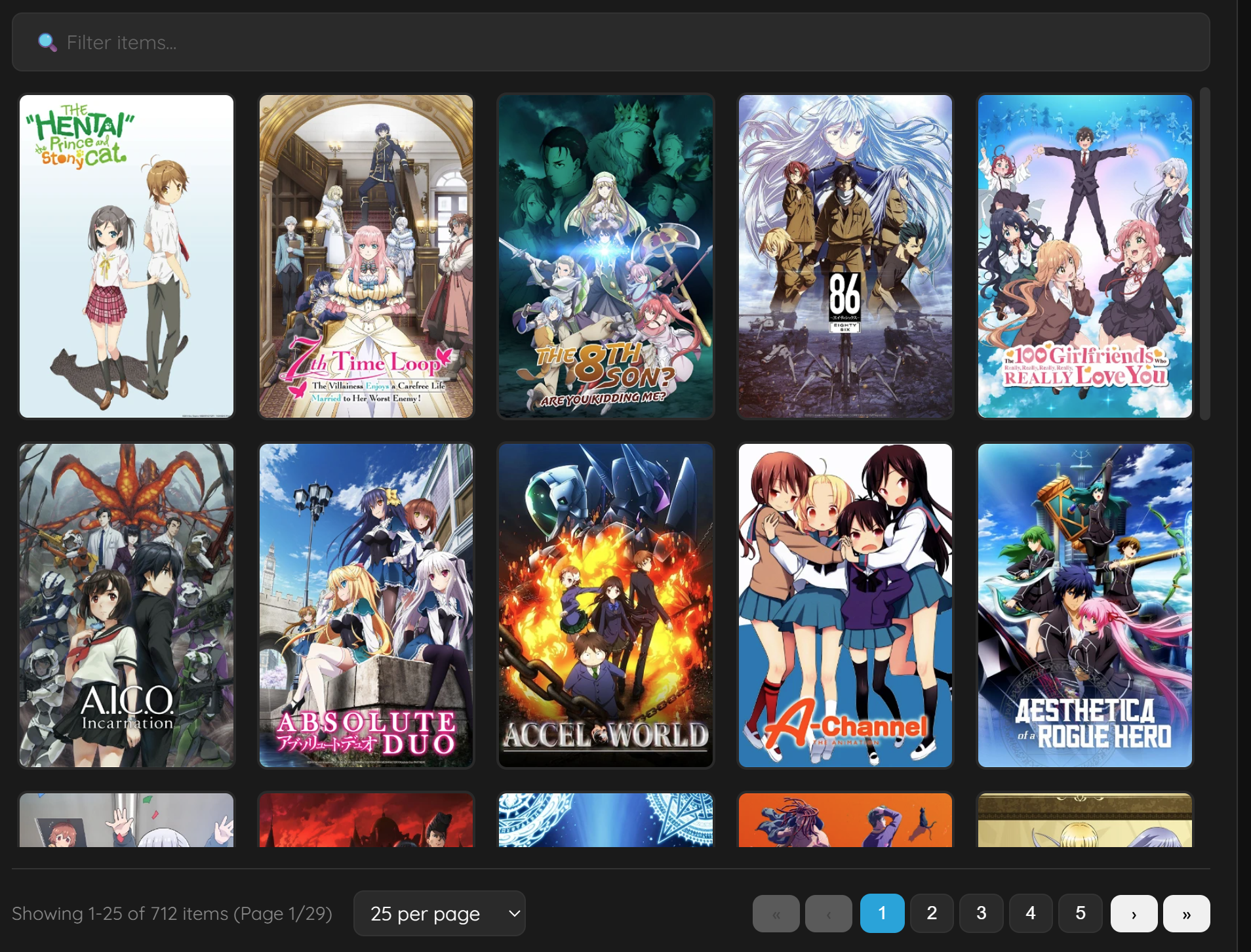 |
| 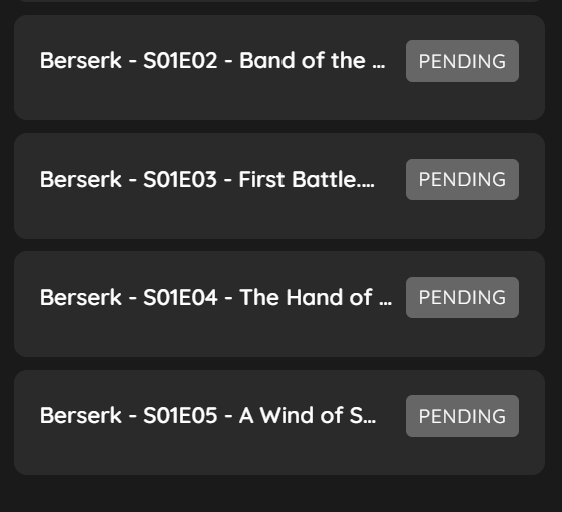 |
| 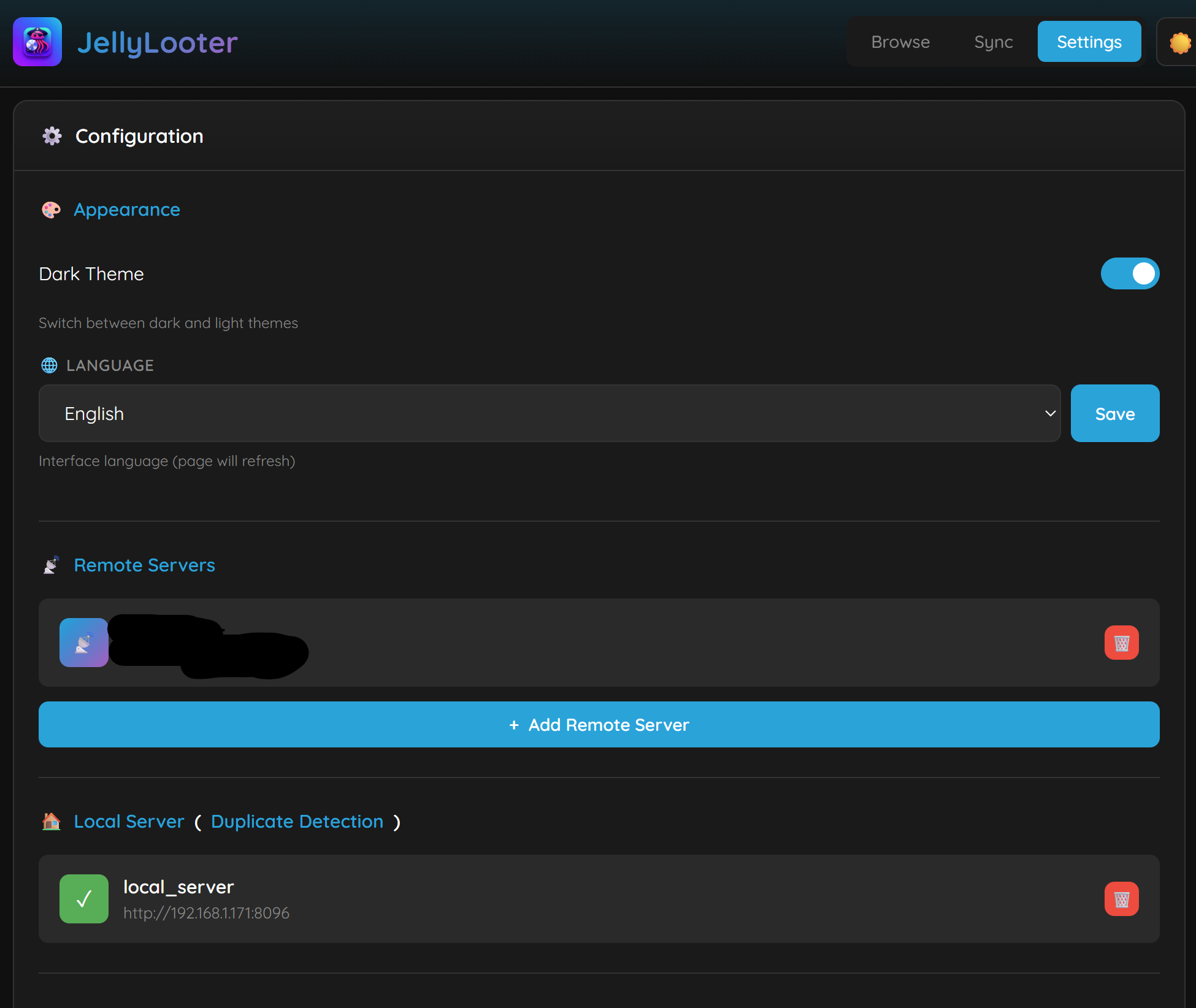 |
|
| Rating Overlays | Quality Badges | Pro Features |
|-----------------|----------------|--------------|
|  |
|  |
|  |
|
What's New in v3.2.0
🔌 API Integration (NZB360, Organizr, etc.)
- External API access - Control JellyLooter from external apps
- API key authentication - Secure access with generated API keys
- Full queue control - Add, remove, pause, resume downloads via API
- NZB360 compatible - Use Custom Downloader integration
- Organizr widgets - Add status widget to your dashboard
- Home Assistant - Poll status for sensors and automations
- API documentation - Built-in docs at
/api/v1/docs
📊 Dashboard Layouts
Choose from 6 layout options to customize your browsing experience:
- Classic - Large posters with full details (default)
- Compact - Smaller posters, fits 2x more on screen
- Cards - Horizontal cards with poster and info
- List - Vertical list with thumbnails for quick browsing
- Minimal - Posters only, hover for details
- Large Posters - Oversized artwork focus
⚙️ Tabbed Settings UI
Redesigned settings page with organized tabs:
- General - Appearance, language, layout, display options, timezone
- Servers - Remote servers, local server, API integration
- Downloads - Speed limits, retry settings, folder naming, metadata APIs
- Security - Authentication, reverse proxy settings
- Pro - Notifications, transcoding, resource limits, scheduling, *arr integration, themes
⚡ Resource Limits (Pro)
Control system resource usage to prevent overloading NAS/low-power devices:
- CPU Threads - Limit FFmpeg to 1-16 threads (or auto)
- Process Priority - Low/Normal/High (nice levels)
- I/O Priority - Idle/Low/Normal (ionice for disk)
- Memory Buffer - 8-256 MB download buffer size
Presets: | Device Type | CPU | I/O | Buffer | |-------------|-----|-----|--------| | NAS/Low-power | Low | Idle | 16 MB | | Shared systems | Normal | Low | 32 MB | | Dedicated | High | Normal | 256 MB |
📡 Per-Server Workers (Pro)
Download from multiple Jellyfin servers simultaneously:
- Each server gets its own dedicated worker pool
- Downloads from Server A don't block Server B
- Configure 1-10 workers per server (matches concurrent download limit)
- Total concurrent downloads = servers × workers per server
- Example: 3 servers × 4 workers = 12 simultaneous downloads
📈 Enhanced Download Statistics
- Persistent tracking - Stats survive container restarts
- Per-server breakdown - See downloads by server
- Session vs total - Track current session and all-time totals
- Transcode savings widget - Shows space saved in main UI when transcoding enabled
🐛 Bug Fixes
- Fixed basic logs - Activity logs now properly show download events (timestamp-aware patterns)
- Fixed download stats - Statistics now persist and track accurately across restarts
- Fixed transcode stats display - Properly shows space saved percentage
API Endpoints
| Endpoint | Description |
|----------|-------------|
| GET /api/v1/status | Queue status, speeds, disk space |
| GET /api/v1/queue | Current download queue |
| POST /api/v1/queue/add | Add item to download queue |
| DELETE /api/v1/queue/{id} | Cancel/remove download |
| POST /api/v1/queue/pause | Pause all downloads |
| POST /api/v1/queue/resume | Resume downloads |
| GET /api/v1/history | Download history |
| GET /api/v1/servers | List configured servers |
| GET /api/v1/servers/{id}/browse | Browse server library |
| GET /api/v1/servers/{id}/search | Search server |
| GET /api/v1/stats | Download/transcode statistics |
What's New in v3.1.0
🔍 Library Search
- Search within libraries - Find movies and shows by name without scrolling
- Server-side search - Returns up to 100 results from the entire library
- Instant results - Search box appears when inside any library
- Clear search - One-click return to normal browsing
⏰ Time Format Options
- 12-hour format - Display times as 1:30 PM (default)
- 24-hour format - Display times as 13:30 (military time)
- Timezone support - 30+ timezone options with proper log timestamps
🎬 Transcoding Improvements (Pro)
- AVI encoding preset - Legacy-compatible MPEG-4 + MP3 in AVI container
- Cache drive support - Transcode to fast SSD, then move to destination
- Improved error logging - Filters FFmpeg progress output from error logs
- Better validation - ffprobe validation for partially completed transcodes
- Preset options: Original, H.264, H.265/HEVC, AVI, Mobile (720p), 4K Optimized
📡 *arr Integration Enhancements
- Auto-add series to Sonarr - Automatically adds new series when downloading episodes
- Smart root folder detection - Matches your download path to Sonarr root folders
- Intelligent path mapping - Scans filesystem to auto-detect path mappings
- Fallback search - Searches by title if TVDB/IMDB lookup fails
- Detailed logging - See exactly what's happening with *arr integration
🔍 External Metadata API Support
- TMDB, TVDB, OMDb integration - Lookup missing IMDB/TVDB IDs from external APIs
- User-provided API keys - Free API keys from each service
- Automatic fallback - Tries TMDB → TVDB → OMDb until IDs are found
- Pro: Metadata caching - Store lookups locally for faster repeat browsing
📁 Folder Naming Formats
Choose from 6 folder naming options in Advanced Settings:
- Standard -
Show Name/Movie (2010) - IDs (Space) -
Show Name tt1234567 76885 - IDs (Braces) -
Show Name {imdb-tt1234567} {tvdb-76885} - IDs (Brackets) -
Show Name [imdb-tt1234567] [tvdb-76885] - TMDB Only -
Show Name {tmdb-12345} - IMDB Only -
Show Name tt1234567
📋 Activity Log Improvements
- Basic/Advanced toggle - Basic shows only download activity, Advanced shows all logs
- Copy logs button - Copy activity log to clipboard for easy sharing/debugging
🔄 Download Improvements
- Auto-retry failed downloads - Configurable retry attempts (1-10) and delay (5-300s)
- Download limit override - Allow >10 concurrent downloads (with safety warning)
- Improved error handling - Better retry logic for connection failures
Other Improvements
- Mobile menu: Added Sync Now and Rebuild Cache buttons
- Enhanced metadata logging for troubleshooting
- Theme persistence fix across page navigation
- Download statistics persist across container restarts
- Clipboard copy works over HTTP (not just HTTPS)
What's New in v3.0.0
This is a major release with Pro features, security hardening, and UI enhancements.
⭐ Poster Overlays
- Rating badges - IMDB/TMDB ratings displayed on posters
- Quality badges - 4K, 1080p, 720p, HDR, Dolby Vision, Atmos
- Content ratings - PG-13, R, TV-MA displayed on posters
- Toggleable - Enable/disable in Advanced Settings
⌨️ Keyboard Shortcuts
- Press
?to see all shortcuts - Quick navigation (1, 2, 3 for tabs)
- Download controls (P=pause, D=download, Ctrl+A=select all)
📊 Download Statistics
- Real-time download speed display
- Total downloaded tracker
- Queue status at a glance
📦 Collection/Playlist Support
- "Download All" button on collections and playlists
- Automatically fetches all movies/episodes
- One-click batch download
💾 Backup & Restore
- Export configuration to JSON
- Import settings (API keys masked for security)
- Health check endpoint (
/health) for Docker monitoring
🔄 Download Resume (Pro)
- Interrupted downloads can be resumed
- Partial files saved automatically
- Resume from where you left off
🎨 Visual Enhancements
- 🎨 GPU transcoding support (NVENC, QuickSync, VAAPI)
- Custom themes (14 presets including seasonal)
- Movie folder naming with year (e.g., "Inception (2010)/")
🔗 *arr Integration
- Sonarr/Radarr folder naming support
- Use exact folder names from your *arr apps
- Auto-refresh cache for folder lookups
Free vs Pro
| Feature | Free | Pro ($10 lifetime) | |---------|------|--------------------| | Remote servers | 2 | Unlimited | | Local servers | 1 | Unlimited | | Concurrent downloads | 2 | 10 | | Download limit override | ❌ | ✅ Up to 50 | | Auto-sync mappings | 1 | Unlimited | | Items per page | 100 | Unlimited | | Rating overlays | ✅ | ✅ | | Quality badges | ✅ | ✅ | | Folder naming formats | ✅ 6 options | ✅ 6 options | | External metadata lookup | ✅ | ✅ | | Auto-retry failed downloads | ✅ | ✅ | | Metadata caching | ❌ | ✅ | | Activity log views | ✅ Basic/Advanced | ✅ Basic/Advanced | | Copy logs button | ✅ | ✅ | | Download history | ✅ | ✅ | | Keyboard shortcuts | ✅ | ✅ | | Download statistics | ✅ | ✅ | | Collection download | ✅ | ✅ | | Config backup/restore | ✅ | ✅ | | Health check endpoint | ✅ | ✅ | | Download resume | ❌ | ✅ | | Notifications | ❌ | ✅ Discord, Telegram, 80+ | | Custom themes | ❌ | ✅ 14 presets + custom | |
Related Skills
docs-writer
98.8k`docs-writer` skill instructions As an expert technical writer and editor for the Gemini CLI project, you produce accurate, clear, and consistent documentation. When asked to write, edit, or revie
model-usage
331.2kUse CodexBar CLI local cost usage to summarize per-model usage for Codex or Claude, including the current (most recent) model or a full model breakdown. Trigger when asked for model-level usage/cost data from codexbar, or when you need a scriptable per-model summary from codexbar cost JSON.
Design
Campus Second-Hand Trading Platform \- General Design Document (v5.0 \- React Architecture \- Complete Final Version)1\. System Overall Design 1.1. Project Overview This project aims t
arscontexta
2.8kClaude Code plugin that generates individualized knowledge systems from conversation. You describe how you think and work, have a conversation and get a complete second brain as markdown files you own.