
AssetCooker
Asset Cooker is a build system aimed at game assets, for custom engines. It's FAST! It leverages Windows' USN journals to robustly track which files change, and only cook what needs to be cooked.
Install / Use
/learn @jlaumon/AssetCookerREADME
Asset Cooker

Asset Cooker is a build system aimed at game assets, for custom engines.
It's FAST! It generally starts in less than a second, even with hundred of thousands of files.
It uses Windows' USN journals to robustly track which files change, and only cook what needs to be cooked.
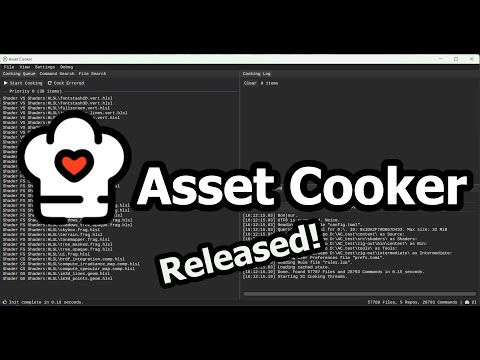
Release Trailer<br/>
Motivation
Game engines generally want their data in a different format than the one used by authoring tools (eg. .dds rather than .psd for textures) but while there are some tools and libraries to do that conversion, there isn't really an efficient, engine agnostic and open source build system for running these conversion commands.
Let's use CMake for game assets<BR> - sickos
Builds systems meant for code can somewhat be used for this but usually fall short for several reasons:
- They need to check the state of the entire base every time they run, which can be prohibitively slow (and frustrating, especially when there is actually nothing to do)
- They use file times to check what needs to be built, which is not very reliable in non-code file workflows (eg. copy pasting files from explorer copies the timestamps)
In addition, game assets often need a bit more flexibility, hackability and debuggability than eg. building many cpp files.
Enters Asset Cooker
Leave it running in the background and it will cook assets as soon as files change. Close it, and it will know if files have changed when it starts again, thanks to the USN journals.
It's got a nice UI with many buttons. It lists all the files, all the commands, which ones are dirty, their output, their dependencies, etc.
It's simple to use, define rules for cooking assets in TOML or LUA and look at it go. Single exe, no dependencies.
It is fast.
Getting Started
Building
See the Releases section to get a pre-built executable.
Otherwise:
- Clone and init the submodules.
- Run
premake.batto generate AssetCooke.sln, and use Visual Studio to compile it.
Running
You will need to create two files before Asset Cooker can do anything: a config file and a rules file.
A minimal example is provided in the example/minimal directory. You can copy AssetCooker.exe there to play with it. Read on for the explanations.
The Config File
The config file must be named config.toml and be placed in the current directory (the directory from which Asset Cooker is launched).
It contains a few settings and the list of Repos, which are the root folders watched by Asset Cooker.
# Path to the rule file (optional)
# Extension can be toml or lua.
RuleFile = "rules.toml"

# Path to the log directory (optional)
LogDirectory = "Logs"

# Path to the cache directory (optional)
CacheDirectory = "Cache"

# Window title (optional)
WindowTitle = "Asset Cooker"

# Repo (array, mandatory)
[[Repo]]
Name = "Source" # Name of the Repo (mandatory). Must be unique.
Path = 'data/source' # Path to the repo (mandatory). Can be absolute or relative to current directory.

[[Repo]]
Name = "Bin"
Path = 'data/bin'
NoOrphanFiles = true # True if the Repo should only contain files that are used by Commands (optional, default: false).
                     # See Tools -> Find Orphan Files to delete files that are not used by any Command.
It is generally a good idea to have at least one Repo for inputs and one for outputs (and perhaps also one for intermediate files).
The Rules File
The rules file contains the rules that tell Asset Cooker what to do with the files in its Repos.
By default Asset Cooker will look for rules.toml in the current directory, but this is configurable in config.toml. The file can be in toml (simpler) or lua (more powerful if you have many rules).
Here is an example of rule to convert any PNG/TGA file ending with _albedo to a BC1 DDS, using TexConv.
[[Rule]]
Name = "Texture BC1"
InputFilters = [
    { Repo = "Source", PathPattern = "*_albedo.png" },
    { Repo = "Source", PathPattern = "*_albedo.tga" },
]
CommandLine = '{ Repo:Tools }texconv.exe -y -nologo -sepalpha -dx10 -m 8 -f BC1_UNORM_SRGB -o "{ Repo:Bin }{ Dir }" "{ Repo:Source }{ Path }"'
OutputPaths = [ '{ Repo:Bin }{ Dir }{ File }.dds' ]
The InputFilters is what determines which files will be considered by the rule. Here it's only files in the Source Repo. Note the * wildcard in the PathPattern which can match any sequence of characters (? is also supported for matching a single character). InputFilter is an array, so you can have as many as you want for one rule (instead of using complicated regexes).
The CommandLine is what will be run for every matching file. It's a format string which supports a small set of extra arguments (the Command Variables, full list below. For example here { Repo:Tools } will be replaced by the path of the Repo named "Tools", and { Path } will be replaced by the path of the matched input file (relative to its Repo).
The OutputPaths is the expected output of that command. It's an array in case there are several, but here there's a single one.
Here's the same example in lua (without taking any advantage of lua's programmability):
Rule = {
    {
        Name = "Texture BC1",
        InputFilters = {
            { Repo = "Source", PathPattern = "*_albedo.png" },
            { Repo = "Source", PathPattern = "*_albedo.tga" },
        },
        CommandLine = '{ Repo:Tools }texconv.exe -y -nologo -sepalpha -dx10 -m 8 -f BC1_UNORM_SRGB -o "{ Repo:Bin }{ Dir }" "{ Repo:Source }{ Path }"',
        OutputPaths = { '{ Repo:Bin }{ Dir }{ File }.dds' },
    }
}
Rule Reference
Here is the full list of variables supported by Rules.
| Variable | Type | Default Value | Description |
|--------------------|-------------------|---------------|------------------------------------------------------------------------------------------------------------------------------------------------------------------------------|
| Name | string | | Name used to identify the rule int the UI. |
| Priority | int | 0 | Specifies the order in which commands are executed. Lower numbers first. |
| Version | int | 0 | Change this value to force all commands to run again. |
| MatchMoreRules | bool | false | If true, files matched by this rule will also be tested against other rules. Rules are tested in declaration order. |
| CommandType | string | "CommandLine" | The type of command to run.<br>"CommandLine": The user-provided command line is run (see CommandLine).<br>"CopyFile": The matched input file is copied to OutputPath[0]. |
| CommandLine | string | | The command line to run (if CommandType is "CommandLine"). Supports Command Variables. |
| InputFilters | InputFilter array | | The filters used to match input files. See InputFilter. Must contain at least one InputFilter. |
| InputPaths | string array | empty | Extra inputs for the command. Supports Command Variables. |
| OutputPaths | string array | empty | Outputs of the command. Supports Command Variables. |
| DepFile | DepFile | empty | The DepFile description, if a dep file should be used. See DepFile. |
InputFilter Reference
Here is the full list of variables supported by InputFilters.
| Variable | Type | Description |
|-------------|--------|---------------------------------------------------------------------------------------------------------------------------|
| Repo | string | Name of the Repo the file must be from. |
| PathPattern | string | A pattern to match the file path against. Supports wildcards * (any sequence of characters) and ? (single character). |
DepFile Reference
Here is the full list of variables supported by DepFiles.
| Variable | Type | Default Value | Description | |-------------|-------------------|---------------|----------------------------------------------------------------------------
