
Shikwasa
An audio player born for podcast
Install / Use
/learn @jessuni/ShikwasaREADME
[![npm][npm]][npm-url] [![size][size]][size-url] [![dependency][dependency]][dependency-url] [![jsdelivr][jsdelivr]][jsdelivr-url] ![![CI][CI]][CI-url] [![license][license]][license-url]
About
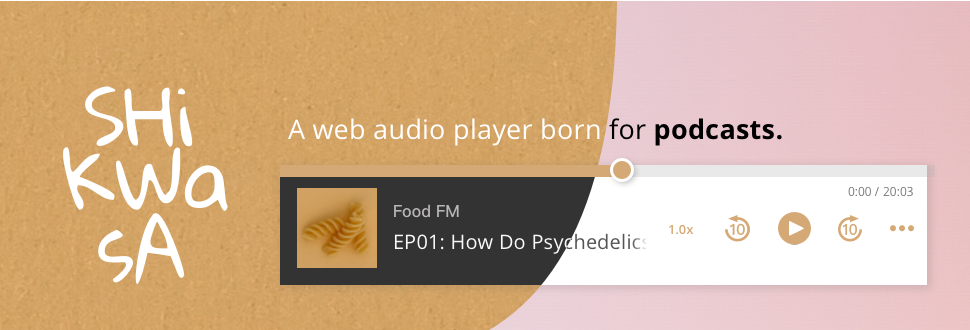
Shikwasa is an web audio player born for podcast. If you're tired of using music players as a substitute to play podcast, you've come to the right place. SAY NO to players that does not even support podcast common features!
- 🚀 Ultra lightweight
- 🐣 Dependency free
- 🎬 Podcast chapters
- 🏎 Playback speed control
- 🎮 Skip forward/backward
- 👓 Accessibility-aware
- 🌙 Dark Mode
- 📻 Audio stream support
- 💻 SSR compatible
- [ ] Direct audience to subscription pages
- [ ] Playlist
- Installation
- Usage
- API
- Options
- Events
- Style
- Chapter Plugin
- Roadmap
- What about the weird name of this project?
- License
Installation
npm install shikwasa
Also available on CDN: https://www.jsdelivr.com/package/npm/shikwasa
Usage
-
include stylesheet and script
import 'shikwasa/dist/style.css' import { Player } from 'shikwasa' -
Specify a container to inject the player component.
<div class="element-of-your-choice"> <!-- this is where the player will be injected --> </div> -
Create an instance of the player
 // an example with basic init options

 const player = new Player({
   container: () => document.querySelector('.element-of-your-choice'),
   audio: {
     title: 'Hello World!',
     artist: 'Shikwasa FM',
     cover: 'image.png',
     src: 'audio.mp3',
   },
 })

 // The library has also exposed a global variable `Shikwasa` in the UMD and IIFE build.
 // Then the usage would be:
 const { Player } = window.Shikwasa
 const player = new Player({ ... })
Any child nodes inside
containerwill be cleared upon the time Shiwkasa mounts.
Here's a fiddle to kickstart. To use the chapter feature, you need to import the chapter script and stylesheets as well. View details
API
Methods
play
play(): Promise | void
Start playing the current audio. In modern browsers and IE9+ it will return a promise while pre IE9 it will return nothing.
Updating audio via this method is deprecated, use update instead.
pause
pause(): void
Pause the current audio.
toggle
toggle(): Promise | void
Toggle audio play state between play and pause. Promise details.
seek
seek(time: number): void
Seek the audio to the new time. time is a number that specifies target playback time in seconds.
update
update(audio: TAudio): void
Passing TAudio in will replace the current audio source.
  player.update({
    title: 'Embrace the universe with a cup of shikwasa juice',
    artist: 'Shikwasa',
    cover: 'image.png',
    src: 'sourceAudio.mp3'
})
destroy
destroy(): void
Destroy the player instance.
on
on(event: string, callback: () => void): void
Register an event listener. Supported event names see: Events
Properties
currentTime
- Read-only
- type:
number - default:
0
The current playback time. Inherits the native HTMLMediaElement.currentTime.
muted
- type:
boolean - default:
options.muted
The current mute state of the player. Similar to the native HTMLMediaElement.muted, except thatmuted's value will not be affected when audio source is updated.
playbackRate
- type:
number - default:
1
The current playbackRate of the player. Inherits the native HTMLMediaElement.playbackRate, except thatplaybackRate's value will not be affected when audio source is updated.
duration
- type:
number - default:
audio.duration||options.audio.duration
Options
audio
- required
- type:
TAudio | null - default:
null
  TAudio {
    src: string,
    title?: string,
    artist?: string,
    cover?: string,
    duration?: number,
    album?: string,
    live?: boolean,
  }
The target audio to be played. If duration is passed along, players with preload option set to none will be able to display the custom duration in UI before the audio metadata is fetched. However, after the audio metadata is loaded, this prop will be ignored.
album is not visible in the UI. It will only display in the Chrome mini player and any other browsers/devices/operating systems that support MediaSession.
live is for audio stream.
container
(Optional) The container element for the player. If document is not available in the env, pass a function that will return the container element.
- type:
HTMLElement | () => HTMLElement - default:
document.querySelector('body')
fixed
(Optional) Whether player should be fixed to viewport.
- type:
TFixedTFixed { type: 'auto' | 'fixed' | 'static', position: 'bottom' | 'top', } - default:
{ type: 'auto', position: 'bottom', } - details:
| Property | Type | Description |
|---------------|----------|------------------------------------------|
| type | String | either auto, static or fixed <br>auto: player position is controlled by media queries. Normally the player stays static, but on small screens it will be fixed to viewport<br>static: force the player to remain static regardless of screen width<br>fixed: force the player to fix to viewport |
| position | String | either bottom or top <br>⚠️Note: position will be ignored when type is set to static |
themeColor
(Optional) Theme color of the player.
- type:
string - default:
'#00869B'
theme
(Optional)
- type:
'auto' | 'dark' | 'light' - default:
'auto'
autoplay
(Optional) If audio should autoplay on load. ⚠️Note: Chrome and Safari disable audio autoplay unless muted is set to true by default. To comply with this policy, see details in Chrome Developers and Webkit Announcement.
- type:
boolean - default:
false
muted
Whether audio should be muted by default. Similar to HTMLMediaElement's defaultMuted.
- type:
boolean - default:
false
preload
(Optional) Choose from auto, metadata and none. For details view MDN Doumentation.
If a parser is used, the audio will be requested immediately on page load for the parser to work properly, even if preload is set to none.
- type:
'auto' | 'metadata' | 'none' - default:
'metadata'
speedOptions
(Optional) The playback speed range. Each value of the array should be between the range of 0.25 to 5.0, or will likely be ignored by certain browsers.
- type:
Array<number> - default:
[0.5, 0.75, 1.25, 1.5]
download
(Optional) Whether the current audio source is download-able. When set to true, the player will provide an anchor with download attribute and href set to audio.src. Cross-origin href will not prompt download due to anchor's nature, but you can offer an alternative blob:, data: url or a same-origin direct download link(DDL).
- type:
string | boolean - default:
false - alternatives:
// direct user to the source url
download: true
// direct user to a custom url, preferrably one configured to generate download
download: 'data:audio/mp3;base64,...'
parser
(Optional) To focus on the player itself as well as to maintain Shikwasa as efficient as possible, we don't extract data from audio files. If you don't have control over the chapter data but would like to implement chapter feature, we support using jsmediatags as an external parser to parse the current audio's metadata.
It will read the audio's title, artist, duration and chapters, meaning you don't have to provide these four properties into audio manually unless you preferred your own. Priority: property values passed to audio > parsed data.
- type:
null | JSMediatags - default:
null - usage:
npm install jsmediatags // https://github.com/aadsm/jsmediatags
  import { Player } from 'shikwasa'
  import jsmediatags from 'jsmediatags'

  new Player({
    ...
    parser: jsmediatags,
    audio: { src: ... },
  })
⚠️Note: If audio.src is not of the same origin, proper CORS configuration will be needed to use the parser.
Due to jsmediatags limitation, relative urls are not supported. Please use absolute urls for audio.src.
