
Teaspoon
Teaspoon: Javascript test runner for Rails. Use Selenium, BrowserStack, or PhantomJS.
Install / Use
/learn @jejacks0n/TeaspoonREADME
Teaspoon



Teaspoon is a Javascript test runner built for Rails. It can run tests in the browser and headless using PhantomJS, or Selenium WebDriver. It can also run your tests on selenium-webgrid providers such as BrowserStack.
The goal of Teaspoon is to be simple to use while also providing the most complete Javascript testing solution for Rails.
Teaspoon takes advantage of the Rails asset pipeline, and ships with support for Jasmine, Mocha, and QUnit.
If you'd like to use Teaspoon with Guard, check out the guard-teaspoon project. Or, if you want to use the Spring preloader, try the unofficial spring-commands-teaspoon.
Screenshots
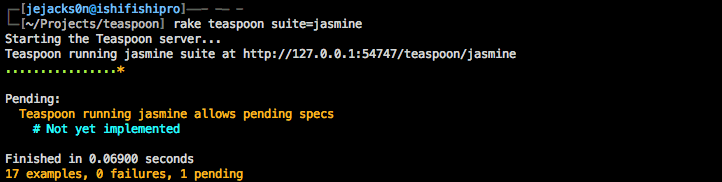
Running in the console
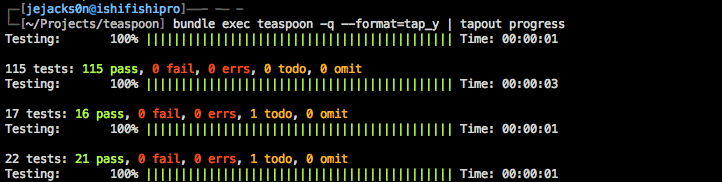
Running in the console using Tapout
Running in the browser
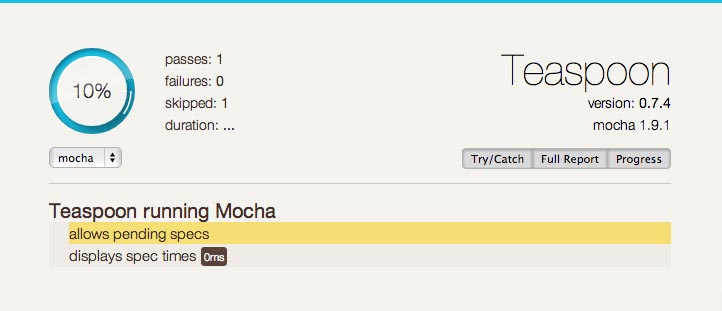
Table of Contents
- Installation
- Usage
- Writing Specs
- Fixtures
- Suites
- Coverage
- Configuration
- Test Frameworks
- Support Libraries
- CI Support
- With BrowserStack
Installation
Add the framework-specific Teaspoon gem to your Gemfile. In most cases you'll want to restrict it to the :development, :test groups. The available gems are teaspoon-jasmine, teaspoon-mocha and teaspoon-qunit. If you're unsure which framework you'd like to use, we think Jasmine is a good starting place.
group :development, :test do
  gem "teaspoon-jasmine"
end
Run the install generator to get the environment file and a basic spec helper. If you want a CoffeeScript spec helper, you can tell the generator. Run the install generator with the --help flag for a list of available options.
rails generate teaspoon:install --coffee
To run Teaspoon headless you'll need PhantomJS or Selenium Webdriver.
Usage
Teaspoon uses the Rails asset pipeline to serve files. This allows you to use = require in your test files, and allows you use things like HAML or RABL/JBuilder within your fixtures.
Here's a great Quick Start Walkthrough for writing and running your first tests.
You can run Teaspoon three ways -- in the browser, via the rake task, and using the command line interface (CLI).
Browser
http://localhost:3000/teaspoon
Rake
rake teaspoon
The rake task provides several ways of focusing tests. You can specify the suite to run, the files to run, directories to run, etc.
rake teaspoon suite=my_fantastic_suite
rake teaspoon files=spec/javascripts/integration,spec/javascripts/calculator_spec.js
rake teaspoon driver_options="—ssl-protocol=TLSv1 --ignore-ssl-errors=yes"
CLI
bundle exec teaspoon
The CLI also provides several ways of focusing tests and is more full featured than the rake task. You can specify the suite to run, the files to run, directories to run, filters, etc.
bundle exec teaspoon --suite=my_fantastic_suite
bundle exec teaspoon spec/javascripts/integration spec/javascripts/calculator_spec.js
bundle exec teaspoon --filter="Calculator should add two digits"
Get full command line help:
bundle exec teaspoon --help
Note: The rake task and CLI run within the development environment for optimization unless otherwise specified.
Writing Specs
Depending on which framework you use this can differ, and there's an expectation that you have a certain level of familiarity with your chosen test framework.
Teaspoon supports Jasmine, Mocha and QUnit. And since it's possible to use the asset pipeline, feel free to use the = require directive throughout your specs and spec helpers.
Here's a basic spec written in Javascript using Jasmine:
//= require jquery
describe("My great feature", function() {

  it("will change the world", function() {
    expect(true).toBe(true);
    expect(jQuery).toBeDefined();
  });

});
You can also check out the examples of a Mocha Spec, and a QUnit Test.
Pending Specs
Every test framework is different, but we've tried to normalize some of those differences. For instance, Jasmine lacks the concept pending, while Mocha provides several ways to achieve this. So we thought it would be worth defining what is standard between the two frameworks. QUnit doesn't easily support the concept of pending, so that's not covered.
To mark a spec as pending in both Mocha and Jasmine, you can either not provide a function as the second argument to the it call, or you can use xit and xdescribe.
describe("My great feature", function() {
  it("hasn't been tested yet");

  xit("has a test I can't figure out", function() {
    expect("complexity").to.be("easily testable");
  });

  xdescribe("A whole section that I've not gotten to", function() {
    it("hasn't been tested yet", function() {
      expect(true).to.be(false);
    });
  });
});
Deferring Execution
Teaspoon allows deferring execution, which can be useful for asynchronous execution.
Teaspoon.defer = true;
setTimeout(Teaspoon.execute, 1000); // defers execution for 1 second
Using Require.js
There's a wiki article that goes into more depth on using RequireJS with Teaspoon. But in simple terms you can configure your suite to boot with RequireJS by setting the suite boot_partial directive to "boot_require_js".
Be sure to require require.js in your spec helper. Teaspoon doesn't include it as a support library, so you'll need to provide your own.
//= require require
Now require.js will be used to load all the specs in your suite, however, you'll still need to use require.js to pull down the dependencies as you would normally.
define(['Model'], function (Model) {
  describe('Model', function () {
    // ...
  });
});
Fixtures
Teaspoon ships with a fixture library that works with Jasmine, Mocha, and QUnit with minimal effort. It has a consistent API, and isn't dependent on jQuery.
The fixture path is configurable within Teaspoon, and the views will be rendered by a standard controller. This allows you to use things like RABL/JBuilder if you're building JSON, or HAML if you're building markup.
Loading Files
Loading fixtures allows you to specify any number of files to load, and if they should be appended to the fixture element or replace what's currently there.
fixture.load(url[, url, ...], append = false) or fixture(url[, url, ...], append = false)
Setting Manually
If you don't want to load files directly from the server you can provide strings instead of files, otherwise behaves like load.
fixture.set(html[, html, ...], append = false)
Cleaning Up
You shouldn't have to cleanup (we do that for you based on your test framework), but if you need it.
fixture.cleanup()
Preloading Files
Some test cases require stubbing Ajax requests, and in those cases you may want to preload the fixture files to cache them for later. You can preload fixtures in your spec helper, or before you start mocking Ajax methods.
fixture.preload(url[, url, ...])
Example Usage
fixture.preload("fixture.html", "fixture.json"); // make the actual requests for the files
describe("Using fixtures", function() {
  fixture.set("<h2>Another Title</h2>"); // create some markup manually (will be in a beforeEach)

  beforeEach(function() {
    this.fixtures = fixture.load("fixture.html", "fixture.json", true); // append these fixtures which were already cached
  });

  it("loads fixtures", function() {
    expect($("h1", fixture.el).text()).toBe("Title") // using fixture.el as a jquery scope
    expect($("h2", fixture.el).text()).toBe("Another Title")
    expect(this.fixtures[0]).toBe(fixture.el) // the element is available as a return value and through fixture.el
    expect(this.fixtures[1]).toEqual(fixture.json[0]) // the json for json fixtures is returned, and available in fixture.json
  });
});
Check out some example of using fixtures with Mocha, [QUnit](https://github.
