
JDebug
Java Debugger for Sublime Text Editor
Install / Use
/learn @jdebug/JDebugREADME
JDebug
Description
JDebug is the Java Debugging Sublime Text plugin. It uses the Remote debugging features of JDB command.
What is new in 3.0.0
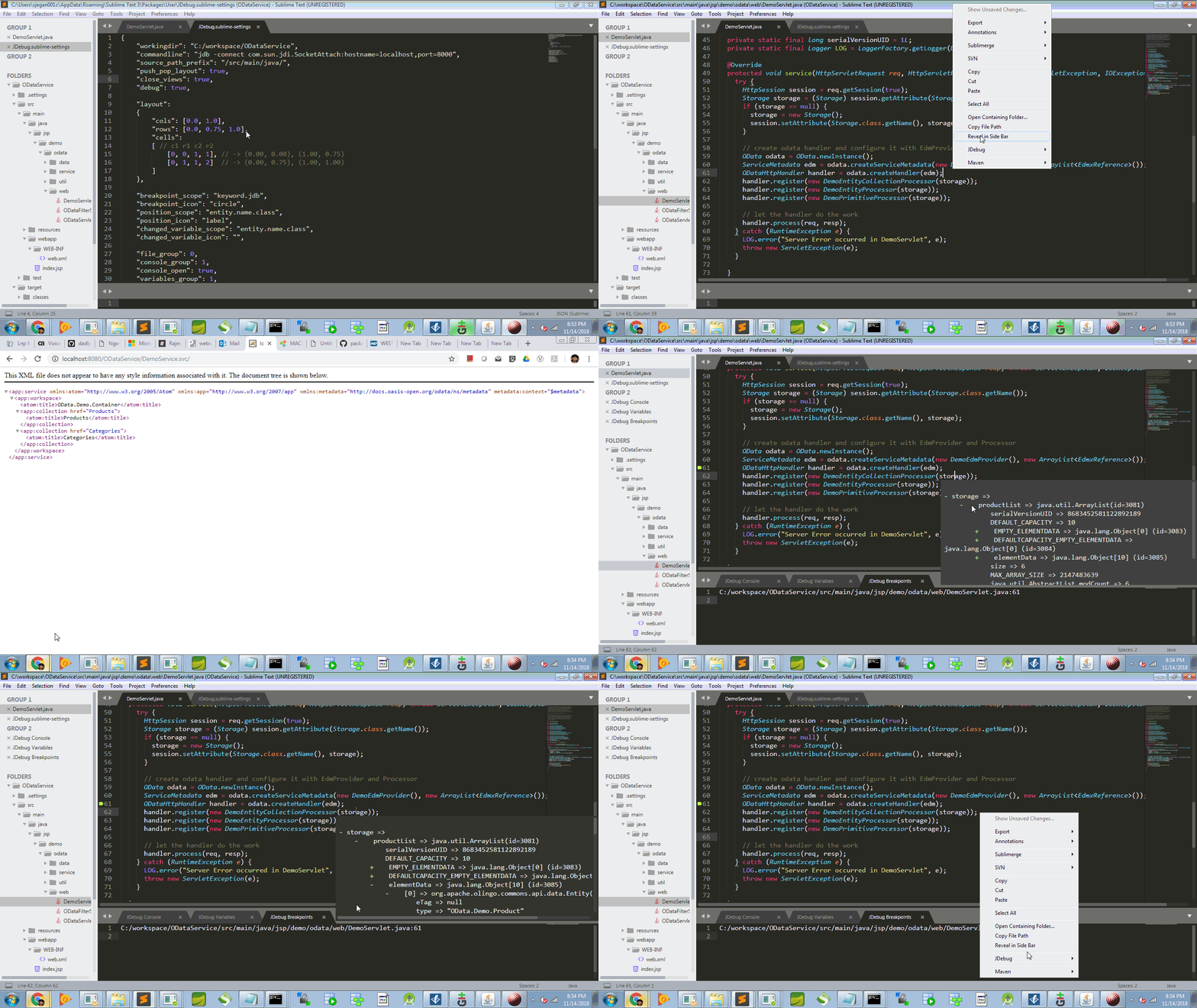
Inline popup added to inpect variables. Click on the vairables to inspect.
More Details
Get More Information from the tutorial - http://blog.jdebugger.com/2015/02/jdebug-java-debugging-plugin-for.html
Usage
This version has been tested in Weblogic 11g(Windows, Ubuntu 14.04 and OS X Mavericks 10.9) & tomcat 8 with Sublime Text 2 & 3 and Java 1.6.0_29 & Java 1.8.0
Setting App server (Weblogic/Tomcat/any other) in Debug mode
Pass -Xdebug -Xrunjdwp:transport=dt_socket,server=y,suspend=n,address=8000 as JVM argument to server startup command. You can change the debug port from 8000 to anything you prefer.
Tomcat
Add/update the JAVA_OPTS env variable in catalina.bat or catalina.sh
set JAVA_OPTS=%JAVA_OPTS% -Xdebug -Xrunjdwp:transport=dt_socket,server=y,suspend=n,address=8000
Weblogic
Add/update the SAVE_JAVA_OPTIONS env variable in catalina.bat or catalina.sh
set SAVE_JAVA_OPTIONS=%JAVA_OPTIONS% -Xdebug -Xrunjdwp:transport=dt_socket,server=y,suspend=n,address=8000
To Debug
Support
Please donate for supporting the devlopment or click the ad in the above tutorial page.
