
Jessquery
Modern JavaScript is pretty good, but typing `document.querySelector()` is a pain. This is a tiny library that makes DOM manipulation easy. jQuery is around 30kb, while this is only around 3.5kb. Lots of JSDoc comments so it's self-documenting and works great with TypeScript.
Install / Use
/learn @jazzypants1989/JessqueryREADME
jessquery
jessquery is a lightweight wrapper around the DOM API that offers the intuitive elegance of jQuery, but streamlined for the modern web.
Feel like a 🦕 for still using jQuery? Wish that it didn't bloat up your bundle size like a 🐖? Want something 🆕 and ✨?
Rekindle your love for method chaining-- now in a lightweight, type-safe package! With 43 custom methods that are sneakily powerful, jessquery helps you seamlessly handle asynchronous tasks, customize error behaviors, and ensure your DOM operations always execute in order. And, the best part? 🏎️💨
| Library | Size before gzip | Size after gzip | | --------- | ---------------- | --------------- | | jQuery | 88.3kb | 31.7kb | | jessquery | 8.82kb | 3.76kb |
And, if that's too big for you, you can use our scrawny kid brother Droxy instead. He's only 2kb after gzip!

- Basic Usage
- Installation
- Demo and Key Concepts
- TypeScript
- The Rules
- Code Walkthrough
- Advanced Usage
- Interfaces
- Contributing
Basic Usage
// Most things follow the DOM API closely with slightly different names.
// But, now you can chain them together
// They will always execute in order!
const fadeIn = [{ opacity: 0 }, { opacity: 1 }] // WAAPI keyframes
const fadeOut = [{ opacity: 1 }, { opacity: 0 }] // WAAPI keyframes
const animatedText = $$(".animated-text") // $$ ≈ querySelectorAll, use $ for querySelector

// <span hidden class="animated-text"></span>
// <span hidden class="animated-text"></span>
animatedText
  .addClass("special")
  .wait(1000) // Will not appear for one second
  .toggle("hidden")
  .text(
    `<p>
      In two seconds, every element matching the 'animated-text' class
      will fade in and out twice then disappear.
    </p>`
  )
  .wait(2000)
  .transition(fadeIn, 1000)
  .transition(fadeOut, 1000)
  .transition(fadeIn, 1000)
  .transition(fadeOut, 1000)
  .purge() // All `.animated-text` elements will be removed from the DOM
Installation
You can install it via NPM, PNPM, Yarn, or Bun just like anything else on NPM.
npm install jessquery
pnpm install jessquery
yarn add jessquery
bun install jessquery
Or, since it's so small, you can just use a CDN like the good, old days. The big problem with this is that you lose the types and the JSDoc annotations. I keep those in the d.ts file to keep the file size small, but I recently learned that gzip takes care of that for you. So, I'll probably change that in the future. For now, you can just use the index.d.ts file in your project if you want the types without installing the package.
<script src="https://esm.sh/jessquery"></script>
<script src="https://unpkg.com/jessquery"></script>
Demo and Key Concepts
jessquery is quite different from jQuery, but it makes sense once you understand the rules. The concurrent chaining makes things a bit more complex. The key is understanding that each $() or $$() call is representative of a single queue-- not necessarily the elements that are being manipulated. It's a bit like PrototypeJS mixed with the async flow of something like RxJS.
The magic sauce here is that everything is a proxy, so you can still use the full DOM API if your use case isn't covered by one of the methods. So, if you forget about the .css operator and use .style instead when using $(), it will just work. The NodeList that you get from $$() is automatically turned into an array so you can use array methods on it like .map() or .filter().
This is the benefit of using proxies, but I'm curious if this will scale well as they bring a tiny bit of overhead. This might get problematic in large applications, but I'm probably just being paranoid. I welcome anyone to do some tests! 😅
Here's a Stackblitz Playground if you want to try it out. The demo that will load in has an extremely long chain showing the mutability that a standard DomProxy exhibits. To see how an error is thrown when that proxy is fixed in place, simply add a true argument to the $() call like this: const container = $(".container", true).
TypeScript
Everything is fully type-safe, but there's no way for the $() and $$() functions to infer the type of the element you're selecting unless it's a tag name. Things like $$('input') will always be fully inferred even if you map over the individual elements in the collection-- in that case, each element would automatically become an HTMLInputElement. However, if you select a class or id, the type will always be HTMLElement unless you specify the type yourself like this:
const button = $<HTMLButtonElement>(".button")

const coolInputs = $$<HTMLInputElement>(".cool-inputs")
The Rules
I wrote a lot, but the main idea is that everything should be predictable. You probably only need to read the bold parts unless you start doing a lot of crazy DOM manipulation that operates on multiple elements at once while using the same variables for everything. If you're just doing simple stuff, you can probably just ignore the rest. 👌
- Use
$()to build a queue that operates on a single element-- a DomProxy. However, if you use a method likepickAll()orkids(), you will switch to aDomProxyCollectionwith multiple elements. - Use
$$()to build a queue that operates on multiple elements at once-- a DomProxyCollection. However, if you use a method likepick()orparent()and there is only one element in the collection, you will switch to aDomProxywith a single element. - Every
DomProxyis mutable unless it was created with afixedargument set totrue. If you store it in a variable and you change the element with a method likenext()orsiblings(), any event handlers that use that variable for DOM manipulation will now operate on the new element unless you use therefresh()method to reset the proxy to its original state. - ALL
jessquerycustom methods can be chained together. Each method will operate on the element(s) held in the proxy at the time the function is called. If you switch context multiple times, it can get confusing. Try to only switch "element context" once per method chain. If you do not want your proxy to be mutable, set thefixedargument to true. - ALL
jessquerycustom methods are setters that return the proxy. If you need to check the value of something, just use the DOM API directly (textContentinstead oftext(), for example). This also helps to differentiate between set and get operations. - ALL DOM API's can be used, but they MUST COME LAST within a single chain. You can always start a new chain if you need to. You can even use the same variable-- you just need to know that function won't be executed until the previous chain finishes or hits a microtask.
- Each variable tied to a single
$()or$$()call gets its own queue which runs every function sequentially, but the chains are executed concurrently. So, you can have multiple chains operating on the same element. Be careful of race conditions! - All chains are begun in the order they are found in the script, but they await any microtasks or promises found before continuing. If you need to do things concurrently, just make a new variable so you get a new queue.
- Synchronous tasks are always executed as soon as possible, but not until their turn is reached in the queue. If they are preceded by an async task, they will be added to the queue, executed in order, and any promises in their arguments will be awaited before the function is called.
- Each method is blocking, so if you use the same variable for event handlers, you will block the event handler from firing until that function is finished. This is particularly problematic if that chain has any
wait()calls or long animations.
Generally, just try to keep each discrete chain of DOM operations for a single element together, and try to use a new variable for any event handlers. I mean, the whole point of this library is that $() and $$() are really easy to type, and you only need to worry about it when things aren't behaving the way you expect. If anything gets too hard, you can also use the defer() and wait() methods to let the DOM catch up while you re-evaluate your life choices. 😅
Code Walkthrough
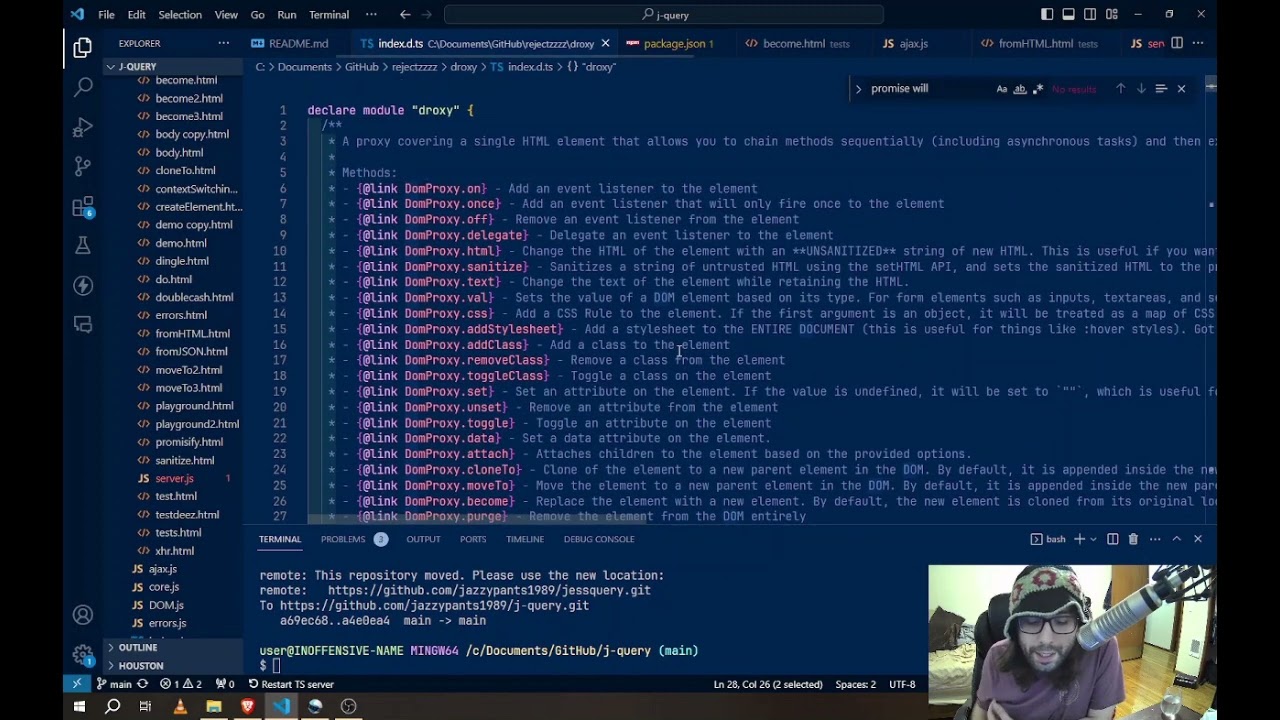
Advanced Usage
- DomProxy Lifecycle
- Conditional Logic
- Async Flow
- Helper Functions:
promisifyandsetErrorHandler - AJAX
DomProxy Lifecycle
-
While you can use
$()and$$()as direct replacements forquerySelectorandquerySelectorAll, you can also use them to create elements on the fly. -
If you pass a string that starts with
<, it will create a new element with the given tag name and return it as a DomProxy. -
You can also pass an HTMLElement or NodeList, which will be converted to a DomProxyCollection.
-
Once the proxy has been created, it can be mutated to represent something else in the DOM.
-
If
