SmartSQLite
SmartSQLite,Android ORM数据库框架,面向对象,高效
Install / Use
/learn @jaychou2012/SmartSQLiteREADME
SmartSQLiteDemo
A very fast, cool, small, powerful,easy use ORM SQLite framework for Android. You can use it to add,delete,update,query sqlite by object entity,just a singleLine of code to make it Efficient.It's powerful and easy use than GreenDao,ActiveAndroid and so on.
SmartSQLite是一款强大的ORM数据库(对象关系映射,英语:Object Relational Mapping,简称ORM,或O/RM,或O/R mapping),灵感来源:因为Android每次编写数据库太麻烦,操作也麻烦,数据库升级也非常麻烦,目前的数据库框架用起来非常麻烦,效率低,如GreenDao、ActiveAndroid等,所以决定按照面向对象ORM思想自己写一个高效的库,这应该是目前Android最强大,效率最高的,学习成本最低的数据库框架了吧?那么有多么强大呢?
1.SmartSQLite功能简介
- ✓ 全自动升级,你无须再关心数据库版本号以及数据库复杂的升级逻辑了
- ✓ 自动检测创建和删除表
- ✓ 自动检测创建字段,增加字段
- ✓ 项目中的实体类就可以当作数据库表的实体类,直接使用增删改查全支持自动映射
- ✓ 支持多数据库
- ✓ 单例模式,无需再自己关闭打开数据库,无需担心内存泄漏了
- ✓ 自动检测识别类型,支持int,string,boolean,float,double,long类型,其它类型后续将会扩展
- ✓ 查询数据自动构建成对象,无需编写复杂的逻辑
- ✓ 无需使用SQL语句
- ✓ 支持模糊查询和分页查询等
- ✓ 自定义存储在数据库中的表名
- ✓ 老版本数据库兼容或迁移
- ✓ 自定义数据库存储路径
- ✓ 支持自增ID,key_id
- ✓ 支持执行SQL语句
- ✓ 支持orderBy排序
即将支持
-
自定义指定不存储在数据库中的属性名
-
数据库加密
2.框架对比
| | GreenDao | OrmLite | ActiveAndroid | RealIm | SmartSQLite |原生SQLite | | :------:| ------: | :------: | :------: | :------: | :------: | :------: | | 特点 | 后续提供 | 后续提供 |后续提供 |后续提供 |后续提供 |后续提供 | | 用法 | 后续提供 | 后续提供 | 后续提供 |后续提供 |后续提供 |后续提供 | | 体积 | 后续提供 | 后续提供 | 后续提供 |后续提供 |后续提供 |后续提供 | | 缺点 | 后续提供 | 后续提供 | 后续提供 |后续提供 |后续提供 |后续提供 | | 性能 | 后续提供| 后续提供 | 后续提供 |后续提供 |后续提供 |后续提供 |
3.SmartSQLite基本用法
引用库:
<pre><code> allprojects { repositories { ... maven { url 'https://www.jitpack.io' } } } </pre></code> <pre><code> compile 'com.github.jaychou2012:SmartSQLite:1.0.0.6' </pre></code>1.创建实体类,例如在entity文件夹新建一个Student类,只需继承TableObject,如果实体无法继承,请看Demo的第二种方案,实现接口TableEntity即可:
<pre><code>public class Student extends TableObject { private int id; private String name; private boolean high; private long timeLong; private float timeFloat; private double timeDouble; public boolean isHigh() { return high; } public void setHigh(boolean high) { this.high = high; } public int getId() { return id; } public void setId(int id) { this.id = id; } public String getName() { return name; } public void setName(String name) { this.name = name; } public long getTimeLong() { return timeLong; } public void setTimeLong(long timeLong) { this.timeLong = timeLong; } public float getTimeFloat() { return timeFloat; } public void setTimeFloat(float timeFloat) { this.timeFloat = timeFloat; } public double getTimeDouble() { return timeDouble; } public void setTimeDouble(double timeDouble) { this.timeDouble = timeDouble; } } </code></pre>2.新建BaseApplication,进行相关初始化全局配置:
<pre><code>public class BaseApplication extends Application { @Override public void onCreate() { super.onCreate(); initConfig(); } private void initConfig() { SmartConfig.DB_NAME = "smartsqlite.db";//必填 SmartConfig.DB_VERSION = 1;//选填,推荐写 SmartConfig.ENTITY_PACKAGE = "entity";//默认为entity List<String> classNameList = new ArrayList<String>();//数据库表集合,也就是实体类名称集合 classNameList.add("Student"); classNameList.add("Teacher"); SmartConfig.classes = classNameList;//赋值 SmartSQLite.initSmartSQLite(this);//自动初始化,全自动升级数据库,检测创建表,增加字段,删除表等 } } </code></pre>3.使用:
<pre><code> private void initView() { Student student = new Student(); student.setId(2); student.setName("名字名字1"); student.setHigh(true); student.setTimeDouble(200); student.setTimeFloat(200.0f); student.setTimeLong(200); student.save(this); // student.update(this, "id"); // student.delete(this,"id"); List<Student> list = student.getDatas(this, Student.class); // List<Student> list = SmartSQLite.getInstance(this).getDatas(Student.class); for (int i = 0; i < list.size(); i++) { Student stu = list.get(i); Log.i("info", "信息:" + stu.getId() + " " + stu.getName() + " " + stu.isHigh() + " " + stu.getTimeDouble() + " " + stu.getTimeFloat() + " " + stu.getTimeLong()); } Teacher teacher = new Teacher(); teacher.setId(0); teacher.setName("教师"); teacher.save(this); List<Teacher> listTeacher = teacher.getDatas(this, Teacher.class); for (int i = 0; i < listTeacher.size(); i++) { Teacher teach = listTeacher.get(i); Log.i("info", "信息:" + teach.getId() + " " + teach.getName()); } SmartSQLite.getInstance(this).queryDatas(Student.class, "id", "0"); SmartSQLite.getInstance(this).queryBlurryDatas(Student.class, "name", "名字"); SmartSQLite.getInstance(this).queryPagingDatas(Student.class, new String[]{"name"}, new String[]{"名字"}, 0, 10); SmartSQLite.getInstance(this).queryBlurryPagingDatas(Student.class, "name", "名字", 0, 10); } </code></pre>支持增删改查,后续会优化扩展更多功能
关于作者(About Author)
谭东 QQ852041173
QQ群:271410559
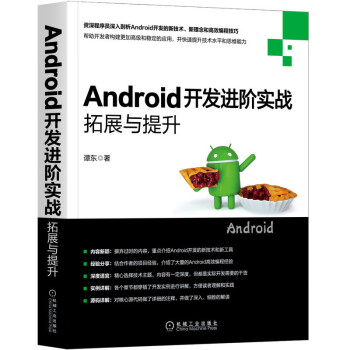
《Android开发进阶实战:拓展与提升》已出版
新书涵盖Android最新的技术和内容,包括:新布局方式ConstraintLayout 、AndroidX、Jetpack、TV开发等,值得购买阅读。