
FileOperator
🔥 涵盖了Android系统文件的创建/删除/复制/打开文件(目录)、获取文件(目录)大小、获取常用目录、获取文件名称及后缀、获取MimeType以及MediaStore和SAF的相关操作等常用功能,并且也处理了获取文件Uri/Path的兼容问题、图片压缩和文件选择等功能。
Install / Use
/learn @javakam/FileOperatorREADME
FileOperator
Android文件操作库。适用于Android 4.4及以上系统, 已兼容新版存储策略。包括处理Android端文件目录及缓存、文件MimeType、文件打开方式、文件路径和Uri、文件大小、文件常用工具类以及文件选择处理等功能。
最新版说明
🌴最新版增加了一些常用功能, 获取媒体文件的创建时间,修改时间等/重命名文件,
会覆盖原文件/删除过期文件(具体保质期可以自定义Long)
https://github.com/javakam/FileOperator/blob/master/library_core/src/main/java/ando/file/core//FileUtils.kt

1. 获取文件add,modify,expires时间:
getMediaShotTime(Uri/Path, block: (Long) -> Unit):获取媒体文件的"拍摄时间"
getMediaShotTime(targetBucketId:Long,block:(Long,Long,Long)):查找`bucketId`对应的媒体文件的时间信息
返回值: invoke(dateAdded, dateModified, dateExpires);
2. 重命名文件:
参数说明: 旧文件File;新文件所在目录路径String;新文件名String;
新文件的后缀jpg、png、txt等,不传或是传入空值默认沿用旧文件的后缀)
renameFile(oldFile: File, newFileDirectory: String?, newFileName: String, newFileNameSuffix: String?): File? {};
返回值: 新文件File对象
3. 移除超过指定期限的文件:
参数说明: 目录路径String;maxFileAge 指定期限Long。默认移除超过一个月的文件:maxFileAge=2678400000L
deleteFilesOutDate(directoryPath: String, maxFileAge: Long = 2678400000L)
使用(Usage)
1. 依赖(dependencies)
mavenCentral -> Project build.gradle
repositories {
   mavenCentral()
   maven { url "https://s01.oss.sonatype.org/content/groups/public" }
}

implementation 'com.github.javakam:file.core:3.9.8@aar'      //核心库必选(Core library required)
implementation 'com.github.javakam:file.selector:3.9.8@aar'  //文件选择器(File selector)
implementation 'com.github.javakam:file.compressor:3.9.8@aar'//图片压缩,修改自Luban(Image compression, based on Luban)
2. Application中初始化(Initialization in Application)
FileOperator.init(this, BuildConfig.DEBUG)
3. 混淆(Proguard)
未用到反射, 不需要混淆。(No reflection is used, no need to be confused.)
预览(Preview)
| 功能列表(Function list) | 缓存目录(Cache directory) | |:---:|:---:| | <img src="https://raw.githubusercontent.com/javakam/FileOperator/master/screenshot/func.png" width="290" height="600"/> | <img src="https://raw.githubusercontent.com/javakam/FileOperator/master/screenshot/cache.png" width="290" height="600"/> |
文件选择(File selection)
| 单图+压缩(Single Image+Compress) | 多图+压缩(Multiple images+Compress) | 多文件+多类型(Multiple files+Multiple types) |
|:---:|:---:|:---:|
|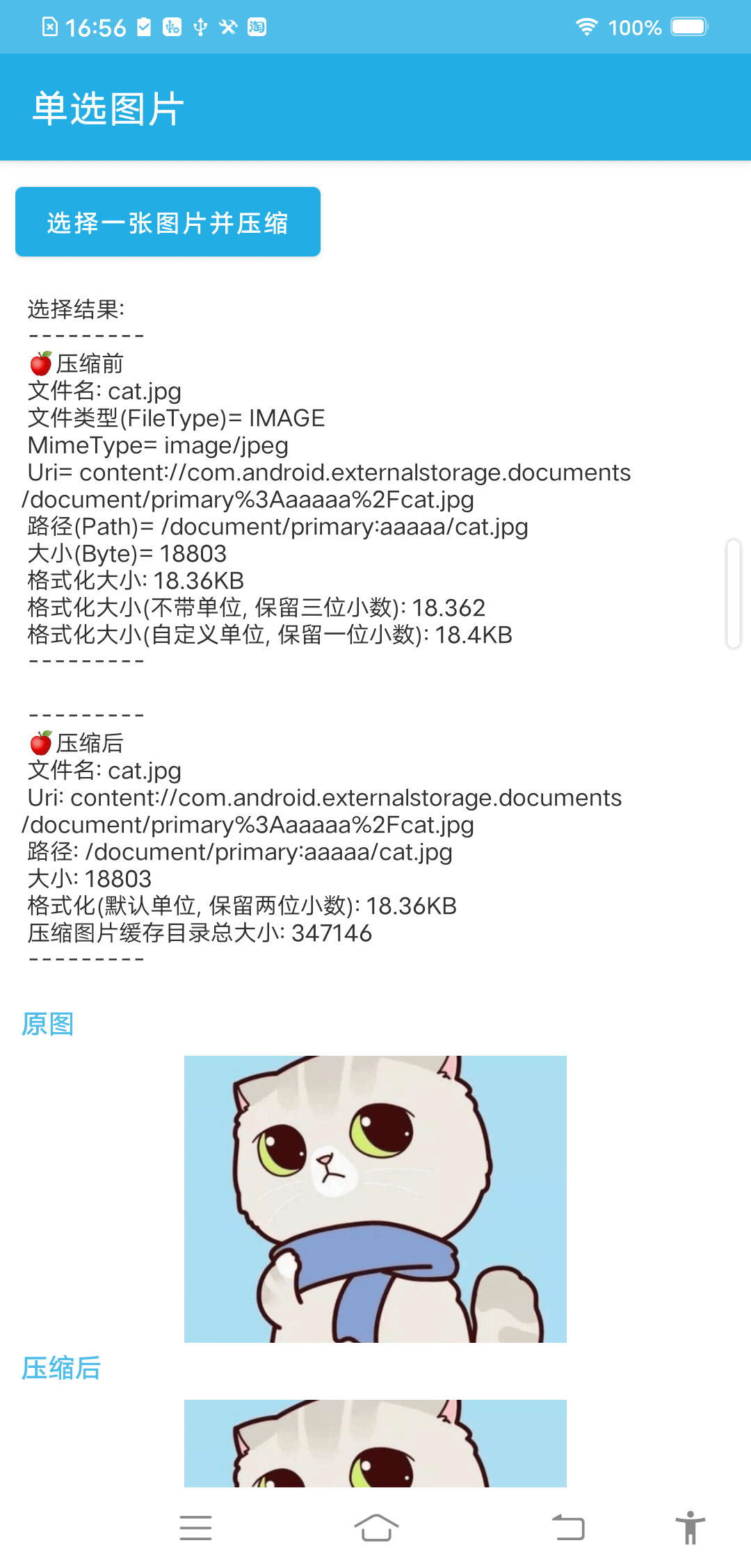 |
|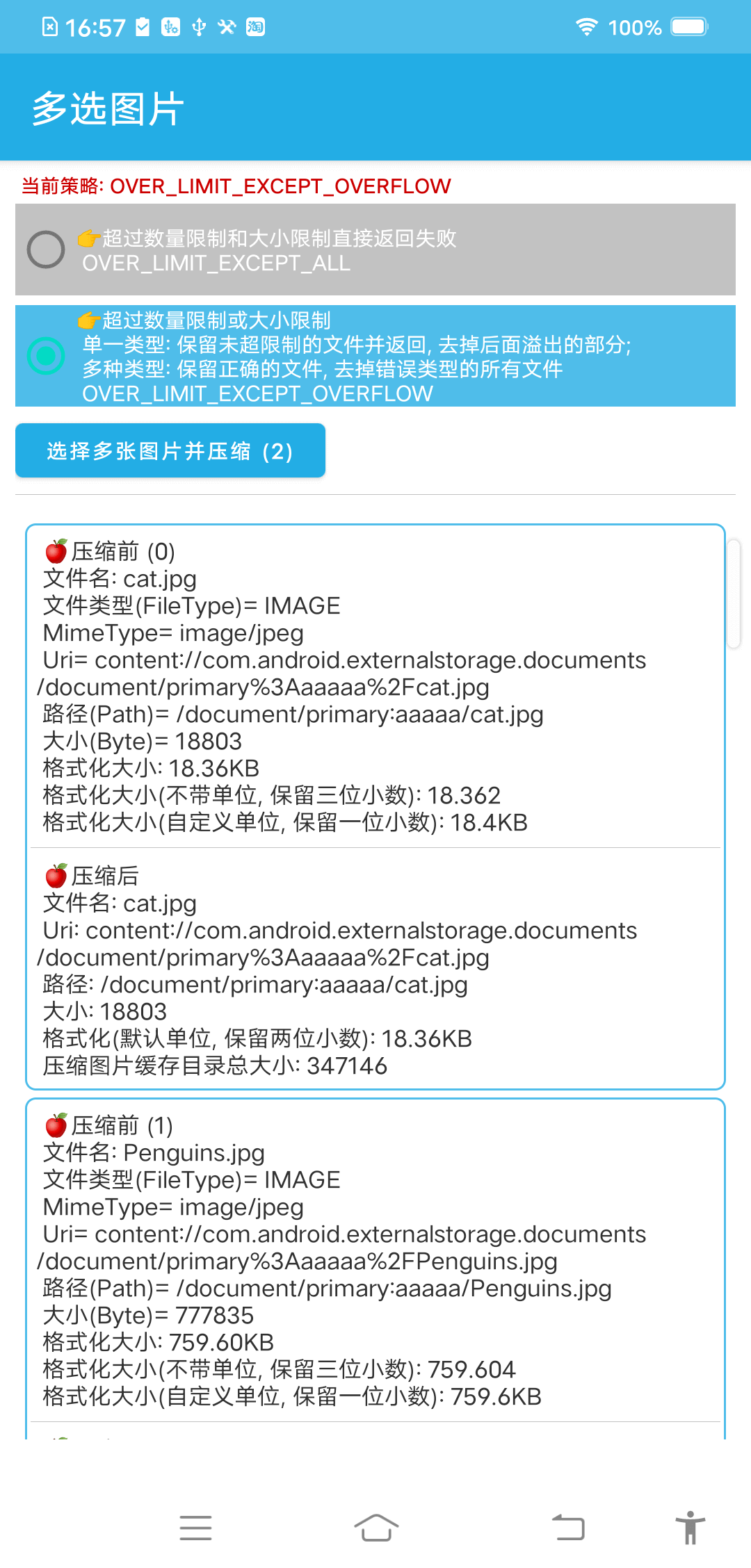 |
|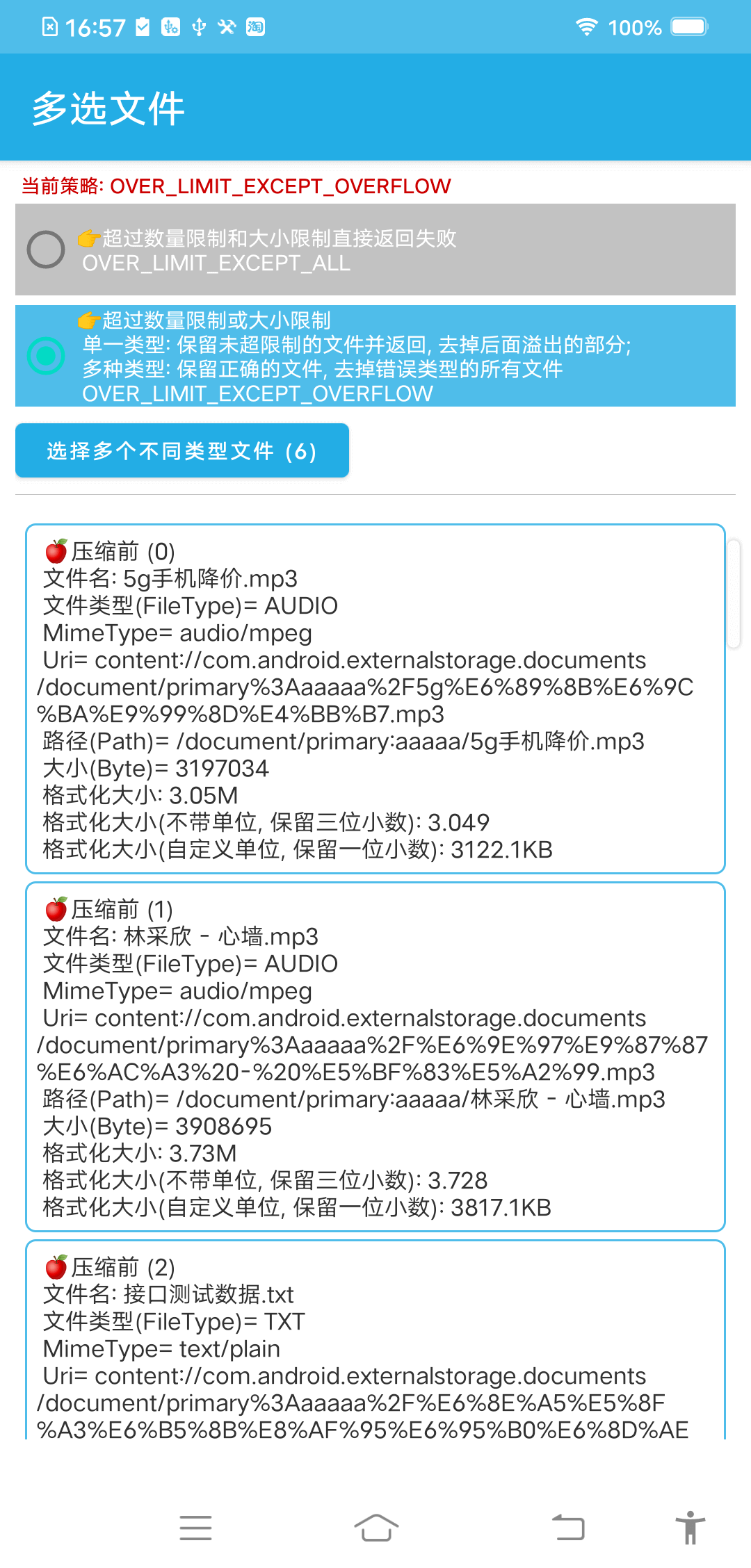 |
|
用法(Usage)
一、常用文件操作(Common file operations)
☘
FileOperator提供了Android开发常用的一些文件操作工具类,使用方式大多以静态方法为主,需要的同学可以直接CV需要的文件
1. 获取文件MimeType类型👉FileMimeType.kt
根据File Name/Path/Url获取相应MimeType
fun getMimeType(str: String?): String
fun getMimeType(uri: Uri?): String

//MimeTypeMap.getSingleton().getMimeTypeFromExtension(...) 的补充
fun getMimeTypeSupplement(fileName: String): String
2. 计算文件或文件夹的大小👉FileSizeUtils.kt
①获取指定文件/文件夹大小(Get the size of the specified file folder)
@Throws(Exception::class)
fun getFolderSize(file: File?): Long {
   var size = 0L
   if (file == null || !file.exists()) return size
   val files = file.listFiles()
   if (files.isNullOrEmpty()) return size
   for (i in files.indices) {
      size += if (files[i].isDirectory) getFolderSize(files[i]) else getFileSize(files[i])
   }
   return size
}
②获取文件大小(Get file size)
fun getFileSize(file: File?): Long
fun getFileSize(uri: Uri?): Long
③自动计算指定文件/文件夹大小(Automatically calculate the size of the specified file folder)
自动计算指定文件或指定文件夹的大小 , 返回值带 B、KB、M、GB、TB 单位的字符串
fun getFileOrDirSizeFormatted(path: String?): String
④格式化大小(BigDecimal实现)
Format size (implemented by Big Decimal)
/**
 * @param scale 精确到小数点以后几位 (Accurate to a few decimal places)
 */
fun formatFileSize(size: Long, scale: Int, withUnit: Boolean = false): String {
   val divisor = 1024L
   //ROUND_DOWN 1023 -> 1023B ; ROUND_HALF_UP  1023 -> 1KB
   val kiloByte: BigDecimal =
      formatSizeByTypeWithDivisor(BigDecimal.valueOf(size), scale, SIZE_TYPE_B, divisor)
   if (kiloByte.toDouble() < 1) {
      return "${kiloByte.toPlainString()}${if (withUnit) SIZE_TYPE_B.unit else ""}"
   }
   //KB
   val megaByte = formatSizeByTypeWithDivisor(kiloByte, scale, SIZE_TYPE_KB, divisor)
   if (megaByte.toDouble() < 1) {
      return "${kiloByte.toPlainString()}${if (withUnit) SIZE_TYPE_KB.unit else ""}"
   }
   //M
   val gigaByte = formatSizeByTypeWithDivisor(megaByte, scale, SIZE_TYPE_MB, divisor)
   if (gigaByte.toDouble() < 1) {
      return "${megaByte.toPlainString()}${if (withUnit) SIZE_TYPE_MB.unit else ""}"
   }
   //GB
   val teraBytes = formatSizeByTypeWithDivisor(gigaByte, scale, SIZE_TYPE_GB, divisor)
   if (teraBytes.toDouble() < 1) {
      return "${gigaByte.toPlainString()}${if (withUnit) SIZE_TYPE_GB.unit else ""}"
   }
   //TB
   return "${teraBytes.toPlainString()}${if (withUnit) SIZE_TYPE_TB.unit else ""}"
}
转换文件大小,指定转换的类型(Convert file size, specify the type of conversion):
//scale 精确到小数点以后几位
fun formatSizeByTypeWithoutUnit(size: BigDecimal, scale: Int, sizeType: FileSizeType): BigDecimal =
   size.divide(
      BigDecimal.valueOf(
         when (sizeType) {
            SIZE_TYPE_B -> 1L
            SIZE_TYPE_KB -> 1024L
            SIZE_TYPE_MB -> 1024L * 1024L
            SIZE_TYPE_GB -> 1024L * 1024L * 1024L
            SIZE_TYPE_TB -> 1024L * 1024L * 1024L * 1024L
         }
      ),
      scale,
      //ROUND_DOWN 1023 -> 1023B ; ROUND_HALF_UP  1023 -> 1KB
      if (sizeType == SIZE_TYPE_B) BigDecimal.ROUND_DOWN else BigDecimal.ROUND_HALF_UP
   )
转换文件大小带单位(Convert file size with unit):
fun formatSizeByTypeWithUnit(size: Long, scale: Int, sizeType: FileSizeType): String {
   return "${
      formatSizeByTypeWithoutUnit(size.toBigDecimal(), scale, sizeType).toPlainString()
   }${sizeType.unit}"
}
3. 直接打开Url/Uri(远程or本地)👉FileOpener.kt
①打开系统分享弹窗(Open the system sharing popup)
fun openShare(context: Context, uri: Uri, title: String = "分享文件") {
   val intent = Intent(Intent.ACTION_SEND)
   intent.putExtra(Intent.EXTRA_STREAM, uri)
   intent.addFlags(Intent.FLAG_GRANT_READ_URI_PERMISSION or Intent.FLAG_GRANT_WRITE_URI_PERMISSION)
   // Put the Uri and MIME type in the result Intent
   intent.setDataAndType(uri, getMimeType(uri))
   context.startActivity(Intent.createChooser(intent, title))
}
②打开浏览器(Open browser)
@SuppressLint("QueryPermissionsNeeded")
fun openBrowser(
   context: Context, url: String, title: String = "请选择浏览器", newTask: Boolean = false,
   block: ((result: Boolean, msg: String?) -> Unit)? = null,
) {
   try {
      val intent = Intent(Intent.ACTION_VIEW)
      intent.data = Uri.parse(url)
      if (newTask) {
         intent.addFlags(Intent.FLAG_ACTIVITY_NEW_TASK)
      }
      //startActivity(intent)
      //https://developer.android.com/about/versions/11/privacy/package-visibility
      if (intent.resolveActivity(context.packageManager) != null) {
         context.startActivity(Intent.createChooser(intent, title))
         block?.invoke(true, null)
      } else {
         block?.invoke(true, "没有可用浏览器")
      }
   } catch (e: ActivityNotFoundException) {
      e.printStackTrace()
      block?.invoke(true, e.toString())
   }
}
③直接打开Url对应的系统应用(通常为系统内置的音视频播放器或浏览器)
Directly open the system application corresponding to Url
eg: 如果url是视频地址, 系统会直接用内置的视频播放器打开
fun openUrl(activity: Activity, url: String?) {
   try {
      val intent = Intent(Intent.ACTION_VIEW)
      intent.setDataAndType(Uri.parse(url), getMimeType(url))
      activity.startActivity(intent)
   } catch (e: Exception) {
      FileLogger.e("OpenUrl Error : " + e.message)
   }
}
④根据文件路径和类型(后缀判断)显示支持该格式的程序
According to file path and type (judgment by suffix) show programs that support the format
fun openChooser(context: Any, uri: Uri?, mimeType: String? = null) =
   uri?.let { u ->
      Intent.createChooser(createOpenFileIntent(u, mimeType), "选择程序")?.let {
         startActivity(context, it)
      }
   }
4. 获取文件Uri/Path👉FileUri.kt
①从File路径中获取Uri
Obtain Uri from File path
fun getUriByPath(path: String?): Uri? = if (path.isNullOrBlank()) null else getUriByFile(File(path))

fun getUriByFile(file: File?, isOriginal: Boolean = false): Uri? {
   return if (isOriginal) Uri.fromFile(file)
   else {
      if (Build.VERSION.SDK_INT >= Build.VERSION_CODES.N) {
         val authority = FileOperator.getContext().packageName + AUTHORITY
         FileProvider.getUriForFile(FileOperator.getContext(), authority, file ?: return null)
      } else {
         Uri.fromFile(file)
      }
   }
}
②获取Uri对应的文件路径,兼容API 26
Get the file path corresponding to Uri, compatible with API 26
fun getPathByUri(uri: Uri?): String? {
   return uri?.use {
      FileLogger.i(
         "FileUri getPathByUri -> " + "Uri: " + uri + ", Authority: " + uri.authority + ", Fragment: " + uri.fragment +
                 ", Port: " + uri.port + ", Query: " + uri.query + ", Scheme: " + uri.scheme +
                 ", Host: " + uri.host + ", Segments: " + uri.pathSegments.toString()
      )
      // 以 file:// 开头的使用第三方应用打开 (open with third-party applications starting with file://)
      if (ContentResolver.SCHEME_FI
