
Protect
A Platform for Robust Threshold Cryptography based on Asynchronous Publicly Verifiable Secret Sharing with Tunable Security
Install / Use
/learn @jasonkresch/ProtectREADME
protect
A Platform for Robust Threshold Cryptography
Overview
PROTECT provides a platform for threshold-secure cryptography. It can be used to implement systems and services that tolerate multiple simultaneous faults and security breaches without loss of privacy, availability, or correctness. Further, the system self-heals from faults and self-recovers from breaches. This restorative capability enables PROTECT to maintain confidential elements (e.g., secret keys, private keys, bitcoin wallets, numbered bank accounts) durably over long periods, even if many components suffer data loss or data exposure events in that time.
PROTECT leverages mathematical relationships that exist between shares in a secret sharing scheme to perform secure and distributed function evaluations on the secret represented by those shares. These functions include distributed key generation, share refresh, share recovery, key derivation, public key decryption, and signature generation.
PROTECT includes a few example clients demonstrating threshold-secure applications. These examples include:
- A distributed Certificate Authority whose private signing key is not held at any location
- A threshold-secure decryption service whose private decryption key never exists in any location
- A secret storage and retrieval client allowing the secure maintenance of arbitrary secret values
With the techniques implemented by PROTECT one can build secure cryptographic services having neither any single point of failure nor any single point of compromise.
Functionality
The following section describes all of the funtionality PROTECT.
Secret Maintenance
The following actions are performed by servers, although the distributed key generation is initiated by a user. Proactive Refresh and Share Recovery both occur on a scheduled periodic basis for all existing established secrets.
- Distributed Key Generation - Generates of shares of a random value, which is never known to anyone
- Proactive Refresh - Regenerates new shares for an existing secret, eliminating utility of old shares (which might have been exposed)
- Share Recovery - Rebuilding a lost or destroyed share without having to restore the secret or expose any share
Share Management
The following are supported user actions related to the management of shares. Note that PROTECT implements fine-grained access controls, permitting different users to be authorized to perform different functions or operations for different secrets.
- Store Share - Stores a specified share to enable reliable maintenance of a specific secret
- Read Share - Reads a share to enable determination of a secret's value
- Delete Share - Deletes a share to allow destruction of a secret
- Recover Share - Initiates an immediate share recovery of a deleted share
- Disable Share - Temporarily disables a share for usage
- Enable Share - Enables a previously disabled share for usage
Cryptographic Operations
PROTECT supports the following cryptographic functions out-of-the box today:
Elliptic Curves
- Pseudorandom Functions (PRF) - May be used to derive random looking output deterministically (for PRNGs, or KDFs)
- Oblivious Pseudorandom Functions - The same as a PRF but blinded so as to hide the input (for password hardening, OPAQUE, oblivious KDF)
- Schnorr Signatures - Threshold Schnorr signature generation via FROST, see draft-irtf-cfrg-frost.
- ECIES Encryption - The EC version of Integrated Encryption Scheme which is based on ElGamal encryption
- Elliptic Curve Diffie Hellman Key Agreement (ECDH) - ECDH is a Key Agreement Scheme commonly used in TLS handshakes
RSA
- Signature Generation - Threshold signature scheme for RSA based on Victor Shoup's Practical Threshold Signatures
- Blinded Signature Generation - The same as above but blinded from the signer.
- Decryption - Decryption of a ciphertext encrypted under an RSA public key. (supported but not recommended, see note below)
Roadmap Items
Very shortly support will be added to PROTECT for the following operations:
Diffie Hellman over Prime Groups
- Pseudorandom Functions
- Oblivious Pseudorandom Functions
- ElGamal Encryption
- Diffie-Hellman Key Agreement
Bilinear Pairing of Elliptic Curves
- Generic Elliptic Curve Pairing Operation
- Boneh–Lynn–Shacham Signatures
- Partially Oblivious Pseudorandom Functions - As in the Pythia PRF Service
Deploying PROTECT
Protect is easy to deploy, and can get up and running in as few as three commands:
$ git clone https://github.com/jasonkresch/protect.git
$ cd protect && ./build.sh
$ cd bin && ./start-all-servers.sh 5
However this will launch protect using default configuration parameters, with default (not secure) keys, and running all instances on a single machine (not reliable). The following subsections provide details on how to deploy PROTECT in a secure and reliable manner.
Downloading PROTECT
There are two options for downloading protect: 1. as a ZIP file and 2. using git.
Checking out via git
PROTECT may be checked out using the git command. This is recommended if one wants to make changes to the code base.
Github provides two URLs for checking out the project, one via HTTPS and the other via SSH. If you intend to authenticate to Github using ssh keys, you should use the SSH method. Otherwise the HTTPS method can be used.
Video demonstration of dowloading PROTECT using git:
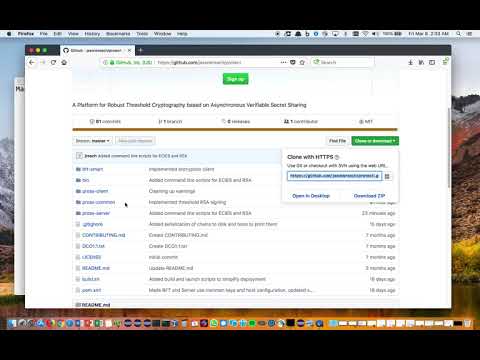
Checking out via HTTPS
Checking out PROTECT via HTTPS can be accomplished with the following command:
$ git clone https://github.com/jasonkresch/protect.git
Checking out via SSH
Checking out PROTECT via SSH can be accomplished with the following command:
$ git clone git@github.com:jasonkresch/protect.git
Downloading ZIP file
One can download PROTECT by clicking the green "Clone or download" button at the top-right of this page, and then clicking the link labeled "Download ZIP" or by clicking this following link:
https://github.com/jasonkresch/protect/archive/master.zip
Note that this option requires extracting the ZIP file using an unzip utility or archive manager.
Building
Once downloaded the entire project can be compiled into two self-contained jar files by running the "build.sh" script contained in the base directory of the protect project. Details are included in the following subsections.
Dependencies
PROTECT is written in Java 1.8 but also includes some examples in python. It uses maven to for dependency management and for building. On a fresh Ubuntu install the following packages may need to be installed in order to compile and launch PROTECT.
# Determine latest versions of available packages
$ sudo apt-get-update

# Required for building and running
$ sudo apt-get install openjdk-8-jdk-headless maven

# Required for examples below
$ sudo apt-get install git python curl jq html2text openssl
Compiling
Once the above prerequisites are installed PROTECT may be built by invoking the build.sh script.
Video demonstration of compiling PROTECT into jar files:
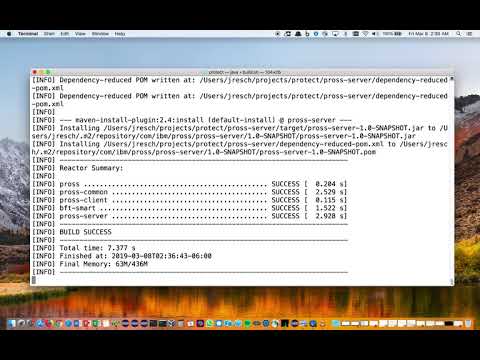
Commands to perform download and compilation:
$ git clone https://github.com/jasonkresch/protect.git
$ cd protect
$ ./build.sh
The end result of the build script is a two self-contained jar files:
Server: pross-server/target/pross-server-1.0-SNAPSHOT-shaded.jar
Client: pross-client/target/pross-client-1.0-SNAPSHOT-shaded.jar
This client jar file contains all example client functionality while the server jar file contains all shareholder server functionality.
Configuration
The following subsections detail how to configure PROTECT to run in a secure way.
Keys and Certificates
For ease of getting started, PROTECT comes with a set of certificates and keys pre-generated. However for any real-world deployment to be secure, one MUST complete the steps listed here.
Generate a set of keys for each server
- Log on to each server device, and enter the bin directory.
- For a server with index I issue the command:
./generate-server-key.sh I- Delete that server's CA key (first time only):
rm config/ca/ca-key-server-I - Issue certificate for that server
./issue-server-certificates.sh
- Delete that server's CA key (first time only):
- Collect the following files from each server and place it in a common
