
ScaleTabLayout
Android scale tab layout
Install / Use
/learn @iwgang/ScaleTabLayoutREADME


screenshot
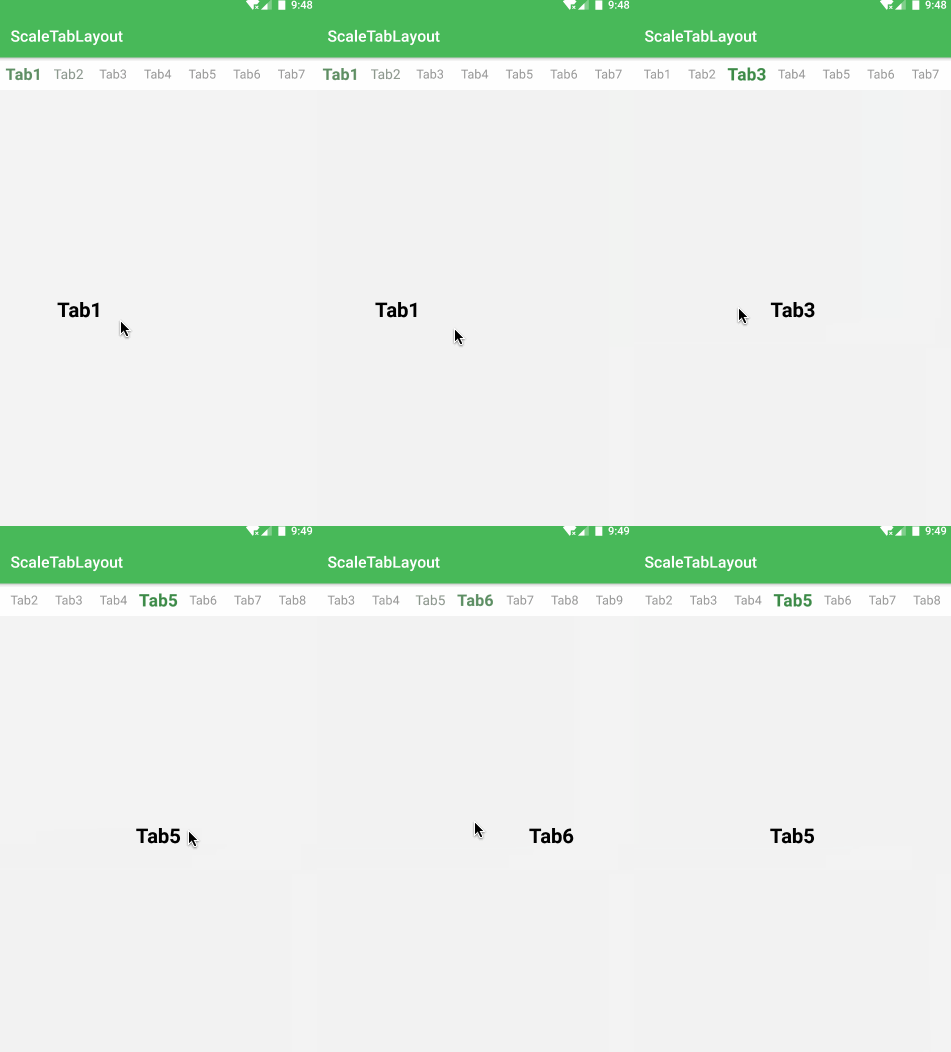
gradle
implementation 'com.github.iwgang:scaletablayout:1.2'
use
    <cn.iwgang.scaletablayout.ScaleTabLayout
        android:id="@+id/cv_scaleTabLayout"
        android:layout_width="wrap_content"
        android:layout_height="wrap_content"
        android:background="#FFFFFF"
        android:paddingBottom="10dp"
        android:paddingTop="10dp"
        app:stl_selTextColor="#3f894a"
        app:stl_selTextSize="22sp"
        app:stl_tabSpacing="22dp"
        app:stl_unSelTextColor="#999999"
        app:stl_unSelTextSize="16sp"/>

    scaleTabLayout.setViewPager(viewPager)

    scaleTabLayout.addTab(index: Int, tag: String, isSelect: Boolean)

    scaleTabLayout.removeTab(index: Int)

    scaleTabLayout.getTabTextView(index: Int): TextView

    scaleTabLayout.setCurrentItem(index: Int)

    scaleTabLayout.setOnTabClickListener(listener: OnTabClickListener)
attributes
| attr | type | default | |--- | --- | ---| |stl_unSelTextSize | reference | 16sp | |stl_selTextSize | reference | 20sp | |stl_unSelTextColor | color | gray | |stl_selTextColor | color | black | |stl_tabSpacing | dimension | 20dp | |stl_leftMargin | dimension | 15dp | |stl_rightMargin | dimension | 15dp | |stl_isSelTextBold | boolean | true |
