
CountdownView
Android Countdown View
Install / Use
/learn @iwgang/CountdownViewREADME



中文
CountdownView
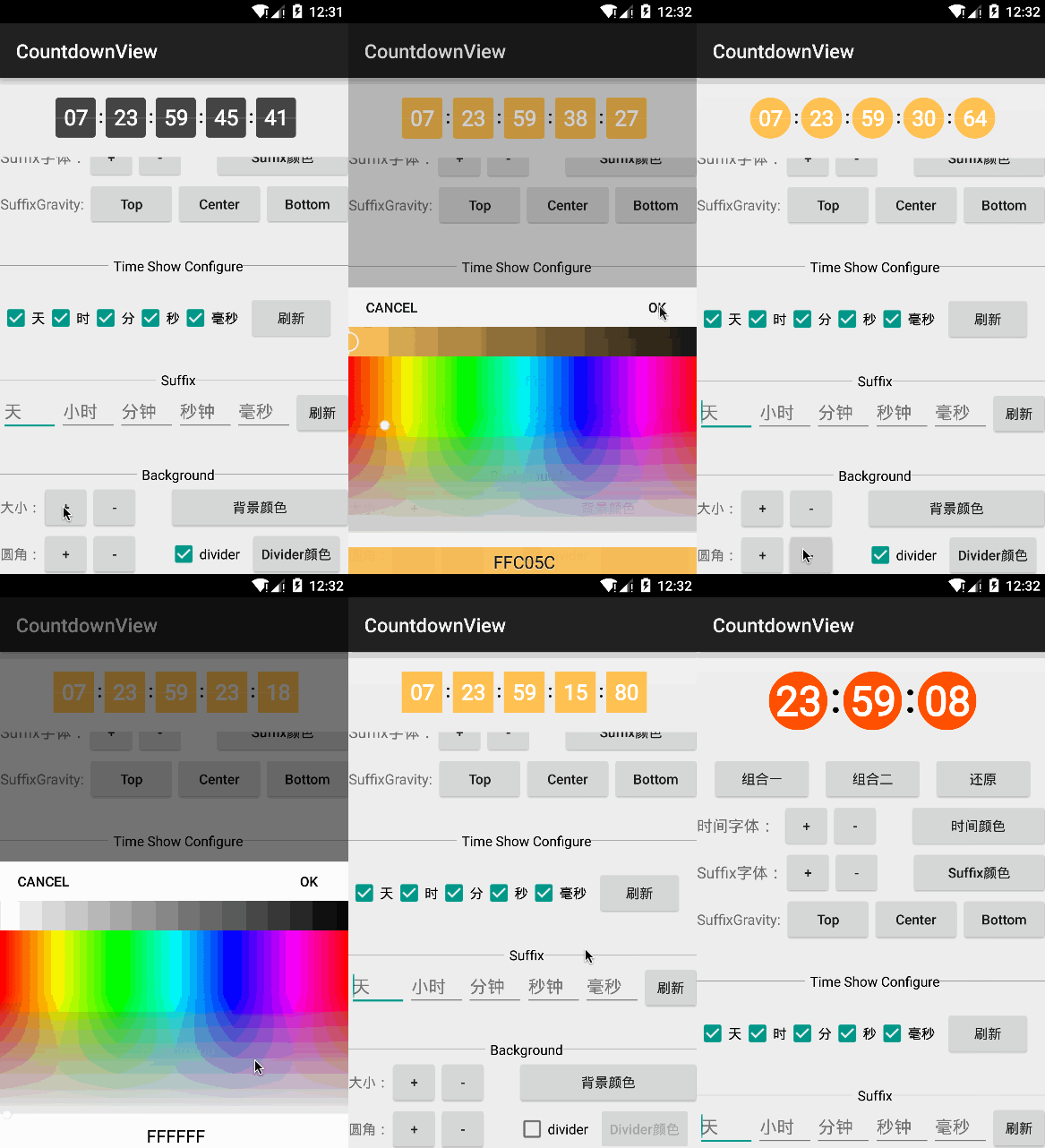
Android countdown view,use canvas draw,supports multiple styles
Screenshot
<img src="https://raw.githubusercontent.com/iwgang/CountdownView/master/screenshot/s_main.png" width="400px" height="650px"/>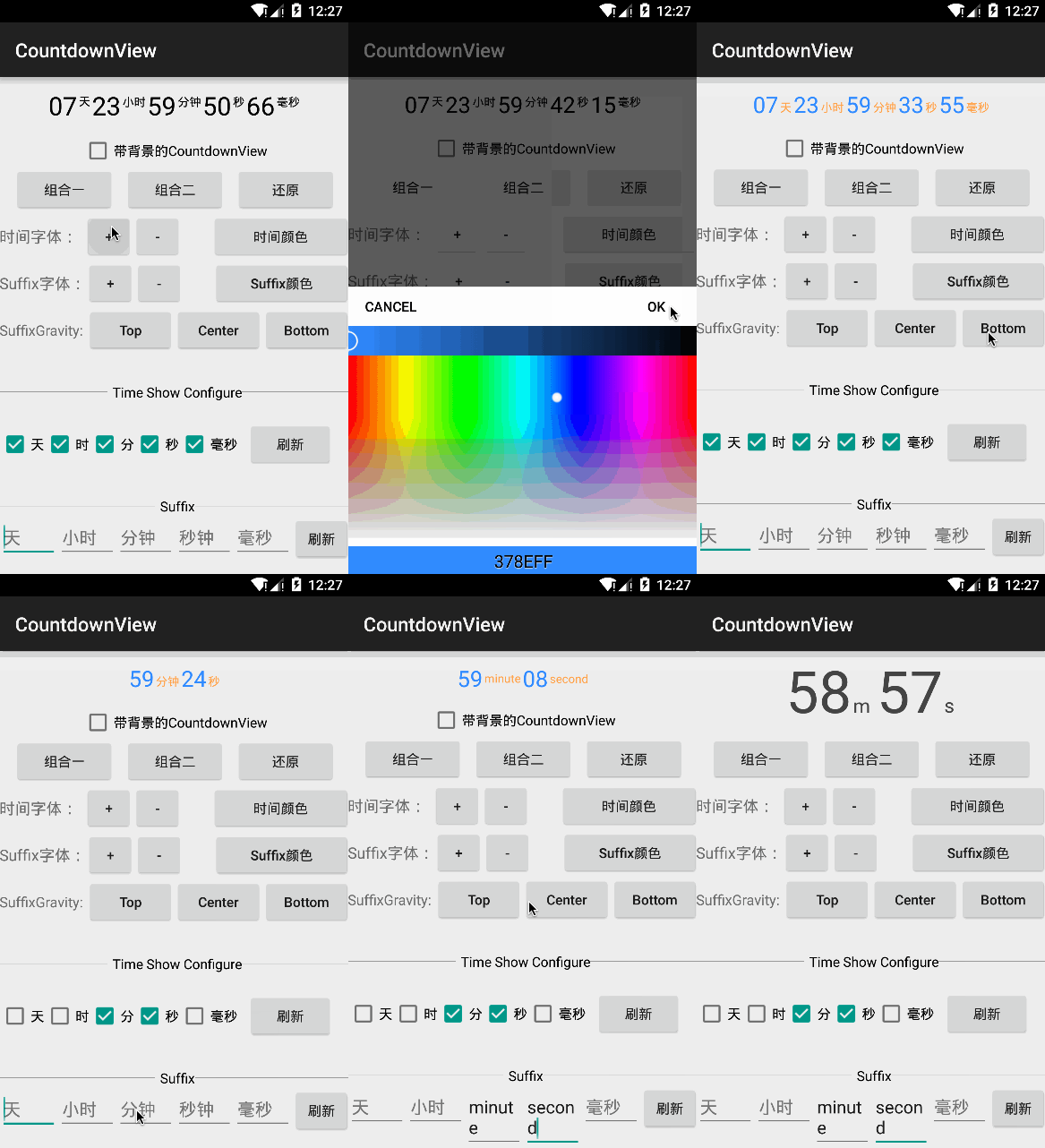
Gradle
compile 'com.github.iwgang:countdownview:2.1.6'
Code
CountdownView mCvCountdownView = (CountdownView)findViewById(R.id.cv_countdownViewTest1);
mCvCountdownView.start(995550000); // Millisecond

// or
for (int time=0; time<1000; time++) {
    mCvCountdownView.updateShow(time);
}
Layout
<cn.iwgang.countdownview.CountdownView
    android:layout_width="wrap_content"
    android:layout_height="wrap_content"
    app:isHideTimeBackground="true"
    app:isShowDay="true"
    app:isShowHour="true"
    app:isShowMinute="true"
    app:isShowSecond="true"
    app:isShowMillisecond="true"
    app:timeTextColor="#000000"
    app:timeTextSize="22sp"
    app:isTimeTextBold="true"
    app:suffixGravity="bottom"
    app:suffixTextColor="#000000"
    app:suffixTextSize="12sp"
    app:suffixHour="时"
    app:suffixMinute="分"
    app:suffixSecond="秒"
    app:suffixMillisecond="毫秒" />
Customization
| attr | type | default| | -------- | :-----: | :----: | |isHideTimeBackground | boolean | true| |timeBgColor | color | #444444| |timeBgSize | dimension | timeSize + 2dp * 4| |timeBgRadius | dimension | 0| |isShowTimeBgDivisionLine | boolean | true| |timeBgDivisionLineColor | color | #30FFFFFF| |timeBgDivisionLineSize | dimension | 0.5dp| |timeTextSize | dimension | 12sp | |timeTextColor | color | #000000| |isTimeTextBold | boolean | false| |isShowDay | boolean | auto show (has value show if not hide)| |isShowHour | boolean | auto show (has value show if not hide)| |isShowMinute | boolean | true| |isShowSecond | boolean | true| |isShowMillisecond | boolean | false| |isConvertDaysToHours | boolean | false| |suffixTextSize | dimension | 12sp| |suffixTextColor | color | #000000| |isSuffixTextBold | boolean | false| |suffixGravity | 'top' or 'center' or 'bottom' | 'center'| |suffix | string | ':'| |suffixDay | string | null| |suffixHour | string | null| |suffixMinute | string | null| |suffixSecond | string | null| |suffixMillisecond | string | null| |suffixLRMargin | dimension | left 3dp right 3dp| |suffixDayLeftMargin | dimension | 0| |suffixDayRightMargin | dimension | 0| |suffixHourLeftMargin | dimension | 0| |suffixHourRightMargin | dimension | 0| |suffixMinuteLeftMargin | dimension | 0| |suffixMinuteRightMargin | dimension | 0| |suffixSecondLeftMargin | dimension | 0| |suffixSecondRightMargin | dimension | 0| |suffixMillisecondLeftMargin | dimension | 0| |isShowTimeBgBorder | boolean | false| |timeBgBorderColor | color | #000000| |timeBgBorderSize | dimension | 1dp| |timeBgBorderRadius | dimension | 0|
Other
- Multiple countdownView specified value
    // step 1
    mCvCountdownView.setTag(R.id.name, uid);
    // step 2
    @Override
    public void onEnd(CountdownView cv) {
        Object nameTag = cv.getTag(R.id.uid);
        if (null != nameTag) {
            Log.i(TAG, "name = " + nameTag.toString());
        }
    }
- Dynamic show
dynamicShow(DynamicConfig dynamicConfig)
- Countdown complete callback
setOnCountdownEndListener(OnCountdownEndListener onCountdownEndListener);
- Interval callback
setOnCountdownIntervalListener(long interval, OnCountdownIntervalListener onCountdownIntervalListener);
Related Skills
node-connect
339.5kDiagnose OpenClaw node connection and pairing failures for Android, iOS, and macOS companion apps
frontend-design
83.9kCreate distinctive, production-grade frontend interfaces with high design quality. Use this skill when the user asks to build web components, pages, or applications. Generates creative, polished code that avoids generic AI aesthetics.
openai-whisper-api
339.5kTranscribe audio via OpenAI Audio Transcriptions API (Whisper).
commit-push-pr
83.9kCommit, push, and open a PR
