
Minimal
Minimal Linux Live (MLL) is a tiny educational Linux distribution, which is designed to be built from scratch by using a collection of automated shell scripts. Minimal Linux Live offers a core environment with just the Linux kernel, GNU C library, and Busybox userland utilities.
Install / Use
/learn @ivandavidov/MinimalREADME
Minimal Linux Live
- Overview
- Current development state
- MLL on ARM (AArch64)
- Future improvements
- How to build
- Overlay bundles
- Runtime software
- GraalVM
- BIOS and UEFI
- Installation
- Publications
- Related projects
- Thank you!
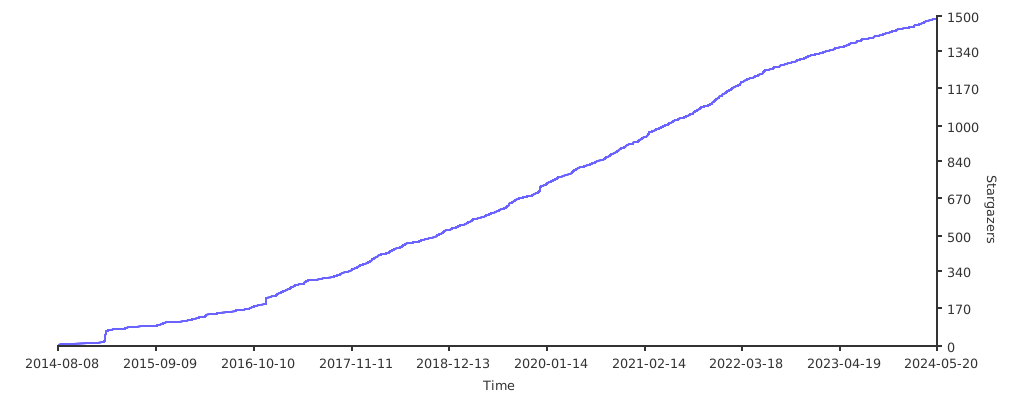
Stargazers over time
Overview
Minimal Linux Live (MLL) is a tiny educational Linux distribution, which is designed to be built from scratch by using a collection of automated shell scripts. Minimal Linux Live offers a core environment with just the Linux kernel, GNU C library, and Busybox userland utilities. Additional software can be included in the ISO image at build time by using a well-documented configuration file.
The generated ISO image file contains Linux kernel, GNU C library compiled with default options, Busybox compiled with default options, quite simple initramfs structure and some "overlay bundles" (the default build process provides few overlay bundles). You don't get Windows support out of the box, nor you get any fancy desktop environment (refer to the Debootstrap Live project if you need minimal system with network and UI). All you get is a simple shell console with default Busybox applets, network support via DHCP and... well, that's all. This is why it's called "minimal".
Note that by default Minimal Linux Live provides support for legacy BIOS systems. You can change the build configuration settings in the .config file and rebuild MLL with support for modern UEFI systems.
All build scripts are well organized and quite small in size. You can easily learn from the scripts, reverse engineer the build process and later modify them to include more stuff (I encourage you to do so). After you learn the basics, you will have all the necessary tools and skills to create your own fully functional Linux based operating system which you have built entirely from scratch.
The guidebook explains in details the MLL architecture and the build process. This is the recommended documentation resource if you want to have complete understanding of the MLL ecosystem.
You are encouraged to read the tutorial which explains the minimalistic MLL build process. The same tutorial, along with all MLL source code, can be found in the ISO image structure in the /minimal/rootfs/usr/src directory.
The project has been supported by the cool guys at Microweber - check them out. :)
Website and mirrors are available here:
List of related projects is available in the end of this document. If you don't find what you're looking for in MLL, perhaps you'll find it in the related projects, e.g. minimal Linux system with graphical user interface (GUI), or perhaps minimal Linux system with option to run Docker containers.
The README document and the main .config file provide extensive documentation regarding the Minimal Linux Live features.
The DAO of Minimal Linux Live - this tutorial explains step by step what you need to do in order to create your own minimalistic live Linux OS. The tutorial is based on the first published version of Minimal Linux Live.
Component Architecture of Minimal Linux Live - this publication describes the high level components included in the '03-Apr-2016' version of Minimal Linux Live.
Did I mention the YouTube channel where you can watch some of the cool Minimal Linux Live features? No? Well, now you know about it! :)
Current development state
As of 09-Jun-2022:
- Linux kernel 5.18.3
- GNU C Library 2.35
- Busybox 1.34.1
Stable build on default Ubuntu 22.04 installation with applied system updates.
Here are some screenshots of the latest published version of Minimal Linux Live:


You can experiment with Minimal Linux Live directly in your browser by using JavaScript PC Emulator. Here is a screenshot:

MLL on ARM (AArch64)
A preview of MLL on ARM (AArch64) can be found in the branch aarch64.
- Install Ubuntu Server 22.04 for ARM 64 (AArch64).
- Resolve the following additional dependencies on top of the MLL required dependencies: qemu-system-aarch64, rsync, bzip2, dosfstools
- Execute scripts 00 to 10.
- Execute qemu-aarch64.sh and then switch to the QEMU serial console.

Future improvements
Take a look at the issues page where all future MLL improvements are tracked.
How to build
The section below is for Ubuntu and other Debian based distros.
# Update all repositories and upgrade all packages
sudo apt update
sudo apt upgrade -y

# Resolve build dependencies
sudo apt install -y wget make gawk gcc bc bison flex xorriso libelf-dev libssl-dev

# Build everything and produce ISO image.
./build_minimal_linux_live.sh
The section below is for SUSE.
# Refresh all repositeries and update all packages
sudo zypper refresh
sudo zypper update -y

# Resolve build dependencies
sudo zypper install -y make gcc flex bison libelf-devel libopenssl-devel bc xorriso

# Build everything and produce ISO image.
./build_minimal_linux_live.sh
The default build process uses some custom provided CFLAGS. They can be found in the .config file. Some of these additional flags were introduced in order to fix different issues which were reported during the development phase. However, there is no guarantee that the build process will run smoothly on your system with these particular flags. If you get compilation issues (please note that I'm talking about compilation issues, not about general shell script issues), you can try to disable these flags and then start the build process again. It may turn out that on your particular host system you don't need these flags.
Overlay bundles
Important note! Most of the overlay bundles come with no support since the build process for almost all of them is host specific and can vary significantly between different machines. Some overlay bundles have no dependencies to the host machine, e.g. the bundles which provide the DHCP functionality and the MLL source code. These bundles are enabled by default.
Minimal Linux Live has the concept of overlay bundles. During the boot process the OverlayFS driver merges the initramfs with the content of these bundles. This is the mechanism which allows you to provide additional software on top of MLL without touching the core build process. In fact the overlay bundle system has been designed to be completely independent from the MLL build process. You can build one or more overlay bundles without building MLL at all. However, some of the overlay bundles have dependencies on the software pieces provided by the MLL build process, so it is recommended to use the overlay build subsystem after you have produced the 'initramfs' area.
The overlay bundle system provides dependency management. If bundle 'b' depends on bundle 'a' you don't need to build bundle 'a' manually in advance. The bundle dependencies are described in special metadata file bundle_deps and all such dependencies are prepared automatically.
# How to build all overlay bundles.

cd minimal_overlay
./overlay_build.sh
# How to build specific overlay bundle. The example is for 'Open JDK'
# which depends on many GNU C libraries and on ZLIB. All dependencies
# are handled automatically by the overlay bundle system.

cd minimal_overlay
./overlay_build.sh openjdk
Take a look at the mll_hello overlay bundle which compiles simple C program (it prints one line in the console) and installs it properly in the MLL overlay structure.
Runtime software
Another way to add software in MLL is at runtime by using slightly modified version of static-get which is provided as additional overlay bundle. The static_get overlay bundle is not enabled by default. You can enable it in the main .config file. Here are some examples with static-get:
# Search for 'vim'
static-get -s vim

# Install the 'vim' package. Run 'vim' after that
static-get -i vim

# Search for 'tetris'
static-get -s tetris

# Install the 'vitetris' package. Run 'vitetris' after that
static-get -i vitetris
GraalVM
The current development version of MLL partially supports GraalVM (provided as overlay bundle). Note that GraalVM has runtime dependencies on GCC and Bash and therefore some GraalVM featu
Related Skills
diffs
339.1kUse the diffs tool to produce real, shareable diffs (viewer URL, file artifact, or both) instead of manual edit summaries.
clearshot
Structured screenshot analysis for UI implementation and critique. Analyzes every UI screenshot with a 5×5 spatial grid, full element inventory, and design system extraction — facts and taste together, every time. Escalates to full implementation blueprint when building. Trigger on any digital interface image file (png, jpg, gif, webp — websites, apps, dashboards, mockups, wireframes) or commands like 'analyse this screenshot,' 'rebuild this,' 'match this design,' 'clone this.' Skip for non-UI images (photos, memes, charts) unless the user explicitly wants to build a UI from them. Does NOT trigger on HTML source code, CSS, SVGs, or any code pasted as text.
openpencil
1.8kThe world's first open-source AI-native vector design tool and the first to feature concurrent Agent Teams. Design-as-Code. Turn prompts into UI directly on the live canvas. A modern alternative to Pencil.
ui-ux-pro-max-skill
53.2kAn AI SKILL that provide design intelligence for building professional UI/UX multiple platforms
