
SocketIOUnity
A Wrapper for socket.io-client-csharp to work with Unity.
Install / Use
/learn @itisnajim/SocketIOUnityREADME
SocketIOUnity
Description
A Wrapper for socket.io-client-csharp to work with Unity, Supports socket.io server v2/v3/v4, and has implemented http polling and websocket.
Give a Star! ⭐
Feel free to request an issue on github if you find bugs or request a new feature. If you find this useful, please give it a star to show your support for this project.
Supported Platforms
💻 PC/Mac, 🍎 iOS, 🤖 Android
Other platforms (including the Editor) have not been tested and/or may not work!
Example
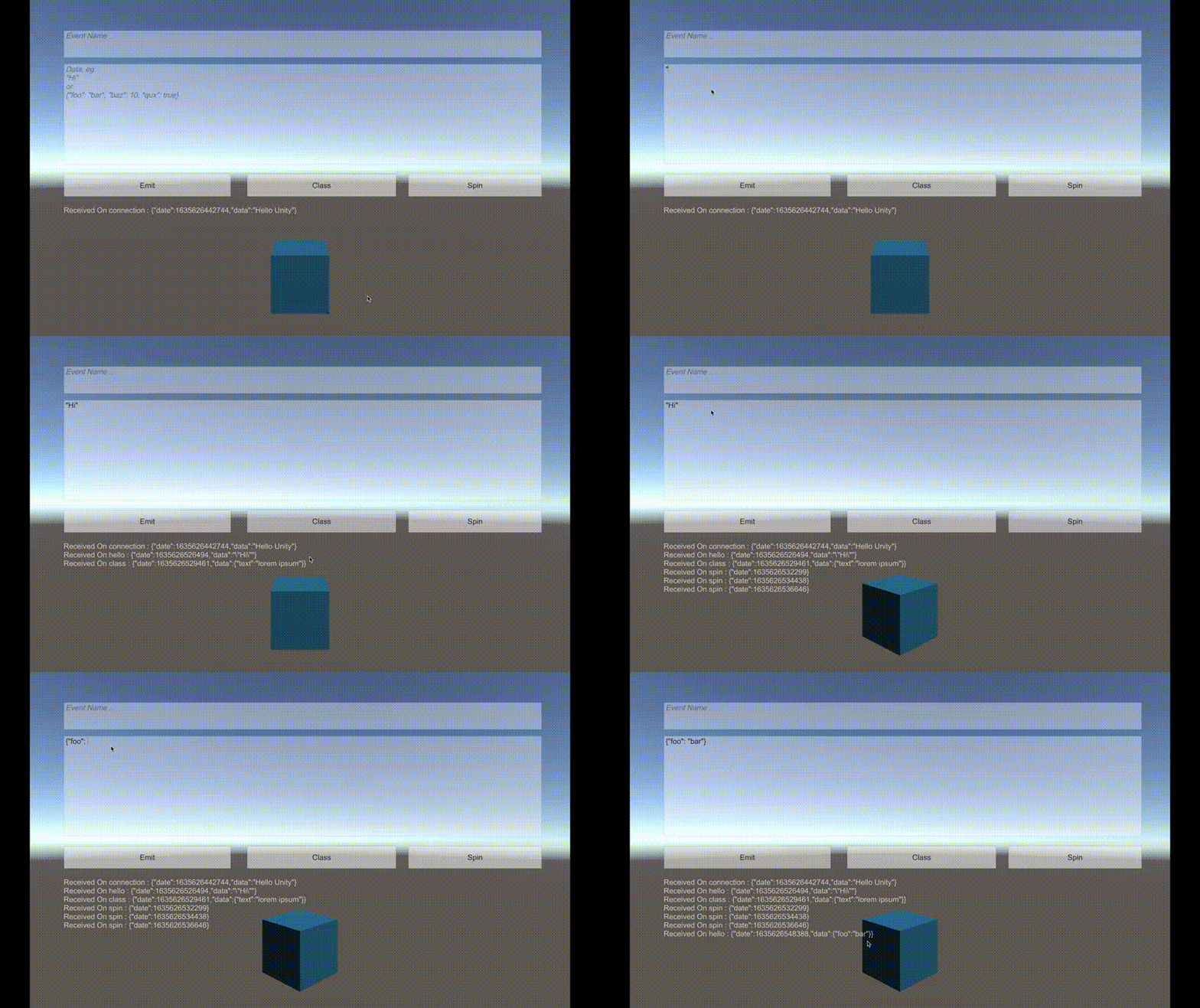
Installation
Copy this url:
https://github.com/itisnajim/SocketIOUnity.git
then in Unity open Window -> Package Manager -> and click (+) add package from git URL... and paste it there.
Usage
Check the 'Samples~' folder and socket.io-client-csharp repo for more usage info.
Initiation:
You may want to put the script on the Camera Object or using DontDestroyOnLoad to keep the socket alive between scenes!
var uri = new Uri("https://www.example.com");
socket = new SocketIOUnity(uri, new SocketIOOptions
{
    Query = new Dictionary<string, string>
        {
            {"token", "UNITY" }
        }
    ,
    Transport = SocketIOClient.Transport.TransportProtocol.WebSocket
});
JsonSerializer:
The library uses System.Text.Json to serialize and deserialize json by default, may won't work in the current il2cpp. You can use Newtonsoft Json.Net instead:
socket.JsonSerializer = new NewtonsoftJsonSerializer();
Emiting:
socket.Emit("eventName");
socket.Emit("eventName", "Hello World");
socket.Emit("eventName", someObject);

socket.Emit("eventName",(response)=>{
    string text = response.GetValue<string>();
    print(text);
}, someObject);

socket.EmitStringAsJSON("eventName", "{\"foo\": \"bar\"}");
await client.EmitAsync("hi", "socket.io"); // Here you should make the method async
Receiving:
socket.On("eventName", (response) =>
{
    /* Do Something with data! */
    var obj = response.GetValue<SomeClass>();
    ...
});
if you want to play with unity game objects (eg: rotating an object) or saving data using PlayerPrefs system use this instead:
// Set (unityThreadScope) the thread scope function where the code should run.
// Options are: .Update, .LateUpdate or .FixedUpdate, default: UnityThreadScope.Update
socket.unityThreadScope = UnityThreadScope.Update;
// "spin" is an example of an event name.
socket.OnUnityThread("spin", (response) =>
{
    objectToSpin.transform.Rotate(0, 45, 0);
});
or:
socket.On("spin", (response) =>
{
    UnityThread.executeInUpdate(() => {
        objectToSpin.transform.Rotate(0, 45, 0);
    });
    /*
    or
    UnityThread.executeInLateUpdate(() => { ... });
    or
    UnityThread.executeInFixedUpdate(() => { ... });
    */
});
Connecting/Disconnecting:
socket.Connect();
await socket.ConnectAsync();

socket.Disconnect();
await socket.DisconnectAsync();
Server Example
const port = 11100;
const io = require('socket.io')();
io.use((socket, next) => {
    if (socket.handshake.query.token === "UNITY") {
        next();
    } else {
        next(new Error("Authentication error"));
    }
});

io.on('connection', socket => {
  socket.emit('connection', {date: new Date().getTime(), data: "Hello Unity"})

  socket.on('hello', (data) => {
    socket.emit('hello', {date: new Date().getTime(), data: data});
  });

  socket.on('spin', (data) => {
    socket.emit('spin', {date: new Date().getTime()});
  });

  socket.on('class', (data) => {
    socket.emit('class', {date: new Date().getTime(), data: data});
  });
});

io.listen(port);
console.log('listening on *:' + port);
Acknowledgement
Author
itisnajim, itisnajim@gmail.com
License
SocketIOUnity is available under the MIT license. See the LICENSE file for more info.
Related Skills
canvas
344.1kCanvas Skill Display HTML content on connected OpenClaw nodes (Mac app, iOS, Android). Overview The canvas tool lets you present web content on any connected node's canvas view. Great for: -
node-connect
344.1kDiagnose OpenClaw node connection and pairing failures for Android, iOS, and macOS companion apps
frontend-design
96.8kCreate distinctive, production-grade frontend interfaces with high design quality. Use this skill when the user asks to build web components, pages, or applications. Generates creative, polished code that avoids generic AI aesthetics.
openai-whisper-api
344.1kTranscribe audio via OpenAI Audio Transcriptions API (Whisper).
