
DiscordEarsBot
A speech-to-text framework and bot for Discord. Take control of your Discord server using speech and voice commands. Can also be useful for hearing impaired and deaf people.
Install / Use
/learn @inevolin/DiscordEarsBotREADME
DiscordEarsBot
A speech-to-text bot for Discord written in NodeJS. Can be useful for hearing impaired and deaf people.
Getting Started:
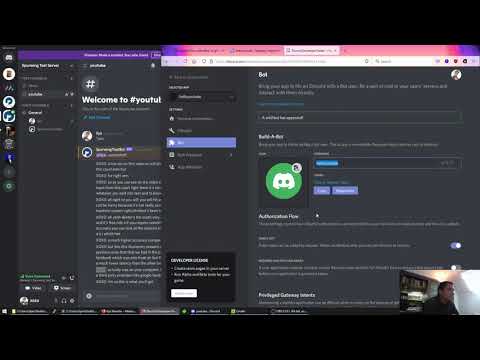
Installation Tutorial
YouTube: https://www.youtube.com/watch?v=IKIlnaCDZcI
Try the bot for yourself on our Discord server: https://discord.gg/ApdTMG9
Developers
Setup
In your Discord Developers Bot settings, you need to enable these intents:
Manual Installation
You need nodeJS version +16 with npm on your machine, use node -v to check your version.
Execute the following commands:
git clone https://github.com/healzer/DiscordEarsBot.git
cd DiscordEarsBot
npm install
Provide the Discord API Token using DISCORD_TOK Env Variable or in settings.json.
Finally run node index.js. You can also use pm2 or nodemon to keep the bot running 24/7.
Heroku
If you don't have a linux server/machine then you can use Heroku for hosting your bot 24/7 and it's free.
- Fork this GitHub repository
- Create Discord Bot, Invite it to your server and get the API Token
- Create new Heroku app, use the GitHub method and Deploy DiscordEarsBot
- Under "resources" disable "web" and enable "worker" dyno instead.
- Provide the DISCORD_TOK Config Var under "settings"
Usage
By now you have a discord server, the DiscordEarsBot is running and is a part of your server. Make sure your server has a text and voice channel.
- Enter one of your voice channels.
- In one of your text channels type:
*join, the bot will join the voice channel. - Everything said within that channel will be transcribed into text (as long as the bot is within the voice channel).
- Type
*leaveto make the bot leave the voice channel. - Type
*helpfor a list of commands.
notes:
- When the bot is inside a voice channel it listens to all speech and transcribes audio into text.
- Each user is a separate audio channel, the bot hears everyone separately.
- Only when your user picture turns green in the voice channel will the bot receive your audio.
- A long pause interrupts the audio input.
- For Google Speech & WitAI: The duration of a single audio input is limited to 20 seconds, longer audio is not transcribed.
Speech Services
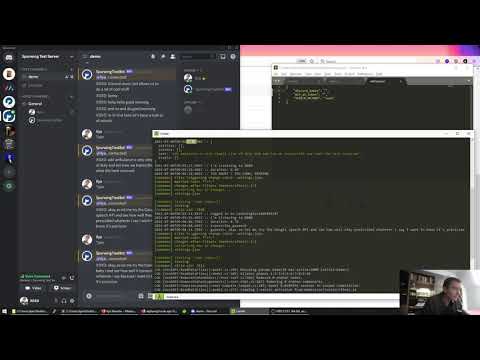
YouTube comparison and tutorial for developers on choosing the right Speech API: https://www.youtube.com/watch?v=fQcEZIgw_LA
Vosk API
This is our default Speech-to-Text method. The Vosk API is a free & open-source solution that runs locally (offline). By default only english is enabled. Developers can change or include more language models from here: https://alphacephei.com/vosk/models
WitAI
Installation:
- set SPEECH_METHOD to
witai - use your Server Access Token for WITAI_TOK
WitAI supports over 120 languages (https://wit.ai/faq), however only one language can be used at a time. If you're not speaking English on Discord, then change your default language on WitAI under "settings" for your app.
You can also change the language using the following bot command: *lang <code>
<code> should be an ISO 639-1 language code (2 digits): https://en.wikipedia.org/wiki/List_of_ISO_639-1_codes
Google Speech API
You can use Google's Speech-to-Text API as follows:
- set SPEECH_METHOD to
google - For non-English transcriptions: open
index.js, inside the functiontranscribe_gspeechchange the value oflanguageCode. - Enable Google Speech API here: https://console.cloud.google.com/apis/library/speech.googleapis.com
- Create a new Service Account (or use your existing one): https://console.cloud.google.com/apis/credentials
- Create a new Service Account Key (or use existing) and download the json file.
- Put the json file inside your bot directory and rename it to
gspeech_key.json.
Mozilla DeepSpeech (experimental)
Using Mozilla DeepSpeech for speech recognition, tutorial.
Contact
For enquiries or issues get in touch with me:
Name: Ilya Nevolin
Email: ilja.nevolin@gmail.com
Discord: https://discord.gg/ApdTMG9
Related Skills
imsg
352.0kiMessage/SMS CLI for listing chats, history, and sending messages via Messages.app.
node-connect
352.0kDiagnose OpenClaw node connection and pairing failures for Android, iOS, and macOS companion apps
frontend-design
111.1kCreate distinctive, production-grade frontend interfaces with high design quality. Use this skill when the user asks to build web components, pages, or applications. Generates creative, polished code that avoids generic AI aesthetics.
discord
352.0kDiscord ops via the message tool (channel=discord).
