
Asn1Play
Backend app of https://amenitypj.in/asn1Play https://impratikjaiswal.github.io/asn1Play
Install / Use
/learn @impratikjaiswal/Asn1PlayREADME
asn1Play
ASN.1 Encoder, Decoder & Validator. <BR>Currently supports various versions of below specifications along with their inherited specs:
<BR>However, Tool can be extended to support any ASN1 based conversion (asn1schema of related specification needs to be added to tool). <BR>Supports large variety of encoding-decoding rules (DER, JER, JSON, BER, CER, APER, COER, OER, UPER etc).
Stats








Url(s) of AmenityPj
Refer Url(s) of AmenityPj for details.
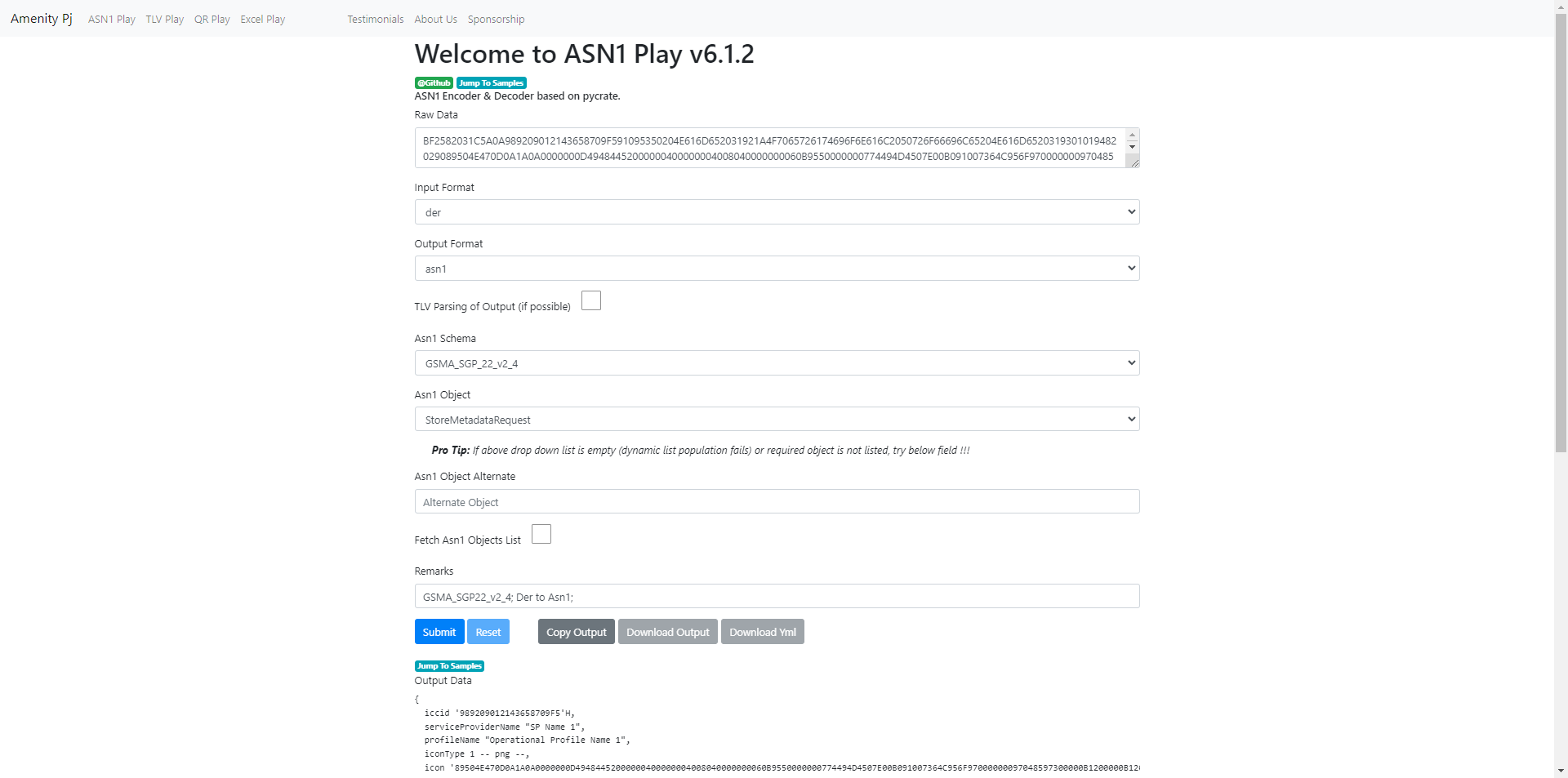
Screen Shot(s) of Web App 
Installation/Setup
Steps can be found here.
How To Use
There are various ways to Get Started:
- Online Mode
- Website
- Website
- Offline Mode (Requires Download / Cloning of the Repo)
- Code can be directly run from
asn1Play/asn1_play/main/asn1play.pyusing any IDE - Local Web Server App amenitypj can be used
- Code can be directly run from
Help
Issue tracker can be found here.
Contributing
Few Major Features
- Auto Trimming of HEX Data (White Spaces Deletion).
- Auto Detection of Base64 & Hex data.
- Auto Detection of ByteArraySigned & ByteArrayUnSigned.
- Conversion Mode for HEX, ASCII, TEXT & Base64.
- Support of "Individual Mode"; Raw/Target Data can be configured Directly or file path (Binary as well as Text File; any extension) can be passed.
- Support of "Bulk Mode"; Raw/Target Data can be configured Directly in List/Array format or Directory Path can be passed (Files with Known extensions will be picked based on Input Format).
- Support of "Yml Mode (Config Mode)"; Raw/Target Data (along with all needed config) can be configured Directly in Yaml Files (".yaml" or ".yml" extensions), and same cane be passed in "Individual Mode" or "Bulk Mode".
- For Known File Extensions (".asn1", ".asn", ".base64", ".hex"), Input/Output Format may be modified automatically as per sensible out-of-the-box defaults.
Data Folders
- <b>\asn1Play\data\sample_data</b>: Sample Data folder containing various version specific data files.
- <b>\asn1Play\data\user_data</b>: User Data folder containing various version specific data files (Default Output Directory).
Sample Usage References
To Refer Sample usages, search for below keywords in source code (\asn1Play\asn1_play\main\data_type) and/or in data folders.
- .Asn1Files;
- .Base64Files;
- .HexFiles;
- .YmlFiles;
- AsciiInput;
- AsciiOutput;
- TxtInput;
- TxtOutput;
- Asn1Element;
- Asn1Schema;
- Asn1ElementString;
- Asn1ElementVariable;
- Asn1Input;
- Asn1Output;
- Base64Input;
- Base64Output;
- BulkMode;
- ByteArrayInput;
- ByteArrayOutput;
- ByteArraySignedInput;
- ByteArraySignedOutput;
- Certificate;
- Der64Input;
- Der64Output;
- DerInput;
- DerOutput;
- DirectInput;
- DirectoryInput;
- DirectoryOutput;
- EimConfigurationData;
- ExportKeyword;
- ExportedInput;
- ExtendRemarksList;
- FileInput;
- HexInput;
- HexOutput;
- ItemIndexVariable;
- ListInput;
- OutputFile;
- OutputKeyword;
- PE_End;
- ProfileElement;
- ReParseOutput;
- RemarksVariable;
- StoreMetadataRequest;
- TlvParsing;
- UpdateMetadataRequest;
- VersionVariable;
- YmlInput;
- YmlOutput;
- YmlOutputSameFile;
Reserve Variables
- $version
- Used for input_path, when version of asn specification needs to be considered in file path on run time.
- $remarks
- Used for output_file_path, when Remarks needs to be considered in output path.
- $asn1_element
- Used for remarks, when Asn Element Name needs to be considered in remarks.
- $item_index
- Used for output_file_path, when Item Index (For Bulk Mode) needs to be considered in output path.
Reserve Keywords
- output
- Used for output in file.
- export
- Used for export mode. Export of configuration in .yml file.
Important Points
- For output_file, Both "directory path" and "file path" (identified based on any extension) are supported, Hence a path without extension will be considered as directory.
- For input/output via files/directory, always enclosed path with r''. Here "r" denotes raw string and avoid escape sequences, otherwise it might be considered as normal input.
- output keyword always utilize comments
- output file utilize comments in case of directory or if file name is having $REMARKS
Related Skills
node-connect
349.9kDiagnose OpenClaw node connection and pairing failures for Android, iOS, and macOS companion apps
frontend-design
109.8kCreate distinctive, production-grade frontend interfaces with high design quality. Use this skill when the user asks to build web components, pages, or applications. Generates creative, polished code that avoids generic AI aesthetics.
openai-whisper-api
349.9kTranscribe audio via OpenAI Audio Transcriptions API (Whisper).
qqbot-media
349.9kQQBot 富媒体收发能力。使用 <qqmedia> 标签,系统根据文件扩展名自动识别类型(图片/语音/视频/文件)。
