
Measure
📏 Measure UI for PSD
Install / Use
/learn @imcuttle/MeasureREADME
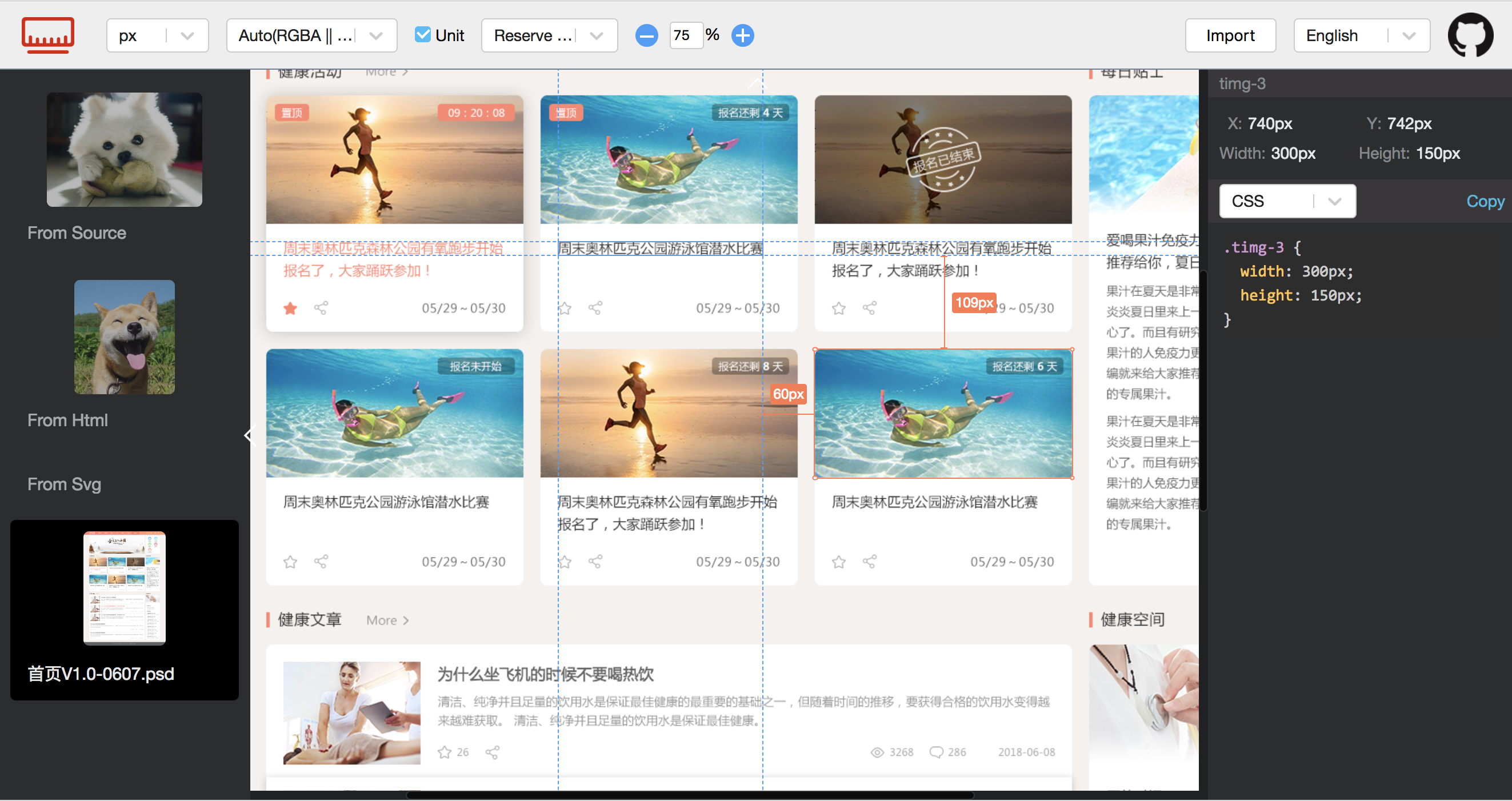
Getting started
npm i measure-export-cli -g
# Run the online server
measure-export start path/to/psdDir
# Build assets in $PWD/dist
measure-export build path/to/psdDir

measure-export --help
measure-export start --help
measure-export build --help
Processor about the monorepo

TODO
- [ ] integration tests should be applied on ui and cli
Packages
- chrome-extension-measure-viewer - PSD measure viewer
- html-measure - Make html to be measurable written by React
- meas-ui - Measure UI for making PSD/SVG/HTML to be measurable
- measure-export - Make measure UI exported for teamwork
- measure-export-cli - Command line for measure export
- @moyuyc/psd-html - Make it a fun to create spec by psd for developers and teammates
Related
- sketch measure - Make it a fun to create spec for developers and teammates
- psd.js - A Photoshop PSD file parser for NodeJS and browsers
Developing
-
Install dependencies
npm install -
This repo use lerna for managing multiply packages, so need to bootstrap dependencies of each package.
npx lerna bootstrapNote: It will run
preparescript of each packages in this step -
Dev & Build for each available packages
# Watch mode
npm run dev

# Build
npm run dist
Contributing
- Fork it!
- Create your new branch:
git checkout -b feature-neworgit checkout -b fix-which-bug - Start your magic work now
- Make sure testing passes
- Commit your changes:
git commit -am 'feat: some description (close #123)'orgit commit -am 'fix: some description (fix #123)' - Push to the branch:
git push - Submit a pull request :)
Authors
This library is written and maintained by imcuttle, moyuyc95@gmail.com.
License
MIT
Related Skills
node-connect
354.3kDiagnose OpenClaw node connection and pairing failures for Android, iOS, and macOS companion apps
frontend-design
112.3kCreate distinctive, production-grade frontend interfaces with high design quality. Use this skill when the user asks to build web components, pages, or applications. Generates creative, polished code that avoids generic AI aesthetics.
openai-whisper-api
354.3kTranscribe audio via OpenAI Audio Transcriptions API (Whisper).
qqbot-media
354.3kQQBot 富媒体收发能力。使用 <qqmedia> 标签,系统根据文件扩展名自动识别类型(图片/语音/视频/文件)。
