
MagicViews
Set custom font in Android application
Install / Use
/learn @ikocijan/MagicViewsREADME
MagicViews

Provides a simple way to set custom font in Android application.
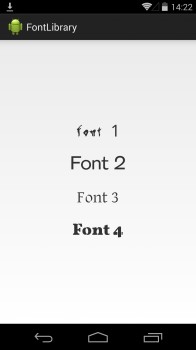
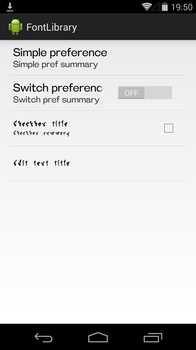
Adding to your project
- Add the library as a dependency to your
build.gradle
compile 'com.ivankocijan:MagicViews:version@aar'
- Specify path to fonts folder in onCreate method of your Application class (See example app).
   public class MyApplication extends Application {

        @Override
        public void onCreate() {
            super.onCreate();

             MagicViews.setFontFolderPath(this, "fontFolderPath");

        }

   }
Usage from layout
-
Add your application namespace to the root element in the XML <code>xmlns:app="http://schemas.android.com/apk/res-auto"</code>
-
Instead of TextView use <code>com.ivankocijan.magicviews.views.MagicTextView</code>
    <com.ivankocijan.magicviews.views.MagicTextView
        android:layout_width="wrap_content"
        android:layout_height="wrap_content"
        app:typeFace="cha_chicle.otf"/>
For a complete list of features and how to use them see wiki page.
Supported views
- TextView
- EditText
- Button
- CheckBox
- CheckedTextView
- RadioButton
- AutoCompleteTextView
- MultiAutoCompleteTextView
- PreferenceGroup
- Preference
- CheckboxPreference
- SwitchPreference
- EditTextPreference
- Span
Supported Android versions
- 2.3 or higher
Change log
V3.1.0
- New MagicFontSpan - See example here
- Layout preview no longer shows exception when MagicView is added to custom view - [See example] (https://github.com/ikocijan/MagicViews/blob/development/TestApp%2Fsrc%2Fmain%2Fjava%2Fcom%2Fivankocijan%2FTestApp%2Factivites%2FCustomViewActivity.java)
V3.0.1
- New letter spacing attribute which lets you add horizonatal spacing between characters
- TabLayout support - you can now set custom font on TabLayout
See wiki for more info.
You might encounter this issue after updating: /build/intermediates/exploded-aar/com.android.support/appcompat-v7/23.0.1/res/values-v23/values-v23.xml
There are two options to fix that:
Exclude appcompact-v7 from MagicViews library:
    compile('com.ivankocijan:MagicViews:3.1.0@aar') {
        exclude group: 'com.android.support', module: 'appcompat-v7'
    }
or Compile your app with Android SDK 23:
   android {
      compileSdkVersion 23
   }
V3.0
- Library now uses new AppCompat views which backport some cool stuff to pre-lollipop devices. See Android developer blogspot for more info
- Added new views: RadioButton, AutoCompleteTextView and MultiAutoCompleteTextView
- Font can now be set from code by calling setFont(String fontName) method
- Example app is updated with new features
- Bugfixes
Contributing
Feedback and code contributions are very much welcomed. Just make a pull request with a short description of your changes. By making contributions to this project you give permission for your code to be used under the same license.
