
Ngx Scanner Qrcode
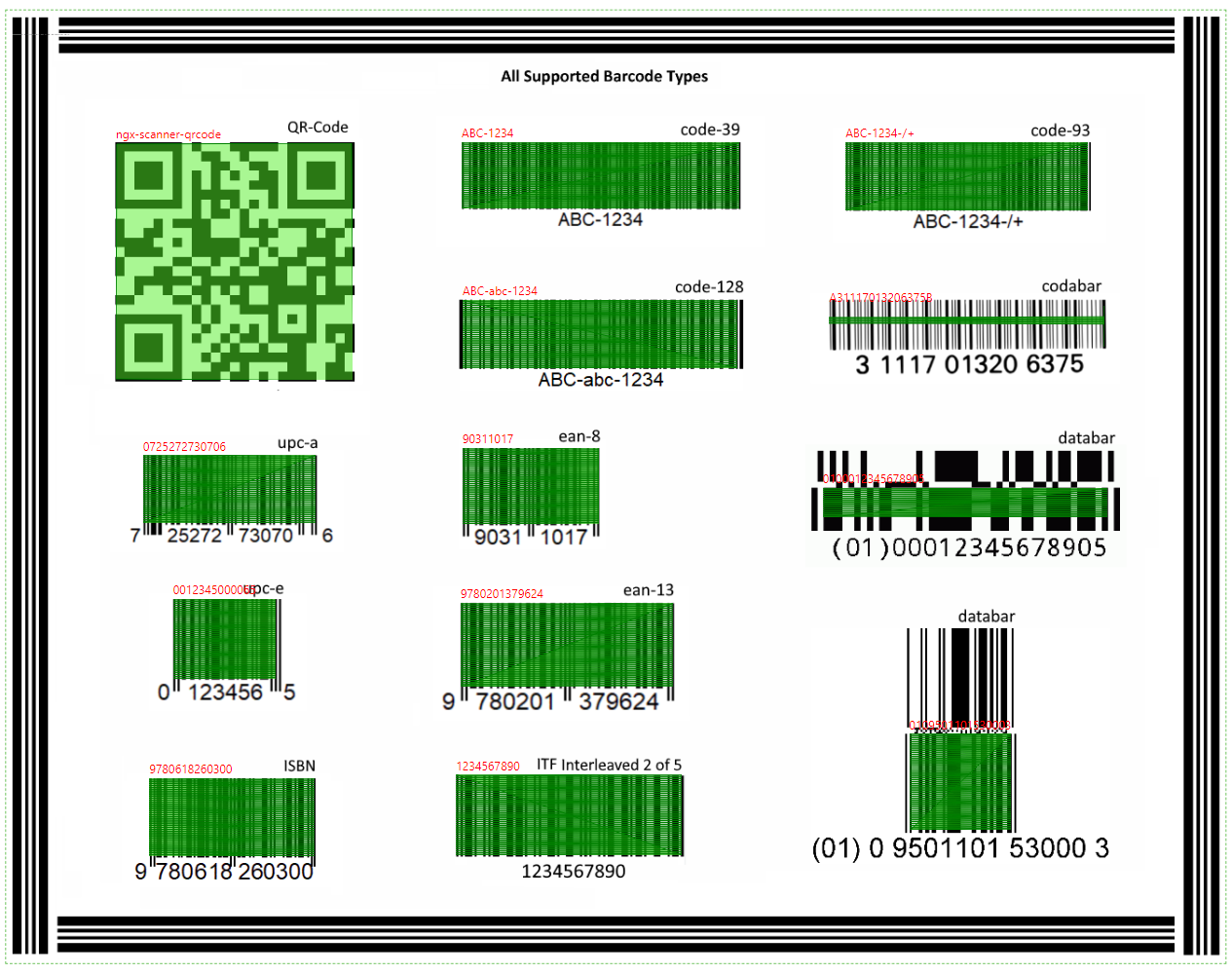
This library is built to provide a solution scanner QR code. This library takes in raw images and will locate, extract and parse any QR code found within.
Install / Use
npx skills add id1945/ngx-scanner-qrcodeInstalls into whichever agent you are using.
README
ngx-scanner-qrcode
This library is built to provide a solution scanner QR code.
This library takes in raw images and will locate, extract and parse any QR code found within.
This demo Github, Stackblitz.
Installation
Install ngx-scanner-qrcode from npm:
npm install ngx-scanner-qrcode@<version> --save
Add wanted package to NgModule imports:
import { NgxScannerQrcodeModule, LOAD_WASM } from 'ngx-scanner-qrcode';

// Necessary to solve the problem of losing internet connection
LOAD_WASM('assets/wasm/ngx-scanner-qrcode.wasm').subscribe();

@NgModule({
    imports: [
        NgxScannerQrcodeModule
    ]
})
angular.json
{
  "architect": {
    "build": {
      "options": {
        "assets": [
          /* Necessary to solve the problem of losing internet connection */
          {
            "glob": "**/*",
            "input": "node_modules/ngx-scanner-qrcode/wasm/",
            "output": "./assets/wasm/"
          }
        ]
      }
    }
  }
}
In the Component:
<!-- For camera -->
<ngx-scanner-qrcode #action="scanner"></ngx-scanner-qrcode>

<!-- data  -->
<span>{{ action.data.value | json }}</span><!-- value -->
<span>{{ action.data | async | json }}</span><!-- async -->

<!-- Loading -->
<p *ngIf="action.isLoading">⌛ Loading...</p>

<!-- start -->
<button (click)="action.isStart ? action.stop() : action.start()">{{action.isStart ? 'Stop' : 'Start'}}</button>
<!-- For image src -->
<ngx-scanner-qrcode #action="scanner" [src]="'https://domain.com/test.png'"></ngx-scanner-qrcode>

<span>{{ action.data.value | json }}</span><!-- value -->
<span>{{ action.data | async | json }}</span><!-- async -->
<!-- For select files -->
<input #file type="file" (change)="onSelects(file.files)" [multiple]="'multiple'" [accept]="'.jpg, .png, .gif, .jpeg'"/>

<div *ngFor="let item of qrCodeResult">
  <ngx-scanner-qrcode #actionFile="scanner" [src]="item.url" [config]="config"></ngx-scanner-qrcode>
  <p>{{ actionFile.data.value | json }}</p><!-- value -->
  <p>{{ actionFile.data | async | json }}</p><!-- async -->
</div>
import { Component } from '@angular/core';
import { NgxScannerQrcodeService, ScannerQRCodeSelectedFiles } from 'ngx-scanner-qrcode';

@Component({
  selector: 'app-root',
  templateUrl: './app.component.html',
  styleUrls: ['./app.component.css']
})
export class AppComponent {
  public qrCodeResult: ScannerQRCodeSelectedFiles[] = [];

  public config: ScannerQRCodeConfig = {
    constraints: {
      video: {
        width: window.innerWidth
      }
    }
  };

  constructor(private qrcode: NgxScannerQrcodeService) { }

  public onSelects(files: any) {
    this.qrcode.loadFiles(files).subscribe((res: ScannerQRCodeSelectedFiles[]) => {
      this.qrCodeResult = res;
    });
  }
}
<!-- For select files -->
<input #file type="file" (change)="onSelects(file.files)" [multiple]="'multiple'" [accept]="'.jpg, .png, .gif, .jpeg'"/>

<div *ngFor="let item of qrCodeResult">
  <img [src]="item.url | safe: 'url'" [alt]="item.name" style="max-width: 100%"><!-- Need bypassSecurityTrustUrl -->
  <p>{{ item.data | json }}</p>
</div>
import { Component } from '@angular/core';
import { NgxScannerQrcodeService, ScannerQRCodeSelectedFiles } from 'ngx-scanner-qrcode';

@Component({
  selector: 'app-root',
  templateUrl: './app.component.html',
  styleUrls: ['./app.component.css']
})
export class AppComponent {
  public qrCodeResult: ScannerQRCodeSelectedFiles[] = [];

  public config: ScannerQRCodeConfig = {
    constraints: {
      video: {
        width: window.innerWidth
      }
    }
  };

  constructor(private qrcode: NgxScannerQrcodeService) { }

  public onSelects(files: any) {
    this.qrcode.loadFilesToScan(files).subscribe((res: ScannerQRCodeSelectedFiles[]) => {
      this.qrCodeResult = res;
    });
  }
}
API Documentation
Input
| Field | Description | Type | Default |
| --- | --- | --- | --- |
| [src] | image url | string | - |
| [fps] | fps/ms | number | 30 |
| [vibrate] | vibrate for mobile | number | 300 |
| [decode] | decode value | string | utf-8 |
| [isBeep] | beep | boolean | true |
| [isMasked] | masked | boolean | true |
| [unScan] | scan | boolean | false |
| [loadWasmUrl] | wasm local url | string | blank |
| [symbolType] | type | ScannerQRCodeSymbolType[] | [ScannerQRCode_NONE] |
| [constraints] | setting video | MediaStreamConstraints | {audio:false,video:true} |
| [canvasStyles] | setting canvas | CanvasRenderingContext2D[] | [{ lineWidth: 1, strokeStyle: 'green', fillStyle: '#55f02880' },{ font: '15px serif', strokeStyle: '#fff0', fillStyle: '#ff0000' }] |
| [config] | config | ScannerQRCodeConfig | {src:..,fps..,vibrate..,decode:..,isBeep:..,config:..,constraints:..,canvasStyles:..} |
Ouput
| Field | Description | Type | Default | | --- | --- | --- | --- | | (event) | data response | BehaviorSubject<ScannerQRCodeResult[]> | [] |
Component exports
| Field | Description | Type | Default | | --- | --- | --- | --- | | isStart | status | boolean | false | | isLoading | status | boolean | false | | isTorch | torch | boolean | false | | isPause | status | boolean | - | | isReady | status wasm | AsyncSubject<boolean> | - | | data | data response | BehaviorSubject<ScannerQRCodeResult[]> | [] | | devices | data devices | BehaviorSubject<ScannerQRCodeDevice[]> | [] | | deviceIndexActive | device index | number | 0 | | --- | --- | --- | --- | | (start) | start camera | AsyncSubject | - | | (stop) | stop camera | AsyncSubject | - | | (play) | play video | AsyncSubject | - | | (pause) | pause video | AsyncSubject | - | | (torcher) | toggle on/off flashlight | AsyncSubject | - | | (applyConstraints)| set media constraints | AsyncSubject | - | | (getConstraints) | get media constraints | AsyncSubject | - | | (playDevice) | play deviceId | AsyncSubject | - | | (loadImage) | load image from src | AsyncSubject | - | | (download) | download image | AsyncSubject<ScannerQRCodeSelectedFiles[]> | - |
Service
| Field | Description | Type | Default | | --- | --- | --- | --- | | (loadFiles) | Convert files | AsyncSubject<ScannerQRCodeSelectedFiles[]> | [] | | (loadFilesToScan) | Scanner files | AsyncSubject<ScannerQRCodeSelectedFiles[]> | [] |
Models
<details><summary><b>ScannerQRCodeConfig</b></summary>export interface ScannerQRCodeConfig {
src?: string;
fps?: number;
vibrate?: number; /* support mobile */
decode?: string;
unScan?: boolean;
isBeep?: boolean;
isMasked?: boolean;
loadWasmUrl?: string; /* eg. assets/wasm/ngx-scanner-qrcode.wasm */
symbolType?: ScannerQRCodeSymbolType[];
constraints?: MediaStreamConstraints;
canvasStyles?: CanvasRenderingContext2D[] | any[];
}
interface ScannerQRCodeDevice {
  kind: string;
  label: stri
Related Skills
node-connect
385.6kDiagnose OpenClaw Android, iOS, or macOS node pairing, QR/setup code, route, auth, and connection failures.
blender-python-addon
40.5kBlender Python add-on rules for operators, panels, properties, registration, testing, and API-safe scripting
flutter-development-guidelines-cursorrules-prompt-file
40.5kCursor rules for Flutter development with MVVM architecture, Riverpod state management, Material widgets, and Dart style guidelines.
commit-push-pr
140.7kCommit, push, and open a PR
