
Shlide
:framed_picture: a slide deck presentation tool written in pure bash
Install / Use
/learn @icyphox/ShlideREADME
shlide
a slide deck presentation tool written in pure bash
Features
- All slides are plain-text files.
- Vim like navigation.
- Text color and style formatting.
- Pure bash.
Requirements
bash 4+
Usage
Create a directory for your slides. Name each slide starting with a number and a hyphen, like so:
$ mkdir deck
$ touch deck/1-first-slide.txt
$ touch deck/2-another.txt

# so on
Note: Make sure to prefix the first 9 slides with a 0 (01-foo.txt, 02-bar.txt ...),
if you have more than 10 slides.
Finally, run:
$ shlide deck/
Controls
- Next slide:
j,n,;,space,enter - Previous slide:
k,p,,,backspace - Jump to first slide:
0 - Jump to last slide:
G - Reload:
r - Quit:
q
Formatting
Slide content can be formatted like so:
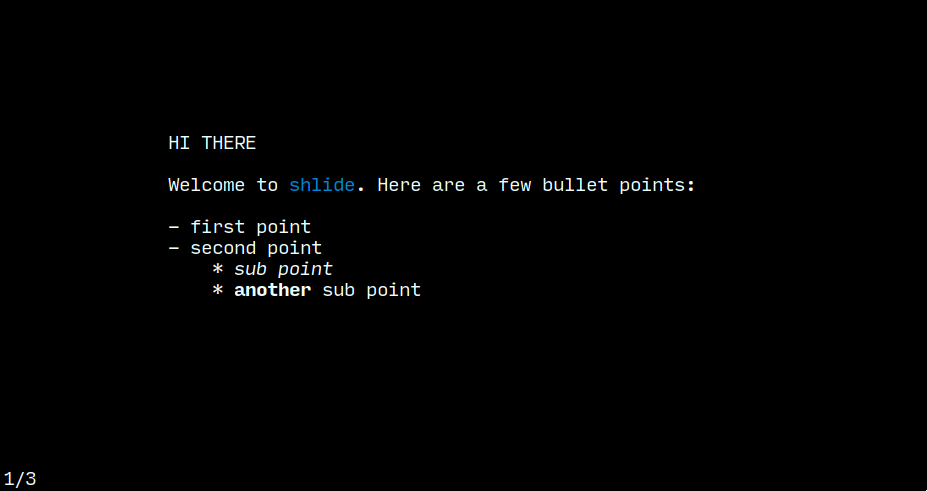
Welcome to ${GRN}shlide${RST}. ${STR}Here${RST} are a few bullet points:

- first point
- second point
    * ${ITA}sub point${RST}
    * ${BLD}another${RST} sub point
Note: Make sure to ${RST} (reset) at the end.
A full list of formatting options are below:
Colors
|Key|Effect |
|-|-|
| BLK | black |
| RED | red |
| GRN | green |
| YLW | yellow |
| BLU | blue |
| PUR | purple |
| CYN | cyan |
| RST | reset |
Styles
|Key|Effect |
|-|-|
| BLD | bold |
| DIM | dim |
| ITA | italics |
| UND | underline |
| FLS | flashing |
| REV | reverse |
| INV | invert |
| STR | strikethrough |
Related Skills
node-connect
350.1kDiagnose OpenClaw node connection and pairing failures for Android, iOS, and macOS companion apps
frontend-design
109.9kCreate distinctive, production-grade frontend interfaces with high design quality. Use this skill when the user asks to build web components, pages, or applications. Generates creative, polished code that avoids generic AI aesthetics.
openai-whisper-api
350.1kTranscribe audio via OpenAI Audio Transcriptions API (Whisper).
qqbot-media
350.1kQQBot 富媒体收发能力。使用 <qqmedia> 标签,系统根据文件扩展名自动识别类型(图片/语音/视频/文件)。
