
UUWaveView
[iOS]带有波形效果的UI控件,可自定义波形线条的数量、颜色、振幅、传播速度等各种参数。
Install / Use
/learn @iceyouyou/UUWaveViewREADME
UUWaveView

用于iOS,创建带有波形效果的UI控件,可自定义波形线条的数量、颜色、振幅、传播速度等各种参数。
Demo
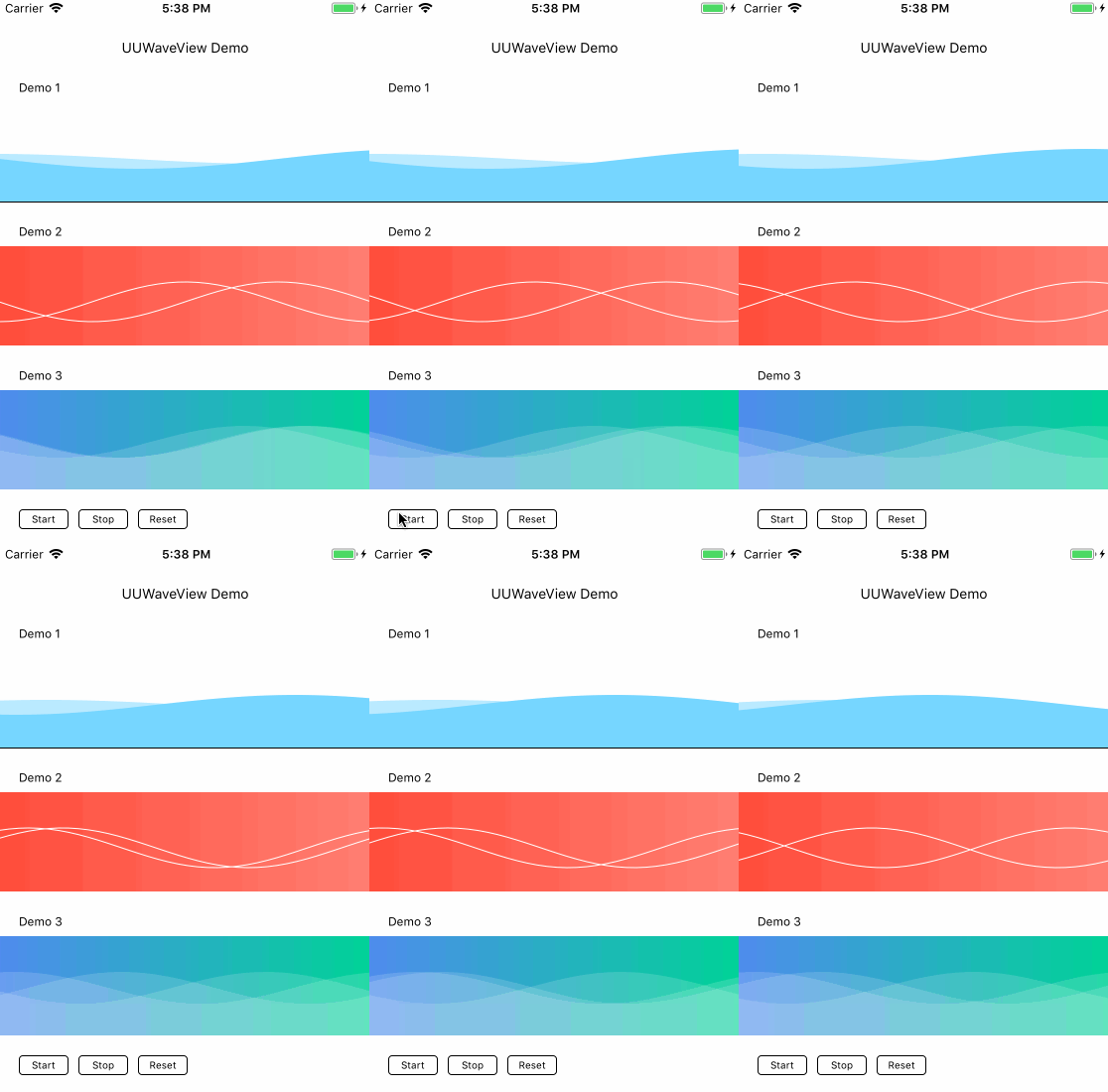
使用方法
先通过UUWave的构造方法创建波形线条:
UUWave *wave = [[UUWave alloc] initWithStyle:UUWaveStyleSin
                                   direction:UUWaveDirectionRight
                                   amplitude:20.0f
                                       width:200.0f
                                   lineWidth:2.0f
                                     offsetX:100.0f
                                       stepX:0.6f
                                layerCreator:^CALayer *(CAShapeLayer *waveLayer) {
                                    waveLayer.backgroundColor = [UIColor clearColor].CGColor;
                                    waveLayer.fillColor = [UIColor clearColor].CGColor;
                                    waveLayer.strokeColor = [UIColor clearColor].CGColor;
                                    return waveLayer;
                                }];
其中各参数的说明如下:
- (instancetype)initWithStyle:(UUWaveStyle)style            // 波形类型:正弦/余弦
                    direction:(UUWaveDirection)direction    // 波形移动的方向
                    amplitude:(CGFloat)amplitude            // 波形振幅
                        width:(CGFloat)width                // 波形一个周期对应的x轴宽度
                    lineWidth:(CGFloat)lineWidth            // 波形线条宽度
                      offsetX:(CGFloat)offsetX              // 波形x轴偏移量
                        stepX:(CGFloat)stepX                // 波形移动的步进值(传播速度)
                 layerCreator:(CALayer* (^)(CAShapeLayer *waveLayer))layerCreator;
                                                            // 自定义波形Layer的回调。其中waveLayer为波形Layer,可在此处指定各种颜色效果。
                                                            // 返回值CALayer将被add到UUWaveView.layer上。
然后构造UUWaveView,并将UUWave加入到UUWaveView中:
UUWaveView *waveView = [[UUWaveView alloc] initWithFrame:CGRectMake(0.0f, 45.0f, 200.0f, 55.0f)];
[waveView addWaves:@[wave]];
[self.view addSubview:waveView];
使用start方法即可开启传播动画:
[waveView start];
示例代码请参考UUWaveViewDemo。
Compatibility
- Requires ARC.
- Supports iOS7+.
License
UUWaveView is available under the MIT license. See the LICENSE file for more info.
Related Skills
node-connect
340.2kDiagnose OpenClaw node connection and pairing failures for Android, iOS, and macOS companion apps
frontend-design
84.1kCreate distinctive, production-grade frontend interfaces with high design quality. Use this skill when the user asks to build web components, pages, or applications. Generates creative, polished code that avoids generic AI aesthetics.
openai-whisper-api
340.2kTranscribe audio via OpenAI Audio Transcriptions API (Whisper).
commit-push-pr
84.1kCommit, push, and open a PR
