
OpenFolderInVSCode
With this macOS service, you can quickly open any given folder as a project in Visual Studio Code from the Finders context menu.
Install / Use
/learn @hjerpbakk/OpenFolderInVSCodeQuality Score
Category
Development & EngineeringSupported Platforms
README
Open a Folder in Visual Studio Code
Installing the macOS service
When working on many simultaneous projects with Visual Studio Code (VS Code), it is convenient having a fast way of opening the project folders. With the open from the terminal shell extension, together this service, your project folders can be opened from both the Terminal and the Finder.
- Install the
codeshell command in Terminal's path using VS Code following these simple instructions. - Download and extract this macOS service.
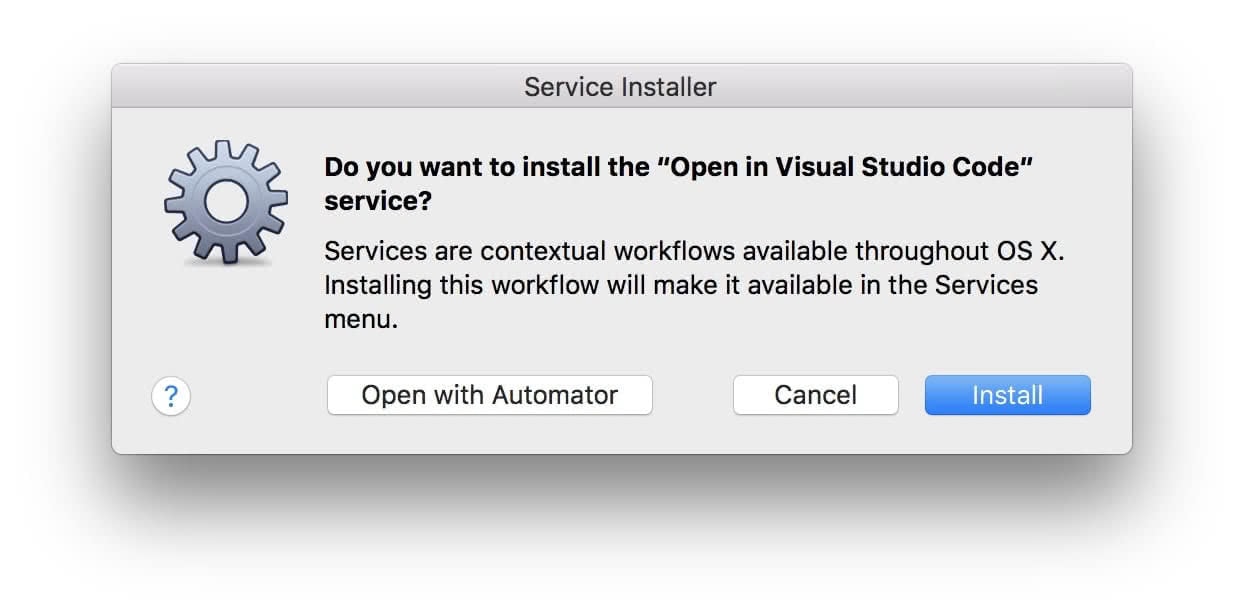
- Open the service and choose Install.
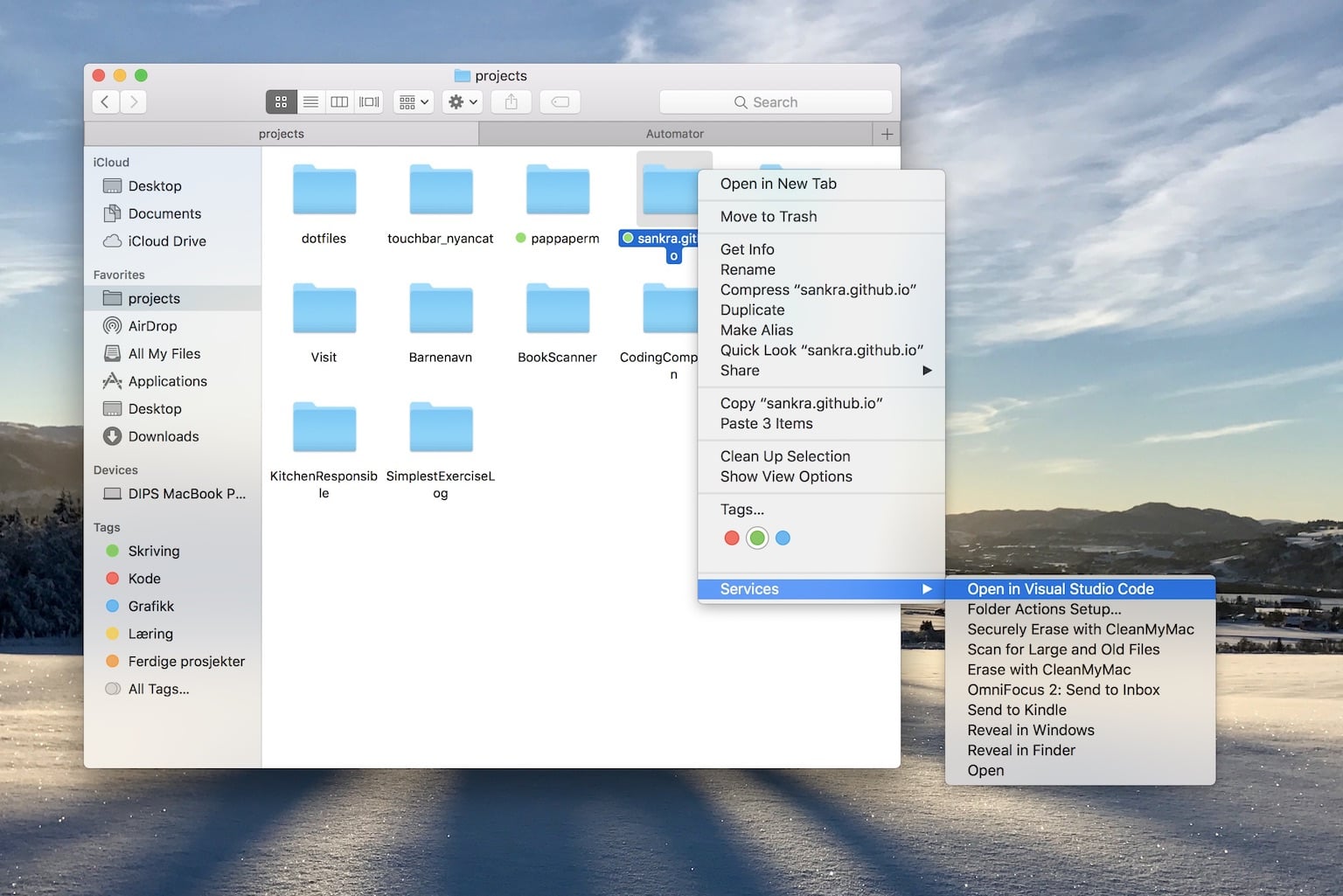
That's it! Now all you have to do is right clicking on a folder and choose the Open in Visual Studio Code service and your folder will open as a project in VS Code.
Changing the code
If you want to edit your own version of this service, clone or download the repository and follow these instructions.
Related Skills
node-connect
353.1kDiagnose OpenClaw node connection and pairing failures for Android, iOS, and macOS companion apps
frontend-design
111.6kCreate distinctive, production-grade frontend interfaces with high design quality. Use this skill when the user asks to build web components, pages, or applications. Generates creative, polished code that avoids generic AI aesthetics.
openai-whisper-api
353.1kTranscribe audio via OpenAI Audio Transcriptions API (Whisper).
qqbot-media
353.1kQQBot 富媒体收发能力。使用 <qqmedia> 标签,系统根据文件扩展名自动识别类型(图片/语音/视频/文件)。

Security Score
Audited on Apr 3, 2026