
GitlabBot
:octopus: Gitlab LGTM merge Bot.
Install / Use
/learn @hjanuschka/GitlabBotREADME
GitlabBot
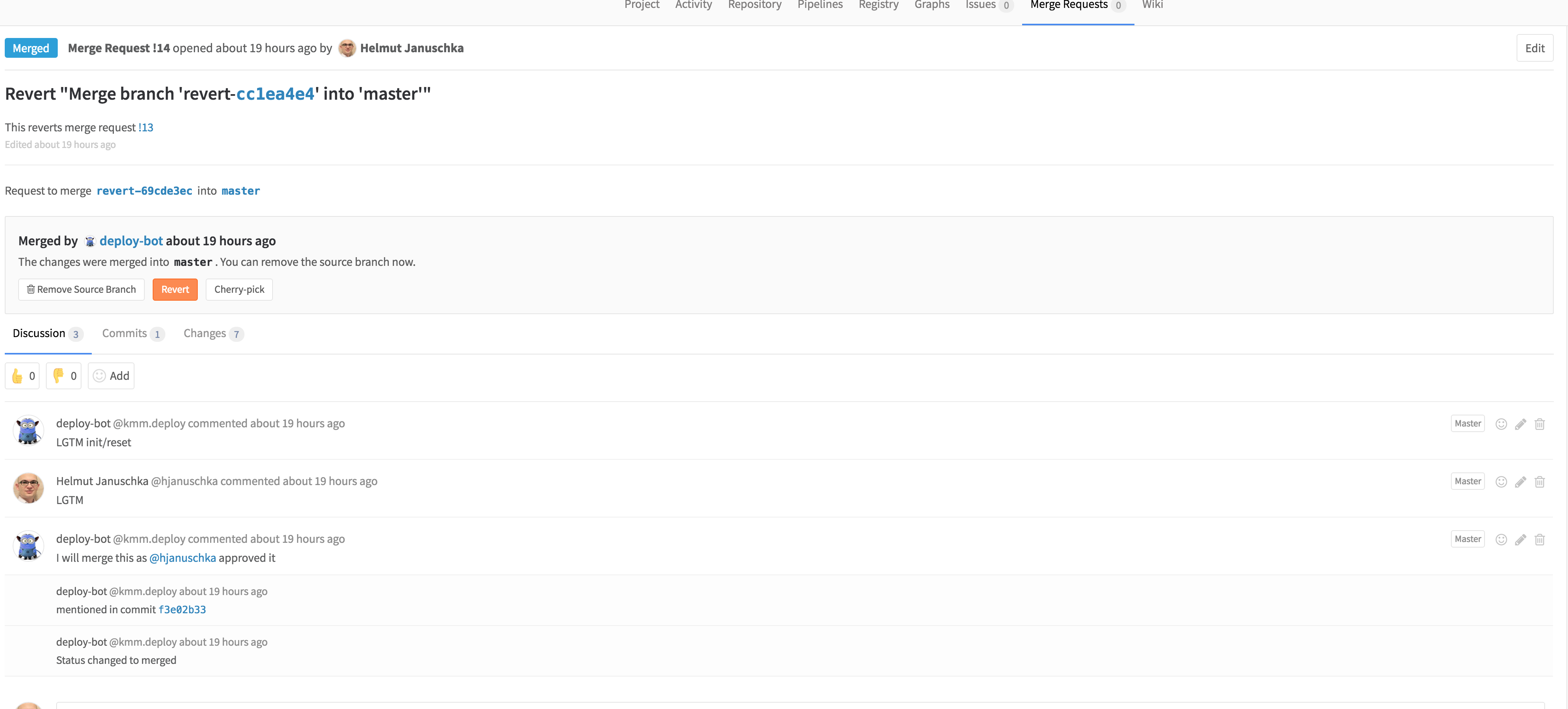
A Bot that auto-merges merge-requests if enough "LGTMS" have been received (by trusted users) resets automatically on MR changes or code pushes.
Setup
-
Create a bot user in gitlab
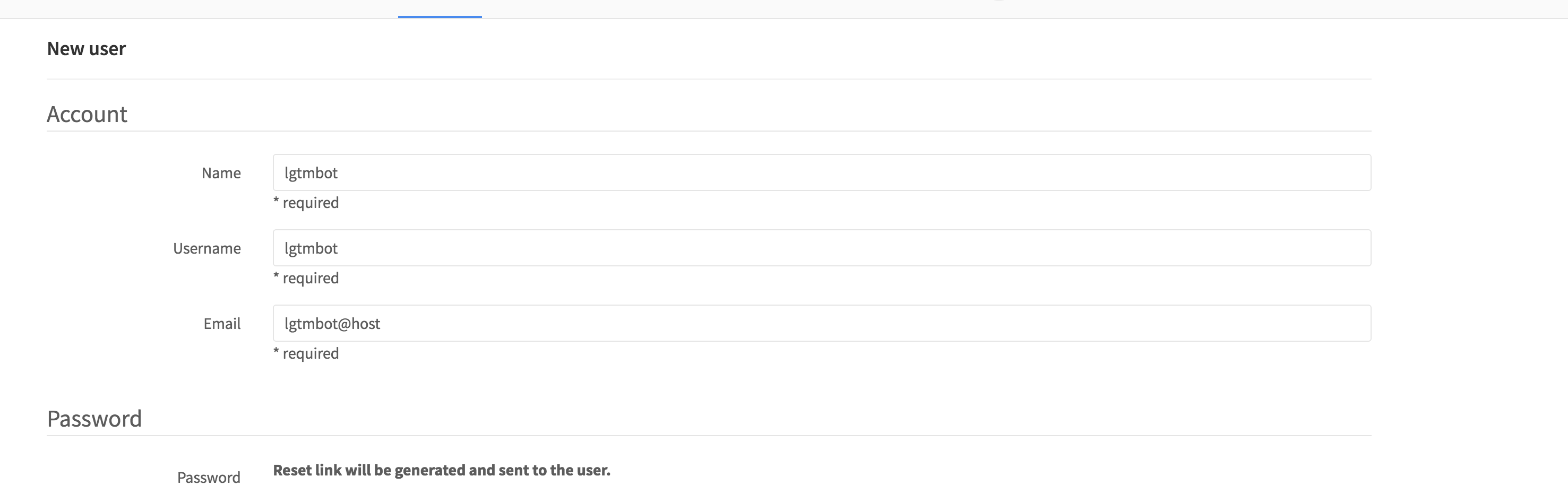
-
Get the Private token of the newly created user
- Impersonate as the bot user, and go to: http://gitlab.krone.at/profile/account, copy the token
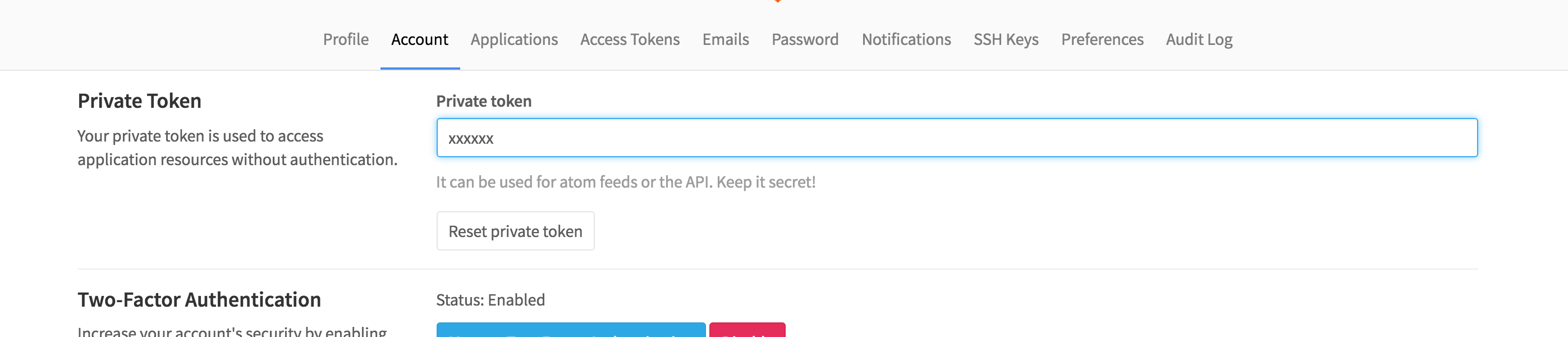
- Impersonate as the bot user, and go to: http://gitlab.krone.at/profile/account, copy the token
-
Install the Bot, on a server that can be reached from your gitlab installation (the bot also needs to be able to reach the gitlab instance)
git clone https://github.com/hjanuschka/GitlabBot.git cp config.json.example config.json -
Customize the
config.json -
Customize the
ci-bot.serviceto fit your paths -
install the systemd service
cp ci-bot.service /etc/systemd/system/ systemctl enable ci-bot.service systemctl start ci-bot.service -
Add the bot user to the desired gitlab project (on Project -> Members (master role, as it needs to be able to merge))
-
Add a webhook to the project (on Project -> Webhooks)
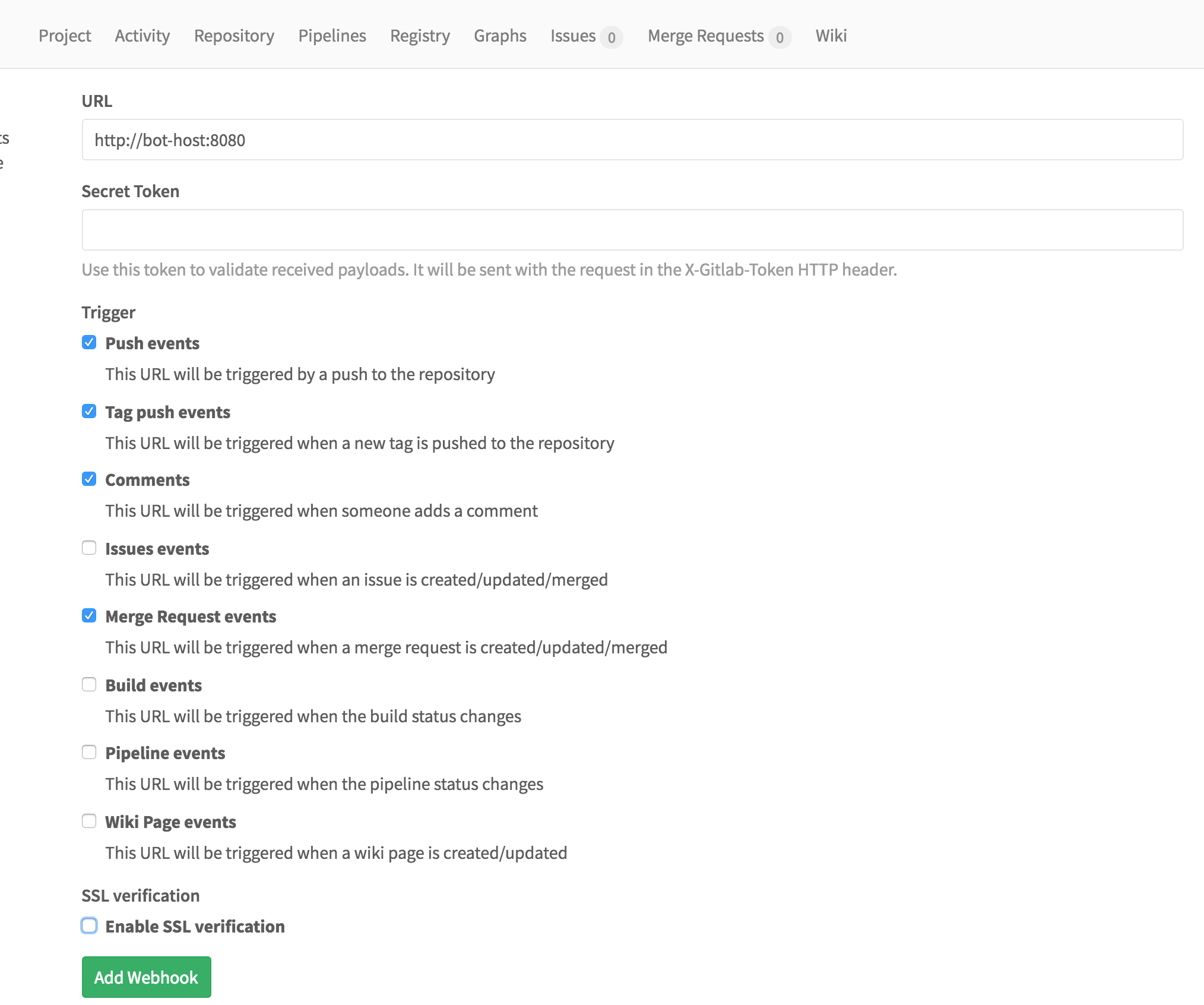
If everthing went well - create a MR and you should see the bot posting to it "Init/Reset MR"
Config Options
endpoint- the URL to your gitlab api (E.g: http://gitlab/api/v3)token- the private token of the bot user - used to access the apilgtmUsers- array of users wich are allowed to post LGTM (e.g.:[ "user1", "user2" ]lgtmRequired- number of required LGTM's before bot will hit the merge button. (e.g.1)port- port the bot-server will isten (e.g:8080)botUsername- the username of the bot (e.g:ci-bot)
