
Pyvideothumbnailer
Python Video Thumbnailer. Command line tool for creating video preview thumbnails. It can be used to create preview images of individual video files, videos located in a directory and optionally its subdirectories. It is based on PyAV, MediaInfo and PIL/Pillow.
Install / Use
/learn @hhtznr/PyvideothumbnailerREADME
pyvideothumbnailer
Python Video Thumbnailer is a command line tool for creating video preview thumbnails. It can be used to create preview images of individual video files, videos located in a directory and optionally its subdirectories. It is based on PyAV, MediaInfo and PIL/Pillow.
Installation
Python Video Thumbnailer has the following dependencies:
Python Video Thumbnailer can be installed from PyPI using the Python Package Installer:
python3 -m pip install pyvideothumbnailer
As of Ubuntu 22.04 LTS (Jammy Jellyfish), Ubuntu users can alternatively install a DEB package from this Ubuntu PPA.
sudo add-apt-repository ppa:haraldhetzner/ppa
sudo apt update
sudo apt install python3-pyvideothumbnailer
The optional configuration file .pyvideothumbnailer.conf needs to be placed in the user's home directory.
Usage
Python Video Thumbnailer has meaningful defaults. So you can just start creating your first preview thumbnails image of an individual video file by invoking:
pyvideothumbnailer [VIDEO FILE]
or to create thumbnails of all video files located in the current working directory:
pyvideothumbnailer
or to create thumbnails of all video files located in a directory:
pyvideothumbnailer [DIRECTORY CONTAINING VIDEOS]
or in case that you want to create previews of videos in subdirectories as well:
pyvideothumbnailer --recursive [DIRECTORY CONTAINING VIDEOS]
Examples
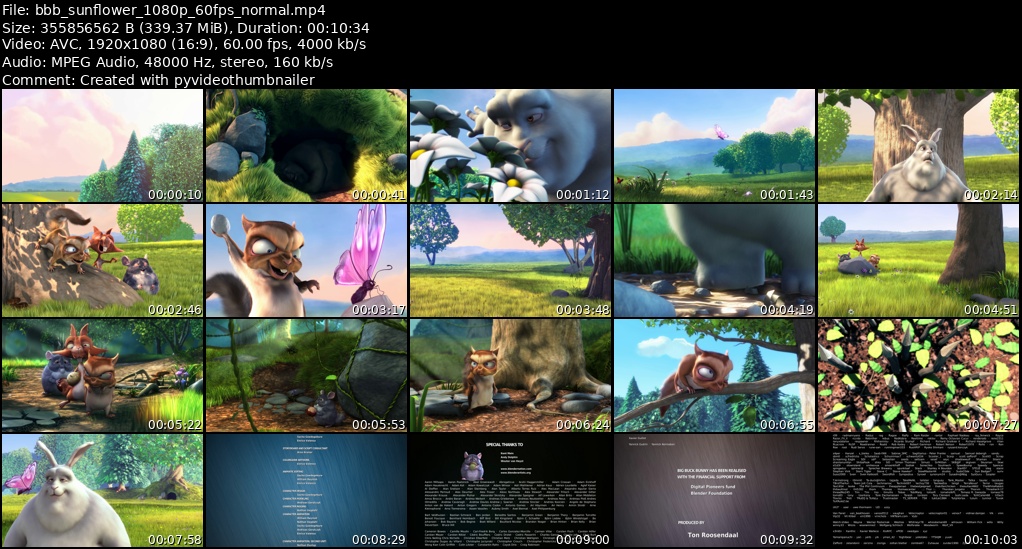
Here are two examples how it works creating preview thumbmnails of Big Buck Bunny.
Using defaults:
pyvideothumbnailer bbb_sunflower_1080p_60fps_normal.mp4
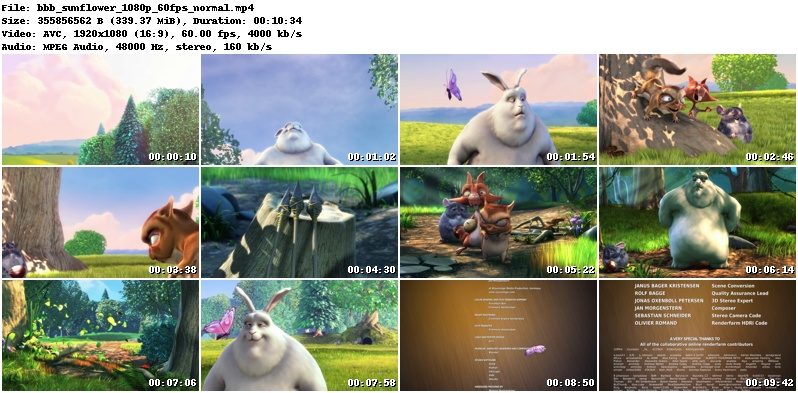
White header font on black background, DejaVuSans TrueType font instead of the built-in font, adding a comment at the bottom of the header, custom preview thumbnails image width and 5 x 4 preview thumbnails:
pyvideothumbnailer --background-color black --header-font-color white --header-font DejaVuSans.ttf --timestamp-font DejaVuSans.ttf --comment-text "Created with pyvideothumbnailer" --width 1024 --columns 5 --rows 4 bbb_sunflower_1080p_60fps_normal.mp4
Documentation
Visit the wiki page for more comprehensive information on installation and usage.
Related Skills
qqbot-channel
351.8kQQ 频道管理技能。查询频道列表、子频道、成员、发帖、公告、日程等操作。使用 qqbot_channel_api 工具代理 QQ 开放平台 HTTP 接口,自动处理 Token 鉴权。当用户需要查看频道、管理子频道、查询成员、发布帖子/公告/日程时使用。
docs-writer
100.6k`docs-writer` skill instructions As an expert technical writer and editor for the Gemini CLI project, you produce accurate, clear, and consistent documentation. When asked to write, edit, or revie
model-usage
351.8kUse CodexBar CLI local cost usage to summarize per-model usage for Codex or Claude, including the current (most recent) model or a full model breakdown. Trigger when asked for model-level usage/cost data from codexbar, or when you need a scriptable per-model summary from codexbar cost JSON.
project-overview
FlightPHP Skeleton Project Instructions This document provides guidelines and best practices for structuring and developing a project using the FlightPHP framework. Instructions for AI Coding A
