
SqfEntity
SqfEntity ORM for Flutter/Dart lets you build and execute SQL commands on SQLite database easily and quickly with the help of fluent methods similar to .Net Entity Framework. SqfEntity also generates add/edit forms with validations and special controls (DropDown List, DateTime pickers, Checkboxes.. etc) for your table.
Install / Use
/learn @hhtokpinar/SqfEntityREADME
sqfEntity ORM for Flutter SQLite (sqflite)
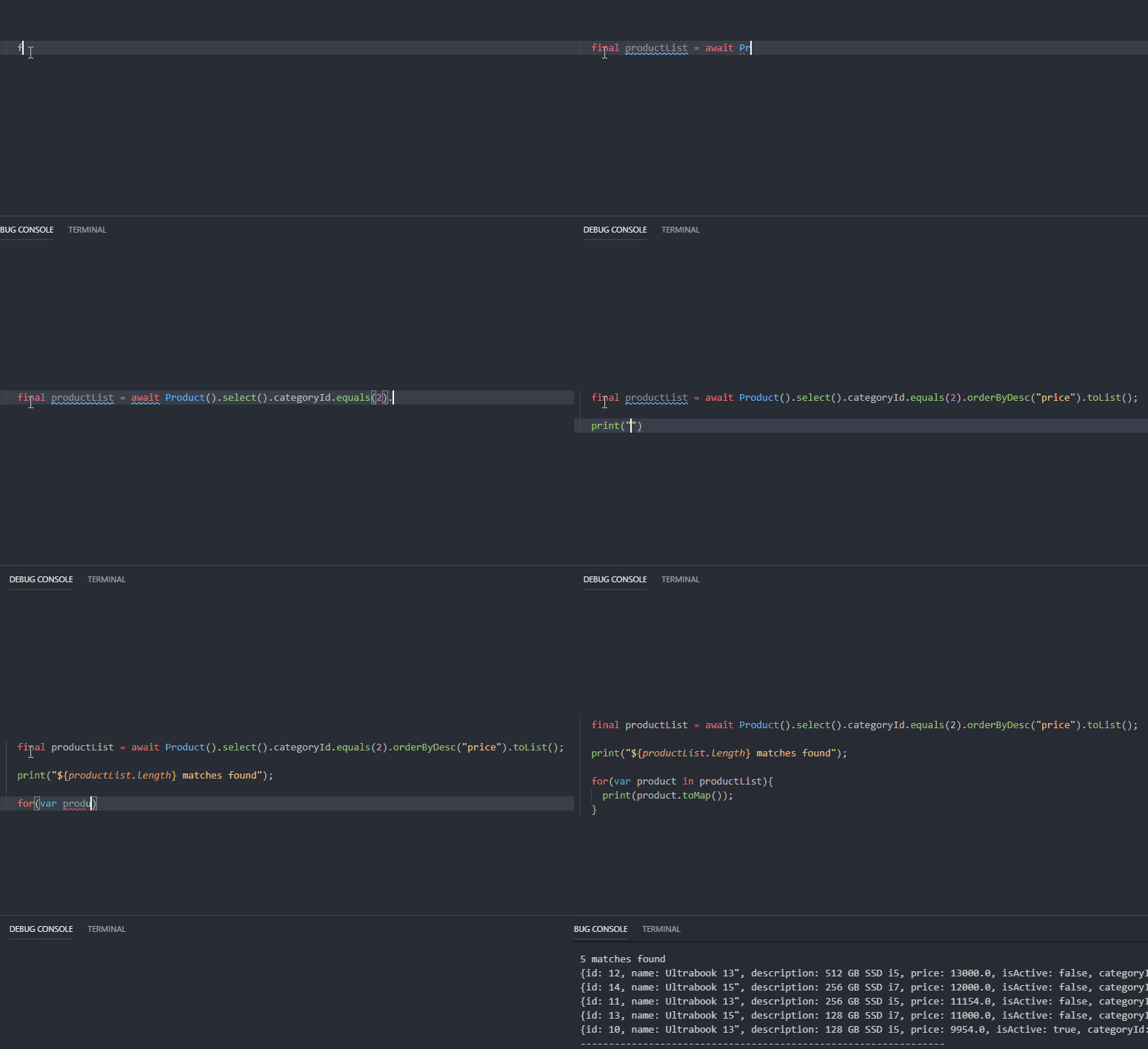
SqfEntity is based on SQFlite plugin and lets you build and execute SQL commands easily and quickly with the help of fluent methods similar to .Net Entity Framework
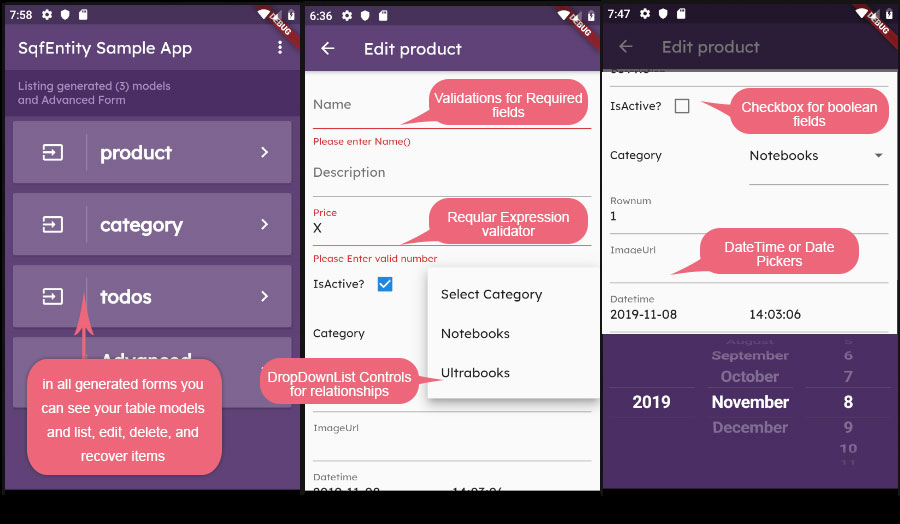
SqfEntity also generates add/edit forms with validations and special controls (DropDown List, DateTime pickers, Checkboxes.. etc) for your table.
Leave the job to SqfEntitiy for CRUD operations. Do easily and faster adding tables, adding columns, defining multiple tables, soft deleting, recovery, syncronize data from the web and more with the help of SqfEntityTable class.
If you have a bundled database, you can use it or EntityBase will create a new database automatically for you.
Open downloaded folder named sqfentity-master in VSCode and Click "Get Packages" button in the alert window that "Some packages are missing or out of date, would you like to get them now?"
Before Start: You can help us build the future sooner
If this project help you reduce time to develop, don't forget to click on the star on the top right of the page. Also you can give me a cup of coffee to help my sleepless nights :) https://www.patreon.com/hhtokpinar
What's New?
Added formTables parameter into dbModel to generate add/edit/list view controllers and added these special controls:
- Validators (Required Fields, regular expression for data types)
- DropdownList controls for related tables
- Checkbox for boolean fields
- DateTime picker for datetime field
- Date picker for date field
See the application for sample use
Getting Started
This project is a starting point for a SqfEntity ORM for database application. Some files in the project:
1. main.dart                      : Startup file contains sample methods for using sqfEntity
2. model / controller.dart        : main controller that provides access to created form views from
                                    the application main page (CAN BE MODIFIED)
3. model / model.dart             : Declare and modify your database model (CAN BE MODIFIED)
4. model / model.g.dart           : Sample generated model for examples (DO NOT MODIFY BY HAND)
5. model / model.g.view.dart      : Sample generated form views for examples (DO NOT MODIFY BY HAND)
6. model / view.list.dart         : The View that List your saved table items (CAN BE MODIFIED)
7. model / view.detail.dart       : The View that see detail selected item (CAN BE MODIFIED)
8. sample_advanced_form / *.dart  : Sample Widget showing how to filter toList() at runtime
9. assets / chinook.sqlite        : Sample db if you want to use an exiting database or create
                                    model from database
10. app.dart                      : Sample App for display created model.
11. LICENSE.txt                   : see this file for License Terms
dependencies:
Note: You do not need flutter_datetime_picker if you do not want to use the Form Generator property
    dependencies:
      flutter_datetime_picker: ^1.2.8
      sqfentity: ^1.2.3
      sqfentity_gen: ^1.2.3


    dev_dependencies:
      build_runner: ^1.6.5
      build_verify: ^1.1.0
REQUIRED (sqlcipher for Android)
Flutter now enables code shrinking by default when building an APK in release mode, so you need to add the following ProGuard rules to the file android/app/proguard-rules.pro. If it does not exist, create it:
-keep class net.sqlcipher.** { *; }
click to see: https://github.com/davidmartos96/sqflite_sqlcipher/blob/master/sqflite/README.md#android
Create a new Database Model
First, You need to:
- Copy these two files into your /lib/model folder: view.list.dart and view.detail.dart
- And copy this file helper.dart into your /lib/tools folder
- Create your model.dart file in lib/model/ folder to define your model and import sqfentity and other necessary packages
       import 'dart:convert';
       import 'dart:typed_data';
       import 'package:flutter_datetime_picker/flutter_datetime_picker.dart';
       import 'package:http/http.dart' as http;
       import 'package:flutter/material.dart';
       import 'package:sqfentity/sqfentity.dart';
       import 'package:sqfentity_gen/sqfentity_gen.dart';
       import '../tools/helper.dart';
       import 'view.list.dart';
- Write the following statement for the file to be created
       part 'model.g.dart';
       part 'model.g.view.dart'; // you do not need this part if you do not want to use the Form Generator property
Our model file is ready to use. Define your tables as shown in the example below.
STEP 1: For example, we have created 3 tables constant for category, product and todo that instanced from "SqfEntityTable" as follows:
Table 1: Category
    // Define the 'tableCategory' constant as SqfEntityTable for the category table.
    const tableCategory = SqfEntityTable(
      tableName: 'category',
      primaryKeyName: 'id',
      primaryKeyType: PrimaryKeyType.integer_auto_incremental,
      useSoftDeleting: true,
      modelName: null,
      fields: [
        SqfEntityField('name', DbType.text),
        SqfEntityField('isActive', DbType.bool, defaultValue: true),
      ]
    );
If useSoftDeleting is true then, The builder engine creates a field named "isDeleted" on the table. When item was deleted then this field value is changed to "1" (does not hard delete) in this case it is possible to recover a deleted item using the recover() method. If the modelName (class name) is null then EntityBase uses TableName instead of modelName
Table 2: Product
    // Define the 'tableProduct' constant as SqfEntityTable for the product table.
    const tableProduct = SqfEntityTable(
      tableName: 'product',
      primaryKeyName: 'id',
      primaryKeyType: PrimaryKeyType.integer_auto_incremental,
      useSoftDeleting: true,
      fields: [
        SqfEntityField('name', DbType.text),
        SqfEntityField('description', DbType.text),
        SqfEntityField('price', DbType.real, defaultValue: 0),
        SqfEntityField('isActive', DbType.bool, defaultValue: true),
        SqfEntityFieldRelationship(
            parentTable: tableCategory,
            relationType: RelationType.ONE_TO_MANY,
            deleteRule: DeleteRule.CASCADE,
            defaultValue: 0), // Relationship column for CategoryId of Product
        SqfEntityField('rownum', DbType.integer,
            sequencedBy:
                seqIdentity /*Example of linking a column to a sequence */),
        SqfEntityField('imageUrl', DbType.text)
    ]);
If this table (Product) is the child of a parent table (Category), you must declare the SqfEntityFieldRelationship column into fields for Object Relational Mapping. You can choose one of the following for DeleteRule: CASCADE, NO ACTION, SET NULL, SET DEFAULT VALUE For more information about the rules Click here
Table 3: Todo
This table is for creating a synchronization with json data from the web url
    const tableTodo = SqfEntityTable(
      tableName: 'todos',
      primaryKeyName: 'id',
      useSoftDeleting: false,
      primaryKeyType: PrimaryKeyType.integer_unique,
      defaultJsonUrl:
          'https://jsonplaceholder.typicode.com/todos', // optional: to synchronize your table with json data from webUrl

      // declare fields
      fields: [
        SqfEntityField('userId', DbType.integer),
        SqfEntityField('title', DbType.text),
        SqfEntityField('completed', DbType.bool, defaultValue: false)
    ]);
And add a Sequence for samples
    const seqIdentity = SqfEntitySequence(
      sequenceName: 'identity',
      // maxValue:  10000, /* optional. default is max int (9.223.372.036.854.775.807) */
      // modelName: 'SQEidentity',
                          /* optional. SqfEntity will set it to sequenceName automatically when the modelName is null*/
      // cycle : false,   /* optional. default is false; */
      // minValue = 0;    /* optional. default is 0 */
      // incrementBy = 1; /* optional. default is 1 */
      // startWith = 0;   /* optional. default is 0 */
    );
And add a View for samples
        const tableV_tracks = SqfEntityTable(
            tableName: 'VTracks',
            objectType: ObjectType.view,
            fields: [
            SqfEntityField('Name', DbType.text),
            SqfEntityField('album', DbType.text),
            SqfEntityField('media', DbType.text),
            SqfEntityField('genres', DbType.text),
            SqfEntityFieldRelationship(
                parentTable: tableTrack,
                deleteRule: DeleteRule.NO_ACTION,
                fieldName: 'TrackId',
                isPrimaryKeyField: false),
            ],
            sqlStatement: '''SELECT
            trackid,
            track.name,
            album.Title AS album,
            mediatype.Name AS media,
            genre.Name AS genres
        FROM
            track
        INNER JOIN album ON Album.AlbumId = track.AlbumId
        INNER JOIN mediatype ON
