
Stats
📊Stats: Easy performance monitoring for JavaScript / React
Install / Use
/learn @helpscout/StatsREADME
📊 Stats


Easy performance monitoring for JavaScript / React
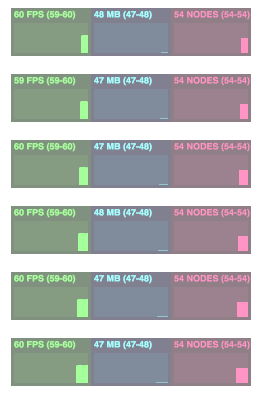
Table of Contents
<!-- START doctoc generated TOC please keep comment here to allow auto update --> <!-- DON'T EDIT THIS SECTION, INSTEAD RE-RUN doctoc TO UPDATE --> <!-- END doctoc generated TOC please keep comment here to allow auto update -->Installation
Add stats to your project via npm install:
npm install --save @helpscout/stats
Usage
JavaScript
To use Stats in your JavaScript project, simply import it and instantiate!
import createStats from '@helpscout/stats'

const stats = createStats()
// Stats will automatically mount to window.document

// For clean up, execute the destroy() method
stats.destroy()
React
Stats comes with a handy <StatsGraph /> component. To add it to your React project, import it and render it:
import React from 'react'
import {StatsGraph} from '@helpscout/stats'

class App extends React.Component {
  render() {
    return (
      <div>
        ...
        <StatsGraph />
        ...
      </div>
    )
  }
}

export default App
StatsGraph cleans up after itself if it unmounts.
Graphs
- FPS Frames rendered in the last second. The higher the number the better.
- MB MBytes of allocated memory. (Run Chrome with --enable-precise-memory-info)
- NODES Number of DOM nodes in
window.document(including iFrame nodes).
Options
Stats accepts a handful of options to adjust it's position and UI.
| Prop | Type | Default | Description |
| -------- | ----------------- | -------- | --------------------------- |
| top | number/string | 0 | (CSS) top position. |
| right | number/string | 0 | (CSS) right position. |
| bottom | number/string | 0 | (CSS) bottom position. |
| left | number/string | 0 | (CSS) left position. |
| opacity | number | 0.5 | Opacity for the Stats UI. |
| position | string | fixed | Position for the Stats UI. |
| zIndex | string | 99999999 | z-index for the Stats UI. |
The React StatsGraph uses the same options for it's defaultProps
Thanks
Thanks for mrdoob for his stats.js library, which inspired this one!
