
Graphql Engine Heroku
Blazing fast, instant realtime GraphQL APIs on Postgres with fine grained access control, also trigger webhooks on database events.
Install / Use
npx skills add hasura/graphql-engine-herokuInstalls into whichever agent you are using.
README
Hasura GraphQL Engine on Heroku
 <a href="https://discord.gg/vBPpJkS"><img src="https://img.shields.io/badge/chat-discord-brightgreen.svg?logo=discord&style=flat"></a>
<a href="https://twitter.com/intent/follow?screen_name=HasuraHQ"><img src="https://img.shields.io/badge/Follow-HasuraHQ-blue.svg?style=flat&logo=twitter"></a>
<a href="https://eepurl.com/dBUfJ5"><img src="https://img.shields.io/badge/newsletter-subscribe-yellow.svg?style=flat"></a>
<a href="https://discord.gg/vBPpJkS"><img src="https://img.shields.io/badge/chat-discord-brightgreen.svg?logo=discord&style=flat"></a>
<a href="https://twitter.com/intent/follow?screen_name=HasuraHQ"><img src="https://img.shields.io/badge/Follow-HasuraHQ-blue.svg?style=flat&logo=twitter"></a>
<a href="https://eepurl.com/dBUfJ5"><img src="https://img.shields.io/badge/newsletter-subscribe-yellow.svg?style=flat"></a>
Hasura GraphQL Engine is a blazing-fast GraphQL server that gives you :zap: instant, realtime GraphQL APIs over Postgres, with webhook triggers on database events for asynchronous business logic.
Hasura helps you build GraphQL apps backed by Postgres or incrementally move to GraphQL for existing applications using Postgres.
Deploy Hasura GraphQL Engine on Heroku and get a GraphQL endpoint in under 30 seconds :clock1:
Read more at hasura.io and the docs.
Quickstart
1. Deploy to Heroku
Deploy to Heroku and instantly get a realtime GraphQL API backed by Heroku Postgres:

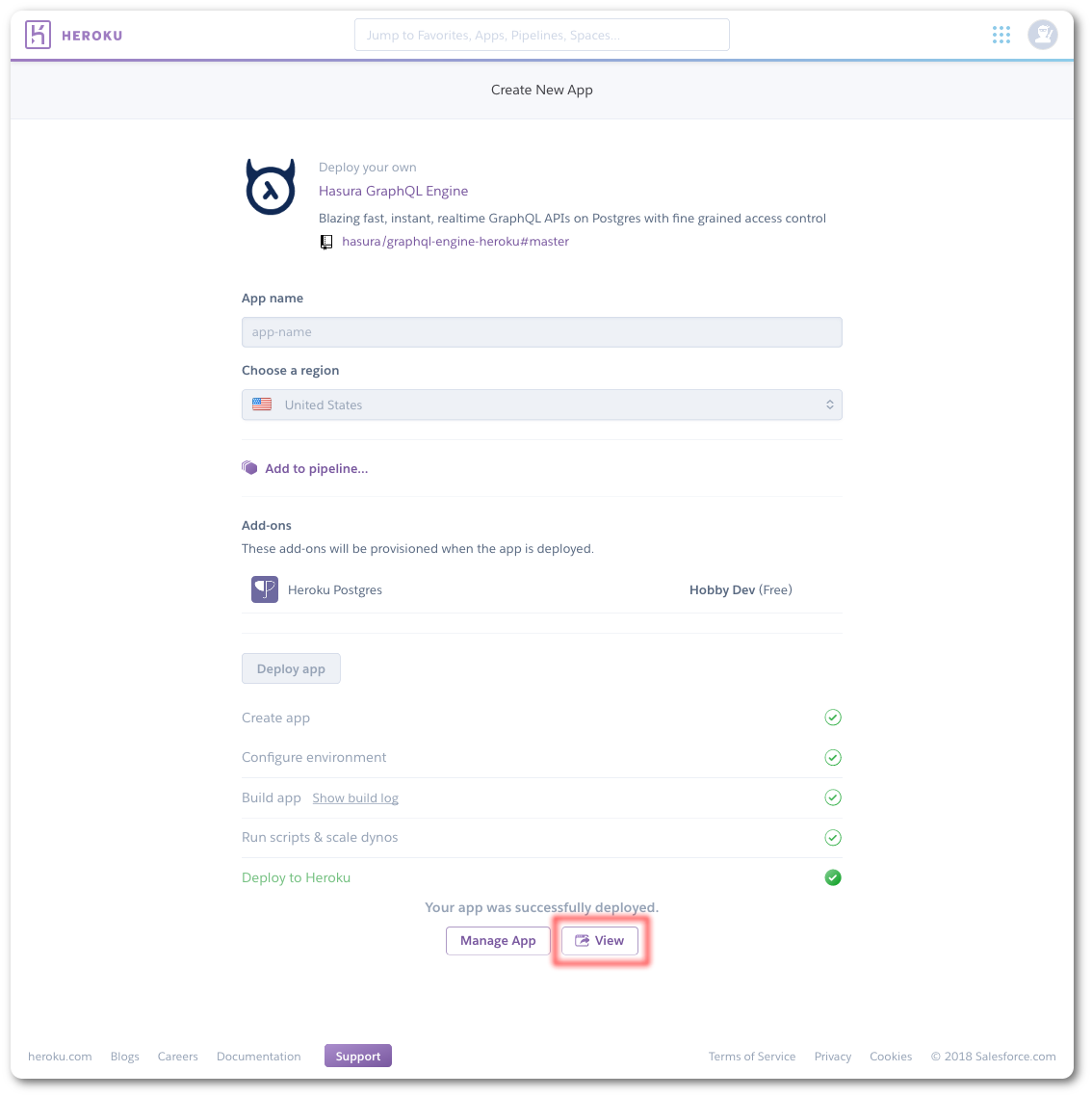
2. Open Hasura Console
Once the deployment is complete, click on the View button as marked above.
This will take you to the Hasura Console, where you can connect your database, create a table and make
your first GraphQL query.
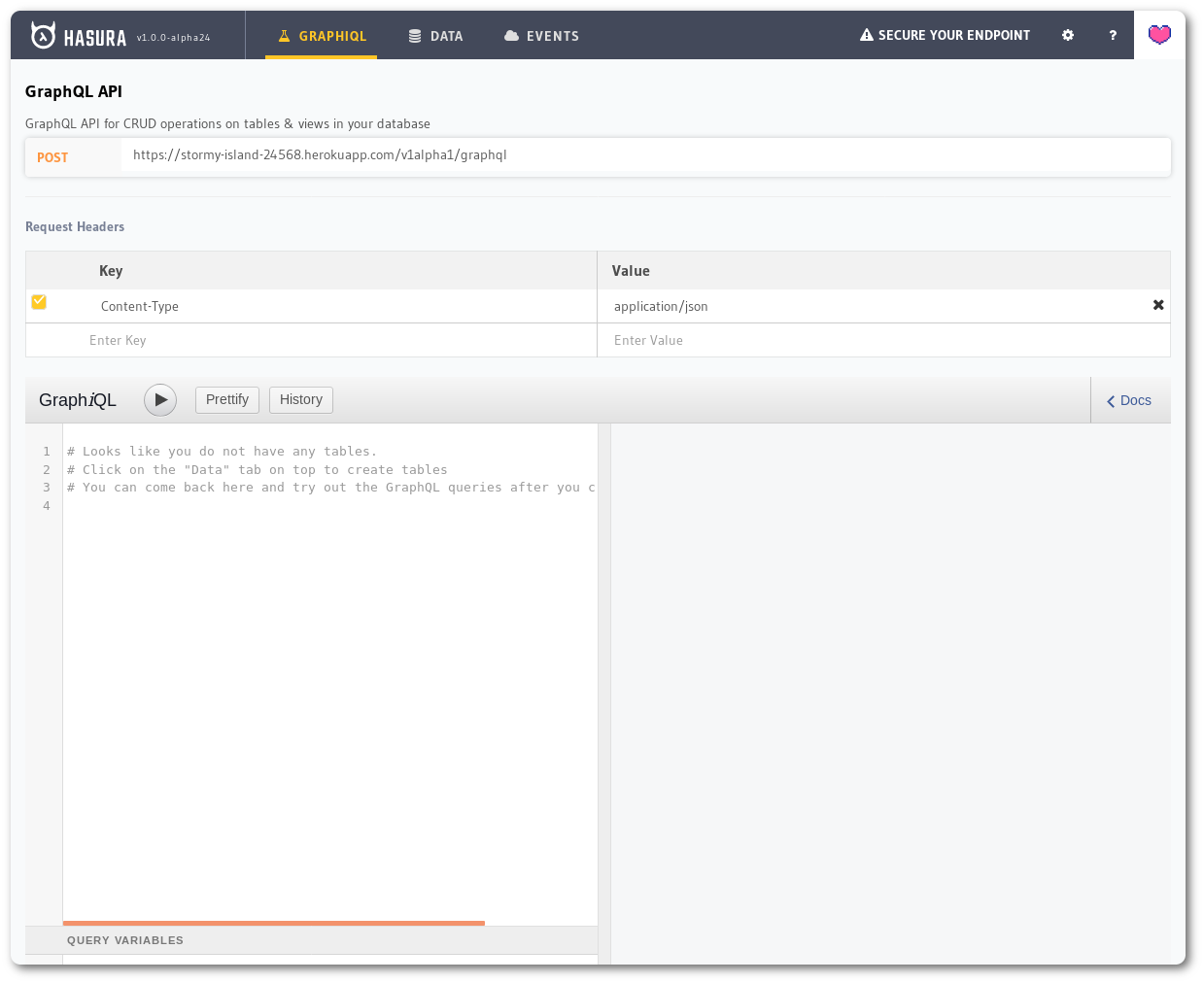
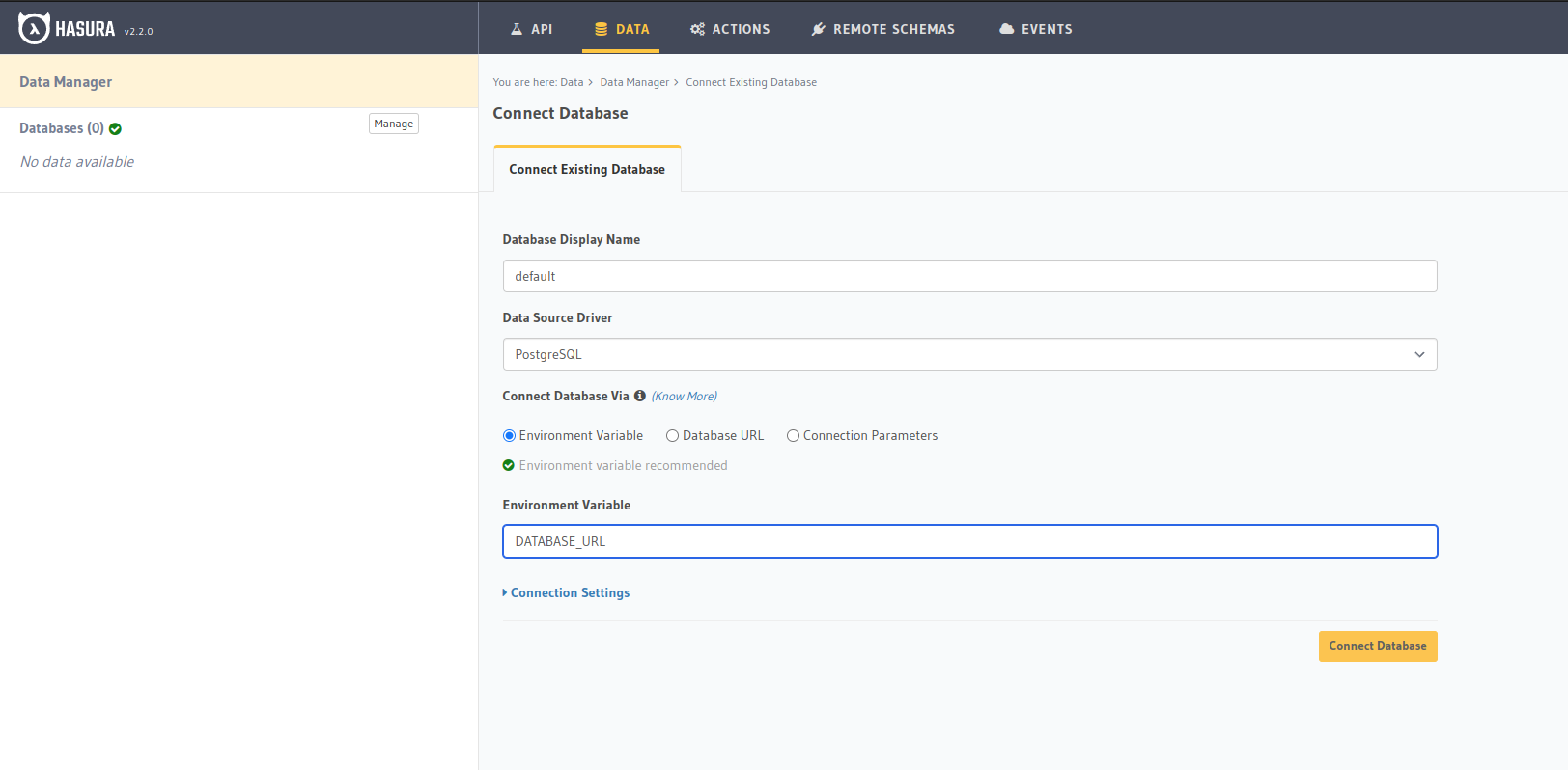
3. Connect a database
Head to the Data tab on the console and connect your database. If you do not have an existing database, you can connect to the
Heroku Postgres database that was set up with your deployment using the DATABASE_URL env var.
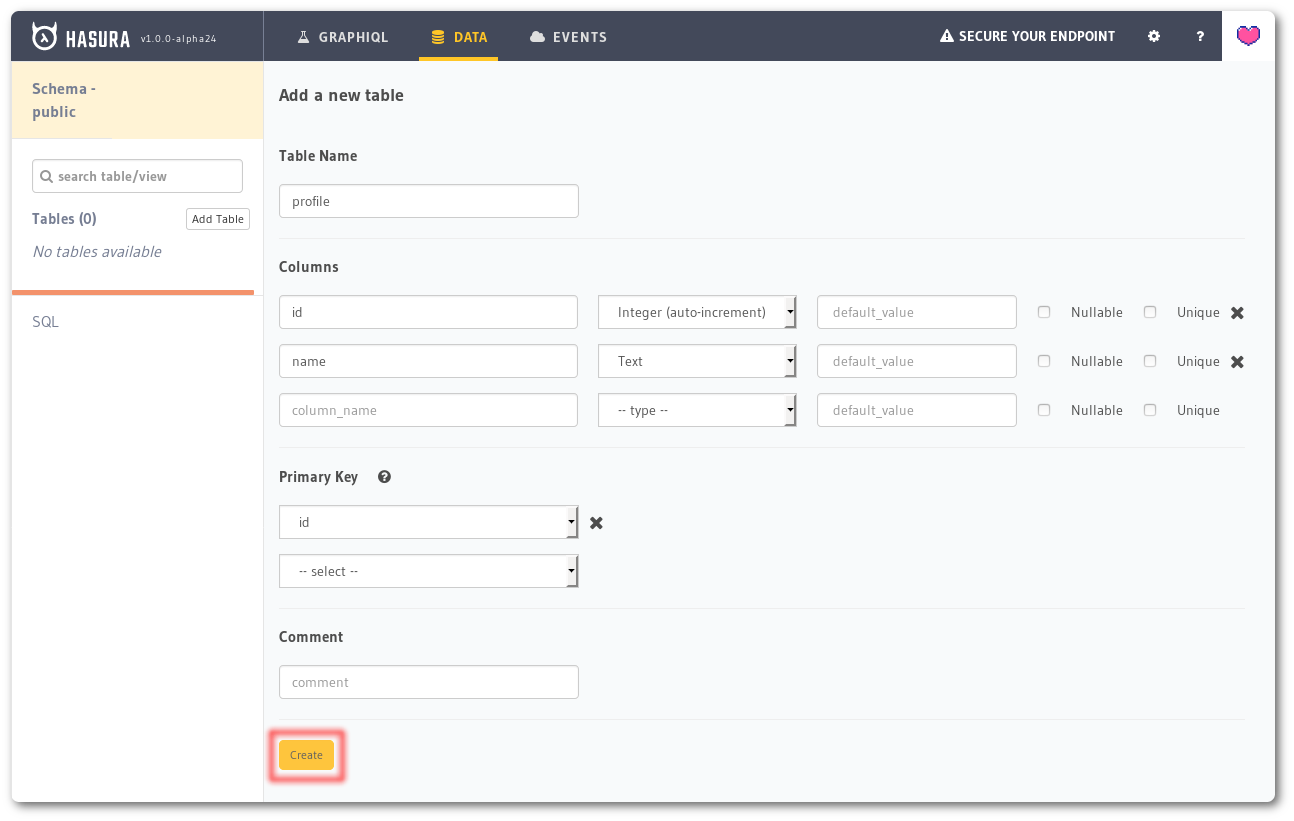
4. Create a table
Navigate to Data -> Create table on the console and create a table called
profile with the following columns:
| name | type |
|--------|--------------------------|
| id | Integer (auto-increment) |
| name | Text |
Choose id as the Primary key and click the Create button.
5. Insert sample data
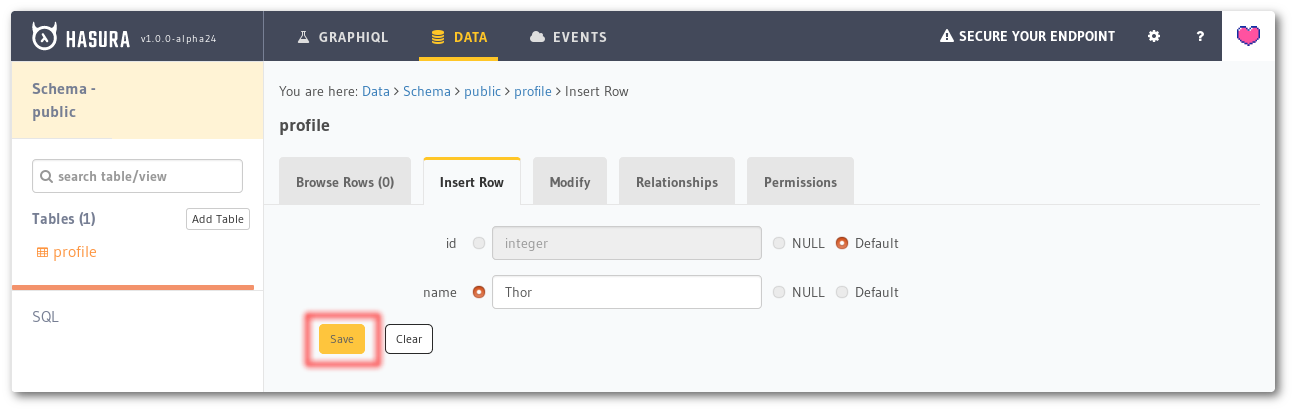
Once the table is created, go to the Insert Row tab and insert some sample
rows:
Thor
Iron Man
Hulk
Captain America
Black Widow
6. Try out GraphQL
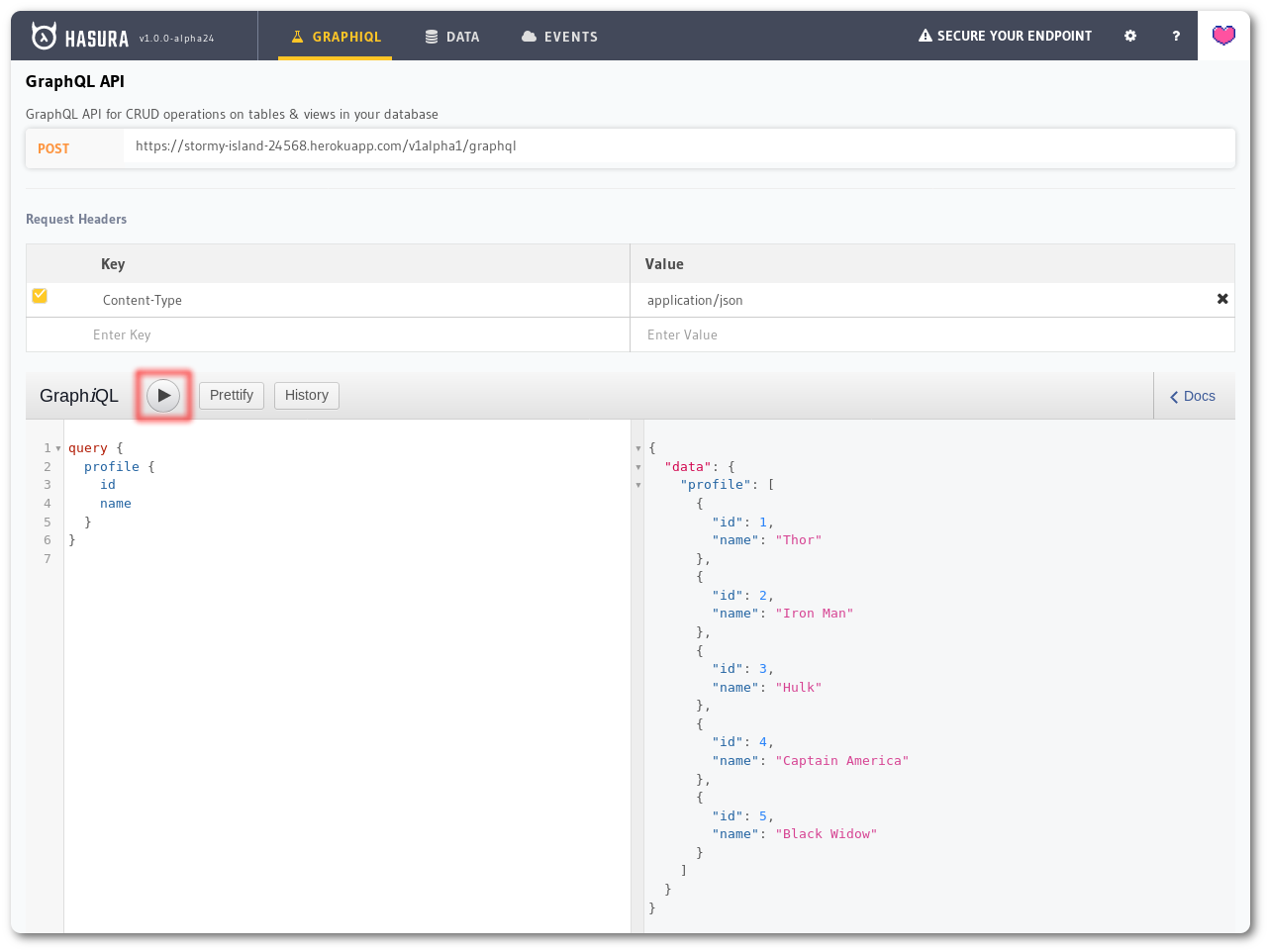
Switch to the GraphiQL tab on top and execute the following GraphQL query:
query {
  profile {
    id
    name
  }
}
Support & Troubleshooting
Feel free to talk to us on Discord about anything and everything. You can also contact us using one of the following channels:
- Support & feedback: Discord
- Issue & bug tracking: GitHub issues
- Follow product updates: @HasuraHQ
- Talk to us on our website chat.
Next steps
- Using an existing Heroku database
- Securing your GraphQL Endpoint
- Checking GraphQL Engine logs
- Updating to the latest version
Further reading
Related Skills
codebase-memory-mcp
38.1kHigh-performance code intelligence MCP server. Indexes codebases into a persistent knowledge graph — average repo in milliseconds. 158 languages, sub-ms queries, 99% fewer tokens. Single static binary, zero dependencies.
codebase-memory-mcp
38.1kHigh-performance code intelligence MCP server. Indexes codebases into a persistent knowledge graph — average repo in milliseconds. 158 languages, sub-ms queries, 99% fewer tokens. Single static binary, zero dependencies.
codebase-memory-mcp
38.2kHigh-performance code intelligence MCP server. Indexes codebases into a persistent knowledge graph — average repo in milliseconds. 158 languages, sub-ms queries, 99% fewer tokens. Single static binary, zero dependencies.
tabularis
4.0kOpen-source desktop SQL workspace for PostgreSQL, MySQL/MariaDB, SQLite and 15+ more databases like DuckDB, ClickHouse, Redis and Firestore. Built-in MCP server for Claude, Cursor and Devin, SQL notebooks and visual EXPLAIN.
