
Hayroo
Full-featured MERN Stack E-commerce platform with payment gateway using React, Node.js, Express, MongoDB, JWT, and Tailwind CSS
Install / Use
/learn @hasan-py/HayrooREADME
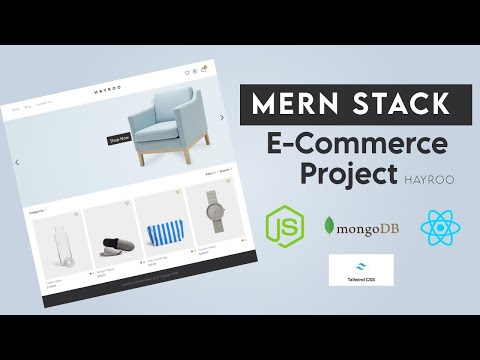
Hayroo Project Demo
🎥 Learn FullStack Development by building a LMS With React, NodeJs, PostgreSQL, Redis & Deployment -> Watch here:
- ▶️ Part 1: https://youtu.be/942PSbDTXgo
- ▶️ Part 2: https://youtu.be/7qP-xAnQhLc
- ▶️ Part 3: https://youtu.be/TH5K2ebqar8
- ▶️ Final Part: https://youtu.be/_-w6VZlO30Y
- ▶️ Deployment: https://youtu.be/IVfM_tpFlUc
Getting Started
These instructions will get you a copy of the project up and running on your local machine for development and testing purposes.
Prerequisites
NPM / Yarn and Node.js installed
.env
In the server > .env file, you can find some information. Please use your own API key for future use, as this key may not work in the future.
BRAINTREE_MERCHANT_ID=your_id
BRAINTREE_PUBLIC_KEY=your_public_key
BRAINTREE_PRIVATE_KEY=your_private_key
🔑 Getting Braintree API Keys
To enable payment functionality, you need to configure your own Braintree API credentials.
Steps to get your Braintree API keys
-
Go to the official Braintree website: https://www.braintreepayments.com/
-
Create a free Sandbox account at https://sandbox.braintreegateway.com/
-
After logging in, navigate to:
Account → Settings → API → API Keys -
Click “Generate New API Key” if none exists.
-
Copy your credentials:
- Merchant ID
- Public Key
- Private Key
-
Add them to your
.envfile (inside theserverfolder):BRAINTREE_MERCHANT_ID=your_merchant_id_here BRAINTREE_PUBLIC_KEY=your_public_key_here BRAINTREE_PRIVATE_KEY=your_private_key_here
Installing
Installing NPM modules on both client and server folders
Execute these commands from the project directory
cd client && npm install
cd server && npm install
Running the app
Open a terminal on server directory
npm run start:dev
and open another terminal on client directory
npm run start
Access the web app at http://localhost:3000/
Deploying the backend server to render
Follow these setps 👇👇
-
Create your render account in https://render.com/
-
Connect your github to render and give the project permission for that
-
Then create a new Web Service and add your repo (your repo must be look like this repo's folder structure like frontend and backend both in that repo)
-
For deploying this, every change will be in this
render-deploy-backendbranch. So don't change your.evnfrom master branch. -
You have to change your database to local to mongodb atlas. Because in this deployment we are not creating db server. So we will be using mongo atlas url. So find your mongodb cloud url with database which will look like this:
mongodb+srv://myusername:myclusterpassword@mycluster.mongodb.net/ecommerce?retryWrites=true&w=majorityand <b>goto therender-deploy-backendbranch</b> and goto.envfile and replace the first variable to your latest mongodb cloud url like this:DATABASE=mongodb+srv://myusername:myclusterpassword@mycluster.mongodb.net/ecommerce?retryWrites=true&w=majorityDon't just put this url. Your url will be different. You will find it in your mongo cluster setting. The old variable will be like this:DATABASE=mongodb://127.0.0.1:27017/ecommerceand your new one should look like this:DATABASE=mongodb+srv://myusername:myclusterpassword@mycluster.mongodb.net/ecommerce?retryWrites=true&w=majorityyou can find the mongo url by goto the mongodb atlas website and goto your database and you can find a connect button and click on that you will see the url. And modify the url quite like my one with your secret info. N.B: And you must need to provide the cluster password not your account password! So find your cluster password from database access menu in mongodb atlast cloud and change accoding to you. Here I provide all image's that you can undarstand better


-
Then come to render website. Give all of the imformations I set in the image below just change the name of your project and then must be change the branch name to
mastertorender-deploy-backend -
This is the setup for render

-
After all the setup you finished create the web service and It will deploy the project.
You can deploy frontend into vercel or netlify also. Thanks
Build with 💛 by Hasan
Related Skills
node-connect
331.2kDiagnose OpenClaw node connection and pairing failures for Android, iOS, and macOS companion apps
frontend-design
81.5kCreate distinctive, production-grade frontend interfaces with high design quality. Use this skill when the user asks to build web components, pages, or applications. Generates creative, polished code that avoids generic AI aesthetics.
openai-whisper-api
331.2kTranscribe audio via OpenAI Audio Transcriptions API (Whisper).
commit-push-pr
81.5kCommit, push, and open a PR
