
Delvelin
Delvelin is a Code Vulnerability Analyzer for Java and Kotlin that supports best practices in security and risk management.
Install / Use
/learn @hangga/DelvelinREADME
<img src="https://github.com/hangga/delvelin/blob/main/doc/delvelin-soft-black.webp?raw=true" alt="Delvelin Scan Demo" width="260">







Delveline is a tool for Kotlin and Java developers that identifies and categorizes vulnerabilities, helping teams align with security standards like ISO 27001 and improve code security.
Jump ahead:
1. How it Works
Delveline is a specialized tool designed for Kotlin and Java developers, helping identify and categorize software vulnerabilities effectively. By leveraging the CWE (Common Weakness Enumeration) framework and detecting CVE (Common Vulnerabilities and Exposures), Delveline bridges the gap between secure software development and industry standards like ISO 27001.
Aligned with ISO 27001’s focus on information security and risk management, Delveline provides actionable insights into vulnerabilities within source code and dependencies specific to Kotlin and Java projects. While not a standalone security solution, it serves as a valuable aid in achieving compliance by offering clear categorization of risks and practical guidance for remediation.
We leverage:
- CWE (Common Weakness Enumeration): A global standard for identifying and categorizing vulnerabilities.
- OSV (Open Source Vulnerabilities): A comprehensive database for open-source vulnerability information.
- ISO/IEC 27001 Alignment: Supporting security awareness and risk management practices aligned with global information security standards.
Delveline empowers Kotlin and Java teams to develop secure and resilient applications while aligning their development practices with global security standards.
2. Example Output
<div style="display: flex; justify-content: space-between; gap: 10px;"> <a href="https://github.com/delvelin/blog/blob/master/_posts/delvelin-report-console-1.png?raw=true" target="_blank"> <img src="https://github.com/delvelin/blog/blob/master/_posts/delvelin-report-console-1.png?raw=true"/> </a> <a href="https://github.com/delvelin/blog/blob/master/_posts/delvelin-report-console-2.png?raw=true" target="_blank"> <img src="https://github.com/delvelin/blog/blob/master/_posts/delvelin-report-console-2.png?raw=true"/> </a> </div>Or view example in <a href="https://delvelin.github.io/docs/vulnerability-report.html">HTML Format</a>
Disclaimer: Delveline may not identify all vulnerabilities but serves as a powerful first step in securing your codebase.
3. Integrating Delvelin
To integrate delvelin in Java/Kotlin project, we can use two ways. Choose the way that suits your project needs:
3.1. Using Delvelin Gradle Plugin
Add the plugin to your Gradle project.
KTS
plugins {
    id("io.github.hangga.delvelin") version "0.2.1-beta"
}
Groovy
plugins {
    id 'io.github.hangga.delvelin' version '0.2.1-beta'
}
Configuration
Configure Delvelin using the delvelin extension.
delvelin {
    outputFileFormat = 'JSON' // Options: LOG, JSON, HTML
    showSaveDialog = false
}
| Configuration Option | Description | Default Value |
|------------------------------------------|----------------------------------------------------------------------------------------------|---------------|
| setOutputFormat | Set the output format of the analysis (e.g., HTML, JSON, or LOG). | LOG |
| setAutoLaunchBrowser | Automatically open the generated HTML report in the browser. Set to false to disable. | false |
| setShowSaveDialog | Display a save dialog for HTML and JSON reports. Set to false to disable. | false |
Running Delvelin Analyzer
On Local Machine
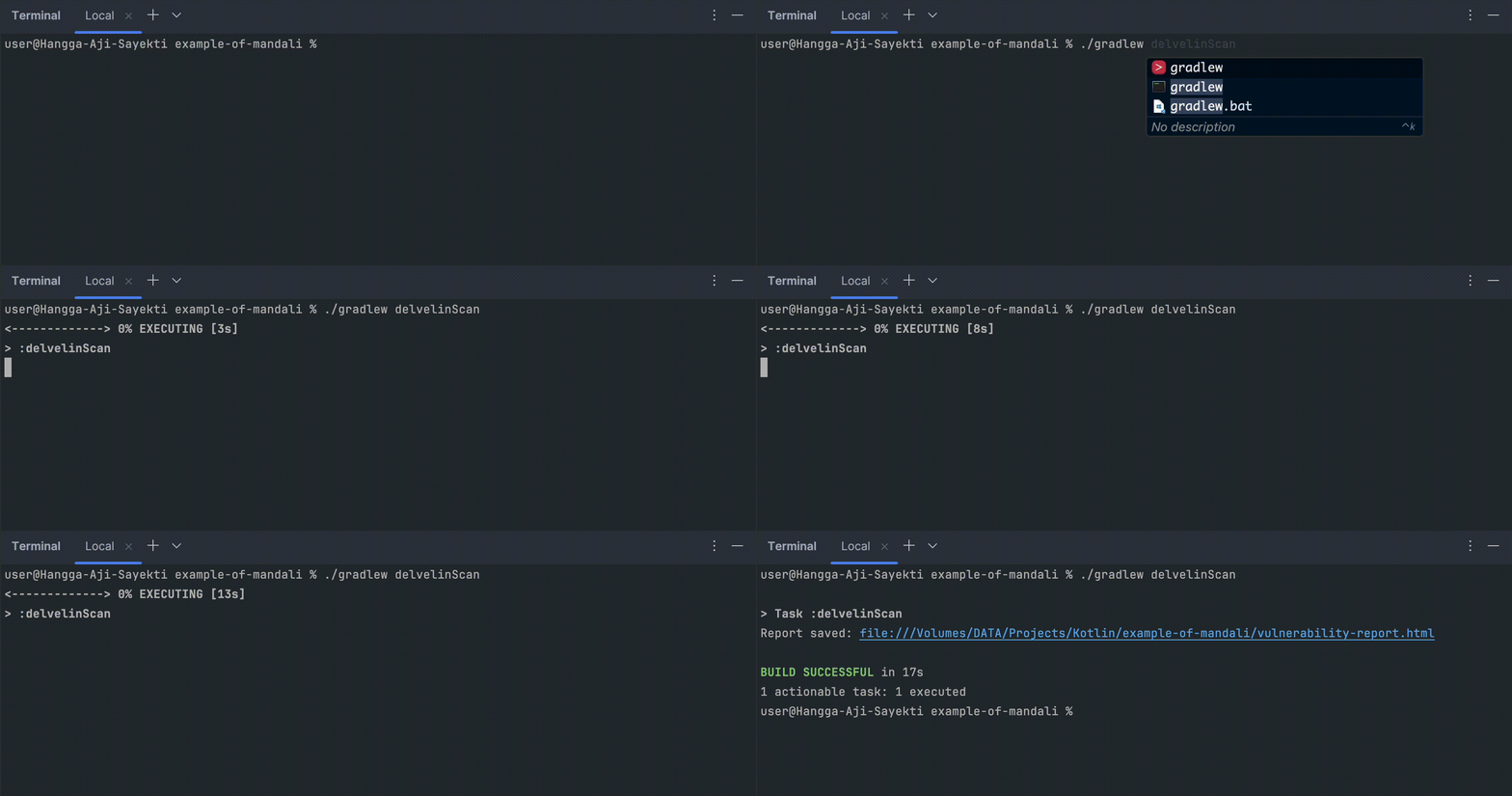
Run the delvelinScan task to analyze your project:
./gradlew delvelinScan
If we are using Intellij IDEA, we can also use the gradle menu in the sidebar:
<div style="display: flex; justify-content: center; align-items: center;"> <img style="width:300px;" src="https://github.com/hangga/delvelin/blob/main/doc/delvelin-scan-gradle-menu.png?raw=true" alt="sidebar"/> </div>On Gitlab CI
Add delvelinScan gradle task to our pipeline configuration, for example:
stages:
  - test

gradle-scan:
  stage: test
  image: gradle:7.6-jdk8
  script:
    - gradle delvelinScan
  only:
    - main
    - develop
3.2. Using Delvelin Library
We can use the Delvelin library just like any other Kotlin/Java library. It offers a more flexible way with additional configuration.
Gradle
repositories {
    maven { url 'https://repo.repsy.io/mvn/hangga/repo' }
}

dependencies {
    testImplementation('io.github.hangga:delvelin-plugin:0.2.1-beta')
}
Maven
<repository>
    <id>hangga-repsy-repo</id>
    <url>https://repo.repsy.io/mvn/hangga/repo</url>
</repository>

<dependency>
    <groupId>io.github.hangga</groupId>
    <artifactId>delvelin-plugin</artifactId>
    <version>0.2.1-beta</version>
    <scope>test</scope>
</dependency>
Best Practices
It is highly recommended to run the Delvelin library in unit tests to keep your production classes clean. You can also run it in the main class or the project’s main package, but this is not advised.
Here’s an example of a unit test to instantiate and run Delvelin:
@Test
fun `vulnerability test`() {
    Delvelin()
        .setOutputFormat(OutputFileFormat.HTML)
        .setAutoLaunchBrowser(true) // Automatically opens the browser for HTML format
        .setAllowedExtensions(".java") // By default, it supports .java, .kt, .gradle, .kts, and .xml
        .setShowSaveDialog(true) // Only applicable for HTML & JSON formats
        .setShowDate(true) // For Console LOG format
        .scan()
}
Usage on Android
To log messages in LogCat, you can use a custom listener like this:
@Test
fun `vulnerability test with custom listener for android`() {
    Delvelin().setLogListener(object : LogListener {
        override fun onGetLog(s: String) {
            Log.d("DelvelinLog", s)
        }

        override fun onGetLog(stringBuffer: StringBuffer) {
            Log.d("DelvelinLog", stringBuffer.toString())
        }
    }).scan()
}
Alternative Examples
@Test
fun `vulnerability test`() {
    Delvelin()
        .setOutputFormat(OutputFileFormat.HTML)
        .setAutoLaunchBrowser(true) // Automatically opens the browser for HTML format
        .scan()
}

@Test
fun `vulnerability test with save dialog`() {
    Delvelin()
        .setOutputFormat(OutputFileFormat.HTML)
        .setShowSaveDialog(true) // Only applicable for HTML & JSON formats
        .scan()
}

Usage with Custom Detector
Below is an example of how to use Delvelin with a custom detector ExampleCustomDetector.
Step-by-step
- Create a custom detector class like
ExampleCustomDetector. - Add detection implementation in the
detect(line: String, lineNumber: Int)anddetect(content: String)methods. - Create a test function that sets the output format, adds the custom detector, and runs the scan.
Example Custom Detector
The following custom detector detects a specific pattern in the code. It checks each line of code and the entire content to find the pattern called examplePattern.
class ExampleCustomDetector : BaseDetector() {

    init {
        this.vulnerabilities = Vulnerabilities.UNSAFE_REFLECTION
    }

    override fun detect(line: String, lineNumber: Int) {
        // Implementation of line-based detection
        if (line.contains("examplePattern")) {
            val specificLocation = specificLocation(lineNumber)
            setValidVulnerability(
                specificLocation,
                "Example finding",
                "Detected example pattern in the code"
            )
        }
    }

    over
Related Skills
node-connect
341.2kDiagnose OpenClaw node connection and pairing failures for Android, iOS, and macOS companion apps
frontend-design
84.5kCreate distinctive, production-grade frontend interfaces with high design quality. Use this skill when the user asks to build web components, pages, or applications. Generates creative, polished code that avoids generic AI aesthetics.
openai-whisper-api
341.2kTranscribe audio via OpenAI Audio Transcriptions API (Whisper).
commit-push-pr
84.5kCommit, push, and open a PR
