
DocxBox
CLI tool for Word DOCX templating and analysis
Install / Use
/learn @gyselroth/DocxBoxREADME

docxBox
CLI tool for Word DOCX templating and analysis.
Table of contents
- Commands
- Unzip DOCX: All files, or only media files, format XML
- Zip files into DOCX
- Output DOCX contents
- Compare DOCX documents
- Modify document
- Batch Templating
- Arbitrary manual and scripted anlysis / modification
- Output docxBox help or version number
- Configuration
- Build Instructions
- Running Tests
- Code Convention
- Changelog
- Roadmap
- Bug Reporting and Feature Requests
- Third Party References
- License
Commands
Unzip DOCX: All files, or only media files, format XML
Unzip all files: docxbox uz foo.docx
Unzip only media files:
docxbox uzm foo.docx
or docxbox uz foo.docx -m
or docxbox uz foo.docx --media
Unzip all files and indent XML files:
docxbox uzi foo.docx
or docxbox uz foo.docx -i
or docxbox uz foo.docx --indent
Zip files into DOCX
docxbox zp path/to/directory out.docx
Compress XML, than zip files into DOCX:
When having indented XML
(i.e. via uzi command) for manual
manipulation, the zpc command compresses (= unindents) all XML files before
zipping them into a new DOCX:
docxbox zpc path/to/directory out.docx
Output DOCX contents
List files: All, filtered, images only
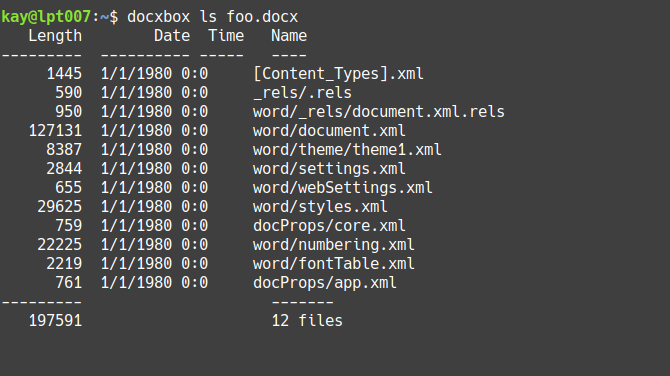
Lists files contained within a given DOCX, and their attributes:
docxbox ls foo.docx
To output as JSON:
docxbox lsj foo.docx
or docxbox ls foo.docx -j
or docxbox ls foo.docx --json
Filter by wildcard
docxbox ls foo.docx *.xml Lists only files ending w/ .xml
List all files containing string or regular expression
docxbox lsl foo.docx foo Lists all files containing the string foo
or docxbox ls foo.docx -l foo
or docxbox ls foo.docx --locate foo
This command is a shorthand to the grep tool (must be installed on your system
when using this command).
The search-string therefor can also be given as a regular expression:
docxbox lsl foo.docx '/[0-9A-Z]\{8\}/'
Lists all files containing 8-digit IDs, e.g. word recent session IDs
(ISO/IEC 29500-1).
List all files containing string or regular expression as JSON
docxbox lslj foo.docx foo
or docxbox lsl foo.docx -j foo
or docxbox ls foo.docx -lj foo
or docxbox lsl foo.docx --json foo
or docxbox ls foo.docx --locate -j foo
or docxbox ls foo.docx --locate --json foo
List image files
Output list of contained images and their media attributes (like width, height, encoding, compression, etc.)
docxbox lsi foo.docx
or docxbox ls foo.docx -i
or docxbox ls foo.docx --images
To output as JSON:
docxbox lsij foo.docx
or docxbox lsi foo.docx -j
or docxbox ls foo.docx -ij
or docxbox lsi foo.docx --json
or docxbox ls foo.docx --images --json
Note: Media attributes are read using the
file command, which must be installed on your
system (but usually should be already) when using docxBox's lsi command.
List meta data
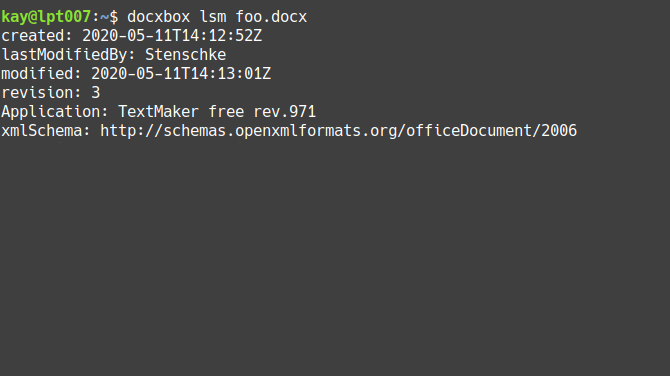
docxBox displays only attributes that are contained within the current DOCX file (the attributes can vary by DOCX version and word processor used for creation), also if given empty.
Output meta data of given DOCX:
docxbox lsm foo.docx
or docxbox ls foo.docx -m
or docxbox ls foo.docx --meta
To output as JSON:
docxbox lsmj foo.docx
or docxbox lsm foo.docx -j
or docxbox ls foo.docx -mj
or docxbox lsm foo.docx --json
or docxbox ls foo.docx --meta --json
Reference: Recognized meta attributes
- Authors: Creator, lastModifiedBy (
<dc:creator>and<cp:lastModifiedBy>of docProps/core.xml) - Dates (ISO 8601): Creation-, modification and print-date
(<dcterms:created>and<cp:modified>and<cp:lastPrinted>of docProps/core.xml) - Descriptions: Description, Keywords, Subject, Title
(<dc:description>,<dc:keywords>,<dc:subject>,<dc:title>of docProps/core.xml) - Language (
<dc:language>of docProps/core.xml) - Revision (
<cp:revision>of docProps/core.xml) - Application created with and its version, name of used template, company,
XML schema of document (
<Application>,<AppVersion>,<Template>,<Properties xmlns ...and<Company>of docProps/app.xml)
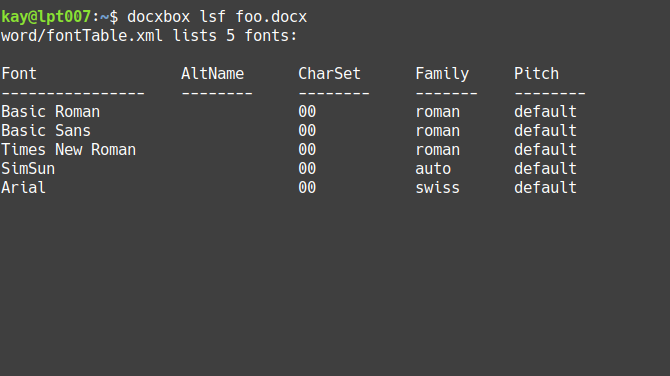
List referenced fonts
docxbox lsf foo.docx
or docxbox ls foo.docx -f
or docxbox ls foo.docx --fonts
To output as JSON:
docxbox lsfj foo.docx
or docxbox lsf foo.docx -j
or docxbox ls foo.docx -fj
or docxbox lsf foo.docx --json
or docxbox ls foo.docx --fonts --json
List fields
docxbox lsd foo.docx
or docxbox ls foo.docx -d
or docxbox ls foo.docx --fields
To output as JSON:
docxbox lsdj foo.docx
or docxbox ls foo.docx -dj
or docxbox lsd foo.docx --json
or docxbox ls foo.docx --fields --json
Output XML
docxbox cat foo.docx word/_rels/document.xml.rels
outputs the given file's XML, indented for better readability.
Hint: For viewing or editing complex XML, e.g. with syntax highlightning,
you can use your favorite text editor via the
cmd command
Output document as plaintext
docxbox txt foo.docx outputs the given document's plaintext
(ATM: w/o header and footer)
Output plaintext segments:
docxbox txt foo.docx -s
or docxbox txt foo.docx --segments
Outputs the plaintext from document, with markup sections separated by newlines. This can be helpful to identify "segmented" sentences: Texts which visually appear as a unit, but are declared within multiple separate XML elements (due to formatting or change-tracking purposes).
Compare DOCX documents
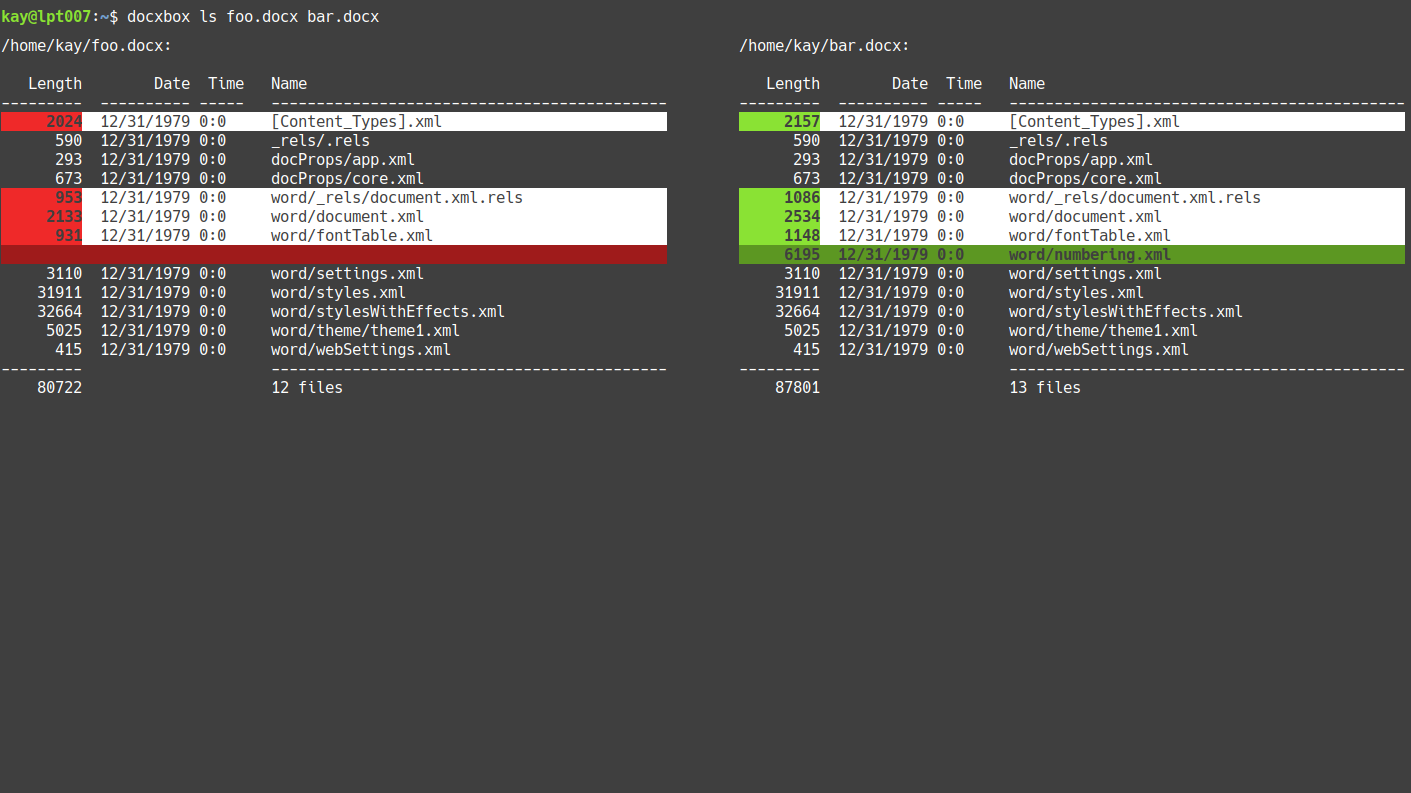
docxBox helps tracing changes to the files contained within DOCX archives, made when manipulating documents in word processor applications.
When given two DOCX files, the ls command lists all files of both DOCX
documents side-by-side. docxBox compares all files and highlights files
w/ different attributes or (identical attributes but) different content.
docxbox ls foo_v1.docx foo_v2.docx
Note: Comparisons are always output as plaintext, JSON output is not supported.
Compare specific file from two DOCX archives
Files that have changed between versions of a document, can be inspected using
the diff tool (which must be installed on your system).
Display side-by-side comparison of the formatted XML of given file
(word/settings.xml), with differences indicated:
docxbox diff foo_v1.docx foo_v2.docx word/settings.xml
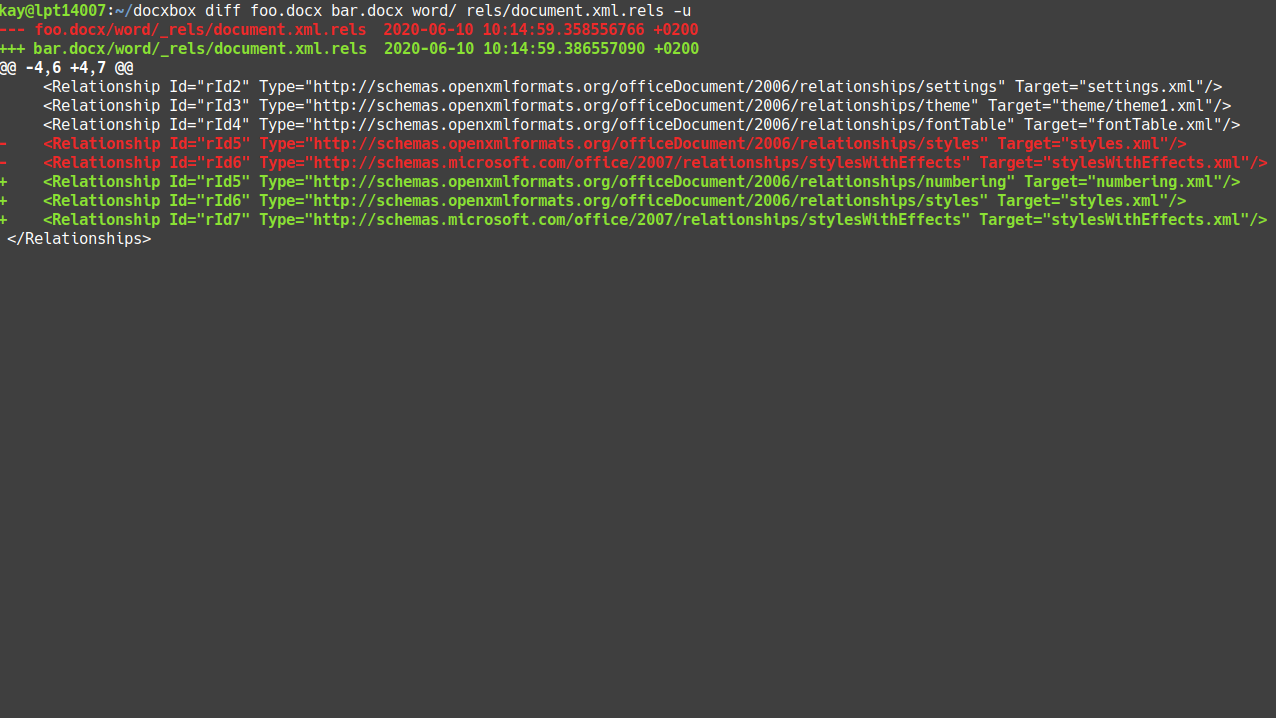
Display unified diff:
docxbox diff foo_v1.docx foo_v2.docx word/settings.xml -u
or: docxbox diff foo_v1.docx foo_v2.docx word/settings.xml --unified
Modify document
Modify meta data
docxBox allows to modify existing attributes, or adds attributes if not present.
- Set *
