
short-video-maker
Creates short videos for TikTok, Instagram Reels, and YouTube Shorts using the Model Context Protocol (MCP) and a REST API.
Install / Use
claude mcp add gyoridavid -- npx -y github:gyoridavid/short-video-makerIf the server publishes to npm under a different name, use that package instead — check the repo README.
MCP Server
Model Context Protocol server
Quality Score
Category
AutomationSupported Platforms
Our assessment of short-video-maker
short-video-maker scores 84/100 on our quality scale, 2053rd of 2,863 Automation skills we index.
Its MCP Server is 22 KB long, well organised into 59 sections with 19 code examples: a thorough specification that gives an agent plenty to work with.
With 1,467 GitHub stars, it is one of the more widely adopted skills in the catalogue.
Maintenance, license and trust
- The repository was last updated about 17 months ago. Expect some instructions to reference tool versions or APIs that have since changed.
- Our last check on 2026-10-17 found the source still online.
- It is released under the MIT license, a permissive license that allows use, modification and commercial use with attribution.
- Its trust signals score 88/100, with 1 caution from licensing, adoption, age or documentation. These come from repository metadata, not a code audit — read the skill file before letting an agent act on it.
Safety scan
No issues foundOur scan of the whole file found no instruction hijacking, hidden characters, credential access, data exfiltration or destructive commands. An AI review of the same text found nothing harmful.
AI review by kimi-k2.7-code on 2026-09-24. Automated pattern scan on 2026-09-24. It catches known dangerous patterns, not every risk — read a skill before letting an agent act on it.
short-video-maker compared with similar skills
All 4 of these similar skills score higher than short-video-maker; compare them before choosing.
| Skill | Score | Stars | Updated | Format |
|---|---|---|---|---|
| short-video-maker (this skill)by gyoridavid | 84 | 1.5k | 17mo ago | MCP Server |
| Agent-Reachby Panniantong | 100 | 109.2k | today | CLAUDE.md |
| headroomby headroomlabs-ai | 100 | 78.9k | today | CLAUDE.md |
| CowAgentby zhayujie | 100 | 47.8k | today | CLAUDE.md |
| Scraplingby D4Vinci | 100 | 97.9k | today | MCP Server |
Frequently asked questions
- How do I install short-video-maker?
- Run
claude mcp add gyoridavid -- npx -y github:gyoridavid/short-video-maker. The install tabs above show the steps for each supported agent. - Which AI agents does short-video-maker work with?
- It is written for Claude Code and Claude Desktop, as a MCP Server file. Other agents that read the same format can often use it too.
- Is short-video-maker safe to use?
- Our scan of the whole file found no instruction hijacking, hidden characters, credential access, data exfiltration or destructive commands. An AI review of the same text found nothing harmful. It is MIT-licensed and scores 88/100 on trust signals. Skills are instructions an agent will follow, so read the file before installing it and do not approve commands you do not understand.
- Is short-video-maker still maintained?
- The repository was last updated about 17 months ago. Expect some instructions to reference tool versions or APIs that have since changed.
Skill content
View source on GitHub📚 Join our Skool community for support, premium content and more!
Be part of a growing community and help us create more content like this
Description
An open source automated video creation tool for generating short-form video content. Short Video Maker combines text-to-speech, automatic captions, background videos, and music to create engaging short videos from simple text inputs.
This project is meant to provide a free alternative to heavy GPU-power hungry video generation (and a free alternative to expensive, third-party API calls). It doesn't generate a video from scratch based on an image or an image prompt.
The repository was open-sourced by the AI Agents A-Z Youtube Channel. We encourage you to check out the channel for more AI-related content and tutorials.
The server exposes an MCP and a REST server.
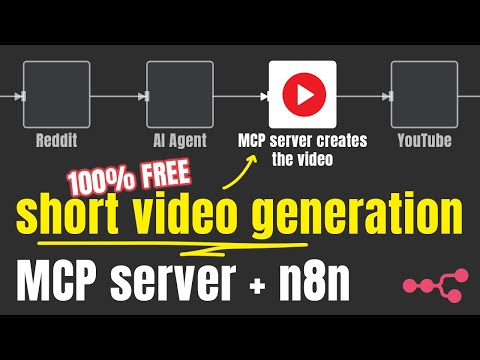
While the MCP server can be used with an AI Agent (like n8n) the REST endpoints provide more flexibility for video generation.
You can find example n8n workflows created with the REST/MCP server in this repository.
TOC
Getting started
Usage
Info
- Features
- How it works
- Limitations
- Concepts
- Troubleshooting
- Deploying in the cloud
- FAQ
- Dependencies
- Contributing
- License
- Acknowledgements
Tutorial with n8n
Examples
<table> <tr> <td> <video src="https://github.com/user-attachments/assets/1b488e7d-1b40-439d-8767-6ab51dbc0922" width="480" height="270"></video> </td> <td> <video src="https://github.com/user-attachments/assets/bb7ce80f-e6e1-44e5-ba4e-9b13d917f55b" width="270" height="480"></video> </td> <td> </tr> </table>Features
- Generate complete short videos from text prompts
- Text-to-speech conversion
- Automatic caption generation and styling
- Background video search and selection via Pexels
- Background music with genre/mood selection
- Serve as both REST API and Model Context Protocol (MCP) server
How It Works
Shorts Creator takes simple text inputs and search terms, then:
- Converts text to speech using Kokoro TTS
- Generates accurate captions via Whisper
- Finds relevant background videos from Pexels
- Composes all elements with Remotion
- Renders a professional-looking short video with perfectly timed captions
Limitations
- The project only capable generating videos with English voiceover (kokoro-js doesn’t support other languages at the moment)
- The background videos are sourced from Pexels
General Requirements
- internet
- free pexels api key
- ≥ 3 gb free RAM, my recommendation is 4gb RAM
- ≥ 2 vCPU
- ≥ 5gb disc space
Concepts
Scene
Each video is assembled from multiple scenes. These scenes consists of
- Text: Narration, the text the TTS will read and create captions from.
- Search terms: The keywords the server should use to find videos from Pexels API. If none can be found, joker terms are being used (
nature,globe,space,ocean)
Getting started
Docker (recommended)
There are three docker images, for three different use cases. Generally speaking, most of the time you want to spin up the tiny one.
Tiny
- Uses the
tiny.enwhisper.cpp model - Uses the
q4quantized kokoro model CONCURRENCY=1to overcome OOM errors coming from Remotion with limited resourcesVIDEO_CACHE_SIZE_IN_BYTES=2097152000(2gb) to overcome OOM errors coming from Remotion with limited resources
docker run -it --rm --name short-video-maker -p 3123:3123 -e LOG_LEVEL=debug -e PEXELS_API_KEY= gyor…[redacted]:latest-tiny
Normal
- Uses the
base.enwhisper.cpp model - Uses the
fp32kokoro model CONCURRENCY=1to overcome OOM errors coming from Remotion with limited resourcesVIDEO_CACHE_SIZE_IN_BYTES=2097152000(2gb) to overcome OOM errors coming from Remotion with limited resources
docker run -it --rm --name short-video-maker -p 3123:3123 -e LOG_LEVEL=debug -e PEXELS_API_KEY= gyor…[redacted]:latest
Cuda
If you own an Nvidia GPU and you want use a larger whisper model with GPU acceleration, you can use the CUDA optimised Docker image.
- Uses the
medium.enwhisper.cpp model (with GPU acceleration) - Uses
fp32kokoro model CONCURRENCY=1to overcome OOM errors coming from Remotion with limited resourcesVIDEO_CACHE_SIZE_IN_BYTES=2097152000(2gb) to overcome OOM errors coming from Remotion with limited resources
docker run -it --rm --name short-video-maker -p 3123:3123 -e LOG_LEVEL=debug -e PEXELS_API_KEY= --gpus=all gyoridavid/short-video-maker:latest-cuda
Docker compose
You might use Docker Compose to run n8n or other services, and you want to combine them. Make sure you add the shared network to the service configuration.
version: "3"

services:
  short-video-maker:
    image: gyoridavid/short-video-maker:latest-tiny
    environment:
      - LOG_LEVEL=debug
      - PEXELS_API_KEY=
    ports:
      - "3123:3123"
    volumes:
	    - ./videos:/app/data/videos # expose the generated videos
If you are using the Self-hosted AI starter kit you want to add networks: ['demo'] to the** short-video-maker service so you can reach it with http://short-video-maker:3123 in n8n.
NPM
While Docker is the recommended way to run the project, you can run it with npm or npx. On top of the general requirements, the following are necessary to run the server.
Supported platforms
- Ubuntu ≥ 22.04 (libc 2.5 for Whisper.cpp)
- Required packages:
git wget cmake ffmpeg curl make libsdl2-dev libnss3 libdbus-1-3 libatk1.0-0 libgbm-dev libasound2 libxrandr2 libxkbcommon-dev libxfixes3 libxcomposite1 libxdamage1 libatk-bridge2.0-0 libpango-1.0-0 libcairo2 libcups2
- Required packages:
- Mac OS
- ffmpeg (
brew install ffmpeg) - node.js (tested on 22+)
- ffmpeg (
Windows is NOT supported at the moment (whisper.cpp installation fails occasionally).
Web UI
@mushitori made a Web UI to generate the videos from your browser.
<table> <tr> <td> <img width="1088" alt="Screenshot 2025-05-12 at 1 45 11 PM" src="https://github.com/user-attachments/assets/2ab64aea-f639-41b0-bd19-2fcf73bb1a3d" /> </td> <td> <img width="1075" alt="Screenshot 2025-05-12 at 1 45 44 PM" src="https://github.com/user-attachments/assets/0ff568fe-ddcb-4dad-ae62-2640290aef1e" /> </td> <td> <img width="1083" alt="Screenshot 2025-05-12 at 1 45 51 PM" src="https://github.com/user-attachments/assets/d3c1c826-3cb3-4313-b17c-605ff612fb63" /> </td> <td> <img width="1070" alt="Screenshot 2025-05-12 at 1 46 42 PM" src="https://github.com/user-attachments/assets/18edb1a0-9fc2-48b3-8896-e919e7dc57ff" /> </td> </tr> </table>You can load it on http://localhost:3123
Environment variables
🟢 Configuration
| key | description | default | | --------------- | --------------------------------------------------------------- | ------- | | PEXELS_API_KEY | your (free) Pexels API key | | | LOG_LEVEL | pino log level | info | | WHISPER_VERBOSE | whether the output of whisper.cpp should be forwarded to stdout | false | | PORT | the port the server will listen on | 3123 |
⚙️ System configuration
| key | description | default |
| ------------------------- | ------------------------------------------------------------------------------------------------------------------------------------------------------------------------------------------------------------------------------------------------------------------------------------- | ----------------------------------------------------------- |
| KOKORO_MODEL_PRECISION | The size of the Kokoro model to use. Valid options are fp32, fp16, q8, q4, q4f16 | depends, see the descriptions of the docker images above ^^ |
| CONCURRENCY | concurrency refers to how many browser tabs are opened in parallel during a render. Each Chrome tab renders web content and then screenshots it.. Tweaking this value helps with running the project with limited resources. | depends, see the descriptions of the docker images above ^^ |
| VIDEO_CACHE_SIZE_IN_BYTES | Cache for <OffthreadVideo> frames in Remotion. Tweaking this value helps with running the project with limited resources. | depends, see the descriptions of the docker images above ^^ |
⚠️ Danger zone
| key | description | default |
| ------------- | ---------------------------------------------------------------------------------------------------------------------------------------------------------------------------------------- | ---------------------------------------------------------------------------------------------------- |
| WHISPER_MODEL | Which whisper.cpp model to use. Valid options are tiny, tiny.en, base, base.en, small, small.en, medium, medium.en, large-v1, large-v2, large-v3, large-v3-turbo | Depends, see the descriptions of the docker images above. For npm, the default option is medium.en |
| DATA_DIR_PATH | the data directory of the project | ~/.ai-agents-az-video-generator with npm, /app/data in the Docker images |
| DOCKER | whether the project is running in a Docker container | true for the docker images, otherwise false
Truncated for display — read the full file on GitHub.
Related Skills
Agent-Reach
109.2kGive your AI agent eyes to see the entire internet. Read & search Twitter, Reddit, YouTube, GitHub, Bilibili, XiaoHongShu — one CLI, zero API fees.
headroom
78.9kCompress tool outputs, logs, files, and RAG chunks before they reach the LLM. 20% fewer tokens for coding agents, 60-95% fewer tokens for JSON, same answers. Library, proxy, MCP server.
CowAgent
47.8kOpen-source personal AI assistant & Agent Harness. Plans tasks, runs tools and skills, self-evolves with memory and knowledge. Multi-agent, multi-model, multi-channel. Lightweight, extensible, one-line install.
Scrapling
97.9k🕷️ The BEST Web Scraping framework that handles everything from a single request to a full-scale crawl! Don't be shy, join here: https://discord.gg/EMgGbDceNQ and follow here for daily tips and tricks: https://x.com/Scrapling_dev

Languages
Trust signals
From repository metadata: license, adoption, age and documentation. Not a code audit — see the Safety scan above for what the skill file itself contains.