
Scadtrace
Trace a bitmap and project the resulting polygons into OpenSCAD polyhedrons.
Install / Use
/learn @guyc/ScadtraceREADME
SCADTrace
This is a toolset to convert a black-and-white bitmap into an openscad object suitable for using to emboss a cylindrical object.
from something like this (image by Biofarben GmbH):

to this:
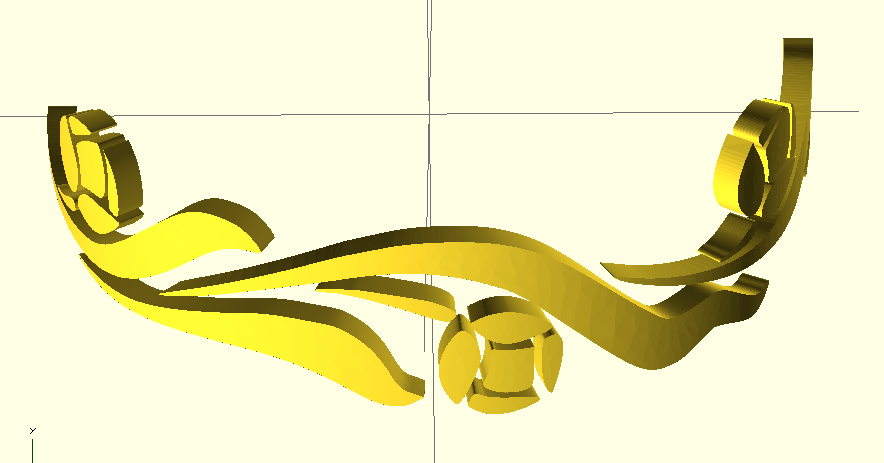
It uses potrace to generate an SVG representation of the figure from a bitmap. potrace rocks.
It then uses a python script to parse the SVG, extract the path geometry and generate openscad geometry.
Generating the inner and outer faces of the geometry presents a somewhat complicated problem because the faces need to be expressed as triangles. I've used Triangle to generate tesselations, and it works well. There are still some issues remaining and the code is far from clean.
Using
The steps for converting a JPG to an openscad model are in the Makefile.
- convert the source image into a BMP file using convert from imagemagick
- convert the BMP into an SVG outline using potrace
- convert the SVG into an openscad model using svgtoscad.py, which invokes triangle to tessellate the faces. svgtoscad.py takes the location of the triangle binary as a command line argument.
Dependencies
- potrace 1.11 to generate an SVG representation of the figure from a bitmap.
- triangle to tesselate the SVG shapes into triangles.
- imagemagick to convert source image to BMP
Tesselations
Here's a close-up that shows the effect of the triangulation. Pretty, hey?
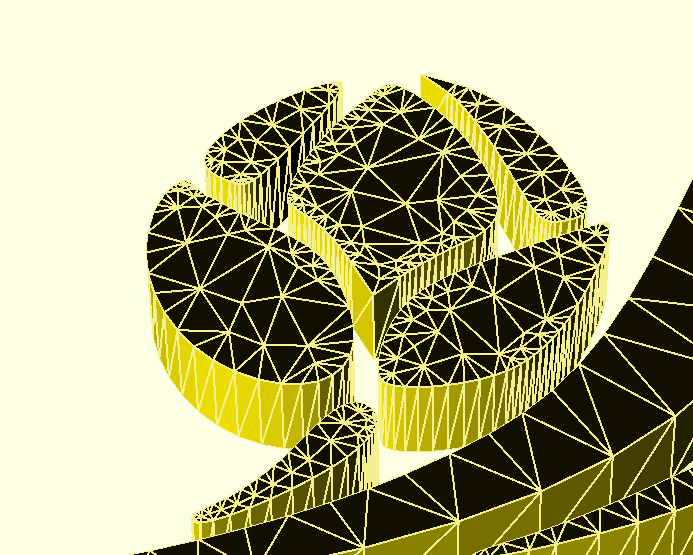
The "quality" option introduces internal nodes which allow the geometry to be deformed into a cylinder without nasty distortion of the faces.
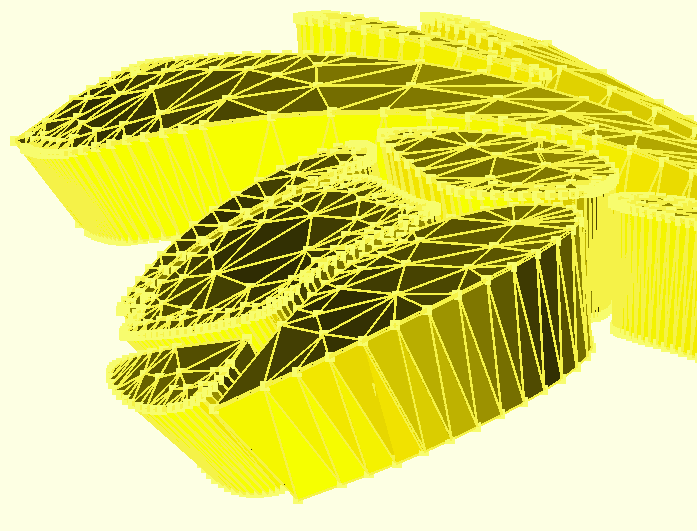
Here's the artwork used as a negative geometry to emboss the inside of a translucent diffuser.

Installation of potrace
Under OSX Mavericks, the steps are:
- mkdir potrace; cd potrace
- wget http://potrace.sourceforge.net/download/potrace-1.11.tar.gz
- tar -zxf potrace-1.11.tar.gz
- cd potrace-1.11
- ./configure
- make
Installation of Triangle
Under OSX Mavericks the steps are:
- mkdir triangle; cd triangle
- wget http://www.netlib.org/voronoi/triangle.zip
- unzip triangle.zip
- vi makefile
- Delete '-DLINUX' from the makefile
- make triangle
Installation of ImageMagick
Note: you probably don't want to install like this. Install a precompiled package for your operating system.
- wget ftp://mirror.aarnet.edu.au/pub/imagemagick/ImageMagick-6.9.0-10.tar.bz2
- tar -zxf ImageMagick-6.9.0-10.tar.bz2
- ./configure
- make
- sudo make install
Related Skills
node-connect
346.4kDiagnose OpenClaw node connection and pairing failures for Android, iOS, and macOS companion apps
frontend-design
107.2kCreate distinctive, production-grade frontend interfaces with high design quality. Use this skill when the user asks to build web components, pages, or applications. Generates creative, polished code that avoids generic AI aesthetics.
openai-whisper-api
346.4kTranscribe audio via OpenAI Audio Transcriptions API (Whisper).
qqbot-media
346.4kQQBot 富媒体收发能力。使用 <qqmedia> 标签,系统根据文件扩展名自动识别类型(图片/语音/视频/文件)。
