
Fsynth
Web-based and pixels-based collaborative synthesizer
Install / Use
/learn @grz0zrg/FsynthREADME
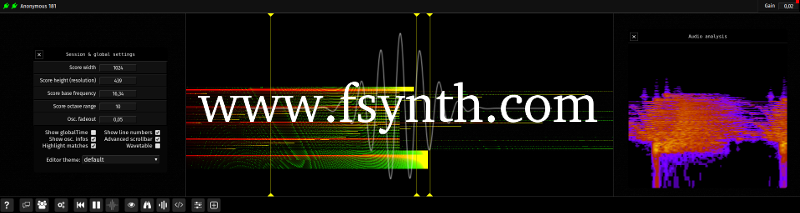
Fragment - The Collaborative Graphical Audio Synthesizer
Source code repository for the Fragment app. which can be found at : https://www.fsynth.com
Table of Contents
About Fragment
Fragment is a graphical audio synth. / collaborative audiovisual live coding web. environment with a pixels based (image-synth) real-time sound synthesis approach, the sound synthesis is powered by pixels data generated from live GLSL code and Processing.js code with many different types of input data available.
Many videos of most features are available on YouTube
Fragment has only one fragment shader which has the particularity to be shared between the users of an online session, it update and compile on-the-fly as you or other peoples type, some settings are also synchronized between users such as slices and some global settings with the exception of inputs data which are not synchronized between users.
Fragment has many features making it a bliss to produce any kind of sounds associated (or not) with visuals, it is aimed at artists seeking a creative environment with few limitations to experiment with, a programmable noise-of-all-kinds software.
To output any sounds the client need to be used with the Fragment Audio Server which is a high performance native digital synthesizer.
Fragment require WebGL 2 compatible brower, audio can be produced independently from the visuals with the synthOutput vec4 uniform.
For any questions, a message board is available here
Requirement
- Web browser such as Chrome, Opera, Safari or Firefox (MIDI is not supported by Firefox at the moment)
- Mid-range GPU, this app. was made and tested with a GeForce GTX 970
- Mid-range multi-core CPU (a beefy CPU is needed if you use many instruments)
- Not necessary but a MIDI device such as a MIDI keyboard is recommended
Note on performances : Fragment has excellent performances with a modern multi-core system and a browser such as Chrome however due to browser UI reflow you may experience latency sometimes especially when typing in the code editor, this can be solved by using the independent code editor.
Fragment is able to do real-time distributed sound synthesis with its audio server, it support any number of machines over the wire and multicore support, this feature also need the fas_relay to work (see below)
Features
- Sound synthesis powered by a fast & powerful C native audio server which has a very versatile high quality stereophonic / polyphonic / multitimbral sound engine with distributed sound synthesis, multi-machines/multi-core support (with fas_relay)
- Live coding/JIT compilation of shader code
- Real-time, collaborative app.
- MIDI IN/OUT support with Web MIDI compatible web browsers, MPE supported
- Multiple positional MIDI / OSC / AUDIO instruments with configurable output channel and more
- Real-time frames by frames recording with export as an image or as a .wav (additive synthesis only) or Fragment input (export back into itself, this can be used to build complex brushes for drawing canvas inputs)
- WebGL 2.0 / GLSL 3.0 support
- RGBA Live visuals with stereophonic sound generation
- Synthesis data processed in 32-bit precision (WebGL 2.0 & EXT_color_buffer_float extension) or 8-bit precision
- Feedback via framebuffer (for fx like reverb, delay, spectral distortion etc)
- OSC in/out support (there is a crude SuperCollider port of the additive synthesis engine)
- Shader inputs:
- Webcam
- Microphone (live analysis; mono)
- Images
- Videos with rate & rewind & loop settings (can import the audio track as an image)
- Desktop capture (screen region, specific window or browser tab via
getDisplayMedia) - Audio files (converted to images using Continuous Wavelet Transform)
- Drawing canvas with drawing and compositing operations which use images Fragment input as brushes, Fragment is bundled with 20 high-quality brushes, a pack of 969 high-quality brushes is also available as a separate download
- Processing.js sketchs
- Uniform controllers via OSC Open Stage Control is recommended
- No authentifications needed, anonymous (make use of localStorage and is sessions based)
Sound Synthesis
Fragment capture pixels data (1px wide slices) from a WebGL drawing surface at the browser display refresh rate and translate the RGBA pixels value to notes, the notes are then interpreted and played by one or more synthesis method in real-time.
Common to all synthesis methods, the canvas represent frequencies (exponential mapping) on the vertical axis and time on the horizontal axis.
It can be seen as a front-end for a huge bank of oscillators / filters.
Audio synthesis is powered by an independent audio server, Fragment doesn't output any real-time sounds on its own.
External synthesizers can be triggered via MIDI out.
Slices data can be sent via OSC bundles to use Fragment as an interface.
MIDI
Fragment support MIDI inputs and MIDI outputs with compatible browsers.
Features
- MIDI keyboard support, list of MIDI parameters accessible in the fragment shader :
- note-on/note-off messages
- note frequency
- velocity / release velocity
- aftertouch
- pitch bend
- CC74
- MIDI channel
- elapsed time since the key was pressed
- Polyphony is automatically detected from the GPU capabilities (704 notes with a GeForce GTX 970 GPU, 16 notes is the minimum, maximum notes depend on the GPU capability/shader complexity)
- Multidimensional Polyphonic Expression (MPE) support
- Hot plugging of MIDI devices
- MIDI output
- MIDI devices can be assigned to each slices
- user-defined MIDI messages interpretation of RGBA values via bundled editor
- polyphony/stereo panning through 16 channels
- microtonal capabilities (frequency mapping is respected)
External synths can be triggered from pixels data via MIDI OUT, MIDI devices can be assigned to one or more slice, RGBA channels can be assigned to user-defined MIDI messages from the slice settings, Fragment has limited MPE support for output (non-standard for now) to support polyphony through 16 channels, every sounding note is temporarily assigned to its own MIDI channel, allowing microtonal, individual stereo panning and polyphonic capabilities.
If you need to control more parameters, see OSC below.
OSC
Fragment support OSC input and output, an OSC relay which translate WebSockets data to UDP packets should be used for this feature to work.
Fragment uniforms can be defined through OSC with two methods :
- Message with an address starting with i such as /iarr
- This will create/update a float array uniform, the message should contain an array with index to update at index 0 and the value at index 1
- If the array does not exist, it will create it and grow the array as needed
- Update whole float array with message starting with a address such as /aarr
- This will create/update a whole float array uniform, the message should just contain all the array values
You can send a message to the /clear address to clear all OSC defined uniforms
Open Stage Control can be used to control partials or more parameters through OSC via faders etc.
Tools
Many tools are available to enhance Fragment.
-
Independent GLSL editor which can directly connect to the sharedb server
-
SuperCollider port of the additive synthesis engine (use OSC)
-
A graphical launcher for Fragment and the audio server program is available here. (deprecated / may not work anymore)
Limitations
- The main limitation of Fragment is the events granularity caused by the monitor refresh rate (which can be maxed out at 240 Hz on some monitors), this can also be solved by running the browser without VSYNC, example for Chrome with the command-line parameter --disable-gpu-vsync this may be not ideal for visuals. This will be solved as monitor / gpu progress is made with hopefully ideal granularity (granularity of human auditory system ENV / TFS is typically 1 to
