
ZenMaxBuilder
📲 Android Kernel Builder | On stand-by, also take look at https://github.com/cyberknight777/YAKB
Install / Use
/learn @grm34/ZenMaxBuilderREADME
🆉🅴🅽🅼🅰🆇🅱🆄🅸🅻🅳🅴🆁 📲
<a href="https://app.codiga.io/public/project/23638/ZenMaxBuilder/dashboard"> <img src="https://api.codiga.io/project/23638/score/svg" alt="Codescore"> </a> <a href="https://www.codefactor.io/repository/github/grm34/zenmaxbuilder"> <img src="https://www.codefactor.io/repository/github/grm34/zenmaxbuilder/badge" alt="Codefactor"> </a> <a href="https://github.com/grm34/ZenMaxBuilder/fork"> <img src="https://img.shields.io/github/forks/grm34/ZenMaxBuilder.svg?logo=github" alt="Forks"> </a> <a href="https://github.com/grm34/ZenMaxBuilder/stargazers"> <img src="https://img.shields.io/github/stars/grm34/ZenMaxBuilder.svg?logo=github-sponsors" alt="Stars"> </a> <br> <a href="https://mit-license.org/"> <img src="https://img.shields.io/badge/license-MIT-blue.svg?logo=keepassxc" alt="License: MIT"> </a> <a href="https://github.com/grm34/ZenMaxBuilder/issues"> <img src="https://img.shields.io/github/issues/grm34/ZenMaxBuilder.svg?logo=git" alt="Issues"> </a> <a href="https://github.com/grm34/ZenMaxBuilder/commits"> <img alt="GitHub commit activity" src="https://img.shields.io/github/commit-activity/y/grm34/zenmaxbuilder?label=commits&logo=github"> </a> <a href="https://github.com/grm34/ZenMaxBuilder/commits"> <img alt="GitHub last commit" src="https://img.shields.io/github/last-commit/grm34/ZenMaxBuilder?&logo=Github"> </a> <br> <details> <summary>Some tested distros</summary> <a href="https://ubuntu.com"> <img src="https://img.shields.io/badge/Ubuntu-✅-blue.svg?logo=ubuntu" alt="distro"> </a> <a href="https://archlinux.org"> <img src="https://img.shields.io/badge/ArchLinux-✅-blue.svg?logo=archlinux" alt="distro"> </a> <a href="https://www.debian.org"> <img src="https://img.shields.io/badge/Debian-✅-blue.svg?logo=debian" alt="distro"> </a> <a href="https://getfedora.org"> <img src="https://img.shields.io/badge/Fedora-✅-blue.svg?logo=fedora" alt="distro"> </a> <a href="https://manjaro.org"> <img src="https://img.shields.io/badge/Manjaro-✅-blue.svg?logo=manjaro" alt="distro"> </a> <br> <a href="https://linuxmint.com"> <img src="https://img.shields.io/badge/Linux Mint-✅-blue.svg?logo=linuxmint" alt="distro"> </a> <a href="https://www.redhat.com"> <img src="https://img.shields.io/badge/RedHat-❔-blue.svg?logo=redhat" alt="distro"> </a> <a href="https://www.gentoo.org"> <img src="https://img.shields.io/badge/Gentoo-❔-blue.svg?logo=gentoo" alt="distro"> </a> <a href="https://www.centos.org"> <img src="https://img.shields.io/badge/CentOS-❔-blue.svg?logo=centos" alt="distro"> </a> <a href="https://www.opensuse.org"> <img src="https://img.shields.io/badge/OpenSuse-❔-blue.svg?logo=opensuse" alt="distro"> </a> <br> <a href="https://www.kali.org"> <img src="https://img.shields.io/badge/Kali Linux-✅-blue.svg?logo=kalilinux" alt="distro"> </a> <a href="https://www.blackarch.org"> <img src="https://img.shields.io/badge/BlackArch-✅-blue.svg?logo=archlinux" alt="distro"> </a> <a href="https://termux.com"> <img src="https://img.shields.io/badge/Termux-⚠️-blue.svg?logo=android" alt="distro"> </a> <a href="https://www.freebsd.org"> <img src="https://img.shields.io/badge/FreeBSD-❌-blue.svg?logo=freebsd" alt="distro"> </a> <br> <a href="https://www.microsoft.com/en-us/windows"> <img src="https://img.shields.io/badge/Windows-❌-blue.svg?logo=windows" alt="distro"> </a> <a href="https://www.apple.com/macos"> <img src="https://img.shields.io/badge/MacOS-❌-blue.svg?logo=macos" alt="distro"> </a> </details>⚠️ This project is on stand-by for the moment. Indeed, as I don't have a computer anymore, it's impossible for me to debug/test or even to update what would certainly have needed it. Keep in mind that this was originally designed to facilitate the management/build of multiple kernels maintained by experienced developers and is not and will not be a "run it and grab a coffee" tool. Kernel compilation requires a minimum of prior knowledge and this kind of tool simply does not exist.
Table of Contents
- Overview
- Requirements
- Installation
- Getting Started
- Options
- Working Structure
- Toolchains
- Screenshots
- More information
- Common warnings and errors
- Reporting Issues
- Contributing
- Help us Translate ZenMaxBuilder
- License
- Credits
Overview
ZenMaxBuilder (ZMB) is a Linux kernel builder written in Bash and oriented for android devices but as well compatible for other platforms. It can be installed on any compatible Linux system (feel free to Pull Request for win/mac support). By default it uses AOSP-Clang, Eva-GCC, Proton-Clang, Neutron-Clang or Lineage-GCC but you can use any Clang or GCC toolchain you like (with LLVM and binutils included).
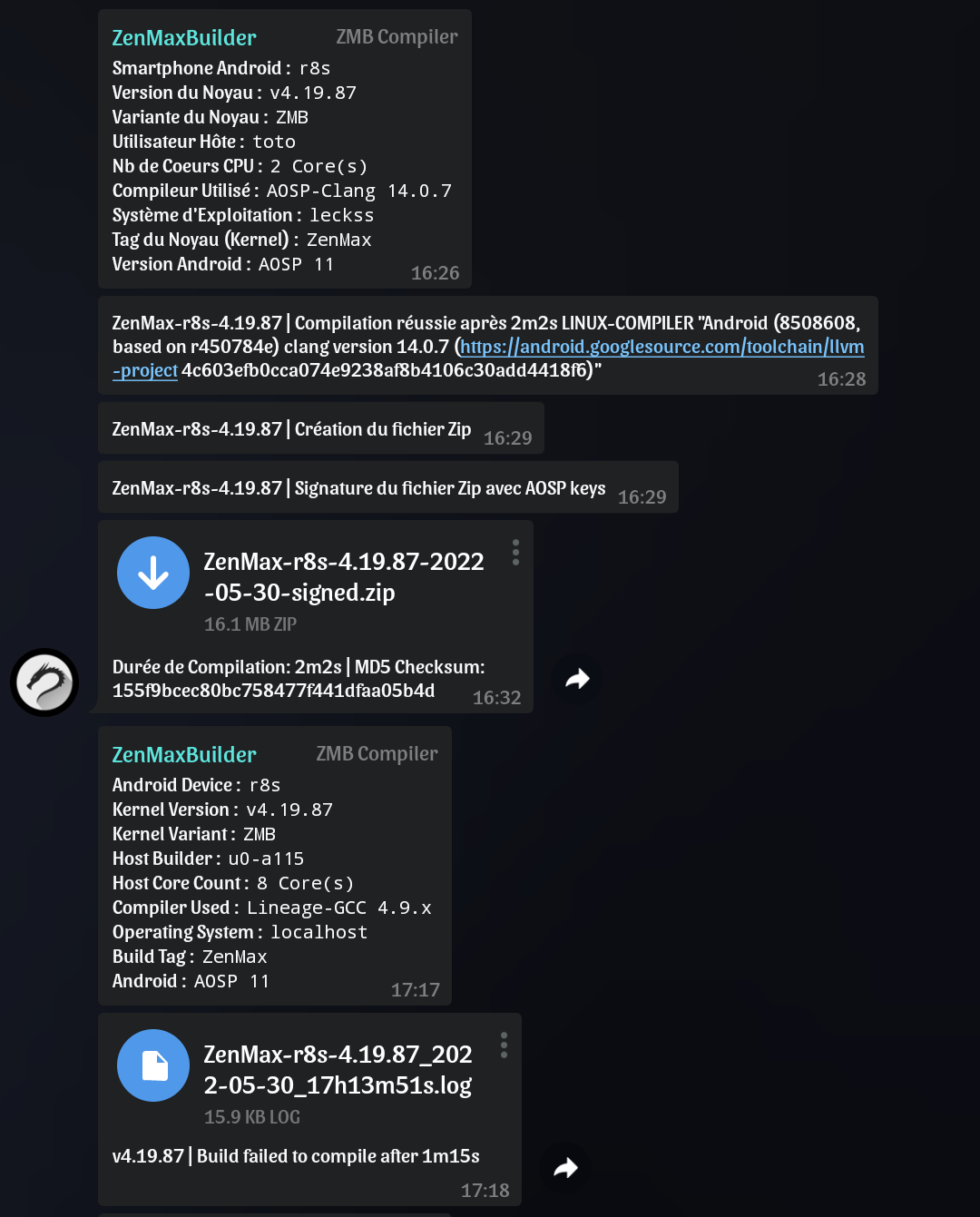
Find all your compilations and working folders in one place, update and maintain your kernels faster. Full logs with the possibility to restart the build after error. Automatic creation of a flashable signed ZIP for android devices (with AK3 and AOSP Keys). Real time status feedback with build sending on any group or Telegram channel. And more. The perfect tool to compile on the fly and keep fresh and clean kernel paths.
Requirements
- A compatible Linux system
- The kernel source code of your device/os
- A minimum of knowledge in kernel compilation
- Patience
The installation of the missing dependencies will be proposed by the installer or first install them manually with your favorite package manager (no package is installed without your prior consent) :
bash sed wget git curl zip tar jq expect make cmake automake autoconf llvm lld lldb clang gcc binutils bison perl gperf gawk flex bc python3 zstd openssl sudo
The optional flashable zip signature with AOSP Keys requires java (JDK) which is not proposed to install (openjdk recommended).
Installation
The installer simply clones the repository in your HOME and creates a copy of the executable in usr/bin.
Install ZenMaxBuilder :
wget kernel-builder.com/zmb && bash zmb install
Checking the installation :
bash ~/ZenMaxBuilder/docs/zmb check
Update ZenMaxBuilder :
zmb --update
Uninstall ZenMaxBuilder :
bash ~/ZenMaxBuilder/docs/zmb uninstall
rm -rf ~/ZenMaxBuilder
Getting Started
Create a copy of settings.cfg to set your settings (optional) :
cp ~/ZenMaxBuilder/etc/settings.cfg ~/ZenMaxBuilder/etc/user.cfg
vi ~/ZenMaxBuilder/etc/user.cfg
Start ZMB and follow instructions :
zmb --start
You can exit ZMB at any time using ctrl+c or ctrl+z combinaison keys.
Options
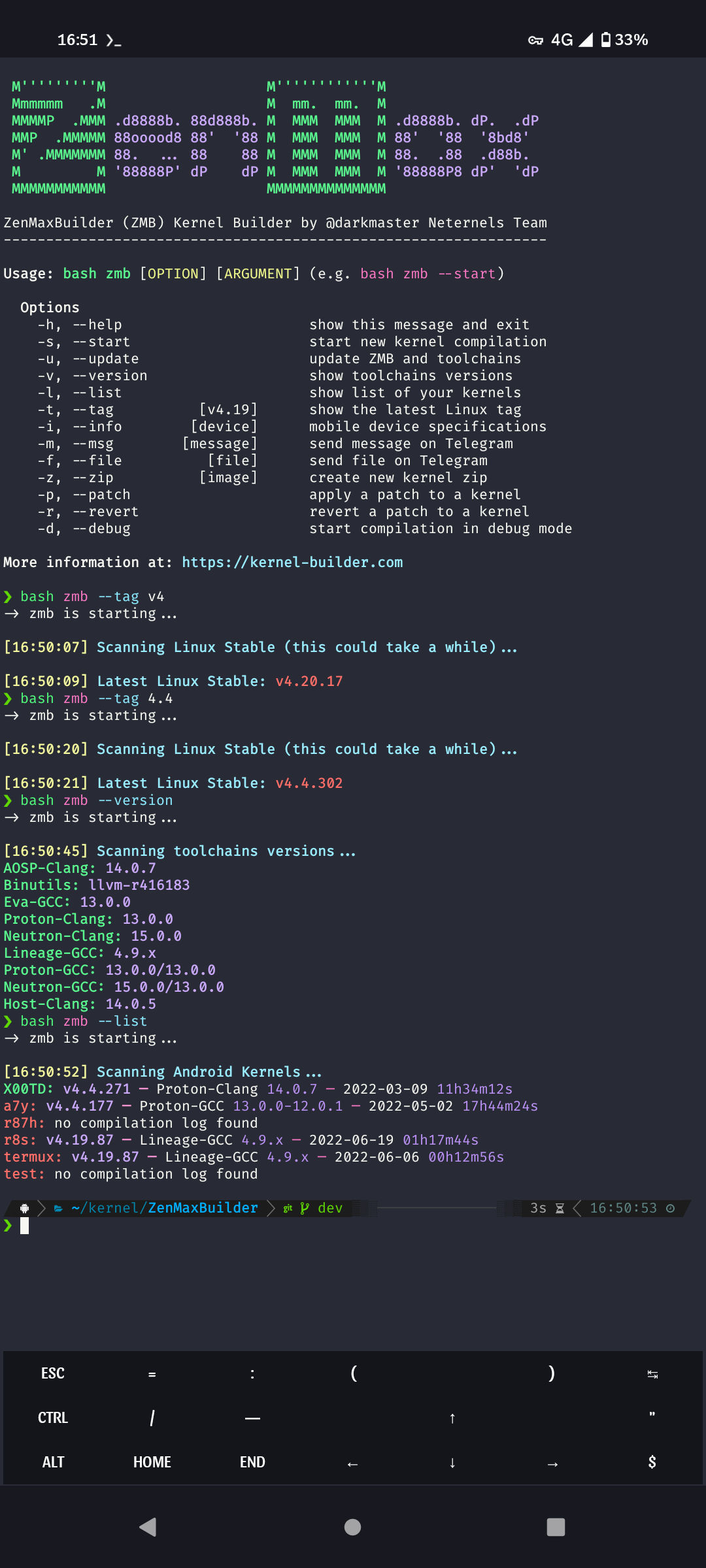
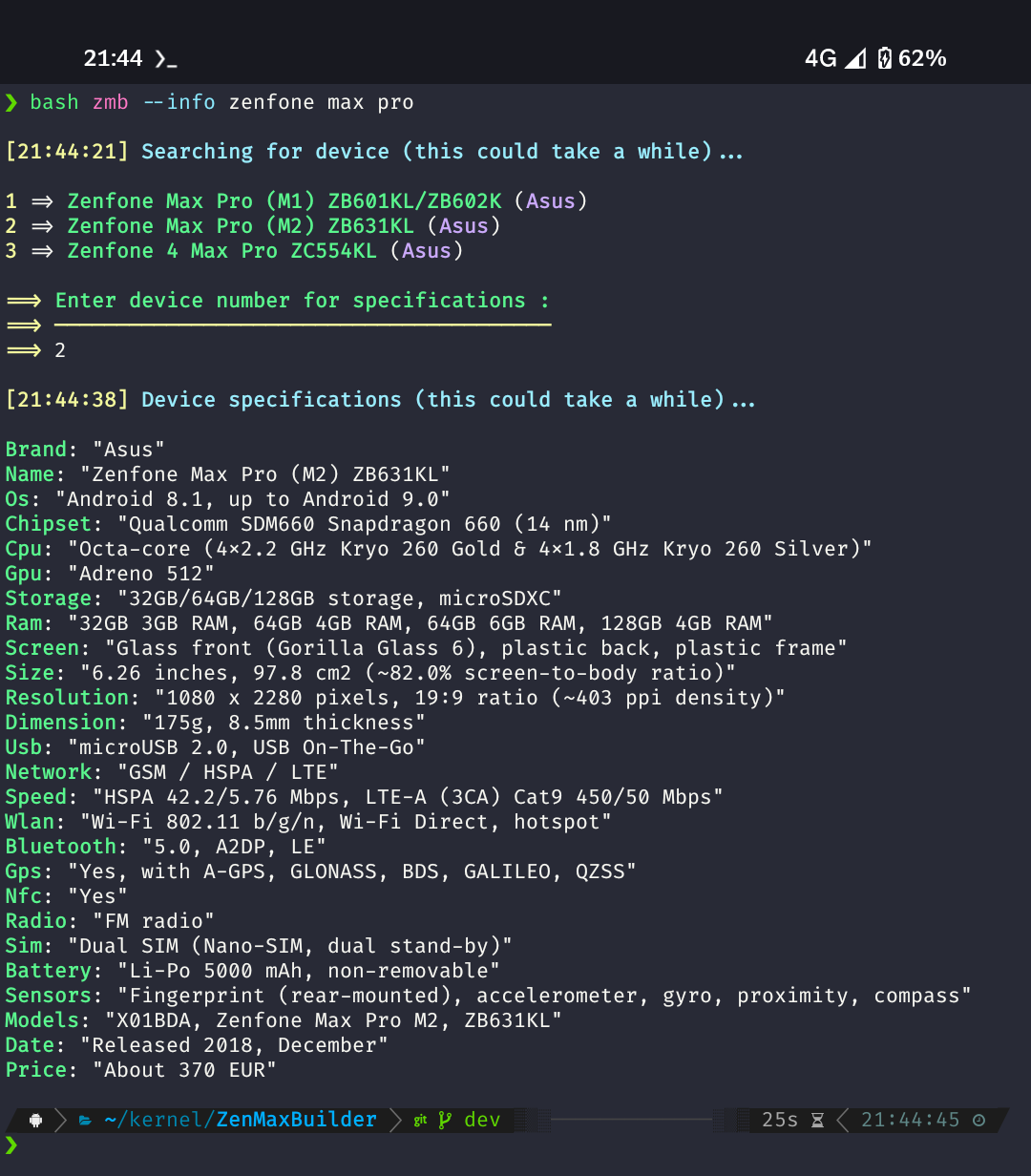
Usage: zmb [OPTION] [ARGUMENT] (e.g. zmb --info zenfone pro)

Options
    -h, --help                      show this message and exit
    -s, --start                     start new kernel compilation
    -u, --update                    update script and toolchains
    -v, --version                   show toolchains versions
    -l, --list                      show list of your kernels
    -t, --tag          [v4.19]      show the latest Linux tag
    -i, --info        [device]      mobile device specifications
    -m, --msg        [message]      send message on Telegram
    -f, --file          [file]      send file on Telegram
    -z, --zip          [image]      create new kernel zip
    -p, --patch                     apply a patch to a kernel
    -r, --revert                    revert a patch to a kernel
    -d, --debug                     start compilation in debug mode
Working Structure
ZenMaxBuilder/
|
|---- builds/               # Flashable kernel zips
|     |---- DEVICE1/
|     |---- DEVICE2/
|
|---- logs/                 # Compilation build logs
|     |---- DEVICE1/
|     |---- DEVICE2/
|
|---- out/                  # Kernel working directories
|     |---- DEVICE1/
|     |---- DEVICE2/
Toolchains
ZMB uses prebuilt toolchains by default (built on x86-64 interpreter: lib64/ld-linux-x86-64.so.2).
In case you need others or have already compiled/downloaded some, just move them to the toolchains folder and name them aosp-clang for example (see settings.cfg).
- AOSP-Clang
Android Clang/LLVM Prebuilts by Google - Binutils
Android GCC/LLVM Prebuilts by Google - Eva-GCC
Bleeding Edge GCC Prebuilts by mvaisakh - Neutron-Clang
Bleeding Edge LLVM Prebuilts by dakkshesh07 - Proton-Clang
Android Clang/LLVM Prebuilts by kdrag0n - Lineage-GCC
Android GCC Prebuilts by LineageOS - Proton-GCC
Proton-Clang vs Eva-GCC - Neutron-GCC
Neutron-Clang vs Eva-GCC - Host-Clang
system host Clang/LLVM
Screenshots
<details> <summary>Clic to expand</summary>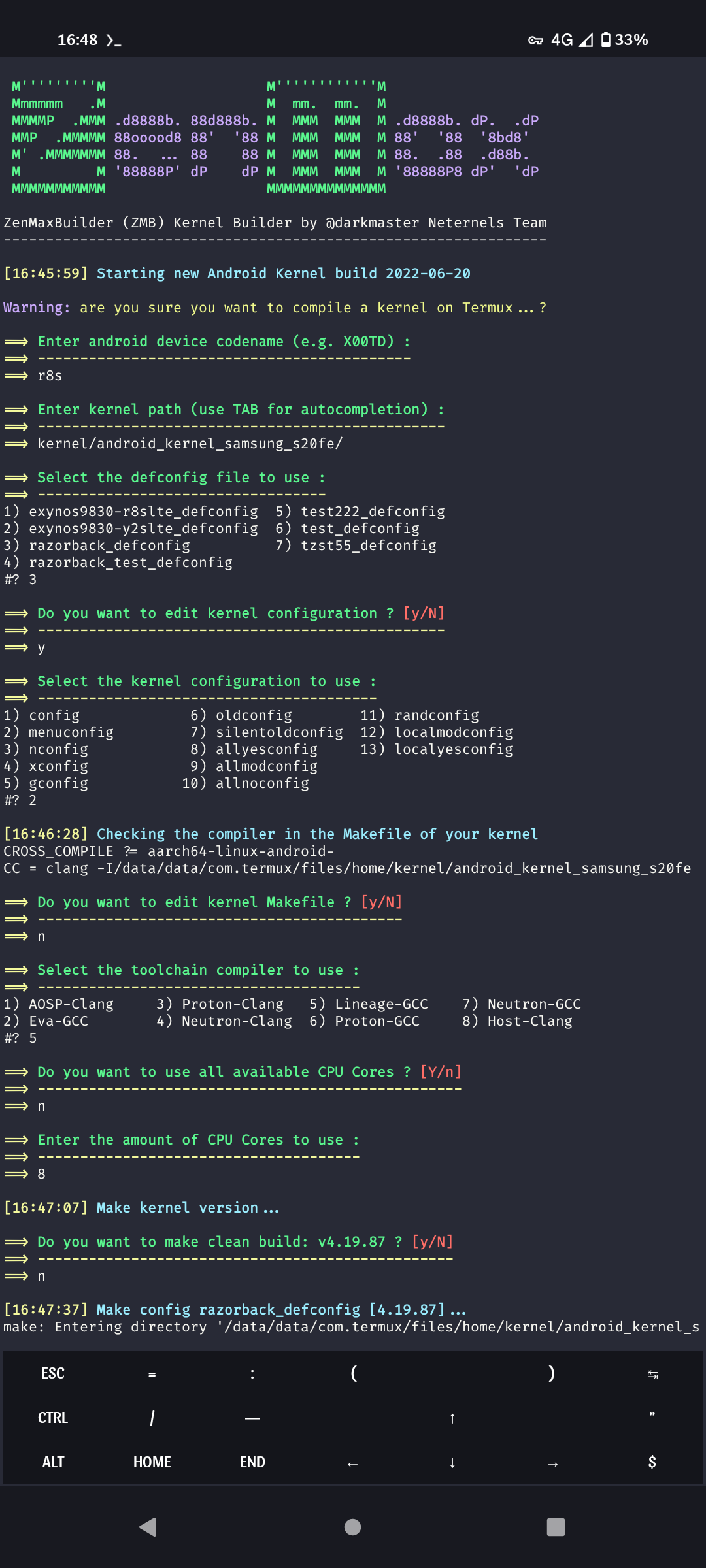
More information
ZMB is a tool to facilitate the compilation of the Linux kernel, it does not modify the source,
