
CustomKeyboardTextField
Provides easy way to make type safety TextField with custom keyboards
Install / Use
/learn @giginet/CustomKeyboardTextFieldREADME
CustomKeyboardTextField







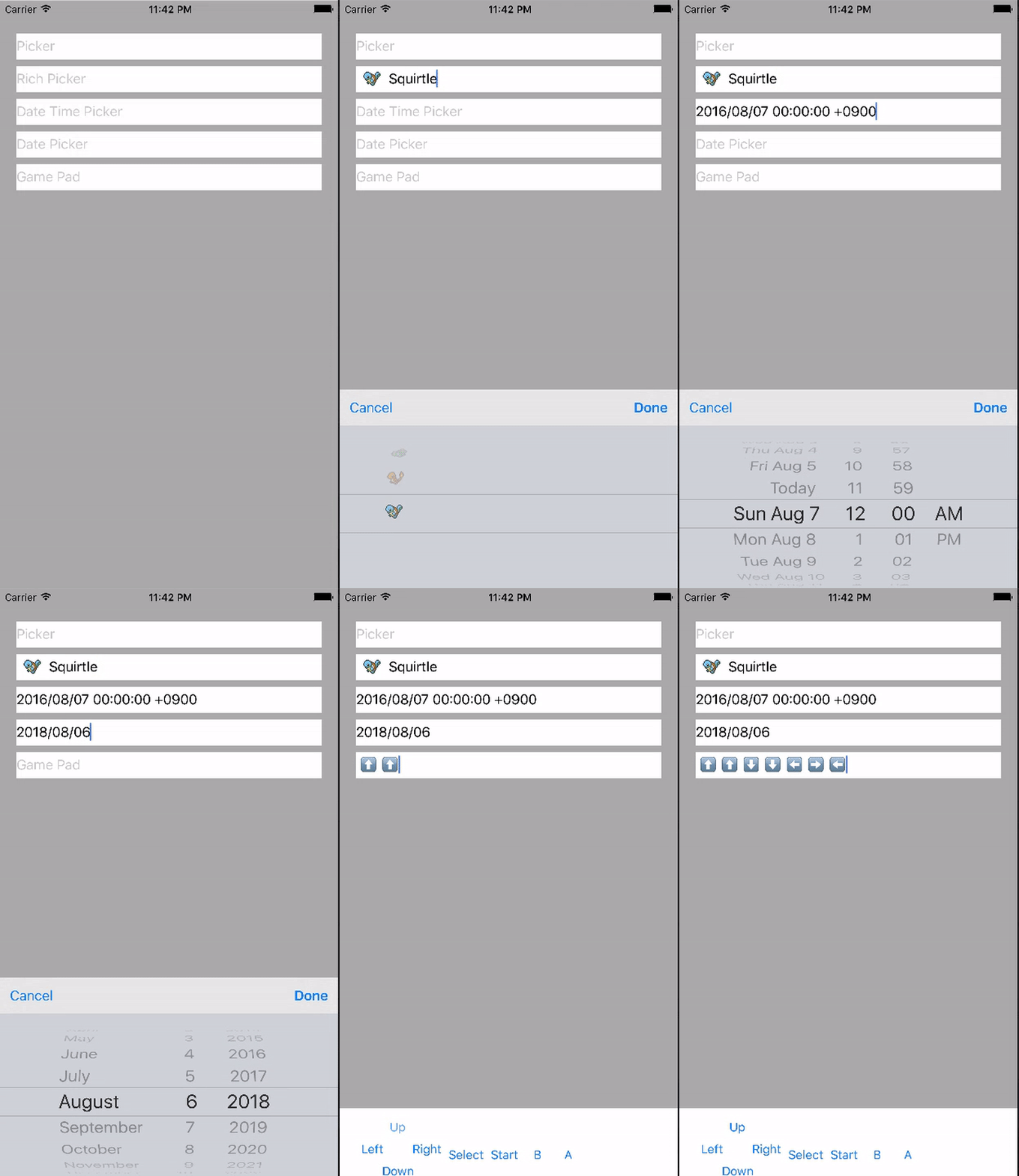
CustomKeyboardTextField provides easy way to make TextField with custom keyboards.
This library is under development so interfaces might change.
Demo
Demo application is available on Appetize.io.
Usage
Simple Picker
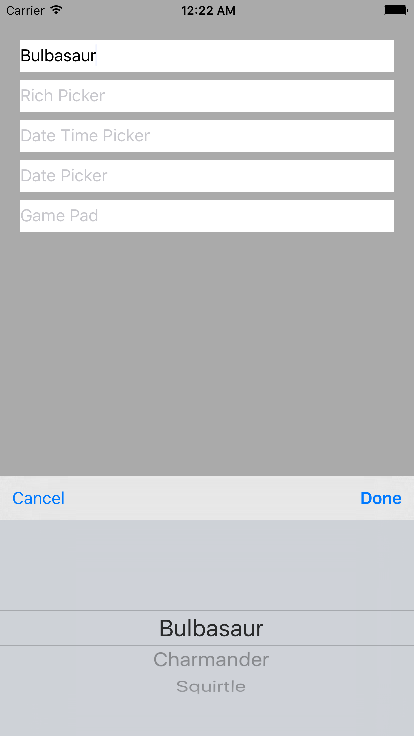
import CustomKeyboardTextField

struct SimplePickerKeyboardDataSource: UIPickerViewKeyboardDataSource {
    let elements = ["Bulbasaur", "Charmander", "Squirtle"]
}

typealias SimplePickerTextField = PickerKeyboardTextField<SimplePickerKeyboardDataSource>

let pickerTextField = SimplePickerTextField()
addSubView(pickerTextField)
If you'd like to change input text, override inputText(for row: Int).
You can also implement rich picker views. See sample implementation for detail.
Date Picker
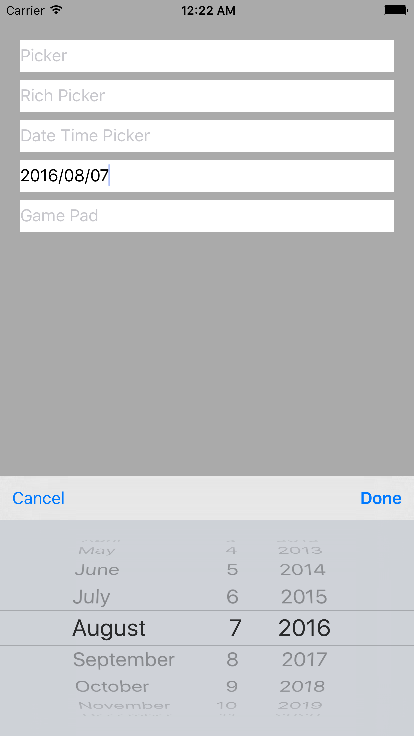
import CustomKeyboardTextField

struct  DatePickerKeyboardDataSource: UIDatePickerKeyboardDataSource {
    let datePickerMode: UIDatePickerMode = .Date
    let timeFormat: String = "yyyy/MM/dd"
}
typealias DatePickerTextField = UIDatePickerKeyboardTextField<DatePickerKeyboardDataSource>
You can configure some parameters in UIDatePickerKeyboardDataSource.
Custom Keyboard
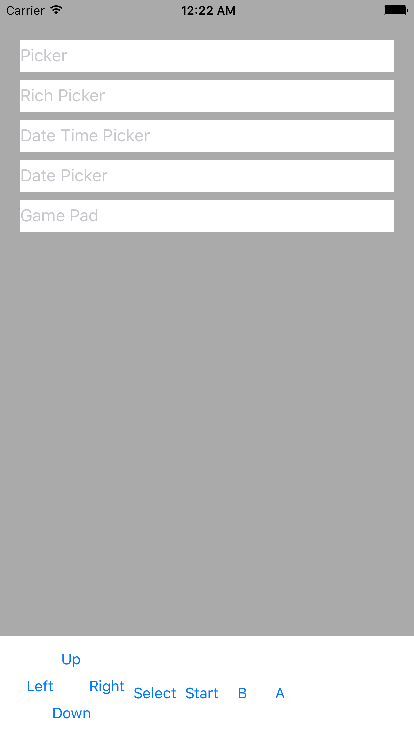
You can implement own custom keyboard easily.
1. Implement the custom keyboard view
// Your custom view
class MyCustomKeyboardView: UIView, CustomKeyboardView {
    weak var textField: UITextField?

    // current input text
    var inputText: String = "input text"

    // do something when keyboards are restored to default (optional)
    func reset() {
    }
}
You can put some controls on your keyboard (button, switch, text fields etc...).
When these are interacted, you execute updateTextField() then inputText is reflected in the text field.
2. Define CustomKeyboardProvider
struct MyKeyboardProvider: CustomKeyboardProvider {
    weak var textField: UITextField!

    init(with textField: UITextField) {
        self.textField = textField
    }

    func inputView(with textField: UITextField) -> CustomKeyboardView? {
        // Return keyboard view
        let myKeyboardView = MyCustomKeyboardView()
        myKeyboardView.textField = textField
        return myKeyboardView
    }

    func inputAccessoryView(with textField: UITextField) -> CustomKeyboardAccessoryView? {
        // Return CustomKeyboardAccessoryView or nil
        // ToolbarKeyboardAccessoryView is built-in
        // Of cource, you can implement your own toolbars
        // CustomKeyboardAccessoryView has same interface with CustomKeyboardView
        let accessoryView = ToolbarKeyboardAccessoryView(with: textField)
        return accessoryView
    }
}
3. Define CustomKeyboardTextField
typealias MyKeyboardTextField = CustomKeyboardTextField<MyKeyboardProvider>
See sample implementation for detail.
Installation
Carthage
github "giginet/CustomKeyboardTextField"
CocoaPods
use_frameworks!

pod "CustomKeyboardTextField"
Requirements
- iOS 8 or above
- Swift 3.0
Author
giginet <giginet.net@gmail.com>
LICENSE
MIT License
Related Skills
node-connect
343.1kDiagnose OpenClaw node connection and pairing failures for Android, iOS, and macOS companion apps
frontend-design
90.0kCreate distinctive, production-grade frontend interfaces with high design quality. Use this skill when the user asks to build web components, pages, or applications. Generates creative, polished code that avoids generic AI aesthetics.
openai-whisper-api
343.1kTranscribe audio via OpenAI Audio Transcriptions API (Whisper).
qqbot-media
343.1kQQBot 富媒体收发能力。使用 <qqmedia> 标签,系统根据文件扩展名自动识别类型(图片/语音/视频/文件)。
