
FovVideoVDP
FovVideoVDP: A visible difference predictor for wide field-of-view video
Install / Use
/learn @gfxdisp/FovVideoVDPREADME
FovVideoVDP: A visible difference predictor for wide field-of-view video

<img src="https://www.cl.cam.ac.uk/research/rainbow/projects/fovvideovdp/teaser.png"></img>
FovVideoVDP is a full-reference visual quality metric that predicts the perceptual difference between pairs of images and videos. Similar to popular metrics like PSNR and SSIM, it is aimed at comparing a ground truth reference video against a distorted (e.g. compressed, lower framerate) version.
However, unlike traditional quality metrics, FovVideoVDP works for videos in addition to images, accounts for peripheral acuity, works with SDR and HDR content. We model the response of the human visual system to changes over time as well as across the visual field, so we can predict temporal artifacts like flicker and judder, as well as spatiotemporal artifacts as perceived at different degrees of peripheral vision. Such a metric is important for head-mounted displays as it accounts for both the dynamic content, as well as the large field of view.
FovVideoVDP has both a PyTorch and MATLAB implementations. The usage is described below.
The details of the metric can be found in:
Mantiuk, Rafał K., Gyorgy Denes, Alexandre Chapiro, Anton Kaplanyan, Gizem Rufo, Romain Bachy, Trisha Lian, and Anjul Patney. “FovVideoVDP : A Visible Difference Predictor for Wide Field-of-View Video.” ACM Transaction on Graphics 40, no. 4 (2021): 49. https://doi.org/10.1145/3450626.3459831.
The paper, videos and additional results can be found at the project web page: https://www.cl.cam.ac.uk/research/rainbow/projects/fovvideovdp/
If you use the metric in your research, please cite the paper above.
PyTorch quickstart
Start by installing the right version of PyTorch (with CUDA if supported) by following these instructions. Then, install pyfvvdp with PyPI pip install pyfvvdp or Anaconda conda install -c gfxdisp -c conda-forge pyfvvdp. You can run fvvdp directly from the command line:
fvvdp --test test_file --ref ref_file --display standard_fhd
The test and reference files can be images or videos. The option --display specifies a display on which the content is viewed. See fvvdp_data/display_models.json for the available displays.
Note that the default installation skips the PyEXR package and uses ImageIO instead. It is recommended to separately install this package since ImageIO's handling of OpenEXR files is unreliable as evidenced here. PyEXR is not automatically installed because it depends on the OpenEXR library, whose installation is operating system specific.
See Command line interface for further details. FovVideoVDP can be also run directly from Python - see Low-level Python interface.
Table of contents
Display specification
Unlike most image quality metrics, FovVideoVDP needs physical specification of the display (e.g. its size, resolution, peak brightness) and viewing conditions (viewing distance, ambient light) to compute accurate predictions. The specifications of the displays are stored in fvvdp_data/display_models.json. You can add the exact specification of your display to this file, or create a new JSON file and pass the directory it is located in as --config-dir parameter (fvvdp command). If the display specification is unknown to you, you are encouraged to use one of the standard display specifications listed on the top of that file, for example standard_4k, or standard_fhd. If you use one of the standard displays, there is a better chance that your results will be comparable with other studies.
You specify the display by passing --display argument to the PyTorch code, or display_name parameter to the MATLAB code.
Note the the specification in display_models.json is for the display and not the image. If you select to use standard_4k with the resolution of 3840x2160 for your display and pass a 1920x1080 image, the metric will assume that the image occupies one quarter of that display (the central portion). If you want to enlarge the image to the full resolution of the display, pass --full-screen-resize {fast_bilinear,bilinear,bicubic,lanczos} option (now works with video only).
The command line version of FovVideoVDP can take as input HDR video streams encoded using the PQ transfer function (from version 1.1.4). To correctly model HDR content, it is necessary to pass a display model with EOTF="PQ", for example standard_hdr.
Custom specification
The display photometry and geometry is typically specified by passing display_name parameter to the metric. Alternatively, if you need more flexibility in specifying display geometry (size, fov, viewing distance) and its colorimetry, you can instead pass objects of the classes fvvdp_display_geometry, fvvdp_display_photo_gog for most SDR displays, and fvvdp_display_photo_absolute for HDR displays. You can also create your own subclasses of those classes for custom display specification.
HDR content
(Python command line only) You can use the metric to compare:
-
HDR video files encoded using PQ EOTF function (SMPTE ST 2084). Pass the video files as
--testand--refarguments and specify--display standard_hdr_pq. -
OpenEXR images. The images MUST contain absolute linear colour values (colour graded values, emitted from the display). That is, if the disply peak luminance is 1000, RGB=(1000,1000,1000) corresponds to the maximum value emitted from the display. If you pass images with the maximum value of 1, the metric will assume that the images are very dark (the peak of 1 nit) and result in incorerect predictrions. You need to specify
--display standard_hdr_linearto use correct EOTF.
Reporting metric results
When reporting the results of the metric, please include the string returned by the metric, such as:
"FovVideoVDP v1.2.0, 75.4 [pix/deg], Lpeak=200, Lblack=0.5979 [cd/m^2], non-foveated, (standard_4k)"
This is to ensure that you provide enough details to reproduce your results.
Predicted quality scores
FovVideoVDP reports image/video quality in the JOD (Just-Objectionable-Difference) units. The highest quality (no difference) is reported as 10 and lower values are reported for distorted content. In case of very strong distortion, or when comparing two unrelated images, the quality value can drop below 0.
The main advantage of JODs is that they (a) should be linearly related to the perceived magnitude of the distortion and (b) the difference of JODs can be interpreted as the preference prediction across the population. For example, if method A produces a video with the quality score of 8 JOD and method B gives the quality score of 9 JOD, it means that 75% of the population will choose method B over A. The plots below show the mapping from the difference between two conditions in JOD units to the probability of selecting the condition with the higher JOD score (black numbers on the left) and the percentage increase in preference (blue numbers on the right). For more explanation, please refer to Section 3.9 and Fig. 9 in the main paper.
The differences in JOD scores can be converted to the percentage increase in preference (or the probability selecting A over B) using the MATLAB function fvvdp_preference.
PyTorch
Command line interface
The main script to run the model on a set of images or videos is run_fvvdp.py, from which the binary fvvdp is created . Run fvvdp --help for detailed usage information.
For the first example, a video was downsampled (4x4) and upsampled (4x4) by different combinations of Bicubic and Nearest filters. To predict quality, you can run:
fvvdp --test example_media/aliasing/ferris-*-*.mp4 --ref example_media/aliasing/ferris-ref.mp4 --gpu 0 --display standard_fhd --heatmap supra-threshold
|Original | 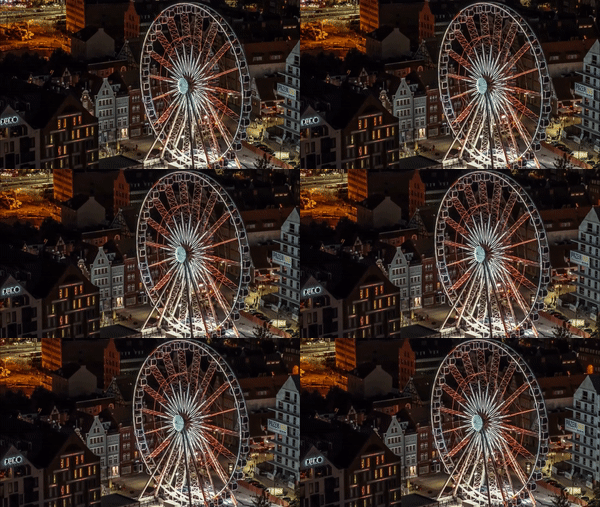 | Quality | Difference map |
| :---: | :---: | :---: | :---: |
| Bicubic ↓<br />Bicubic ↑<br />(4x4) |
| Quality | Difference map |
| :---: | :---: | :---: | :---: |
| Bicubic ↓<br />Bicubic ↑<br />(4x4) | 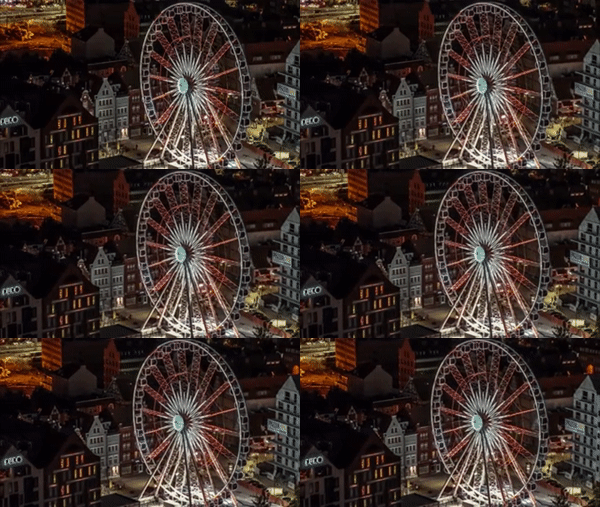 | 6.469 |  model or a full model breakdown. Trigger when asked for model-level usage/cost data from codexbar, or when you need a scriptable per-model summary from codexbar cost JSON.
Design
Campus Second-Hand Trading Platform \- General Design Document (v5.0 \- React Architecture \- Complete Final Version)1\. System Overall Design 1.1. Project Overview This project aims t
