
Geotiff.js
geotiff.js is a small library to parse TIFF files for visualization or analysis. It is written in pure JavaScript, and is usable in both the browser and node.js applications.
Install / Use
/learn @geotiffjs/Geotiff.jsREADME
geotiff.js



Read (geospatial) metadata and raw array data from a wide variety of different (Geo)TIFF files types.
Features
Currently available functionality:
- Parsing TIFFs from various sources:
- remote (via
fetchor XHR) - from a local
ArrayBuffer - from the filesystem (on Browsers using the
FileReaderand on node using the filesystem functions)
- remote (via
- Parsing the headers of all possible TIFF files
- Rudimentary extraction of geospatial metadata
- Reading raster data from:
- stripped images
- tiled images
- band interleaved images
- pixel interleaved images
- Supported data-types:
- (U)Int8/16/32
- UInt1-31 (with some drawbacks)
- Float16/32/64
- Enabled compressions:
- no compression
- Packbits
- LZW
- Deflate (with floating point or horizontal predictor support)
- JPEG
- LERC (with additional Deflate compression support)
- Zstandard
- image formats supported via the browser (such as WebP)
- Automatic selection of overview level to read from
- Subsetting via an image window or bounding box and selected bands
- Reading of samples into separate arrays or a single pixel-interleaved array
- Configurable tile/strip cache
- Configurable Pool of workers to increase decoding efficiency
- Utility functions for geospatial parameters (Bounding Box, Origin, Resolution)
- Limited bigTIFF support
- Automated testing via PhantomJS
Further documentation can be found here.
Example Usage
Geotiff gives you access to all GeoTIFF metadata, but does not offer any one specific higher level API (such as GDAL) for things like transforms or data extraction. However, you can write your own higher level API using this library, given your specific dataset needs.
As an example, here is how you would resolve GPS coordinates to elevation in a GeoTIFF that encodes WGS-84 compliant geo data:
import { fromUrl, fromArrayBuffer, fromBlob  } from "geotiff";

const lerp = (a, b, t) => (1 - t) * a + t * b;

function transform(a, b, M, roundToInt = false) {
  const round = (v) => (roundToInt ? v | 0 : v);
  return [
    round(M[0] + M[1] * a + M[2] * b),
    round(M[3] + M[4] * a + M[5] * b),
  ];
}

// Load our data tile from url, arraybuffer, or blob, so we can work with it:
const tiff = await fromArrayBuffer(...);
const image = await tiff.getImage(); // by default, the first image is read.

// Construct the WGS-84 forward and inverse affine matrices:
const s = image.fileDirectory.getValue('ModelPixelScale');
const t = image.fileDirectory.getValue('ModelTiepoint');
let [sx, sy, sz] = s;
let [px, py, k, gx, gy, gz] = t;
sy = -sy; // WGS-84 tiles have a "flipped" y component

const pixelToGPS = [gx, sx, 0, gy, 0, sy];
console.log(`pixel to GPS transform matrix:`, pixelToGPS);

const gpsToPixel = [-gx / sx, 1 / sx, 0, -gy / sy, 0, 1 / sy];
console.log(`GPS to pixel transform matrix:`, gpsToPixel);

// Convert a GPS coordinate to a pixel coordinate in our tile:
const [gx1, gy1, gx2, gy2] = image.getBoundingBox();
const lat = lerp(gy1, gy2, Math.random());
const long = lerp(gx1, gx2, Math.random());
console.log(`Looking up GPS coordinate (${lat.toFixed(6)},${long.toFixed(6)})`);

const [x, y] = transform(long, lat, gpsToPixel, true);
console.log(`Corresponding tile pixel coordinate: [${x}][${y}]`);

// And as each pixel in the tile covers a geographic area, not a single
// GPS coordinate, get the area that this pixel covers:
const gpsBBox = [transform(x, y, pixelToGPS), transform(x + 1, y + 1, pixelToGPS)];
console.log(`Pixel covers the following GPS area:`, gpsBBox);

// Finally, retrieve the elevation associated with this pixel's geographic area:
const rasters = await image.readRasters();
const { width, [0]: raster } = rasters;
const elevation = raster[x + y * width];
console.log(`The elevation at (${lat.toFixed(6)},${long.toFixed(6)}) is ${elevation}m`);
Advanced Example Usage
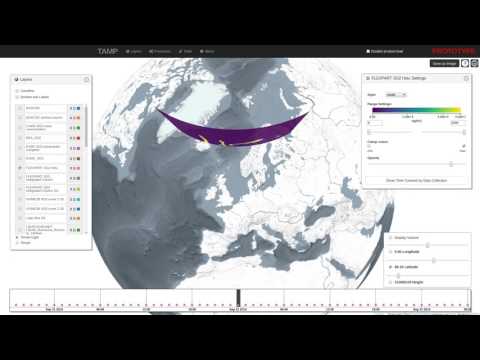
For more advanced examples of geotiff in larger codebases, please have a look at the following projects:

Migration Guide (v2 to v3)
Version 3.0 introduces significant performance improvements through deferred tag reading, but includes breaking changes to some APIs. This guide will help you migrate your code.
Summary of Changes
For most users: Minimal changes required. The high-level APIs (getImage(), readRasters(), etc.) remain compatible. You'll mainly need to:
- Add
awaittogetTiePoints()andgetGDALMetadata() - Change
image.geoKeystoimage.getGeoKeys()
For advanced users: If you directly access fileDirectory properties, you'll need to migrate to the new ImageFileDirectory methods.
Breaking Changes
1. GeoKeys Access
Before (v2):
const image = await tiff.getImage();
const geoKeys = image.geoKeys;
After (v3):
const image = await tiff.getImage();
const geoKeys = image.getGeoKeys();
2. getTiePoints() and getGDALMetadata() are now async
Before (v2):
const tiePoints = image.getTiePoints();
const metadata = image.getGDALMetadata();
After (v3):
const tiePoints = await image.getTiePoints();
const metadata = await image.getGDALMetadata();
3. Accessing fileDirectory properties
The fileDirectory object has been replaced with an ImageFileDirectory class that supports deferred loading.
Before (v2):
const image = await tiff.getImage();
const { ModelPixelScale: s, ModelTiepoint: t } = image.fileDirectory;
const width = image.fileDirectory.ImageWidth;
const compression = image.fileDirectory.Compression;
After (v3) - Use getValue() for synchronous access:
const image = await tiff.getImage();
const s = image.fileDirectory.getValue('ModelPixelScale');
const t = image.fileDirectory.getValue('ModelTiepoint');
const width = image.fileDirectory.getValue('ImageWidth');
const compression = image.fileDirectory.getValue('Compression');
Note: getValue() throws an error if the tag is deferred. For tags that might be deferred (like large arrays), use loadValue():
const colorMap = await image.fileDirectory.loadValue('ColorMap');
4. Checking if tags exist
Before (v2):
if (image.fileDirectory.ModelTiepoint) {
  // ...
}
After (v3):
if (image.fileDirectory.hasTag('ModelTiepoint')) {
  // ...
}
5. Accessing array elements
For large arrays (like TileOffsets, StripOffsets), individual elements can now be loaded on-demand:
Before (v2):
const offset = image.fileDirectory.TileOffsets[5];
After (v3):
const offset = await image.fileDirectory.loadValueIndexed('TileOffsets', 5);
6. Pool API changes
If you're using the Pool class directly (most users don't):
Before (v2):
const pool = new GeoTIFF.Pool();
const decoded = await pool.decode(fileDirectory, buffer);
After (v3):
const pool = new GeoTIFF.Pool();
const compression = fileDirectory.getValue('Compression');
const params = await getDecoderParameters(compression, fileDirectory);
const boundPool = pool.bindParameters(compression, params);
const decoded = await boundPool.decode(buffer);
Note: When using readRasters({ pool }), this is handled automatically.
7. Custom Decoders
If you've implemented custom decoders:
Before (v2):
class MyDecoder extends BaseDecoder {
  async decode(fileDirectory, buffer) {
    // decode using fileDirectory properties
  }
}
After (v3):
class MyDecoder extends BaseDecoder {
  constructor(parameters) {
    super(parameters);
    // parameters extracted once during construction
  }

  async decode(buffer) {
    // decode using this.parameters
  }
}

// Register with parameter extraction function
addDecoder(
  12345, // compression ID
  () => import('./mydecoder.js').then(m => m.default),
  async (fileDirectory) => {
    return {
      ...await defaultDecoderParameterFn(fileDirectory),
      myCustomParam: await fileDirectory.loadValue('MyCustomTag')
    };
  }
);
Migration Examples
Example 1: Reading with ModelTiepoint/ModelPixelScale
Before (v2):
const tiff = await fromUrl(url);
const image = await tiff.getImage();
const { ModelPixelScale: s, ModelTiepoint: t } = image.fileDirectory;
const [sx, sy, sz] = s;
const [px, py, k, gx, gy, gz] = t;
After (v3):
const tiff = await fromUrl(url);
const image = await tiff.getImage();
const s = image.fileDirectory.getValue('ModelPixelScale');
const t = image.fileDirectory.getValue('ModelTiepoint');
const [sx, sy, sz] = s;
const [px, py, k, gx, gy, gz] = t;
Example 2: Working with ColorMap (potentially deferred)
Before (v2):
const image = await tiff.getImage();
const colorMap = image.fileDirectory.ColorMap;
After (v3):
const image = await tiff.getImage();
const colorMap = await image.fileDirectory.loadValue('Co
