
BACCAble
Special CAN tool for Giulia And Stelvio cars. Functions: sniffer, WS281x leds Controller, start&stop disabler, immobilizer, ESC+TC selector, shift lights, parameters on dashboard and much more...
Install / Use
/learn @gaucho1978/BACCAbleREADME
BACCAble
Direct contact: https://t.me/gaucholivido
Telegram group for BACCABLE: https://t.me/baccable
Please donate, with Paypal or Crypto (Bitcoin)


CREDITS
"None of us got where we are solely by pulling ourselves up by our bootstraps. We got here because somebody — a parent, a teacher, an Ivy League crony or a few nuns — bent down and helped us pick up our boots" Cit. Thurgood Marshall.
Thanks Sniz https://alfatuning.app/
Thanks Alexey, Alfaobd developer https://www.alfaobd.com/
Thanks normaldotcom https://github.com/normaldotcom/canable-fw
Thanks Danardi https://github.com/danardi78/Alfaromeo-Giulia-Stelvio-PIDs/
Thanks Alessandro https://github.com/anegrin
Thanks Ambrotek, Arfa, Tim, Gev, and all the Baccable Community
DISCLAIMER
BACCABLE is a project developed exclusively for educational and research purposes. The use of this tool on vehicles operating on public roads or in any context that may cause harm to people, property, or violate applicable regulations is strictly prohibited.
The author of this project assumes no responsibility for any damages, malfunctions, or consequences resulting from the use of BACCABLE. The end user bears full civil, criminal, and legal responsibility for its use.
It is strongly recommended not to use this project in real-world vehicle applications.
DISCLAIMER (ITALIAN VERSION)
BACCABLE è un progetto sviluppato esclusivamente a scopo didattico e di studio. È severamente vietato utilizzare questo strumento su veicoli in circolazione su strade pubbliche o in qualsiasi contesto che possa causare danni a persone, cose o violare normative vigenti.
L'autore del progetto non si assume alcuna responsabilità per eventuali danni, malfunzionamenti o conseguenze derivanti dall'uso di BACCABLE. L'utilizzo di questo strumento è interamente a rischio dell'utente finale, che si assume ogni responsabilità civile, penale e legale.
Si raccomanda di non impiegare questo progetto in applicazioni reali su veicoli.
Scope
This project is able to use the famous CANABLE (the cheapest can bus device on the market). Now it is also available a dedicated PCB board for the baccable, including, in a single board, 3 canable, more efficient power consumption and additional I/O for future espansion (You can find more details in the dedicated subparagraph). Current available functions are:
- sniff on the can bus (useful for debug and exploit purposes)
- decode and store some parameters sniffed on the bus (like motor rpm, accelerator pedal position and gear selection)
- control a WS281x leds strip by means of the decoded can bus data, then lighting the leds strip according to accelerator pedal position and gear selection.
- automatically disable start&stop car functionality
- act as Immobilizer, by injecting can bus messages when required. It requires proxy alignment if you want Panic alarm too.
- show SHIFT warning indicator on dashboard when configurable motor rpm speed is overcomed. It works only if vehicle race mode is enabled.
- add a menu to dashboard in order to show additional parameters like dpf occlusion percentage, oil pressure and performance statistics
- route native messages encapsulating them in uds parameter response, in order to make them available to diagnostic requests performed with OBD (you can get parameters commonly not available in OBD apps).
- enable and disable ESC and TC with left stalk button press (now it also shows race screen, avoiding the need of RDNA selector). It requires proxy alignment.
- Dyno mode disables ESC,TC,ABS. All main controls are disabled and it works on stock giulia too.
- ACC_VIRTUAL_PAD allows to enable Adaptive Cruise Control without the need to thange the wheel buttons pad: baccable will detect Cruise Control buttons press and it will send Adaptive Cruise Control messages to ECU. It requires proxy alignment and some car prerequisites.
- LOW consumption, used to reduce current consumption if using the new Baccable pcb board.
- enable front brake from dashboard menu, in order to perform burnout start and launch assist based on torque force
- disable 4wd, for giulias and stelvios with 4wd.
- Disable seatbelt alarm
- Disable odometer blink
- Show Race Mask, shows race masks when using ESC/TC function - SOME BUG REMAINING: if screen flickers, disable this function on your Baccable
- Park Mirror, when Rear Drive and direction indicator are inserted, moves rear view mirror to mirrors position recorded when function was enabled. It Works only on vehicles with encoders inside mirrors. Just try it to check compatibility with your car.
- ACC Autostart, when veichle with ACC engaged stops behind the car in front of us, maintain active ACC (When ACC Autorestart function is disabled, ACC disengages after 5 seconds). There are 2 options: R (res button press is simulated to autorestart the veichle) and + (ACC speed up button press is simulated to autorestart the veichle).
- Close windows, allows to close windows when you close the vehicle (different modes are expected to obtain, depending on single double or triple closure of the veichle, the closure of windows or to le them stay little bit opened.
- Open windows, allows to open windows when you open the vehicle (different modes are expected to obtain, depending on single or double closure of the veichle, windows opening.
- HAS Virtual Pad, allows to simulate the button HAS (Highway Assist System) without purchasing the proper wheel keypad. It requires proxy alignment and some car prerequisites.
- QV Exhaust Valve, allows to force QV Exhaust Valve open, when you double tap on the Release button located on the gear shift lever.
Youtube overview video (1):

Youtube overview video (2):

General Description
I started the development from the famous SLCAN firmware (https://github.com/normaldotcom/canable-fw), by porting it inside stm32Cube environment (I updated usb interface), then I added all the functions described in the manuals.
I developed a custom Board for Baccable, including 3 canable in a small factor form. You can find more details in the dedicated subparagraph.
manuals
These are Available manuals:
| <a href="manuals/Baccable_manual_EN.pdf"><img src="https://cdn-icons-png.flaticon.com/512/337/337946.png" width="200" alt="Manual EN"></a> | <a href="manuals/Baccable_manual_IT.pdf"><img src="https://cdn-icons-png.flaticon.com/512/337/337946.png" width="200" alt="Manual IT"></a> | | :---: | :---: | | English Manual | Italian Manual |
Folders content
- Subfolder firmware contains the firmware
- Subfolder hardware/canable contains canable board layout and pcb wiring diagram. It comes from https://github.com/makerbase-mks/CANable-MKS. There are different designs of canable, but theay are all similar.
- Subfolder hardware/box contains the 3d model of the cases to accomodate required components.
- Subfolder hardware/system interconnection contains interconnection diagram to connect required components
- Subfolder tools contains the famous savvyCan sniffer tool for windows (portable) and excel sheet used to calculate pwm and clocks settings.
- Subfolder hardware/newBaccableDedicatedPcb contains the new pcb for Baccable
- Subfolder Manuals contains the manuals
Immobilizer functionality Notes
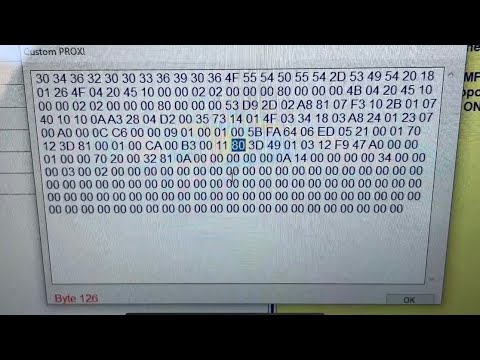
Note1: Panic alarm will start only if you previusly enabled panic alarm in your ECU, with the MES proxy alignment procedure shown in this video:
Note1: The Immobilizer functionality will not detect the thief if you power the BACCAble with a voltage available only when the panel is switched on.
Note2: Usb voltage is switched on as soon as the thief wakes up the rfhub.
DASHBOARD MENU functionality Notes
Note1: If you are not using new baccable board, you will need to connect canable boards between them as shown in the following reference image:

Low Consume functionality Notes
This function, is enabled by default. If using the new Baccable PCB Board (it includes 3 baccable), it will allow the master baccable, to reset the other 2 chips and to put can transiceivers in low consumption, by means of 2 dedicated GPIO. Low consume is activated after one minute without messages on the bus, and it will wake up as soon as messages start to flow again on the bus.
Firmware notes
Note1: The parameters array is customizable ,It resides in global_variabes.c. (search for uds_params_array array)
This is the structure of each element:
- name[15]: It is the name of the parameter. shall be short otherwise the string will be cutted and not entirely shown in dashoard
- reqId: It is the msg id to request in UDS command. It Typically starts with 18DA....
- reqLen: It is the total length of the can message to send
- reqData: It is the entire can message to send. It follows the following UDS syntax: First byte is the length of the following bytes, Second byte is the requested service (tipically 0x22, request parameter by ID), Third and fourth byte are the DID (the requested parameter).
- replyId: It is the message ID of the received reply. Tipically if the reqID is 18DAAABB the replyID shall be 18DABBAA
- replyLen: It is the number of bytes of the parameter that we want to extract from the received message
- replyOffset: It defines where is locat
