
Spyglass
No description available
Install / Use
/learn @garroter/SpyglassREADME
📸 Screenshots
Full-text search with live preview
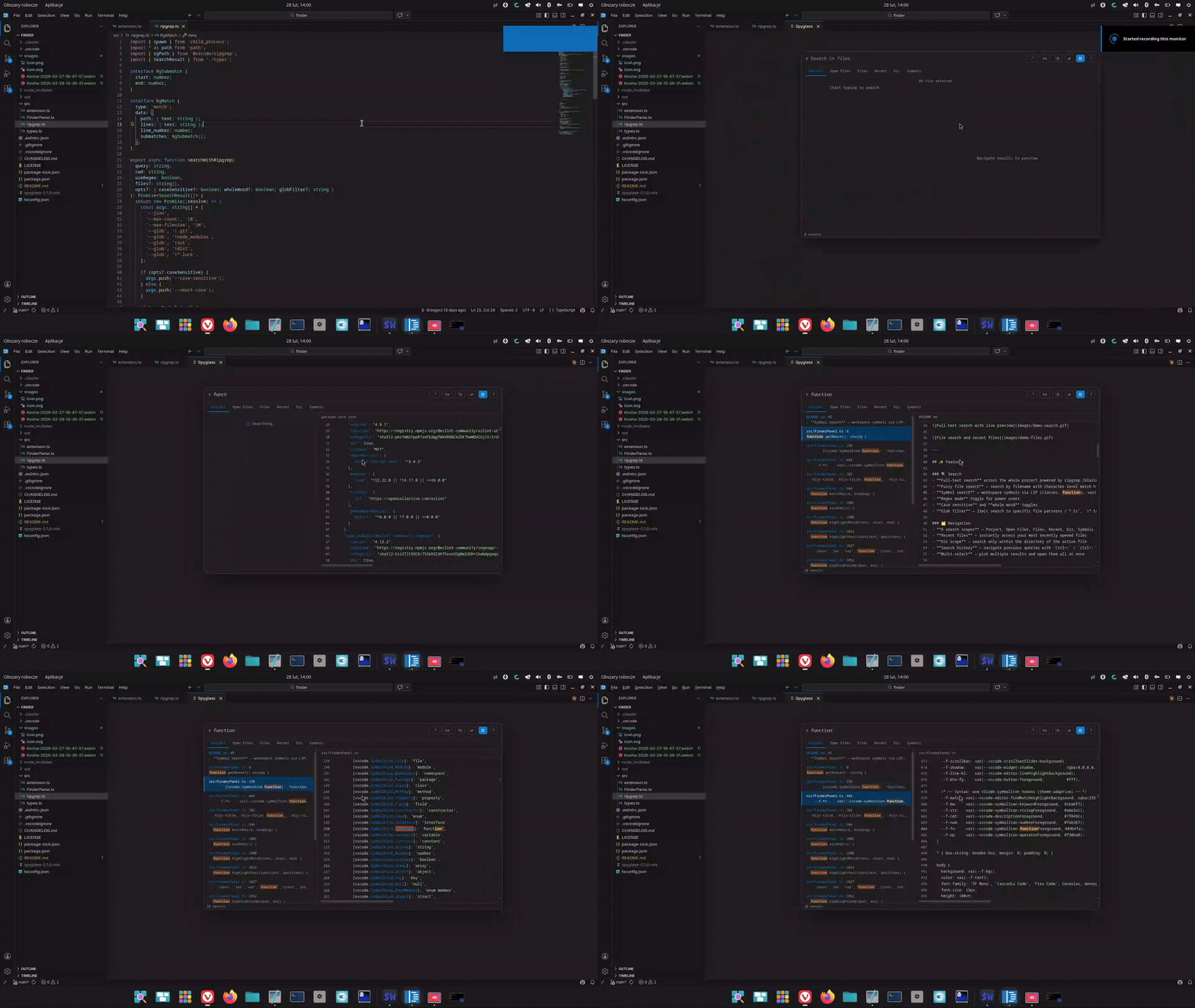
File search and recent files
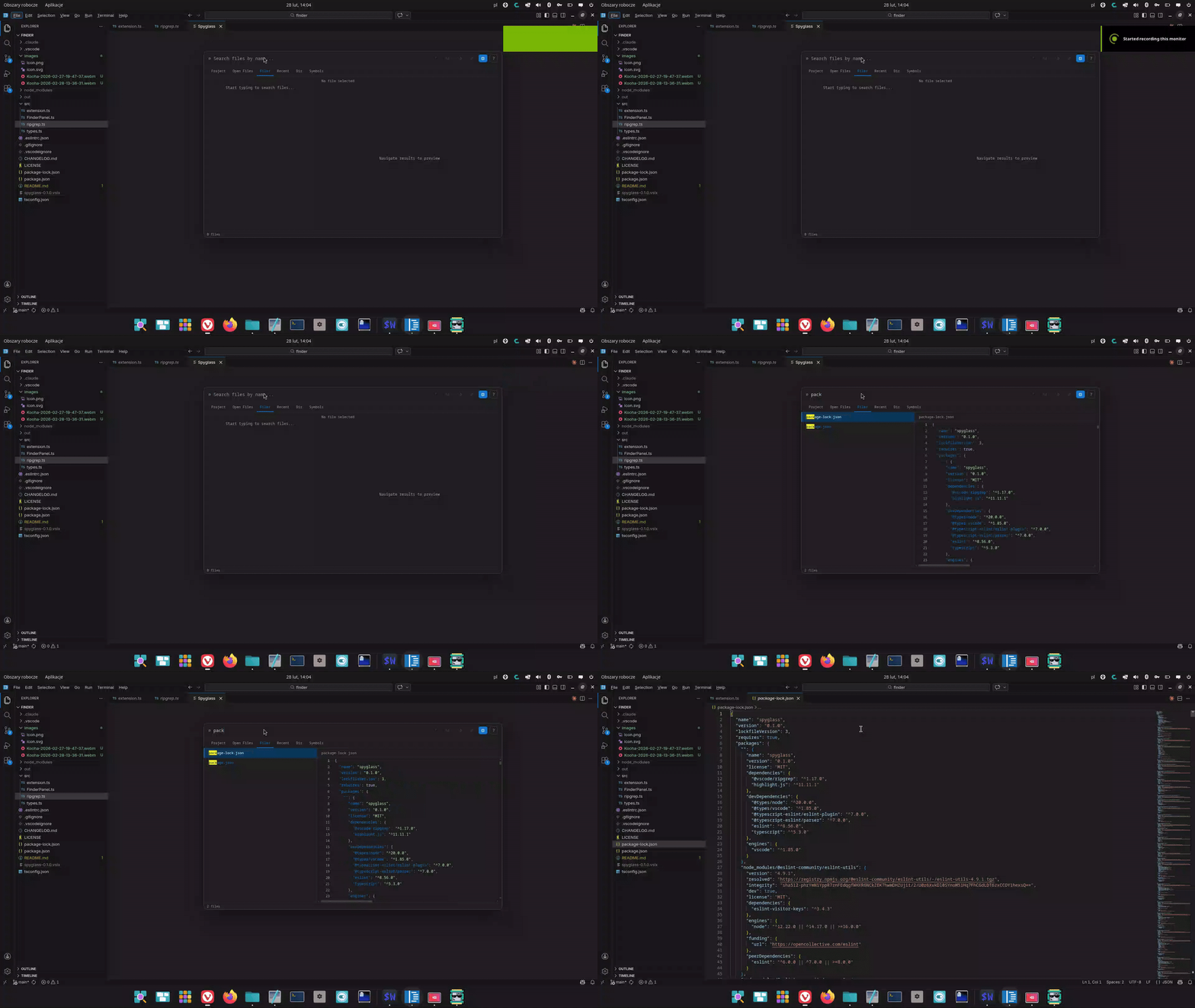
Split editor
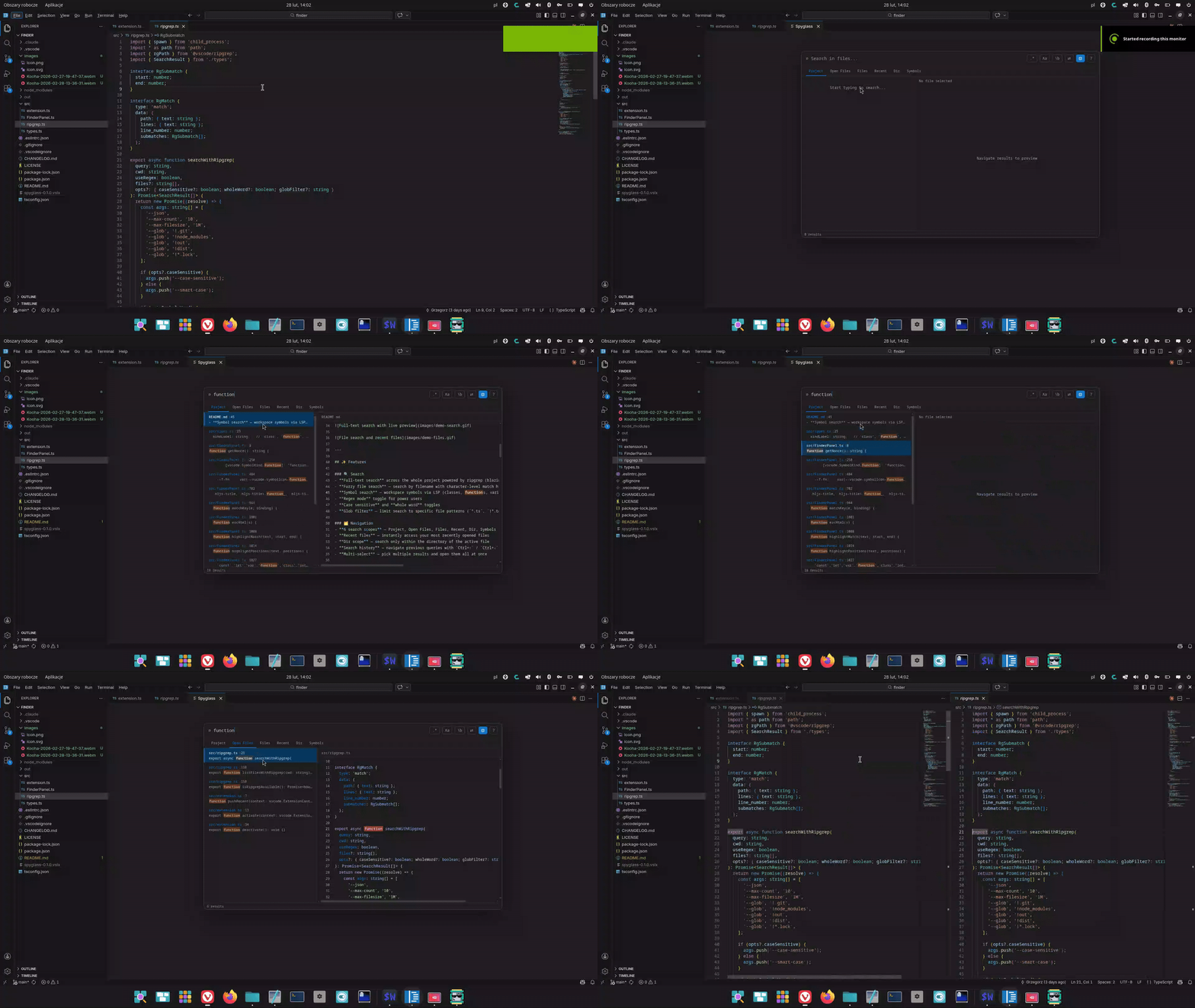
✨ Features
🔍 Search
- Full-text search across the whole project powered by ripgrep (blazing fast)
- Streaming results — matches appear instantly as ripgrep finds them, no waiting
- Fuzzy file search — search by filename with character-level match highlighting
- Symbol search — workspace symbols via LSP with color-coded kind badges (class, function, method…)
- Regex mode toggle for power users
- Case sensitive and whole word toggles
- Inline glob filter — append a glob to any query to narrow results:
myFunc *.tsortest !*.test.ts - Multi-root workspace — searches and file listings span all workspace folders simultaneously
🗂️ Navigation
- 6 search scopes — Project, Open Files, Files, Recent, Dir, Symbols
- Recent files on open — opens to recent files immediately, no empty screen
- Scope memory — last used scope is restored when you reopen
- Dir scope — search only within the directory of the active file
- Search history — navigate previous queries with
Ctrl+↑/Ctrl+↓ - Multi-select — pick multiple results and open them all at once
👁️ Preview
- Live preview — file content as you navigate, with syntax highlighting
- Git change indicators — modified lines highlighted in the gutter
- Theme adaptive — native look in any VS Code theme: dark, light, high contrast
⚡ Actions
- Find & Replace — replace across all matched files instantly (with undo)
- Copy path — copy the absolute path of the selected result
- Reveal in Explorer — click the preview header to locate the file
- Open in split — open any result beside the current editor
- Pre-fill from selection — select text, open Spyglass → query is pre-filled
- Zero dependencies — ripgrep is bundled, nothing to install
🚀 Usage
Opening Spyglass
| Action | Shortcut |
|--------|----------|
| Open Spyglass | Ctrl+Alt+F |
VSCode Vim users — bind
<Space>fas your leader shortcut. See Vim setup below.
⌨️ Keyboard shortcuts
| Action | Shortcut |
|--------|----------|
| Navigate results | ↑ / ↓ |
| Open selected file | Enter |
| Open in split editor | Ctrl+Enter |
| Switch scope | Tab |
| Close | Escape |
| Toggle regex | Shift+Alt+R |
| Toggle case sensitive | Alt+C |
| Toggle whole word | Alt+W |
| Toggle preview panel | Shift+Alt+P |
| Toggle replace mode | Alt+R |
| History — previous query | Ctrl+↑ |
| History — next query | Ctrl+↓ |
| Copy path | Alt+Y |
| Multi-select toggle | Ctrl+Space / Ctrl+Click |
| Select all results | Ctrl+A |
| Open all selected | Shift+Enter |
| Reveal in Explorer | click the preview header |
🗺️ Search Scopes
| Scope | Description | |-------|-------------| | Project | Full-text search across all files in the workspace | | Open Files | Full-text search only within currently open editor tabs | | Files | Fuzzy search by filename across the whole project | | Recent | Recently opened files, ordered by most recent | | Dir | Full-text search within the directory of the active file | | Symbols | Workspace symbol search via LSP (requires a language extension) |
Switch between scopes with Tab while Spyglass is open.
🔄 Find & Replace
- Open Spyglass and type your search query
- Press
Alt+R(or click⇄) to enable replace mode - Type the replacement text in the second field
- Optionally tune case-sensitive / whole-word / glob filter
- Click Replace all — all matches replaced instantly via VS Code's edit API (supports undo)
👁️ Preview Panel
The right-side preview shows the file around the matched line with syntax highlighting. Lines modified since the last git commit are marked with a blue indicator in the gutter.
- Toggle with
Shift+Alt+Por the⊡button - Click the preview header to Reveal in Explorer
⚙️ Settings
| Setting | Default | Description |
|---------|---------|-------------|
| spyglass.defaultScope | project | Scope on open: project openFiles files recent here symbols |
| spyglass.maxResults | 200 | Maximum number of results to display |
| spyglass.exclude | [".git","node_modules","out","dist","*.lock"] | Glob patterns excluded from search and file listing |
| spyglass.keybindings.navigateDown | ArrowDown | Navigate down in results |
| spyglass.keybindings.navigateUp | ArrowUp | Navigate up in results |
| spyglass.keybindings.open | Enter | Open selected result |
| spyglass.keybindings.close | Escape | Close Spyglass |
| spyglass.keybindings.toggleRegex | shift+alt+r | Toggle regex mode |
| spyglass.keybindings.togglePreview | shift+alt+p | Toggle preview panel |
🎹 Customizing Keybindings
Change the open shortcut
Open Keyboard Shortcuts (Ctrl+K Ctrl+S), search for Spyglass: Open Search and assign your preferred key.
Or edit keybindings.json directly (Ctrl+Shift+P → Open Keyboard Shortcuts (JSON)):
[
  {
    "key": "ctrl+alt+f",
    "command": "spyglass.open",
    "when": "!inputFocus || editorTextFocus"
  }
]
Change shortcuts inside the panel
Add to your settings.json:
{
  "spyglass.keybindings.navigateDown": "j",
  "spyglass.keybindings.navigateUp": "k",
  "spyglass.keybindings.toggleRegex": "ctrl+r",
  "spyglass.keybindings.togglePreview": "ctrl+p"
}
🟢 Vim Setup
vscodevim (VSCode Vim extension)
VSCode Vim intercepts Space before VS Code sees it, so the built-in Space f shortcut won't work. Configure it through VSCode Vim instead — add to your settings.json:
{
  "vim.normalModeKeyBindingsNonRecursive": [
    {
      "before": ["<Space>", "f"],
      "commands": ["spyglass.open"]
    }
  ]
}
vscode-neovim
The built-in Space f binding works out of the box in normal mode — no extra configuration needed.
To disable the default Ctrl+Alt+F binding for either setup:
[
  {
    "key": "ctrl+alt+f",
    "command": "-spyglass.open"
  }
]
🌐 Multi-root Workspaces
Spyglass works across all workspace folders simultaneously. Results from multiple folders are prefixed with the folder name so you always know where a match comes from:
backend/src/server.ts
frontend/src/App.tsx
All scopes — text search, file listing, replace, and git status badges — cover every folder in the workspace.
🔍 Inline Glob Filter
Append a glob pattern to any query to narrow the search without leaving the input field:
| Query | Effect |
|-------|--------|
| useState *.tsx | Search for useState only in .tsx files |
| TODO !*.test.ts | Search for TODO, excluding test files |
| error *.ts !*.d.ts | Multiple globs combined |
Patterns starting with * are treated as include globs, patterns starting with ! as excludes. Everything else is the search query.
📋 Requirements
- VS Code
^1.85.0 - No additional dependencies — ripgrep is bundled automatically
- Git (optional) — required for change indicators in the preview panel
- A language server extension (optional) — required for the Symbols scope
Privacy
Spyglass collects no data. All processing happens locally on your machine:
- No network requests are made (webview CSP is
default-src 'none') - No telemetry, analytics, or crash reporting
- Search history is stored locally in VS Code's
workspaceStateand never leaves your machine - Dependencies (
@vscode/ripgrep,highlight.js) are fully local with no network activity
🛠️ Development
git clone https://github.com/garroter/spyglass
cd spyglass
npm install

npm run compile   # compile TypeScript
npm run watch     # watch mode
npm test          # run unit tests (vitest)
Press F5 in VS Code to launch an Extension Development Host.
Project structure
src/
  extension.ts       — activation, command registration
  FinderPanel.ts     — webview panel lifecycle, message handler
  ripgrep.ts         — ripgrep search backend
  gitUtils.ts        — git status and diff parsing
  symbolSearch.ts    — LSP workspace sy
Related Skills
node-connect
339.5kDiagnose OpenClaw node connection and pairing failures for Android, iOS, and macOS companion apps
frontend-design
83.9kCreate distinctive, production-grade frontend interfaces with high design quality. Use this skill when the user asks to build web components, pages, or applications. Generates creative, polished code that avoids generic AI aesthetics.
openai-whisper-api
339.5kTranscribe audio via OpenAI Audio Transcriptions API (Whisper).
commit-push-pr
83.9kCommit, push, and open a PR
