
Datum
Hierarchical data meta structure
Install / Use
/learn @gaelcolas/DatumREADME
Datum




A datum is a piece of information.
Datum is a PowerShell module that aggregates configuration data from multiple sources in a hierarchical model, letting you define generic defaults (Roles) and specific overrides (per Node, Location, Environment) without repeating yourself. While designed primarily for DSC Configuration Data, Datum can be used anywhere hierarchical data lookup and merging is useful.
Datum works with PowerShell 5.1 and PowerShell 7+.
To see it in action, watch the PSConfEU session by Raimund Andree: the video recording and the DSC Workshop repository.
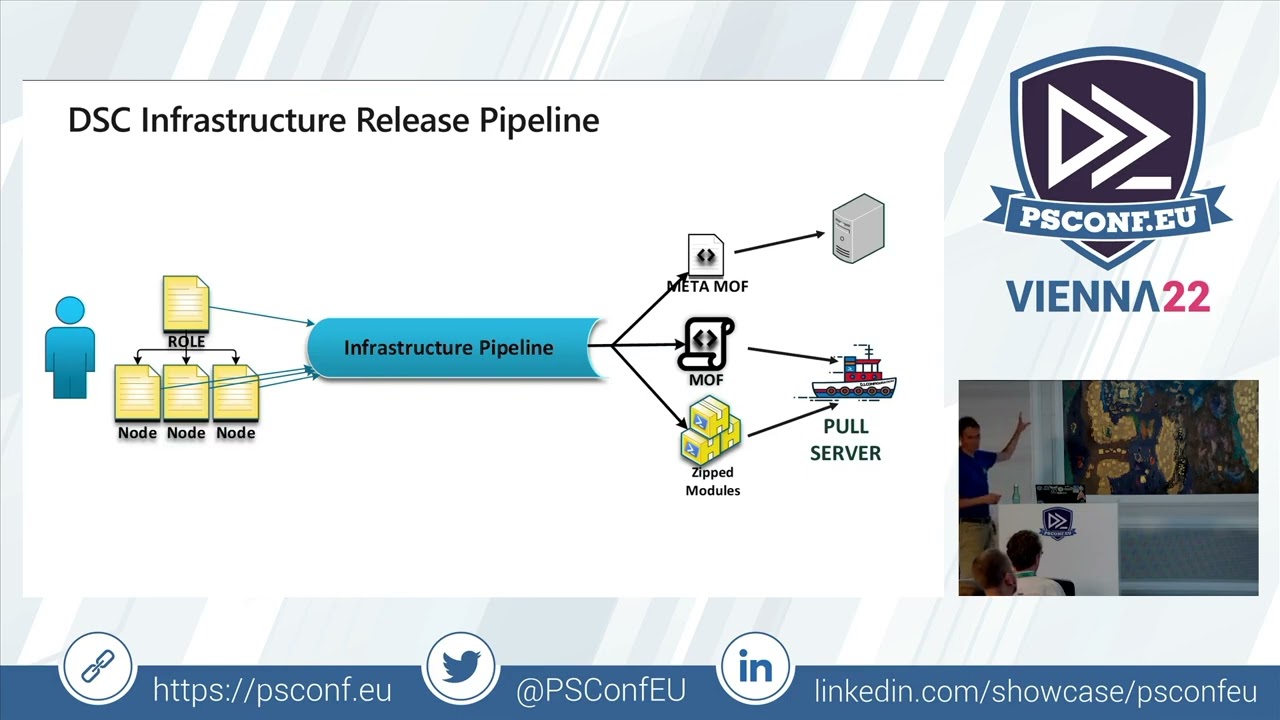
Table of Contents
- Datum
- Table of Contents
- 1. Installation
- 2. Why Datum?
- 3. Getting Started & Concepts
- 4. Intended Usage
- 5. Under the Hood
- 6. Public Functions
- 7. Further Reading
- 8. Origins
1. Installation
From PowerShell Gallery
Install-Module -Name datum -Scope CurrentUser
Datum requires the powershell-yaml module, which will be installed automatically as a dependency.
Optional Handler Modules
For encrypted credentials (PSCredential stored in YAML):
Install-Module -Name Datum.ProtectedData -Scope CurrentUser
For dynamic expression evaluation in data files:
Install-Module -Name Datum.InvokeCommand -Scope CurrentUser
2. Why Datum?
This module enables you to easily manage a Policy-Driven Infrastructure using Desired State Configuration (DSC), by letting you organise Configuration Data in a hierarchy adapted to your business context, and injecting it into Configurations based on the Nodes and the Roles they implement.
This approach allows you to raise cattle instead of pets, while facilitating the management of Configuration Data (the Policy for your infrastructure) and providing defaults with the flexibility of specific overrides, per layer, based on your environment.
Configuration Data is composed in a customisable hierarchy with data stored on the file system in YAML, JSON, or PSD1 format — enabling the use of version control systems such as git.
Inspiration
The approach follows models developed by the Puppet, Chef, and Ansible communities:
Datum is used in production to manage hundreds of machines and is actively maintained.
3. Getting Started & Concepts
Data Layers and Precedence
The key concept: a Datum hierarchy is blocks of data (nested hashtables) organised in layers, so that a subset of data can be overridden by a block from a higher-precedence layer.
Given two layers — Per Node Overrides (most specific) and Generic Role Data (most generic):
# Generic layer (RoleData/Data.yml)
Data1:
  Property11: DefaultValue11
  Property12: DefaultValue12

Data2:
  Property21: DefaultValue21
  Property22: DefaultValue22
You override selectively in the node layer:
# NodeOverride/Data.yml
Data2:
  Property21: NodeOverrideValue21
  Property22: NodeOverrideValue22
The resulting merged data for Data2 uses the override, while Data1 retains its defaults:
Data1:
  Property11: DefaultValue11
  Property12: DefaultValue12

Data2:
  Property21: NodeOverrideValue21
  Property22: NodeOverrideValue22
On the file system:
C:\Demo
|   Datum.yml
+---NodeOverride
|       Data.yml
\---RoleData
        Data.yml
The Datum.yml defines the precedence order (most specific first):
ResolutionPrecedence:
  - NodeOverride\Data
  - RoleData\Data
Lookup the merged data per key:
Import-Module datum
$Datum = New-DatumStructure -DefinitionFile .\Demo\Datum.yml

Resolve-NodeProperty -PropertyPath 'Data1' -DatumTree $Datum
# Name                           Value
# ----                           -----
# Property11                     DefaultValue11
# Property12                     DefaultValue12

Resolve-NodeProperty -PropertyPath 'Data2' -DatumTree $Datum
# Name                           Value
# ----                           -----
# Property21                     NodeOverrideValue21
# Property22                     NodeOverrideValue22
Note:
Lookupis a built-in alias forResolve-NodeProperty, andResolve-DscPropertyis another alias. All three are interchangeable.
Path Relative to $Node
Static overrides return the same data for every lookup. To make overrides relative to a Node's metadata:
- A node named DSCFile01 has the role FileServer and is in Frankfurt.
- The Role defines default data for Data1 and Data2.
- Because DSCFile01 is in Frankfurt, use Data2 from the Frankfurt location instead.
Demo2
|   Datum.yml
+---Locations
|       Frankfurt.yml
|       Singapore.yml
\---Roles
        FileServer.yml
# FileServer.yml
Data1:
  Property11: RoleValue11
  Property12: RoleValue12

Data2:
  Property21: RoleValue21
  Property22: RoleValue22
# Frankfurt.yml
Data2:
  Property21: Frankfurt Override Value21
  Property22: Frankfurt Override Value22
Define nodes with metadata:
$DSCFile01 = @{
    NodeName = 'DSCFile01'
    Location = 'Frankfurt'
    Role     = 'FileServer'
}

$DSCWeb01 = @{
    NodeName = 'DSCWeb01'
    Location = 'Singapore'
    Role     = 'WebServer'
}
Configure Datum.yml with variable substitution using Node properties:
# Datum.yml
ResolutionPrecedence:
  - 'Locations\$($Node.Location)'
  - 'Roles\$($Node.Role)'
Now lookups are Node-aware:
$Datum = New-DatumStructure -DefinitionFile .\Datum.yml

# DSCFile01 is in Frankfurt - gets the Frankfurt override for Data2
Lookup 'Data2' -Node $DSCFile01 -DatumTree $Datum
# Property21: Frankfurt Override Value21
# Property22: Frankfurt Override Value22

# DSCWeb01 is in Singapore - no override, gets the Role default
Lookup 'Data2' -Node $DSCWeb01 -DatumTree $Datum
# Property21: RoleValue21
# Property22: RoleValue22
4. Intended Usage
The overall goal, better covered in Infrastructure As Code by Kief Morris, is to enable a team to "quickly, easily, and confidently adapt their infrastructure to meet the changing needs of their organization".
We define our Infrastructure in a set of Policies: human-readable documents describ
