
TouchIDExample
[ING] - TouchIDやFaceIDを利用したアプリサンプル
Install / Use
/learn @fumiyasac/TouchIDExampleREADME
TouchIDExample
[ING] - パスコードロックを利用した画面保護機能のあるアプリサンプル(機能としてTouchIDやFaceIDを利用)
実装機能一覧
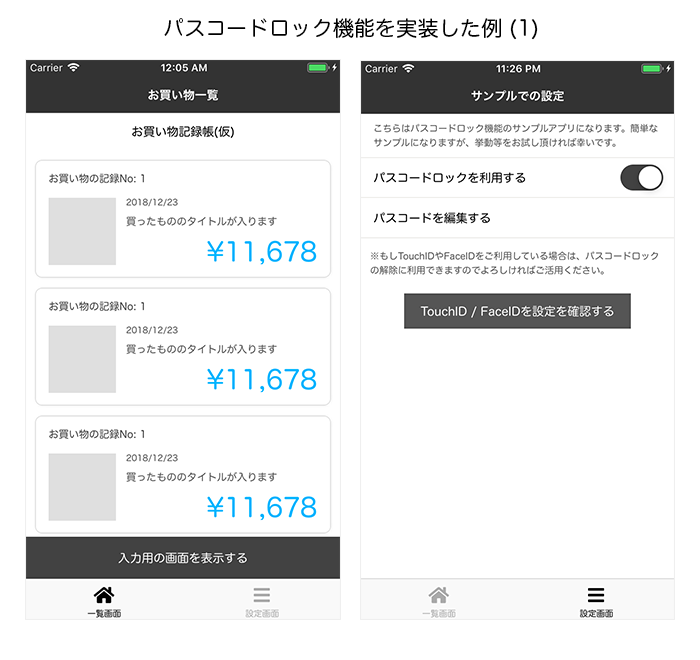
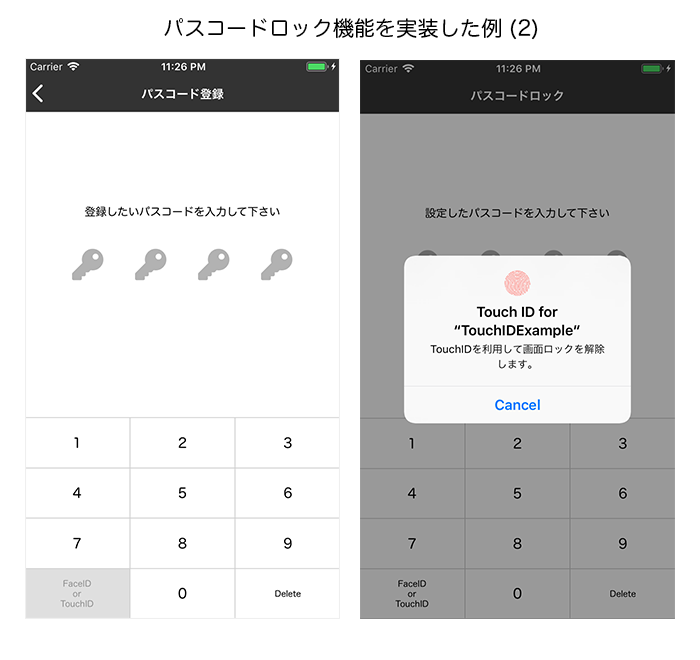
お金やあまり他人に見られたくない情報を持つようなアプリで、画面のパスコードロック機能を実装したUIサンプルになります。また機能の一部としてTouchIDやFaceIDを利用してパスコードロックを解除できるような形にしています。
本サンプルの画面設計図
1. サンプルのキャプチャ画像
◉ その1:
◉ その2:
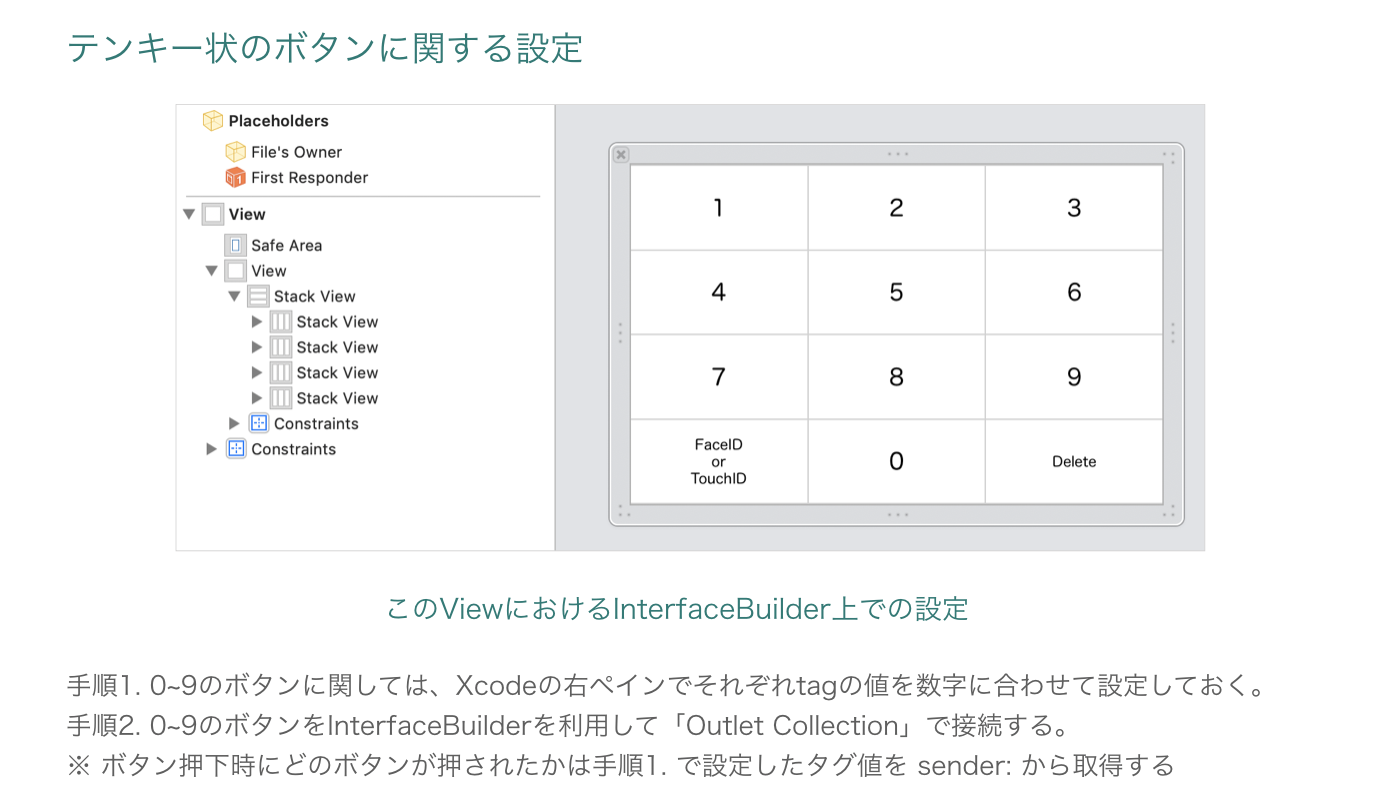
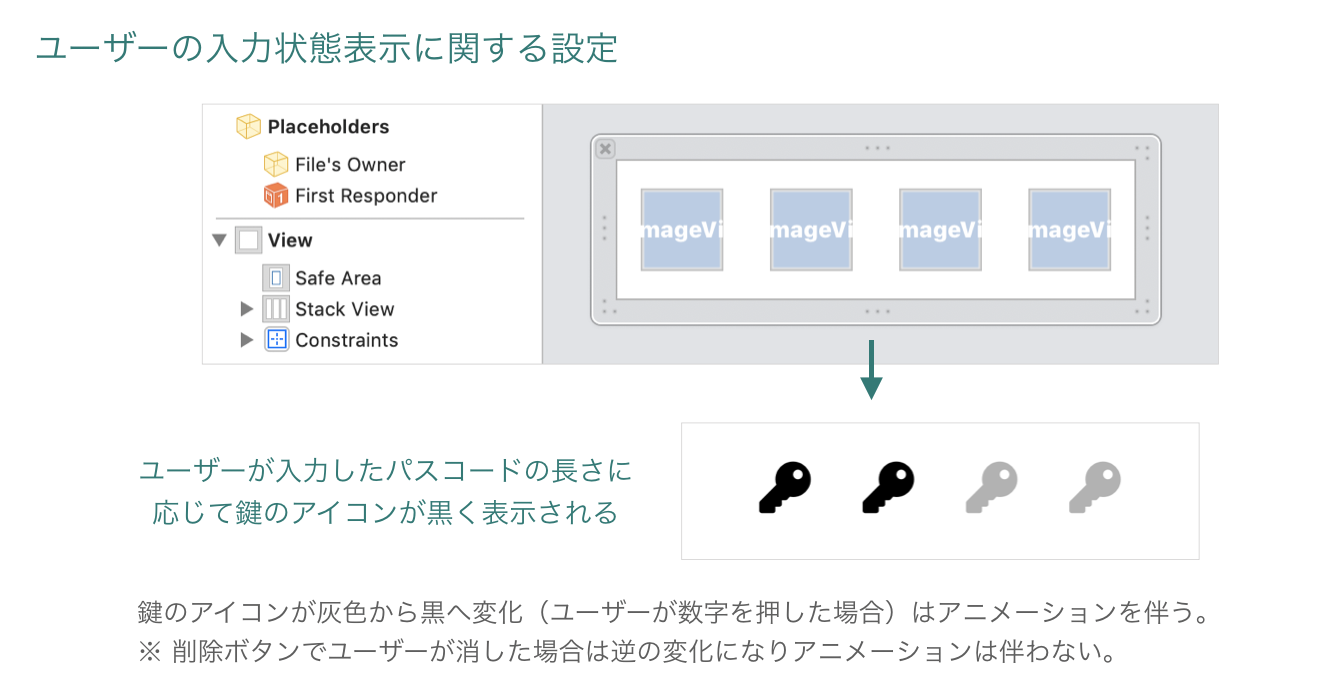
2. ユーザーの入力と連動して変化するView部品に関する設定:
利用しているアーキテクチャと処理の関連性
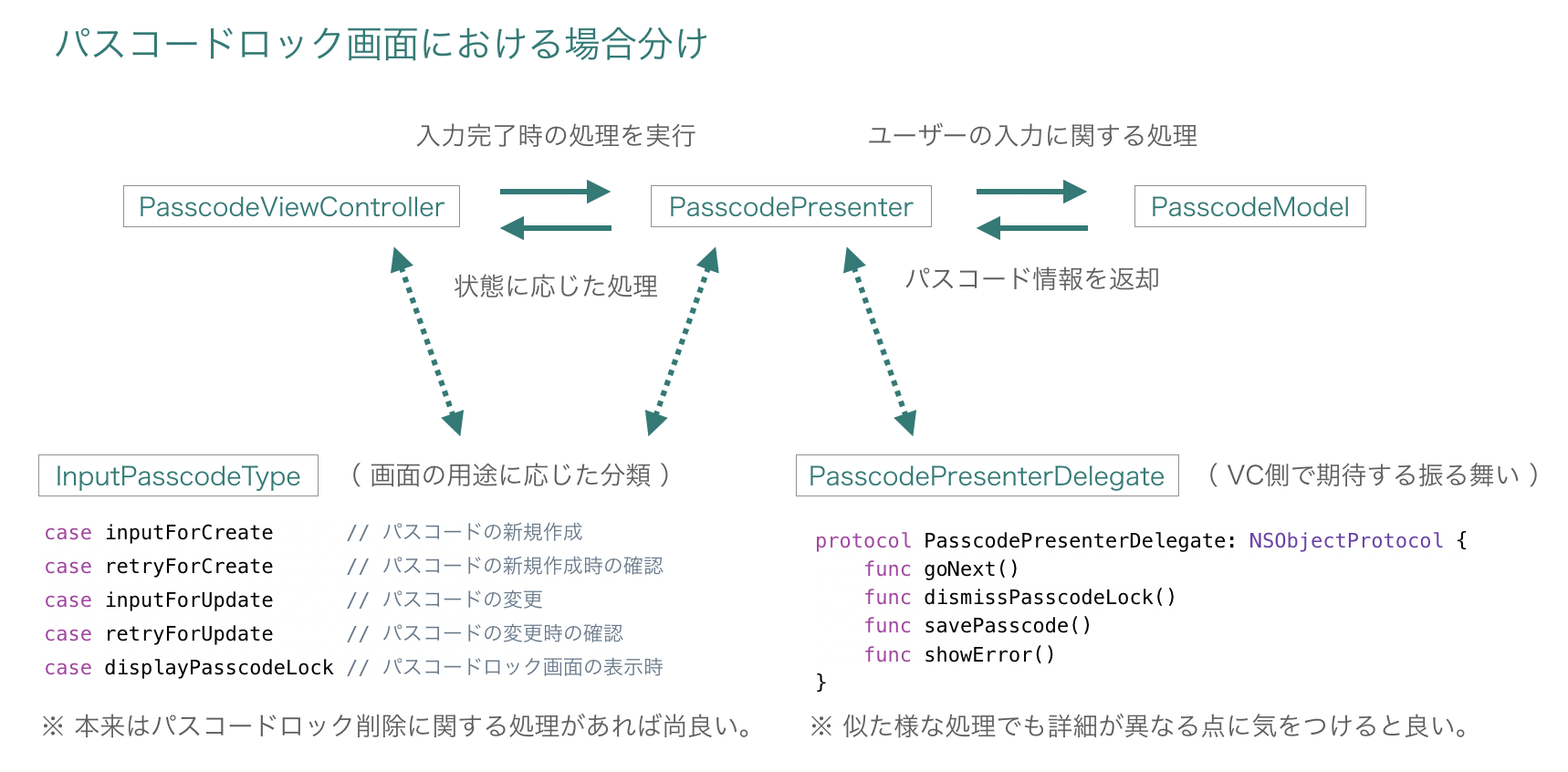
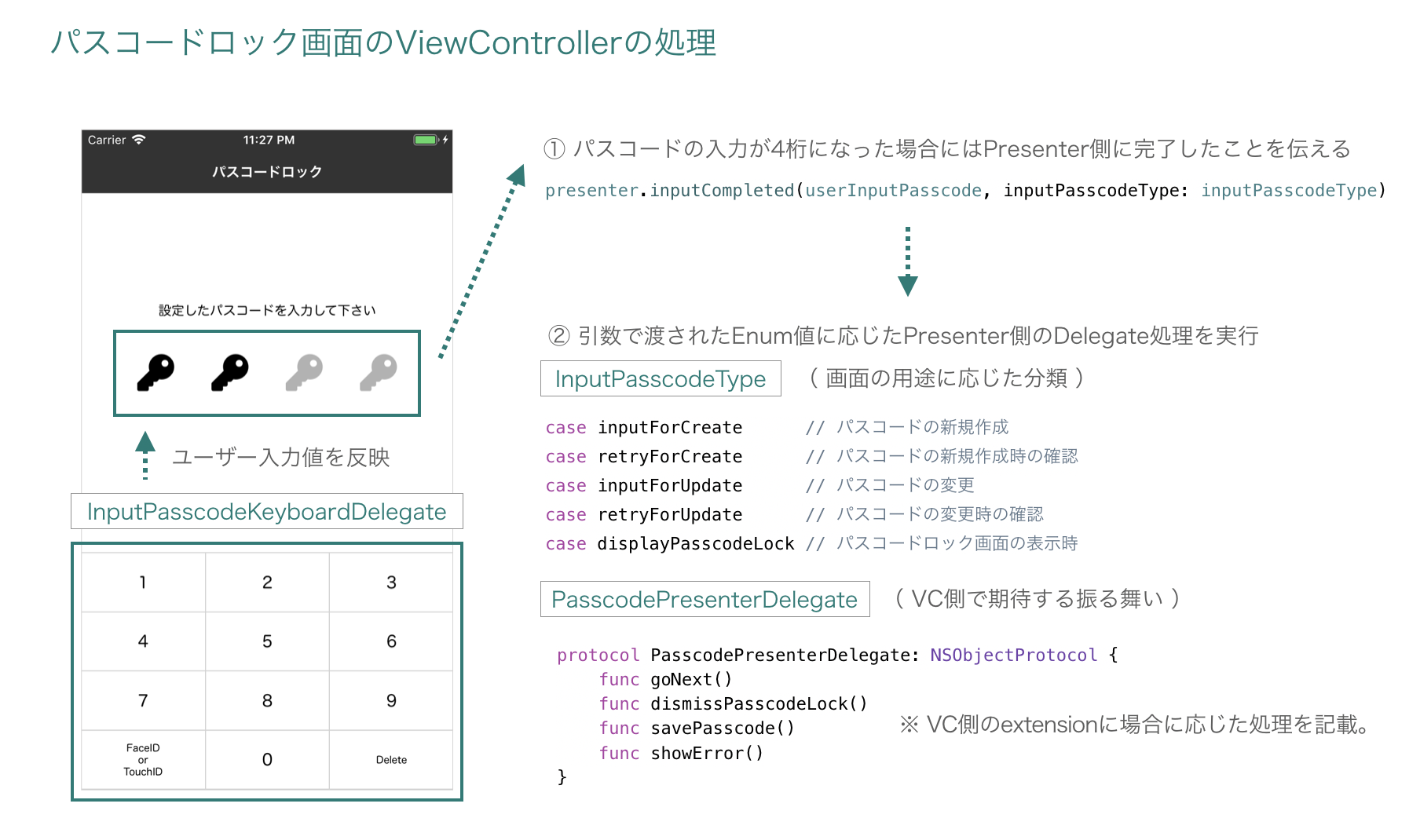
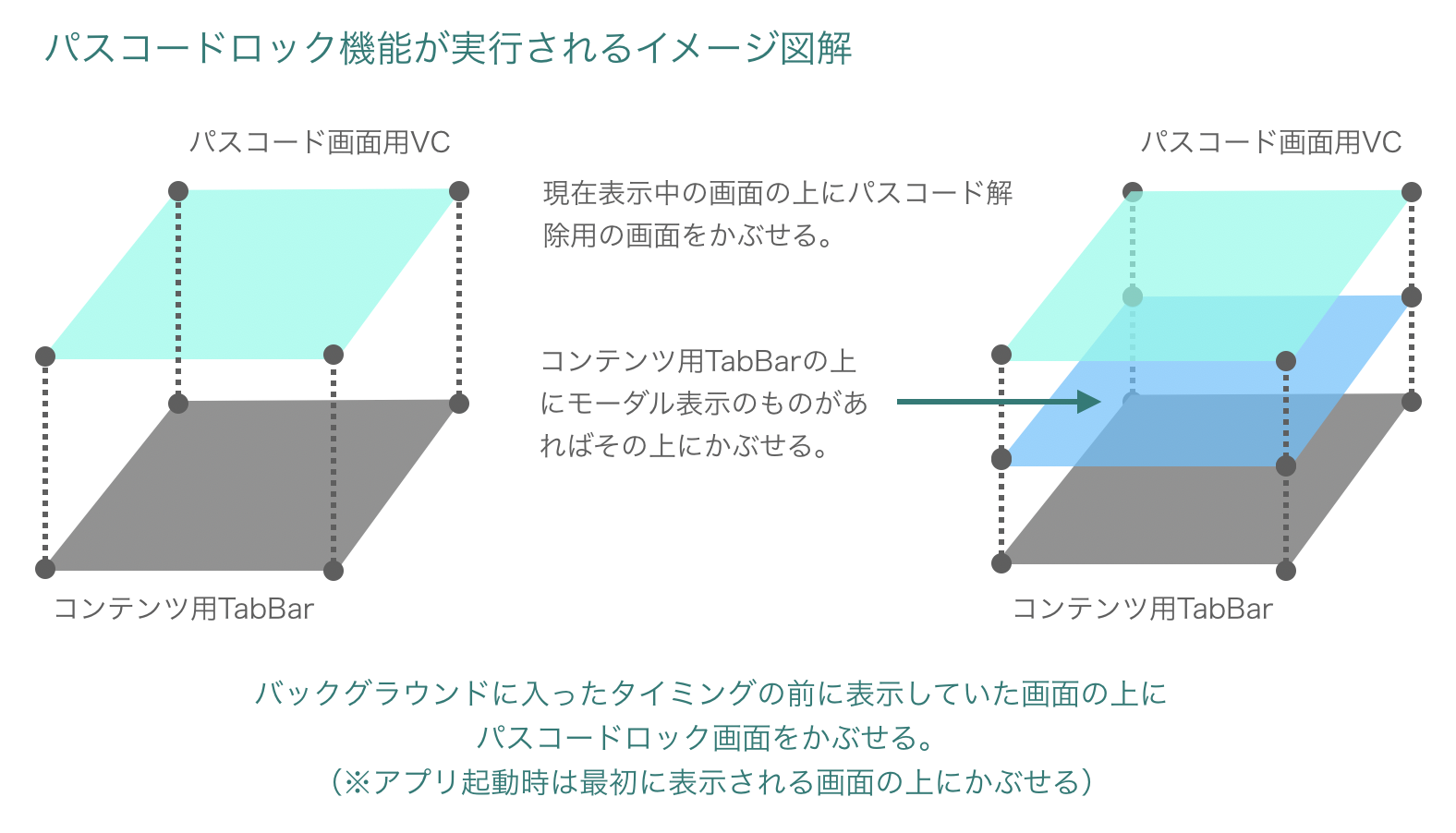
このサンプル実装におけるアーキテクチャを絡めた処理のポイントとなる部分については、下図の示している部分になります。
1. パスコードロック画面処理におけるView ⇄ Presenter ⇄ Modelの関連:
2. 画面機能を提供するViewControllerにおいて各種定義したProtocolと連動する処理に関する図解:
3. パスコードロック画面を表示する処理の概要図解:
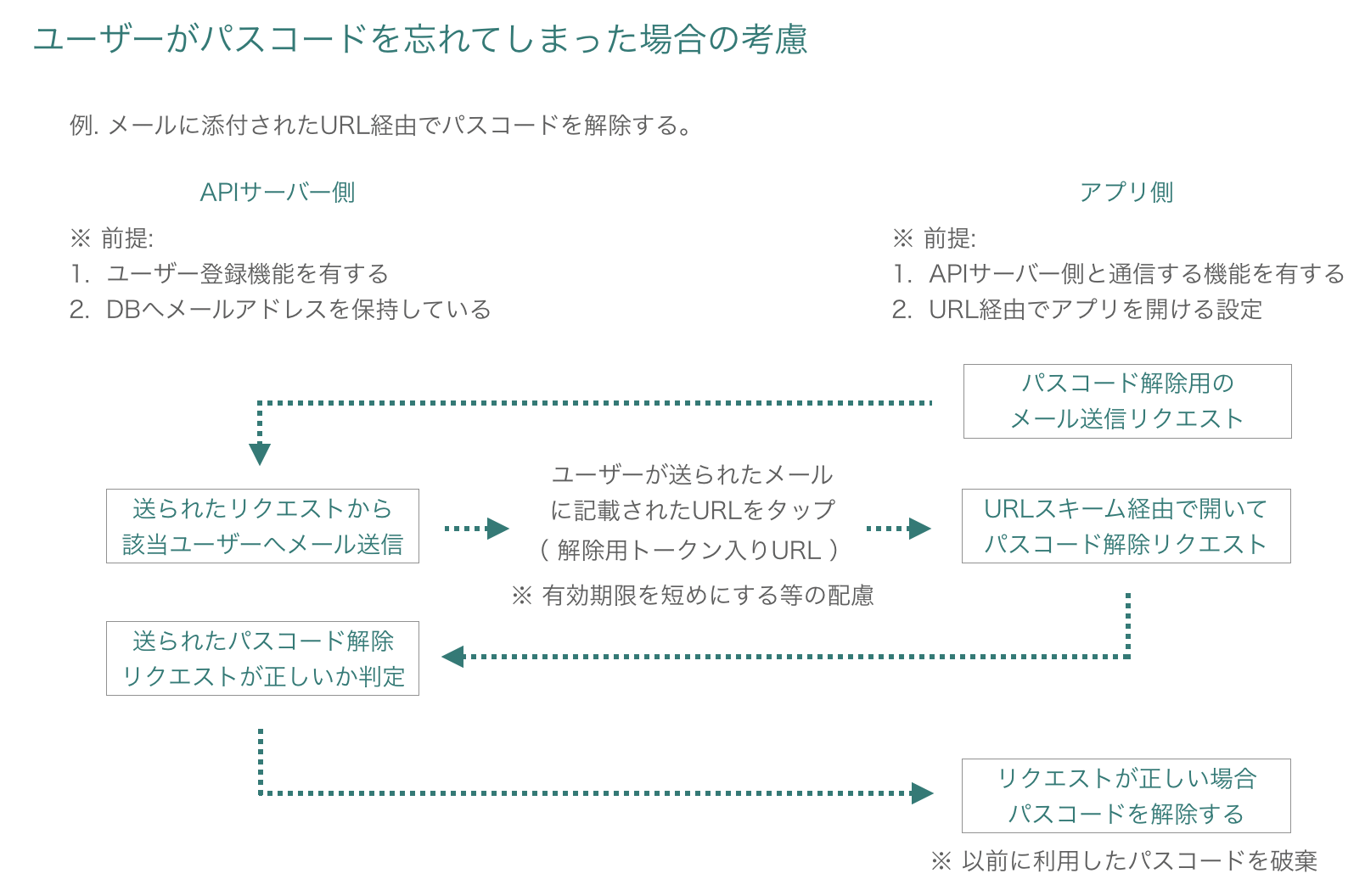
補足として考慮しておくと良さそうな機能に関する考察
ここでは、実際のアプリ開発の際に機能として盛り込んでおくと更に良いものの例として、ユーザーがパスコードを忘れてしまった際の考慮に関するアイデアの一例を示しています。
その他
このサンプル全体の詳細解説とポイントをまとめたものは下記に掲載しております。
(Qiita) https://qiita.com/fumiyasac@github/items/6124f9b272f5ee6ebb40
Related Skills
diffs
341.0kUse the diffs tool to produce real, shareable diffs (viewer URL, file artifact, or both) instead of manual edit summaries.
clearshot
Structured screenshot analysis for UI implementation and critique. Analyzes every UI screenshot with a 5×5 spatial grid, full element inventory, and design system extraction — facts and taste together, every time. Escalates to full implementation blueprint when building. Trigger on any digital interface image file (png, jpg, gif, webp — websites, apps, dashboards, mockups, wireframes) or commands like 'analyse this screenshot,' 'rebuild this,' 'match this design,' 'clone this.' Skip for non-UI images (photos, memes, charts) unless the user explicitly wants to build a UI from them. Does NOT trigger on HTML source code, CSS, SVGs, or any code pasted as text.
openpencil
1.9kThe world's first open-source AI-native vector design tool and the first to feature concurrent Agent Teams. Design-as-Code. Turn prompts into UI directly on the live canvas. A modern alternative to Pencil.
ui-ux-designer
Use this agent when you need to design, implement, or improve user interface components and user experience flows. Examples include: creating new pages or components, improving existing UI layouts, implementing responsive designs, optimizing user interactions, building forms or dashboards, analyzing existing UI through browser snapshots, or when you need to ensure UI components follow design system standards and shadcn/ui best practices.\n\n<example>\nContext: User needs to create a new dashboard page for team management.\nuser: "I need to create a team management dashboard where users can view team members, invite new members, and manage roles"\nassistant: "I'll use the ui-ux-designer agent to design and implement this dashboard with proper UX considerations, using shadcn/ui components and our design system tokens."\n</example>\n\n<example>\nContext: User wants to improve the user experience of an existing form.\nuser: "The signup form feels clunky and users are dropping off. Can you improve it?"\nassistant: "Let me use the ui-ux-designer agent to analyze the current form UX and implement improvements using our design system and shadcn/ui components."\n</example>\n\n<example>\nContext: User wants to evaluate and improve existing UI.\nuser: "Can you take a look at our pricing page and see how we can make it more appealing and user-friendly?"\nassistant: "I'll use the ui-ux-designer agent to take a snapshot of the current pricing page, analyze the UX against Notion-inspired design principles, and implement improvements using our design tokens."\n</example>
