
ShapeOfView
Give a custom shape to any android view, Material Design 2 ready
Install / Use
/learn @florent37/ShapeOfViewREADME
ShapeOfView

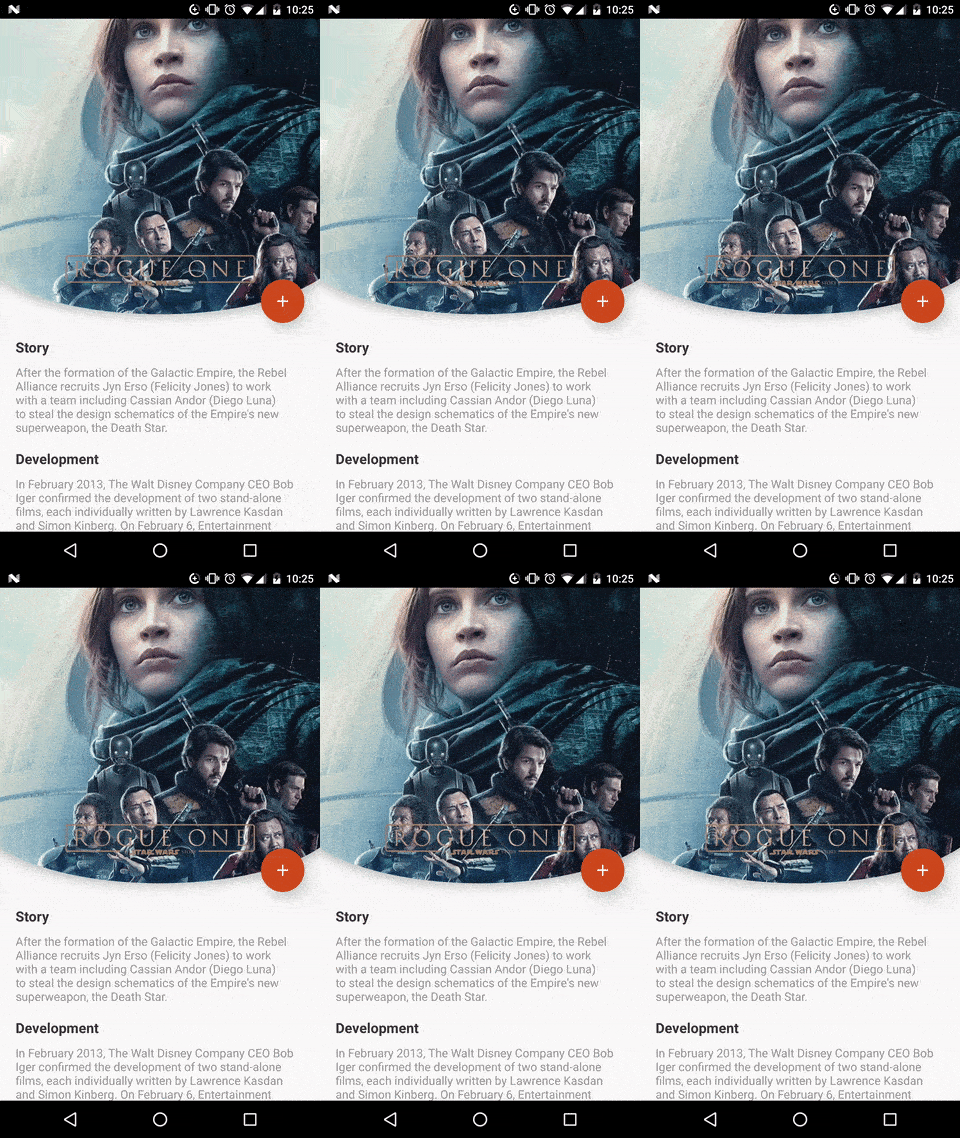
Give a custom shape to any android view Useful for Material Design 2


Breaking change
the old package com.github.florent37 has been replaced by io.github.florent37
Download
<a href='https://ko-fi.com/A160LCC' target='_blank'><img height='36' style='border:0px;height:36px;' src='https://az743702.vo.msecnd.net/cdn/kofi1.png?v=0' border='0' alt='Buy Me a Coffee at ko-fi.com' /></a>

//using maven central

dependencies {
    implementation 'io.github.florent37:shapeofview:1.4.7'
}
Sample
What you can do with Shape Of View :
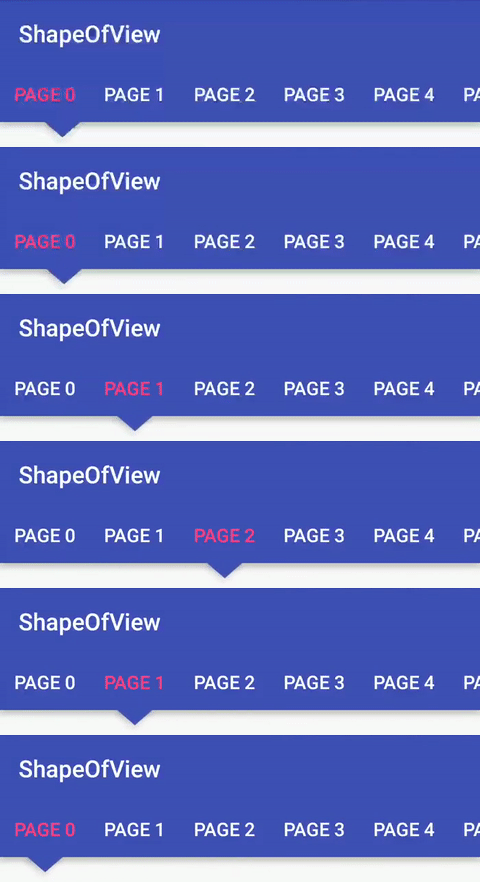
Use implemented shapes
ShapeOfView disable the background property of your view,
please specify a child with a background to enable it
<io.github.florent37.shapeofview.shapes.CircleView
   <FrameLayout
      android:background="@color/blue"
ShapeOfView came with pre-created shapes :
Circle
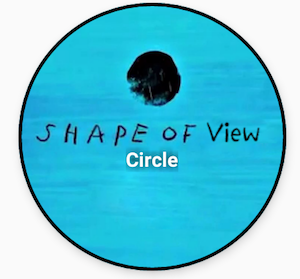
<io.github.florent37.shapeofview.shapes.CircleView
        android:layout_width="150dp"
        android:layout_height="150dp"

        android:elevation="4dp"
        app:shape_circle_borderColor="@android:color/black"
        app:shape_circle_borderWidth="2dp">

            <!-- YOUR CONTENT -->

</io.github.florent37.shapeofview.shapes.CircleView>
RoundRect
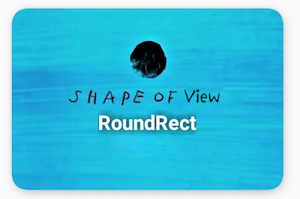
<io.github.florent37.shapeofview.shapes.RoundRectView
        android:layout_width="150dp"
        android:layout_height="100dp"
        android:elevation="4dp"
        app:shape_roundRect_bottomLeftRadius="10dp"
        app:shape_roundRect_bottomRightRadius="10dp"
        app:shape_roundRect_topLeftRadius="10dp"
        app:shape_roundRect_topRightRadius="10dp"

        app:shape_roundRect_borderColor="@android:color/black"
        app:shape_roundRect_borderWidth="2dp"
        >


            <!-- YOUR CONTENT -->

</io.github.florent37.shapeofview.shapes.RoundRectView>
ClipCorner
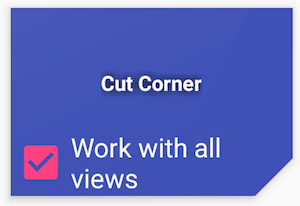
<io.github.florent37.shapeofview.shapes.CutCornerView
        android:id="@+id/clipCorner"
        android:layout_width="150dp"
        android:layout_height="100dp"
        android:elevation="4dp"
        app:shape_cutCorner_bottomRightSize="20dp">

         <!-- YOUR CONTENT -->

</io.github.florent37.shapeofview.shapes.CutCornerView>
Arc
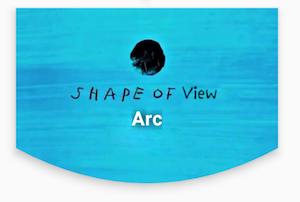
<io.github.florent37.shapeofview.shapes.ArcView
        android:layout_width="150dp"
        android:layout_height="100dp"
        android:elevation="4dp"
        app:shape_arc_cropDirection="outside"
        app:shape_arc_height="20dp"
        app:shape_arc_position="bottom"
        >

         <!-- YOUR CONTENT -->

</io.github.florent37.shapeofview.shapes.ArcView>
Diagonal
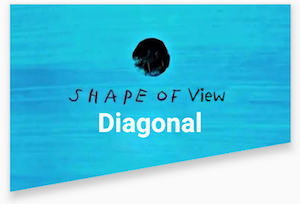
<io.github.florent37.shapeofview.shapes.DiagonalView
        android:layout_width="150dp"
        android:layout_height="100dp"
        android:elevation="4dp"
        app:shape_diagonal_angle="10"
        app:shape_diagonal_direction="right"
        app:shape_diagonal_position="bottom">

         <!-- YOUR CONTENT -->

</io.github.florent37.shapeofview.shapes.DiagonalView>
Triangle
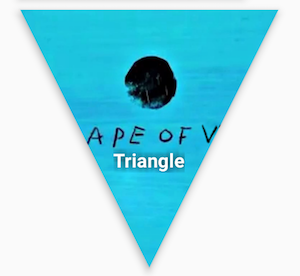
<io.github.florent37.shapeofview.shapes.TriangleView
         android:layout_width="150dp"
         android:layout_height="150dp"
         android:elevation="4dp"

         app:shape_triangle_percentBottom="0.5"
         app:shape_triangle_percentLeft="0"
         app:shape_triangle_percentRight="0">

            <!-- YOUR CONTENT -->

</io.github.florent37.shapeofview.shapes.TriangleView>
Bubble
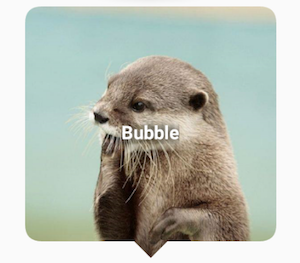
<io.github.florent37.shapeofview.shapes.BubbleView
        android:layout_width="150dp"
        android:layout_height="150dp"
        app:shape_bubble_arrowHeight="10dp"
        app:shape_bubble_arrowWidth="10dp"
        app:shape_bubble_arrowPosition="bottom"
        app:shape_bubble_borderRadius="20dp"
        app:arrow_posititon_percent="0.5"
        >

         <!-- YOUR CONTENT -->

</io.github.florent37.shapeofview.shapes.BubbleView>
Star
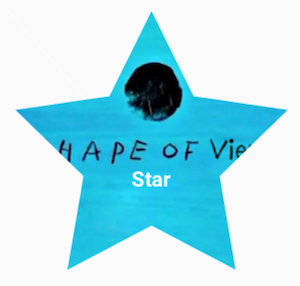
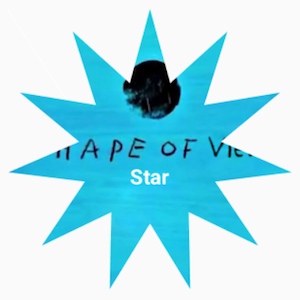
<io.github.florent37.shapeofview.shapes.StarView
        android:layout_width="150dp"
        android:layout_height="150dp"
        app:shape_star_noOfPoints="5">

         <!-- YOUR CONTENT -->

</io.github.florent37.shapeofview.shapes.StarView>
Polygon
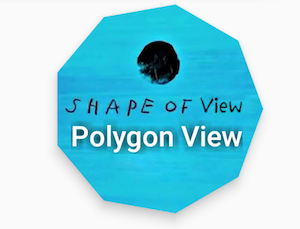
 <io.github.florent37.shapeofview.shapes.PolygonView
            android:layout_width="150dp"
            android:layout_height="100dp"
            app:shape_polygon_noOfSides="9"
            >
         <!-- YOUR CONTENT -->

</io.github.florent37.shapeofview.shapes.PolygonView>
Dotted Edges with Cut Corners

 <io.github.florent37.shapeofview.shapes.DottedEdgesCutCornerView
             android:layout_width="100dp"
             android:layout_height="match_parent"
             app:shape_dot_radius="3dp"
             app:shape_dot_spacing="2dp"
             app:shape_edge_position="right|left"
             app:shape_dottedEdgesCutCorner_bottomLeftSize="8dp"
             app:shape_dottedEdgesCutCorner_bottomRightSize="8dp"
             >

             <!-- YOUR CONTENT -->

 </io.github.florent37.shapeofview.shapes.DottedEdgesCutCornerView>
Animation
All shapes methods can be animated
For example, you can animate a RoundRect corner :

ValueAnimator.ofFloat(0f, 200f, 0f).apply {
     addUpdateListener { animation -> roundRect.bottomLeftRadius = (animation.animatedValue as Float).toInt() }
     duration = 800
     repeatCount = ValueAnimator.INFINITE
     repeatMode = ValueAnimator.REVERSE
}.start()
Create you own shape
You can use custom shape to cut your view
Using Drawable (no elevation)
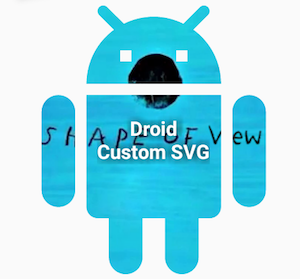
<io.github.florent37.shapeofview.ShapeOfView
        android:layout_width="100dp"
        android:layout_height="100dp"

        app:shape_clip_drawable="@drawable/YOUR_DRAWABLE"
        >

    <!-- YOUR CONTENT -->

 </io.github.florent37.shapeofview.ShapeOfView>
Using Path (with elevation)
This method generates also a shadow path (with Lollipop elevation API 21+)
Wrap your view with a ShapeOfView
<io.github.florent37.shapeofview.ShapeOfView
        android:id="@+id/myShape"
        android:layout_width="30dp"
        android:layout_height="15dp"
        android:elevation="6dp">

        <!-- YOUR CONTENT -->

 </io.github.florent37.shapeofview.ShapeOfView>
Then generate a path in your code :
ShapeOfView shapeOfView = findViewById(R.id.myShape)
shapeOfView.setClipPathCreator(new ClipPathManager.ClipPathCreator() {
       @Override
       public Path createClipPath(int width, int height) {
           final Path path = new Path();

            //eg: triangle
           path.moveTo(0, 0);
           path.lineTo(0.5 * width, height);
           path.lineTo(width, 0);
           path.close();

           return path;
       }
});
In some case you have to specify requiresBitmap = true to enable ShapeOfView to draw the shape inside a bitmap before clipping your view. It will be less efficient but can make your custom shape work.
Contribute
Feel free to fork this project, and add customs shapes
Then make a merge-request after updated the README with a sample of your shape, including a preview
TODO
HISTORY
1.4.5 Removed DiagonalView
