
Flexx
Write desktop and web apps in pure Python
Install / Use
/learn @flexxui/FlexxREADME
Flexx


Want to stay up-to-date about (changes to) Flexx? Subscribe to the NEWS issue.
Introduction
Flexx is a pure Python toolkit for creating graphical user interfaces (GUI's), that uses web technology for its rendering. Apps are written purely in Python; The PScript transpiler generates the necessary JavaScript on the fly.
You can use Flexx to create (cross platform) desktop applications, web applications, and export an app to a standalone HTML document. It also works in the Jupyter notebook.
The docs are on Readthedocs. the code is on Github.
Example
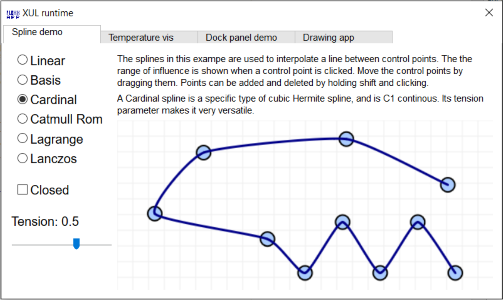
Click the image below for an interactive example:
Motivation
The primary motivation for Flexx is the undeniable fact that the web (i.e. browser technology) has become an increasingly popular method for delivering applications to users, also for (interactive) scientific content.
The purpose of Flexx is to provide a single application framework to create desktop applications, web apps, and (hopefully someday) mobile apps. By making use of browser technology, the library itself can be relatively small and pure Python, making it widely available and easy to use.
A word of caution
Flexx is very versatile and can be used in different ways. It also makes it easy to mix Python that runs on the server and Python that runs in the browser. This is a powerful feature but this also makes it easy to create code that becomes difficult to maintain. You, the developer, must ensure that Python and PScript code are clearly separated.
Installation
Flexx requires Python 3.5+ and also works on pypy. Further, it depends on:
- the Tornado library (pure Python).
- the PScript library (a pure Python flexxui project).
- the Webruntime library (a pure Python flexxui project).
- the Dialite library (a pure Python flexxui project).
To install the latest release (and dependencies), use either of:
# Install latest release
pip install flexx

# Install latest from Github
pip install -U https://github.com/flexxui/flexx/archive/master.zip
Or get the bleeding edge with:
pip install https://github.com/flexxui/flexx/archive/master.zip
Supported browsers
Flexx aims to support all modern browsers, including Firefox, Chrome and Edge. Internet Explorer version 10 and up should work, but some things may be flaky.
For running desktop apps, it is needed to have Firefox or NW.js installed.
License
Flexx makes use of the liberal 2-clause BSD license. See LICENSE for details.
Related Skills
node-connect
336.5kDiagnose OpenClaw node connection and pairing failures for Android, iOS, and macOS companion apps
claude-opus-4-5-migration
82.9kMigrate prompts and code from Claude Sonnet 4.0, Sonnet 4.5, or Opus 4.1 to Opus 4.5
frontend-design
82.9kCreate distinctive, production-grade frontend interfaces with high design quality. Use this skill when the user asks to build web components, pages, or applications. Generates creative, polished code that avoids generic AI aesthetics.
model-usage
336.5kUse CodexBar CLI local cost usage to summarize per-model usage for Codex or Claude, including the current (most recent) model or a full model breakdown. Trigger when asked for model-level usage/cost data from codexbar, or when you need a scriptable per-model summary from codexbar cost JSON.
