
MotionBlur
MotionBlur allows you to add motion blur effect to iOS animations.
Install / Use
/learn @fastred/MotionBlurREADME
MotionBlur
MotionBlur allows you to add motion blur effect to your animations (currently only position's change). See the accompanying blog post to learn how it's implemented.
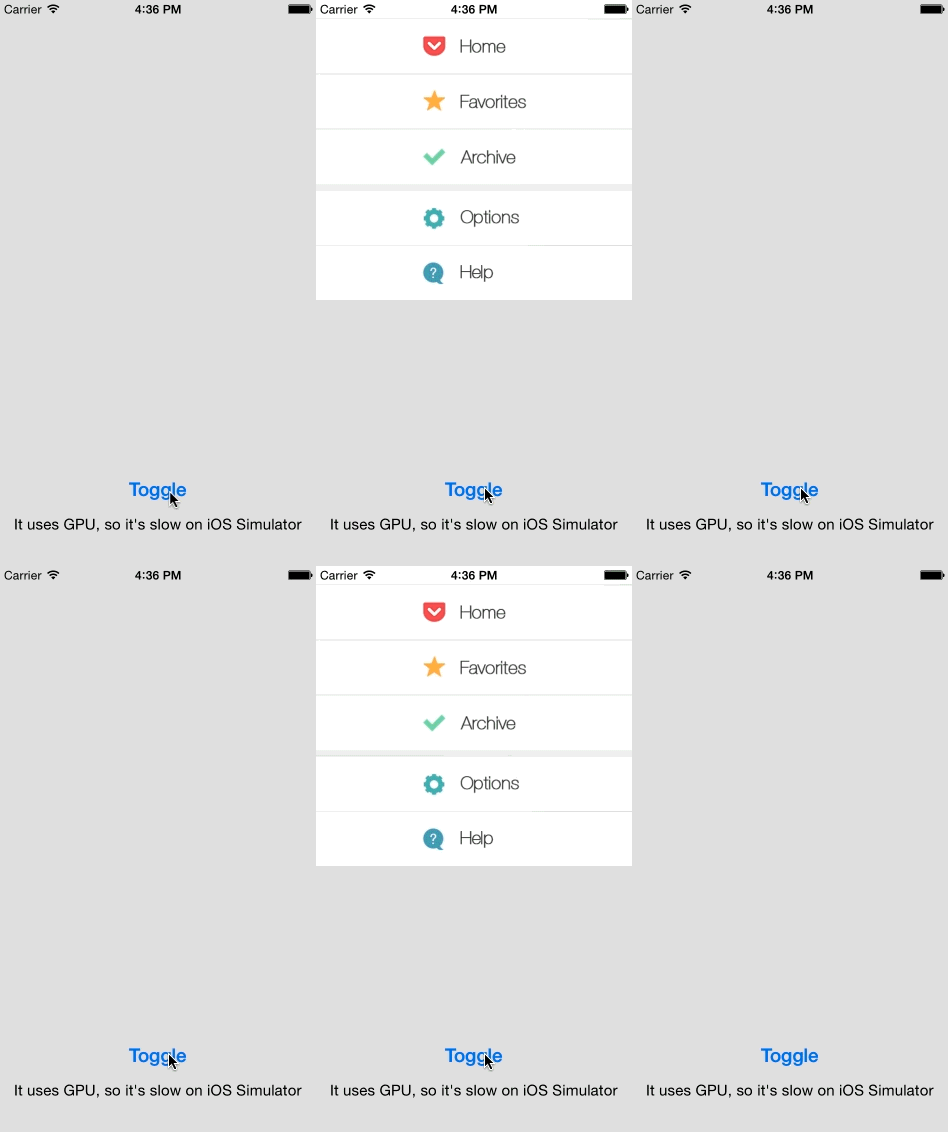
Note how the text and icons on the menu get blurred when it slides in and out.
Usage
First, import it with:
#import "UIView+MotionBlur.h"
then use it with:
[yourView enableBlurWithAngle:M_PI_2 completion:^{
    [UIView animateWithDuration:0.5
                          delay:0
         usingSpringWithDamping:0.8
          initialSpringVelocity:0.3
                        options:UIViewAnimationOptionAllowUserInteraction | UIViewAnimationOptionBeginFromCurrentState
                     animations:^{

        CGRect f = yourView.frame;
        f.origin = CGPointMake(0, 300);
        yourView.frame = f;
    } completion:^(BOOL finished) {
        [yourView disableBlur];
    }];
}];
Snapshot and blur are computed before the animation, that's why the API is asynchronous. You should also see the example project and read comments in the header file: Classes/UIView+MotionBlur.h.
Demo
To run the example project; clone the repo and open Example/MotionBlur.xcodeproj.
Requirements
- iOS 8 and above
Installation
MotionBlur is available through CocoaPods. To install it, simply add the following line to your Podfile:
pod "MotionBlur"
Author
Arkadiusz Holko:
Related Skills
node-connect
353.3kDiagnose OpenClaw node connection and pairing failures for Android, iOS, and macOS companion apps
frontend-design
111.7kCreate distinctive, production-grade frontend interfaces with high design quality. Use this skill when the user asks to build web components, pages, or applications. Generates creative, polished code that avoids generic AI aesthetics.
openai-whisper-api
353.3kTranscribe audio via OpenAI Audio Transcriptions API (Whisper).
qqbot-media
353.3kQQBot 富媒体收发能力。使用 <qqmedia> 标签,系统根据文件扩展名自动识别类型(图片/语音/视频/文件)。
