
Pyempaq
A simple but powerful Python packer to run any project with any virtualenv dependencies anywhwere.
Install / Use
/learn @facundobatista/PyempaqREADME
PyEmpaq
A simple but powerful Python packer to run any project with any virtualenv dependencies anywhwere.
With PyEmpaq you can convert any Python project (see limitations below) into a single .pyz file with all the project's content packed inside.
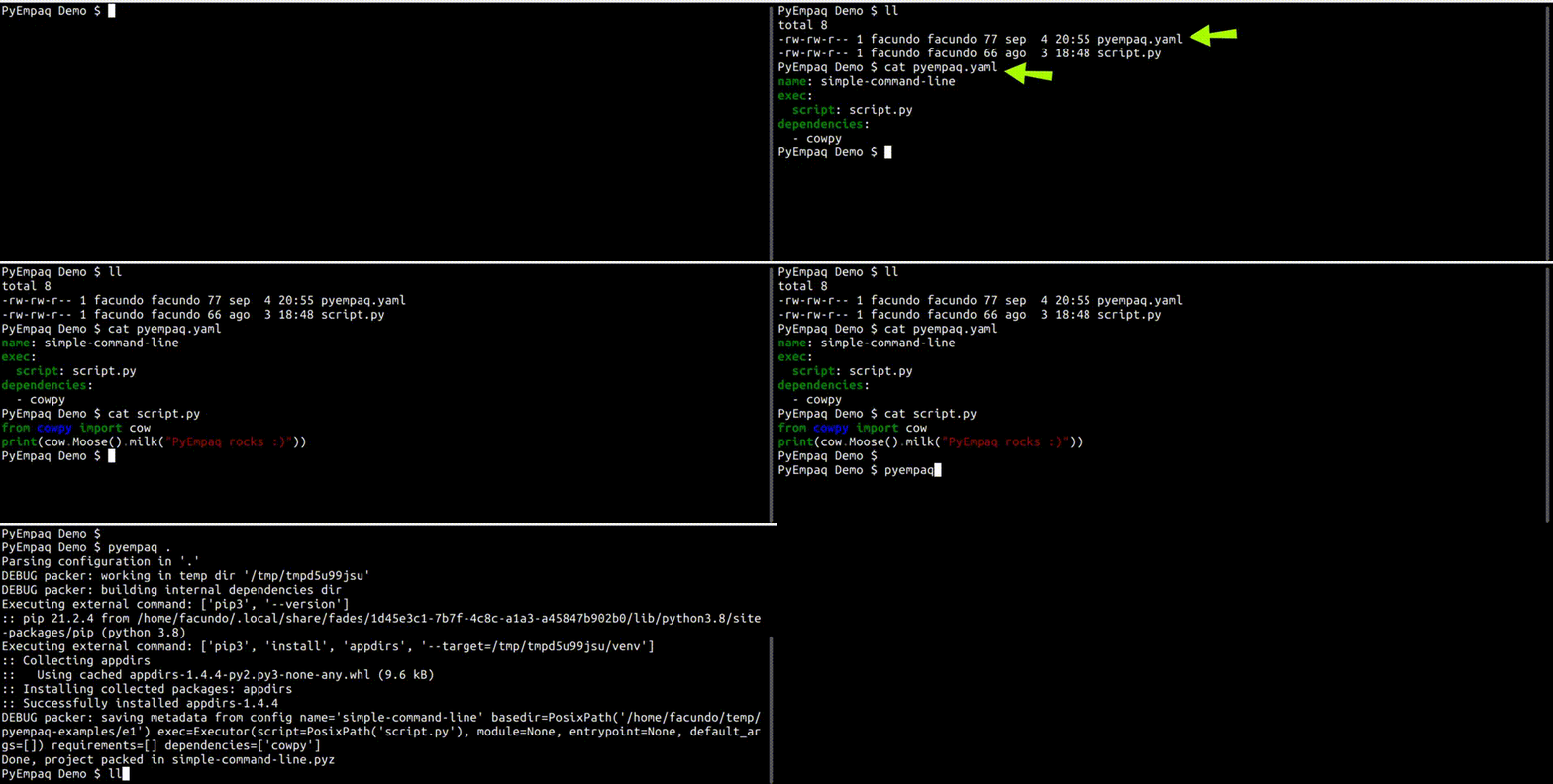
Packing is super simple, see this demo:
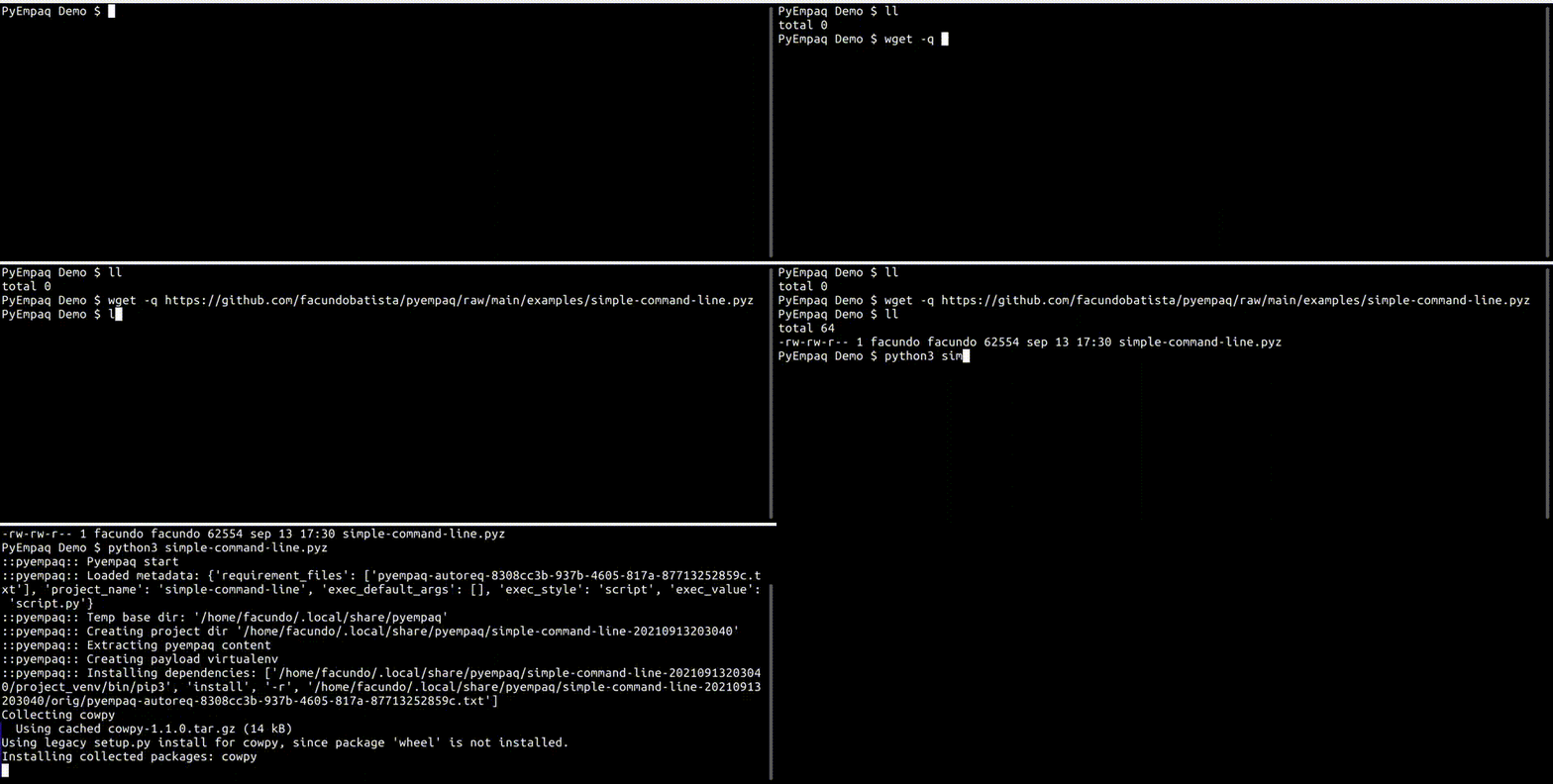
That single file is everything that needs to be distributed. When the final user executes it, the original project will be expanded, its dependencies installed in a virtualenv, and then executed. Note that no special permissions or privileges are required, as everything happens in the user environment.
See that in action:
Both the packaging and the execution are fully multiplatorm. This means that you can pack a project in Linux, Windows, Mac or whatever, and it will run ok in Linux, Windows, Mac or whatever. The only requirement is Python to be already installed.
You can try yourself some packed with PyEmpaq examples, very easy, just download any of these files and run it with Python:
- in a terminal: a very small pure terminal example (this, of course, needs to be run in a terminal)
- a game: a simple game using the Python Arcade library (actually, it's the example #6 from their tutorial)
- desktop app: a full-fledged desktop application using PyQt5 (this Encuentro app)

You can install pyempaq directly from PyPI; see instructions below.
PyEmpaq is security friendly, there is nothing obscure or secretly shipped when you distribute your project with it: anybody can just open the pyz file (it's just a ZIP) and inspect it.
It's also safe regarding licenses when distributing your packed software. Unlike packing mechanisms that rely on putting inside a big blob, with PyEmpaq you don't have to worry about the licenses of your software dependencies (and the dependencies' dependencies) in regard to distributing them.
Limitations:
There are some limitations:
-
Only Python >= 3.7 is supported
-
Only Linux, Windows and Mac is supported
-
Only pip-installable dependencies are supported (from PyPI or whatever).
-
Only dependencies that are pure Python or provide wheels are supported.
All this means that the most majority of the projects could be packed and run by PyEmpaq. If you have any ideas on how to overcome any of these limitations, let's talk!
How Does this Work?
There are two phases: packing and execution.
The packing phase is executed by the project developer, only once, before distribution. It's a simple step where the developer runs PyEmpaq indicating all needed info, and PyEmpaq will produce a single <projectname>.pyz file. That's all, and that only file is what is needed for distribution.
In this packing phase, PyEmpaq builds the indicated packed file, putting inside:
-
the payload project, with all the indicated modules and binary files
-
an unpacker script from PyEmpaq, which will be run during the execution phase
-
few more stuff: some needed infrastructure details for the
.pyzto run correctly
After packing, the developer will distribute the packed file, final users will download/receive/get it, and execute it.
In the execution phase all that needs to be done by the final user is to run it using Python, which can be done from the command line (e.g. python3 supergame.pyz) or by doing double click from the file explorer in those systems that relate the .pyz extension to Python (e.g. Windows).
In this execution phase, the unpacker script put by PyEmpaq inside the packed file will be run, running the following steps:
-
check if the needed setup exists from a previous run; if yes, it will just run the payload project with almost no extra work; otherwise...
-
create a directory in the user data dir (or the indicated one, see below), and expand the
.pyzfile there -
create a virtualenv in that new directory, and install all the payload's project dependencies
-
run the payload's project inside that virtualenv
The verification that the unpacker does to see if has a reusable setup from the past is based on the .pyz timestamp; if it changed (a new file was distributed), a new setup will be created and used.
The environment variable PYEMPAQ_UNPACK_BASE_PATH can be used to specify in which base directory PyEmpaq will unpack the different projects. If indicated, the path must exist and be a directory.
PyEmpaq transparently returns the payload's exit code except when it must exit before the execution of the payload. In that case, it uses special codes equal or above 64, meaning:
64:unpack-restrictionsare not met on the final user's system.65: the indicatedPYEMPAQ_UNPACK_BASE_PATHdoes not exist66: the indicatedPYEMPAQ_UNPACK_BASE_PATHis not a directory67: the indicatedPYEMPAQ_ACTIONis not valid
Special Actions
When running the packed project, some special actions can be indicated through the environment variable PYEMPAQ_ACTION. Note that if it is specified, the special action will take place and the packed program itself will not be run.
Current special actions:
-
info: Show information about installations of the given project -
uninstall: Remove all installations of the given project
Command Line Options
There is one mandatory parameter:
source: it needs to point the configuration file or to the directory where the configuration will be located (it will be searched by its default namepyempaq.yaml).
Examples:
-
pyempaq . -
pyempaq /data/project/ -
pyempaq ~/repo/proj/config.yaml
You can control verbosity by adding these command line parameters to control logging levels:
-v, --verbose- Show detailed information, typically of interest only when diagnosing problems.-q, --quiet- Only events of WARNING level and above will be tracked.
All that said, there is an special option -V, --version (new in v0.3) that if used will just print the version and exit.
Note In the execution phase, if you have an environment variable
PYEMPAQ_DEBUG=1it will show the Pyempaq log lines during the execution.
The Configuration File
All the information that PyEmpaq needs to pack a project comes from a configuration file, which the developer would normally have in the project itself.
The following is the structure of the pyempaq.yaml configuration file:
-
name[mandatory]: the name of the project. -
basedir[optional]: the project's base directory; if not included it defaults to where the configuration file is located. -
exec[mandatory]: the section where is defined the information to execute the project once unpacked; it holds different subkeys (some subkeys are marked with †: ONE of those keys must be present, but only ONE):-
script[†]: the filepath of the python script to run; when unpacking PyEmpaq will dopython3 SCRIPT. -
module[†]: the name of the module to invoke; when unpacking PyEmpaq will dopython3 -m MODULE. -
entrypoint[†]: freeform, as a list of strings; when unpacking PyEmpaq will only insert the proper python3 at the beginning:python3 STR1 STR2 .... -
default-args[optional]: the default arguments to be passed to the script/module/entrypoint (if not overridden when the distributed.pyzis executed).
-
-
requirements[optional]: a list of filepaths pointing to the requirement files with pip-installable dependencies. -
dependencies[optional]: a list of strings to directly specify packages to be installed bypipwithout needing to have a requirement file. -
include[optional, new in v0.3]: a list of strings, each one specifying a pattern to decide what files and directories to include in the pack (see below); if not included it defaults to["./**"]which means all the files and directories in the project. -
exclude[optional, new in v0.3]: a list of strings, each one specifying a pattern to decide what files and directories to exclude from the pack (see below). -
unpack-restrictions[optional, new in v0.3]: a section to specify different restrictions to be verified/enforced during unpack.minimum-python-version[optional, new in v0.3]: a string specifying the minimum version possible to run correctly.
All specified filepaths must exist inside the project and must be relative (to the project's base directory), with the exception of basedir itself which can be absolute or relative (to the configuration file location).
Both include and exclude options use pattern matching according to the rules used by the Unix shell, using *, ?, and character ranges expressed with []. Also ** will match any files and zero or more directories. For more information or subtleties check the glob.glob documentation.
Note that the final user may ignore/bypass any unpack restrictions using the PYEMPAQ_IGNORE_RESTRICTIONS environment variable with a value of comma-separated names of which restrictions to ignore.
The following are examples of different configuration files (which were the ones used to build the packed examples mentioned before):
- [the terminal script](https://github.com/facundobatista/pyempaq/blob/main/examples/pyempaq-scri
