
DrumMachine
No description available
Install / Use
/learn @ernesto-g/DrumMachineREADME
Arduino Analog Drum Machine
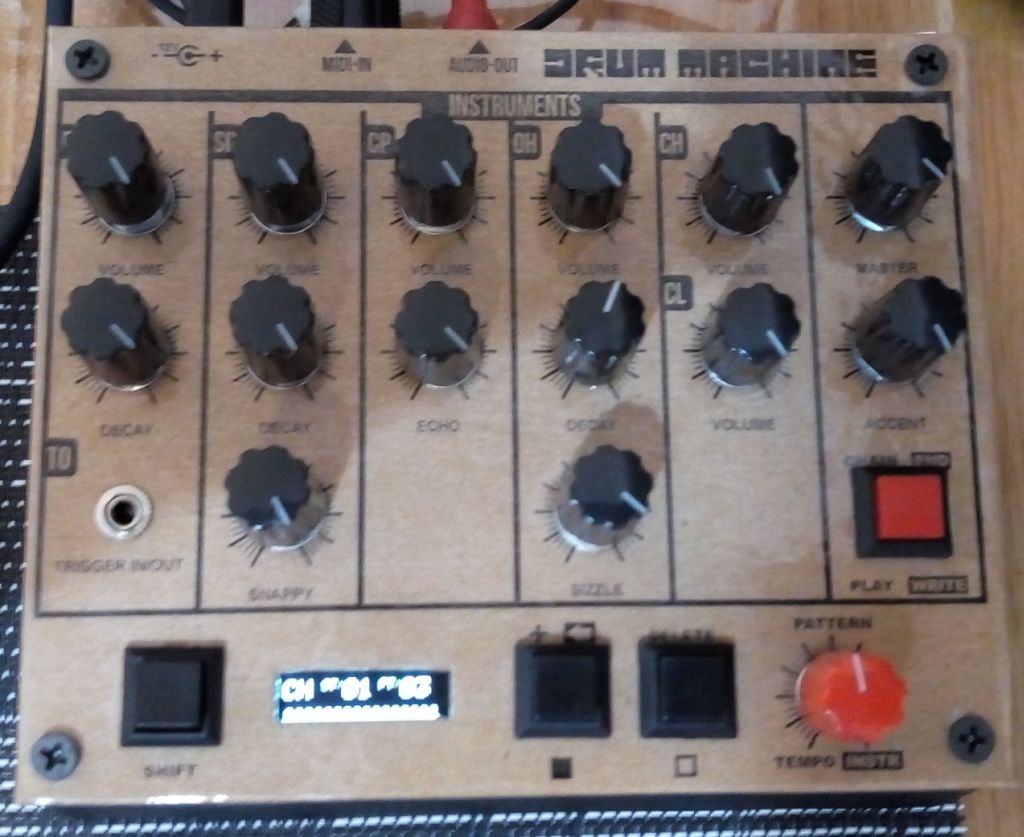
Supported features:
- Midi in
- Trigger Out
- Accent
- Six instruments:
- Bass Drum
- Snare Drum
- Hand Clap
- Open Hi-Hat
- Closed Hi-Hat
- Claves
- 32 non volatile patterns
- 16 steps per pattern
- Chain patterns
- Tempo range: 30 bpm to 350 bpm
Block diagram
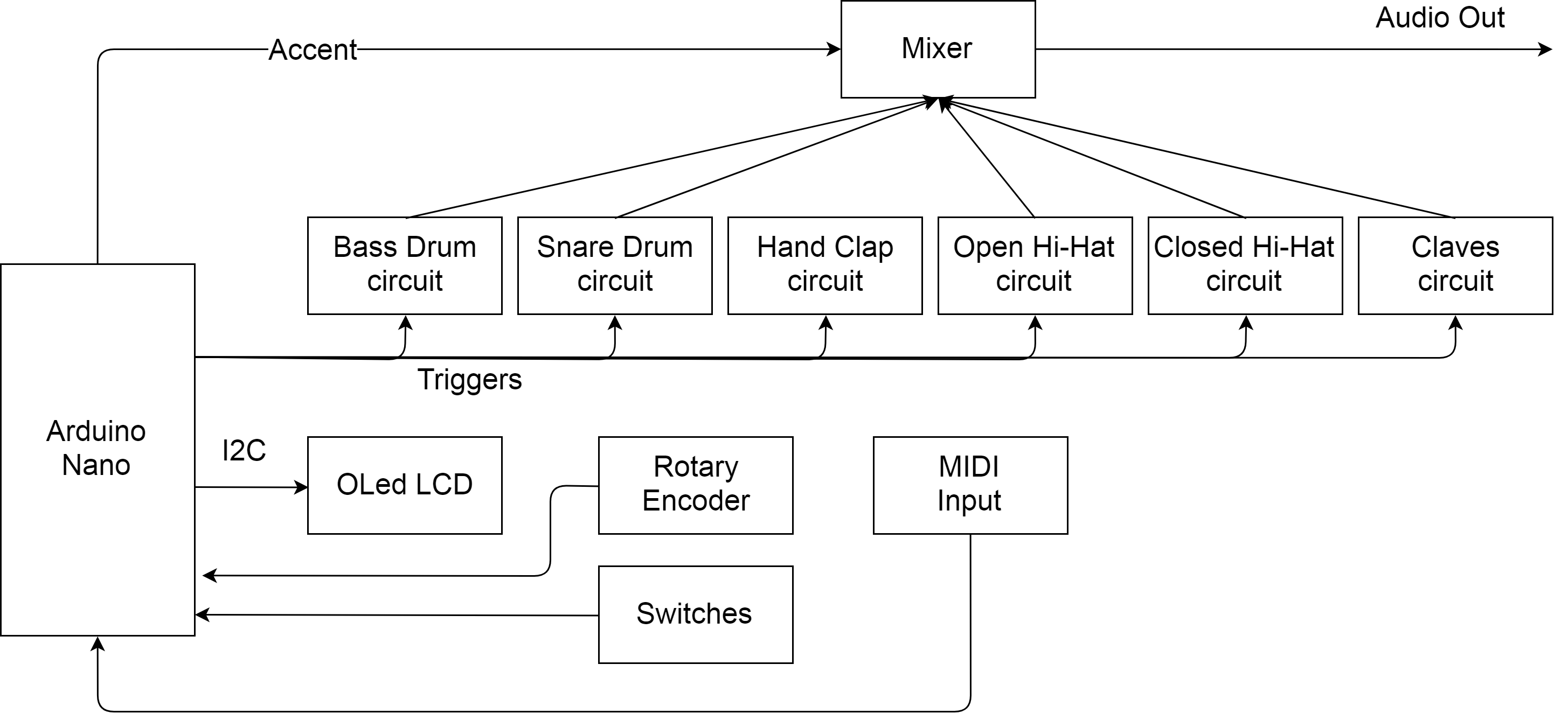
This project contains:
- Arduino Nano Firmware
- External Arduino libraries (included in this project):
- Adafruit SSD1306: https://github.com/adafruit/Adafruit_SSD1306
- Rotary Encoder: http://www.mathertel.de/Arduino
- Schematics
- Pictures
- Front panel blueprints
Usage
Writing a rythm
The device is in write mode when it turns on. Press shift button and move the encoder knob to select the pattern to be written. There is 32 possible patterns. Release shift button and move instrument knob to select the current instrument. Instrument indicator will change among the 7 possible instruments (BD,SD,CP,OH,CH,CL,TO). Step indicator will be 1. Use "add" or "delete" buttons to select if the instrument will play or there will be a silence for that step. Step counter will increase. There are 16 steps in the pattern. Once 16 steps have been selected, a "-" symbol will appear in the step indicator. Repeat the operation for each instrument. You can end the pattern before 16 steps by pressing shift and then the "end" button.
Copying a rythm
Press "add" button for 3 seconds and the screen will show where the current pattern will be copied. Select the destination pattern using the tempo knob. Press "add" button again to save it.
Playing a rythm
Press "Play" button and the pattern will be played in loop mode. In playing mode you can press shift and select the next pattern to be played using the pattern knob. Once the current pattern finishes, the selected one will start.
Playing a pattern chain
In playing mode, press shift and "chain" button. The screen will show the pattern chain. Select a pattern to add to the chain using the pattern knob and press "add" button to add it. You can delete the last element of the chain by pressing shift and then "delete" button. To go back to the playing screen press shift and then "chain" button.
MIDI Input map (TR808-M Compatible)
Press play/write button for 3 seconds and the screen will show the current MIDI channel. Use the tempo knob to change it. Press play/write button to save it.
- Bass Drum: 33, 35, 36
- Snare Drum: 31, 38, 40
- Hand Clap: 39, 54, 69, 70, 82
- Open Hi-Hat: 44, 46, 53
- Closed Hi-Hat: 42
- Claves: 32, 34, 37, 75
- Trigger Out Output: 48
License
Arduino Analog Drum Machine Copyright (C) <2018> Ernesto Gigliotti ernestogigliotti@gmail.com
This program is free software: you can redistribute it and/or modify it under the terms of the GNU General Public License as published by the Free Software Foundation, either version 3 of the License, or (at your option) any later version.
This program is distributed in the hope that it will be useful, but WITHOUT ANY WARRANTY; without even the implied warranty of MERCHANTABILITY or FITNESS FOR A PARTICULAR PURPOSE. See the GNU General Public License for more details.
You should have received a copy of the GNU General Public License along with this program. If not, see https://www.gnu.org/licenses/.
Related Skills
node-connect
340.5kDiagnose OpenClaw node connection and pairing failures for Android, iOS, and macOS companion apps
frontend-design
84.2kCreate distinctive, production-grade frontend interfaces with high design quality. Use this skill when the user asks to build web components, pages, or applications. Generates creative, polished code that avoids generic AI aesthetics.
openai-whisper-api
340.5kTranscribe audio via OpenAI Audio Transcriptions API (Whisper).
commit-push-pr
84.2kCommit, push, and open a PR
