
ServerManagerBot
ServerManagerBot is a Telegram bot for managing Hetzner servers. It allows admins to control server actions.
Install / Use
/learn @erfjab/ServerManagerBotREADME
[!IMPORTANT] We thank PingiHost for supporting and sponsoring this. project.
Setup
Server and Docker Setup
<details> <summary>Show Server Commands</summary>1. Update the Server
sudo apt update && sudo apt upgrade -y
2. Install Docker
curl -fsSL https://get.docker.com | sh
Install & Run the Bot
<details> <summary>Show Run Commands</summary>1. Create Directory and Download Files
mkdir -p /opt/erfjab/servermanagerbot/data
curl -o /opt/erfjab/servermanagerbot/docker-compose.yml https://raw.githubusercontent.com/erfjab/servermanagerbot/master/docker-compose.yml
cd /opt/erfjab/servermanagerbot
curl -o .env https://raw.githubusercontent.com/erfjab/servermanagerbot/master/.env.example
2. Config .env
You can set the database values as you like, but make sure to also add the same values inside the docker-compose.yml file to ensure your database is properly configured.
nano .env
Then edit your docker-compose.yml file as well:
nano docker-compose.yml
3. Pull Docker Image
docker compose pull
4. Start the Bot
docker compose up -d
After a few moments, the bot will start running.
</details>Update the Bot
<details> <summary>Show Update Commands</summary>Make sure you're in the servermanagerbot directory:
cd /opt/erfjab/servermanagerbot
Then update the bot:
docker compose pull && docker compose up -d
Manage the Bot
<details> <summary>Show Manage Commands</summary>Make sure you're in the servermanagerbot directory:
cd /opt/erfjab/servermanagerbot
-
Restart the Bot:
docker compose restart -
Stop the Bot:
docker compose down -
View Logs:
docker compose logs -f
Switch to GA Mode (preview mode)
<details> <summary>Show GA Commands</summary>Make sure you're in the HolderBot directory:
cd /opt/erfjab/servermanagerbot
-
Open the Docker Compose File:
nano docker-compose.yml -
Change the Image Tag:
From:
erfjab/servermanagerbot:latestTo:
erfjab/servermanagerbot:ga -
Pull the Docker Image:
docker compose pull -
Start the Bot:
docker compose up -d
Support
- Telegram Channel: @ErfJabs
- Telegram Chat: @ErfJabChat
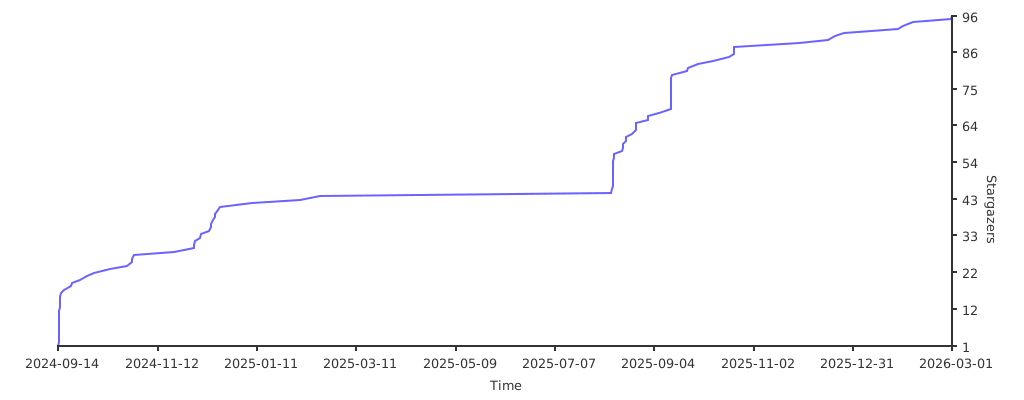
⭐ Star the Project:
Related Skills
node-connect
349.2kDiagnose OpenClaw node connection and pairing failures for Android, iOS, and macOS companion apps
frontend-design
109.5kCreate distinctive, production-grade frontend interfaces with high design quality. Use this skill when the user asks to build web components, pages, or applications. Generates creative, polished code that avoids generic AI aesthetics.
openai-whisper-api
349.2kTranscribe audio via OpenAI Audio Transcriptions API (Whisper).
qqbot-media
349.2kQQBot 富媒体收发能力。使用 <qqmedia> 标签,系统根据文件扩展名自动识别类型(图片/语音/视频/文件)。
