
Eqsh
Your Polished AIO Hyprland Shell. Built for maximum efficiency and a better workflow
Install / Use
/learn @eq-desktop/EqshREADME
eqSh
<p align="center"> <i>“Sometimes less is more, when it's built right.”</i> </p><p align="center"> <img src="./Media/logo.svg" alt="eqSh Logo" width="160"/> </p> <div align="center">





<table align="center"> <tr> <td><a href="https://eqsh-wiki.github.io/install">Install</a></td> <td><a href="https://github.com/eq-desktop/eqSh/issues">Issues</a></td> <td><a href="https://eqsh-wiki.github.io/">Wiki</a></td> </tr> </table>
eqSh is the next-generation shell for Hyprland —
a polished, Apple-inspired Linux environment for both superusers and everyday users.
It’s more than a bar. eqSh is your panel, notch, launcher, notifications hub, lockscreen, wallpaper engine, tray, and more — all in one.
<figure>Preview


Quickstart
<h3><a href="https://eqsh-wiki.github.io/"><b>Wiki</b></a></h3><a name="install-guide">Install Guide</a>
<details> <summary> <b>1. Install Quickshell</b> </summary> <details> <summary>Arch</summary>yay -S quickshell
{
	inputs = {
		nixpkgs.url = "nixpkgs/nixos-unstable";

		quickshell = {
			url = "git+https://git.outfoxxed.me/outfoxxed/quickshell";
			inputs.nixpkgs.follows = "nixpkgs";
		};
	};
}
sudo dnf copr enable errornointernet/quickshell
sudo dnf install quickshell
guix install quickshell
Install using curl:
curl -fsSL https://eqsh-wiki.github.io/get | bash
au run
Manual installation:
git clone https://github.com/eq-desktop/eqSh
cd eqSh
git submodule update --init --recursive
mkdir -p ~/.local/share/equora/
mv ~/eqSh/ ~/.local/share/equora/
For wallpapers do:
git clone https://github.com/eq-desktop/wallpapers.git ~/eqSh/wallpapers
au run
Or make it permanent by adding this to ~/.config/hypr/hyprland.conf:
exec-once = /usr/local/bin/au run
Icon theme: MacTahoe Icon Theme
GTK theme: MacTahoe GTK Theme
Hyprland Config: Hyprland Config
</details>✨ Features
- [x] Top Panel
- [x] Notch
- [x] Notch Applications
- [x] Notifications
- [x] Modals with IPC integration
- [x] App Drawer / Launchpad
- [x] Lockscreen
- [x] Wallpaper Engine
- [x] System Tray
- [x] Battery & WiFi Indicators
- [x] Clock
- [x] On-Screen-Displays for Volume and Brightness
- [x] Polkit
- [x] Control Center
- [x] Dock
- [x] Sigrid AI Chatbot
- [x] Desktop Widgets
- [x] Screenshot tool
- [x] Full JSON user settings & Settings App
- [x] Control Center
- [x] Advanced IPC-powered popup system
🛠 Coming Soon
- Dock with magnification
- Global Menu
- Desktop Files
- Spotlight Extensions
- Custom dropdown menus
Documentation
- Full docs & guides: Wiki
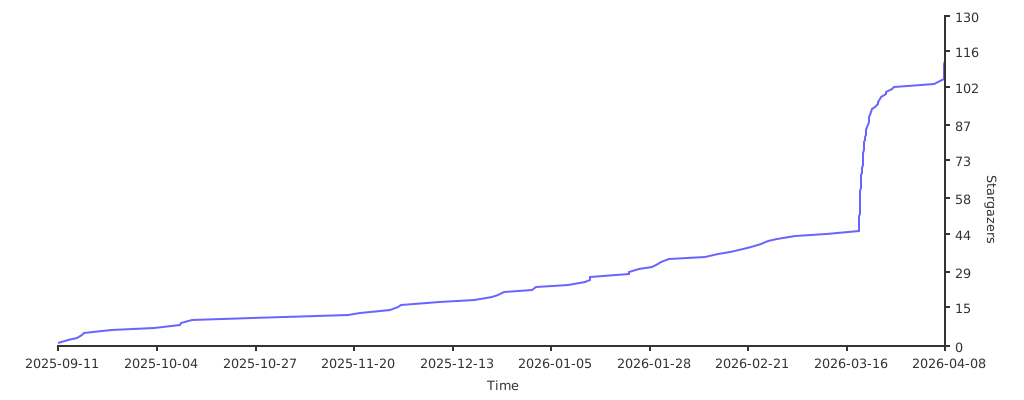
⚖️ License
This project is released under the APACHE-2.0 License.
You are free to use, modify, and distribute — but all changes must remain open-source.
