
WatchFlower
A plant monitoring application that reads and plots data from compatible Bluetooth sensors and thermometers like Xiaomi 'Flower Care' or Parrot 'Flower Power'
Install / Use
/learn @emericg/WatchFlowerREADME


WatchFlower is a plant monitoring application that reads and plots data from compatible Bluetooth sensors like Xiaomi "Flower Care" and "RoPot" or Parrot "Flower Power" and "Parrot Pot", as well as many Bluetooth thermometers! It works with international and Chinese Xiaomi devices, doesn't require an account creation, your GPS location, nor any other personal data from you!
Works on Linux, macOS, Windows, but also Android and iOS! Desktop binaries are available on the "release" page, mobile applications are on the app stores.
Virtually all phones and laptops have Bluetooth "Low Energy", but you will need to make sure your desktop computer has a Bluetooth card or dongle (and for Windows, a working driver too).
Available in Chinese (traditional and simplified), Danish, Dutch, English, French, Frisian, German, Hungarian, Norwegian (Bokmål and Nynorsk), Russian and Spanish!
Application developed by Emeric Grange. Visual design by Chris Díaz.
Features
- Support many different plant sensors and thermometers
- Support a couple of environmental and air quality sensors
- Plant database with over 3400 plants
- Name your plants and set your own limits for optimal care
- Background updates and notifications (excluding iOS)
- Synchronize sensors history (FlowerCare, RoPot and ThermoBeacon ONLY for now)
- Configurable update intervals
- Clickable two-week graphs
- Monthly/weekly/daily data histograms
- 90 days CSV data export
- Scalable UI: 5" to 34" screens, landscape or portrait
Download
<p> <a href='https://flathub.org/apps/io.emeric.watchflower'><img height='66' alt='Download on Flathub' src='https://i.imgur.com/MRwDkAl.png'/></a> <a href="https://apps.apple.com/us/app/watchflower/id1476046123"><img height='66' src="https://i.imgur.com/Pbhu6zv.png" alt="Download on the App Store"></a> <a href='https://play.google.com/store/apps/details?id=com.emeric.watchflower'><img height='66' alt='Get it on Google Play' src='https://i.imgur.com/VyahdKR.png'/></a> </p>
Supported devices
WatchFlower has been built to be compatible with as many Bluetooth sensors as possible.
Various new Bluetooth devices and sensors can be added to WatchFlower. If you have one in mind, you can contact us and we'll see what can be done!
Checkout out the device page to get more informations about the devices currently support, and get a peek at their Bluetooth APIs.
You can also create your own sensors and use them with WatchFlower! Checkout this guide to learn more about the process.
WatchFlower is NOT associated with Xiaomi, Parrot, or any device manufacturer.
Please note that most Chinese devices have many names, usually no official manufacturer, sometimes a couple of variants potentially sold as the same base model. We do our best to identify them as clearly as we can.
| Flower Care | Flower Care | Flower Care Max | RoPot | Flower Power | Parrot Pot |
| :---------: | :---------: | :-------------: | :---: | :----------: | :--------: |
|  | |
| |  |
|  |
|  |
|  |
| HHCCJCY01 | HHCCJCY10 | HHCCJCY09 <br> GCLS002 | HHCCPOT002 | RKXHAWAII | 2AG61POT |
| Xiaomi / VegTrug / ...<br>(International and Chinese versions) | Tuya | Xiaomi and VegTrug variants | Xiaomi and VegTrug variants | | (monitoring only) |
|
| HHCCJCY01 | HHCCJCY10 | HHCCJCY09 <br> GCLS002 | HHCCPOT002 | RKXHAWAII | 2AG61POT |
| Xiaomi / VegTrug / ...<br>(International and Chinese versions) | Tuya | Xiaomi and VegTrug variants | Xiaomi and VegTrug variants | | (monitoring only) |
| Xiaomi MiJia Bluetooth Hygrometer (LCD) | ClearGrass Temp & RH Monitor (EInk) | Qingping Temp & RH Monitor Lite (LCD) |
| :-----------------------------: | :----------------------------------: | :-------------------------: |
|  |
|  |
|  |
| LYWSDCGQ | CGG1 | CGDK2 |
|
| LYWSDCGQ | CGG1 | CGDK2 |
| Miaomiaoce Thermo-Hygrometer 2 (LCD) | Miaomiaoce Thermo-Hygrometer 2 (EInk) | Miaomiaoce Thermo-Hygrometer (EInk) |
| :----------------------------------: | :---------------------------------: | :---------------------------------: |
|  |
|  |
|  |
| LYWSD03MMC | MHO-C401 | XMWSDJO4MMC |
|
| LYWSD03MMC | MHO-C401 | XMWSDJO4MMC |
| Miaomiaoce Digital Hygrometer Clock (EInk) | Miaomiaoce Digital Hygrometer Alarm (EInk) | Qingping Bluetooth Alarm Clock (LCD) | Qingping Temp & RH Barometer Pro S (LCD) |
| :----------------------------------------: | :----------------------------------------: | :----------------------------------: | :--------------------------------------: |
|  |
|  |
|  |
|  |
| LYWSD02 | MHO-C303 | CGD1 | CGP1W |
|
| LYWSD02 | MHO-C303 | CGD1 | CGP1W |
| ThermoBeacon (round keychain) | ThermoBeacon (diamond keychain) | ThermoBeacon (LCD) |
| :---------------------------: | :-----------------------------: | :----------------: |
|  |
|  |
|  |
| 2ACD3-WS02<br>2ACD3-WS07 | 2ACD3-WS02 | 2ACD3-WS08<br>KEU-WA59D |
|
| 2ACD3-WS02<br>2ACD3-WS07 | 2ACD3-WS02 | 2ACD3-WS08<br>KEU-WA59D |
| Air Box WP6003 | Honeywell HCHO detector | Qingping Air Monitor Lite |
| :------------: | :---------------------: | :-----------------------: |
|  |
|  |
|  |
| | JQJCY01YM | CGDN1 |
|
| | JQJCY01YM | CGDN1 |
| b-parasite | HiGrow |
| :-------------------------------: | :-------------------------------: |
|  |
|  |
| | |
| (with custom firmware) | (with custom firmware) |
| firmware | firmware |
|
| | |
| (with custom firmware) | (with custom firmware) |
| firmware | firmware |
| ESP32 Air Quality Monitor | ESP32 Weather Station | ESP32 Geiger Counter |
| :-----------------------: | :-------------------: | :------------------: |
|  |
|  |
|  |
| build | build | build |
|
| build | build | build |
Screenshots
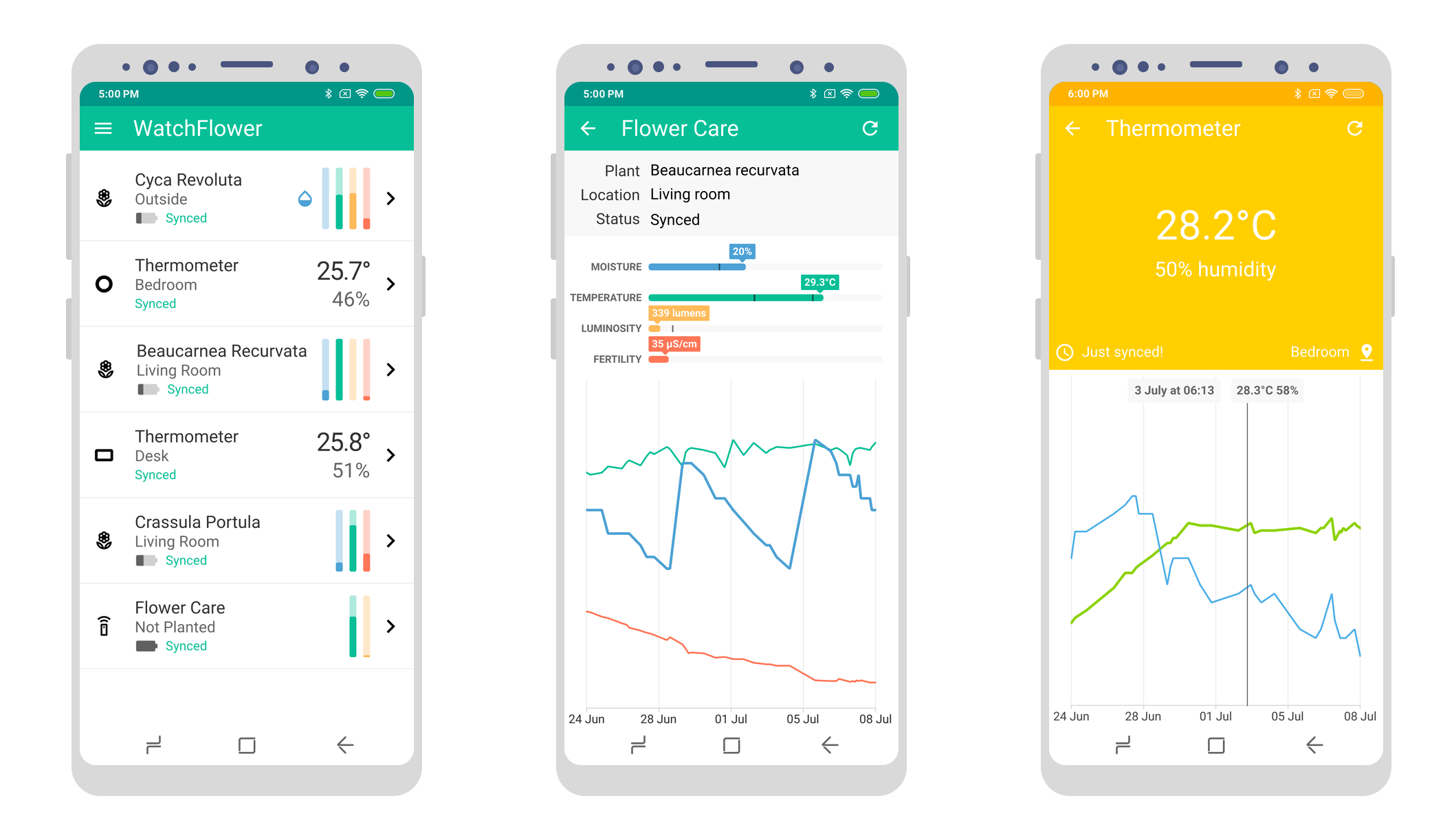
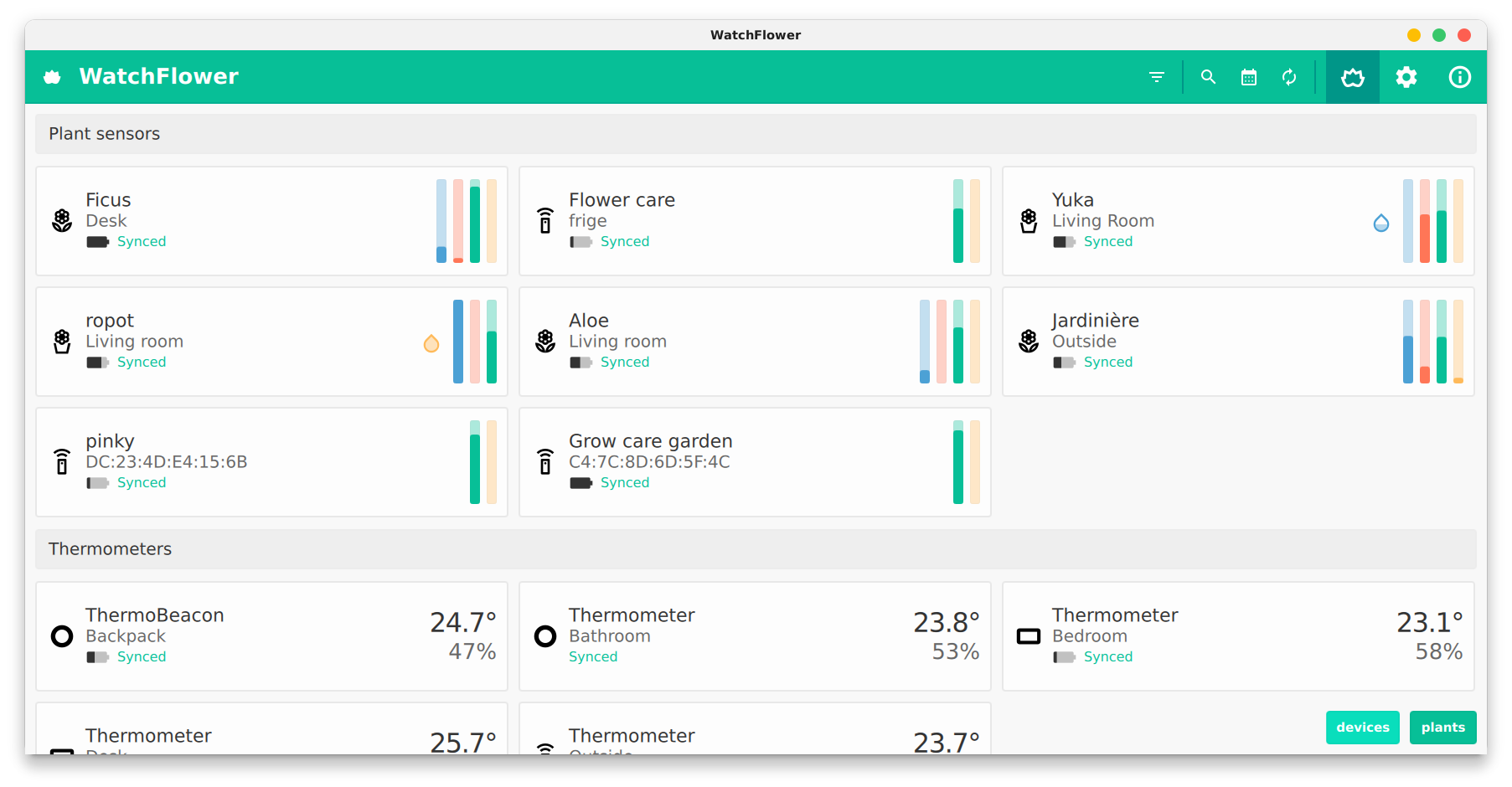
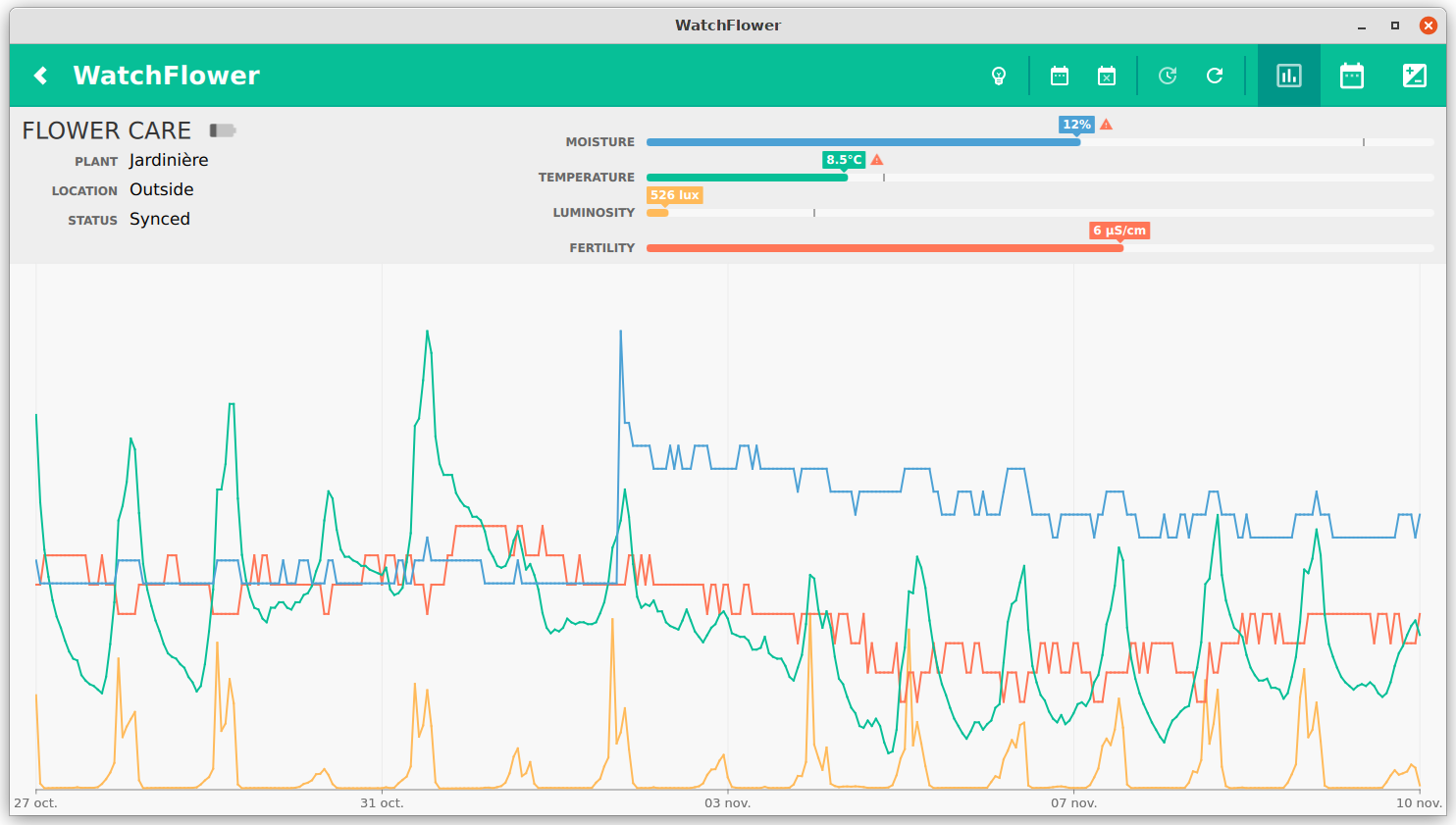
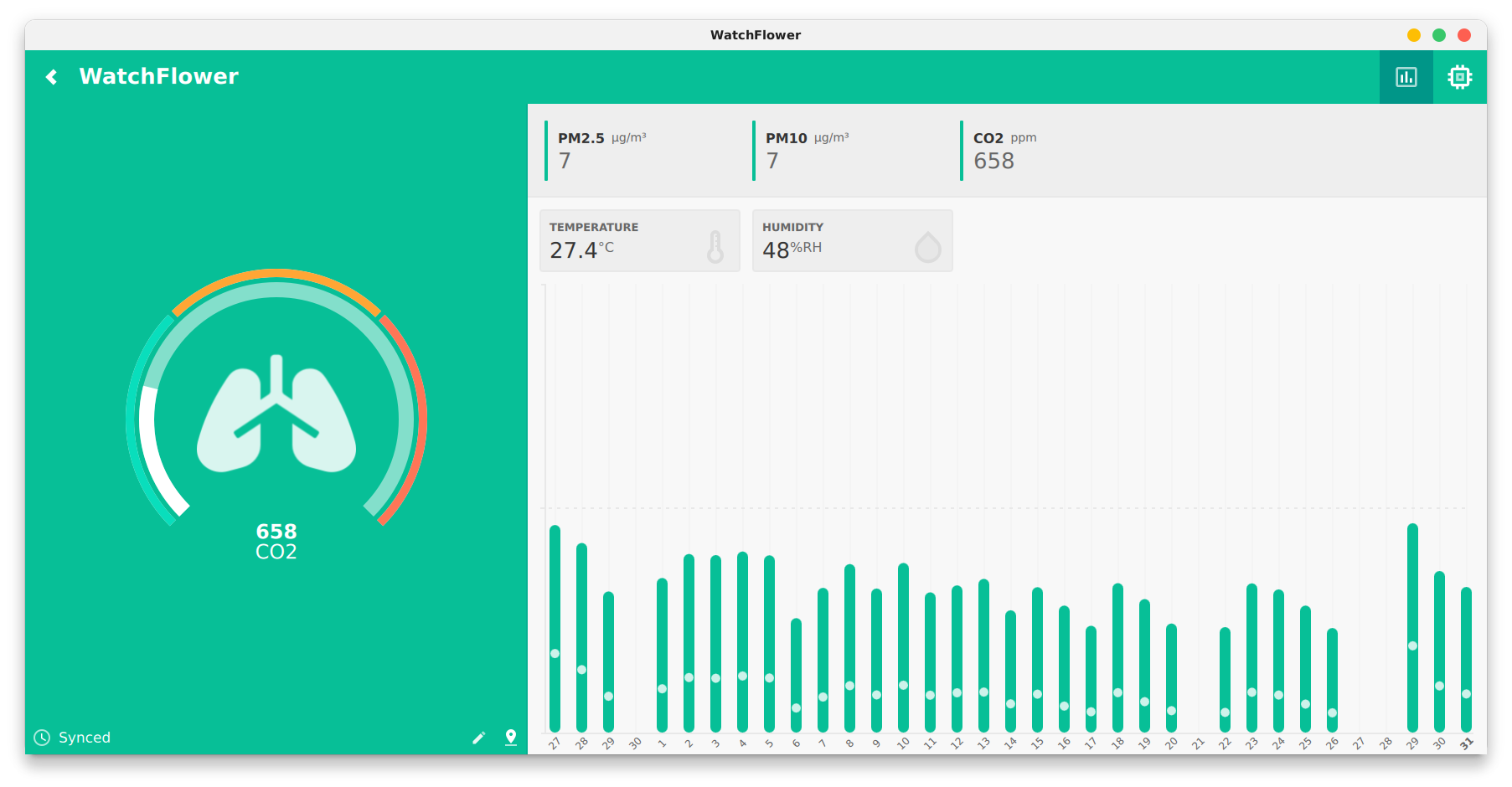
Documentation
Dependencies
You will need a C++17 compiler and Qt 6.8+ with the following 'additional librairies':
- Qt Connectivity
- Qt Positioning
- Qt Charts
For macOS and iOS builds, you'll need Xcode (15+) installed.
For Windows builds, you'll need MSVC (2022) installed. Bluetooth won't work with MinGW.
For Android builds, you'll need the appropriates JDK (17) SDK (28+) and NDK (28+). You can customize Android build environment using the assets/android/gradle.properties file.
Building WatchFlower
$ git clone https://github.com/emericg/WatchFlower.git
$ cd WatchFlower/
$ cmake -B build/
$ cmake --build build/
Using WatchFlower
Android
The Android operating system requires applications to ask for device location permission in order to scan for nearby Bluetooth Low Energy sensors. Android 10+ will ask for ACCESS_FINE_LOCATION, while Android 6+ will only ask for ACCESS_COARSE_LOCATION.
This is a mandatory requirement. The application is neither using nor storing your location. Sorry for the inconvenience.
You can learn more on Android developer website.
Some devices also require the GPS to be turned on while scanning for new sensors. This requirement is not documented and there is not much that can be done about it.
Android background updates and notifications
Using the 'background updates' feature requires the ACCESS_BACKGROUND_LOCATION additional permission, for the same reasons just mentioned above. Note that you can actually deny that permission, but then the background updates will be much less efficient.
It's also very important to note that Android phones will try very hard to both prevent the app from starting in the background, then kill every application running in the background, making it hard for this feature to work properly.
Depending on your phone model and m
Related Skills
tmux
328.6kRemote-control tmux sessions for interactive CLIs by sending keystrokes and scraping pane output.
blogwatcher
328.6kMonitor blogs and RSS/Atom feeds for updates using the blogwatcher CLI.
product
Cloud-agnostic Kubernetes infrastructure with Terraform & Helm for homelabs, edge, and production clusters.
polyglot-k
My Tech Skill Proficient Javascript, Typescript, Java, Express.js, React.js, Spring boot, Spring Jpa, Mysql, Redis, AWS, Docker Experienced Python, Kotlin, Go, Nest.js, Next.js, Flask, C+
